1. Коопсуздук маалыматы
Чогултуудан жана иштетүүдөн мурун бардык көрсөтмөлөрдү кунт коюп окуп чыгыңыз. Бул көрсөтмөлөрдү аткарбоо жаракат алууга же продуктунун бузулушуна алып келиши мүмкүн.
- Монтаждоодон мурун бардык компоненттер бар экенин жана бузулбаганын текшериңиз.
- Иш учурунда балдарды жана үй жаныбарларын столдон алыс кармаңыз.
- Do not place hands or other objects near moving parts of the desk frame.
- Электр шнурунун кыпчылып же бузулуп калбагандыгын текшериңиз.
- Үстөлдү ашыкча жүктөбөңүз. Максималдуу жүк көтөрүмдүүлүгү 100 кг (220 фунт).
- Үстөлдү тегиз жерде гана колдонуңуз.
- Тазалоо же тейлөө алдында электр энергиясын өчүрүңүз.
2. Пакеттин мазмуну
The FLEXISPOT E6 Essential Standing Desk is typically shipped in two separate packages: one for the desktop and one for the frame components. Verify that all parts listed below are included in your packages.
2.1. Desktop Package
- Whole-piece Desktop (48x24 Inch, Mahogany)
2.2. Frame and Accessories Package
- Үстөлдүн буттары (2)
- Буттар (2)
- Crossbar/Frame Support
- Control Box
- Интеллектуалдык баскычтоп
- Кубаттуу адаптер жана кабель
- Кабелдик башкаруу клиптери/байланыштары
- Hardware Kit (screws, Allen wrenches)
- Instruction Manual
3. Монтаждоо боюнча нускамалар
Assembly requires careful attention to detail. It is recommended to have two people for assembly, especially when handling the desktop. Ensure you have a clear, spacious area for assembly.
3.1. Керектүү куралдар
- Included Allen wrenches
- Phillips баш бурагыч (киргизилген эмес)
- Drill (optional, for pilot holes if needed)
3.2. Кадамдык Ассамблея
- Компоненттерди таңгактан чыгаруу: Carefully remove all parts from their packaging and lay them out on a soft, clean surface to prevent scratches. Verify all parts are present against the package contents list.
- Assemble Desk Legs and Feet: Attach the feet to the bottom of each desk leg using the provided screws and Allen wrench. Ensure they are securely fastened.
- Attach Crossbar: Connect the crossbar/frame support between the two desk legs. Adjust the length of the crossbar to match the width of your desktop (48 inches for this model). Secure with screws.
- Mount Control Box and Keypad: Attach the control box to the designated area on the underside of the desk frame. Mount the intelligent keypad to the front edge of the desktop, typically on the right side, using the provided screws.
- Кабелдерди туташтыруу: Connect the motor cables from each leg to the control box. Connect the keypad cable to the control box. Finally, connect the power adapter to the control box.
- Иш столун алкакка бекитүү: Carefully place the desktop upside down on a soft surface. Position the assembled frame onto the desktop, aligning the pre-drilled holes (if available) or marking new pilot holes. Secure the desktop to the frame using the provided screws. Note: Some desktops may require drilling new pilot holes for optimal alignment.
- Кабелдик башкаруу: Use the included cable management clips or ties to neatly route and secure all cables under the desk, preventing them from dangling or getting caught.
- Тик турган стол: With assistance, carefully flip the desk upright and place it in its desired location. Ensure the power cable is accessible and not obstructed.

Image: The FLEXISPOT E6 Essential Standing Desk with a laptop, coffee cup, and plant, showcasing its design and workspace.
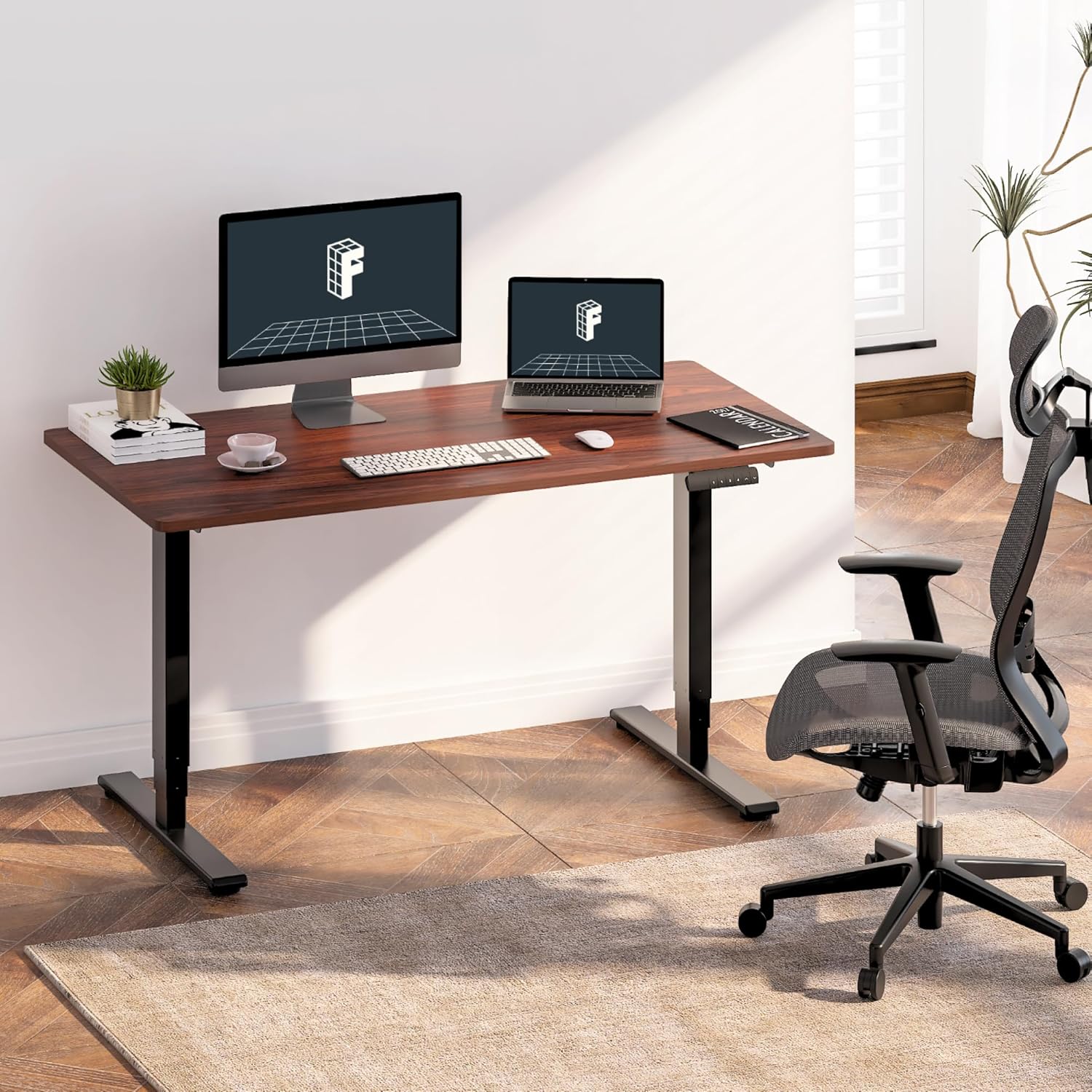
Image: The standing desk integrated into a home office, featuring dual monitors and an ergonomic chair, demonstrating its use.

Image: An illustration highlighting the strong steel structure of the desk frame, designed for stability and durability.
4. Иштөө нускамалары
The FLEXISPOT E6 Essential desk features an intelligent keypad for easy height adjustment and memory settings.
4.1. Баштапкы кубаттуулук
- Plug the power cable into a wall outlet. The LED display on the keypad should illuminate.
4.2. Бийиктигин тууралоо
- колдонуу Өйдө (▲) жана Төмөн (▼) arrow buttons on the keypad to raise or lower the desk to your desired height. The current height will be displayed on the LED panel.
- The desk operates smoothly and quietly with its dual motors, producing less than 50 dB of sound.
4.3. Memory Presets
The keypad allows you to save up to four preferred height settings for quick adjustments.
- Өйдө/Төмөн баскычтары менен үстөлдү каалаган бийиктикке тууралаңыз.
- басыңыз M button (or similar memory set button, often labeled 'S' or 'SET'). The display may flash.
- Дароо номерленген эс тутум баскычтарынын бирин басыңыз (1, 2, 3 же 4) учурдагы бийиктикти ошол алдын ала коюлганга сактоо үчүн.
- Сакталган бийиктикти кайра чакырып алуу үчүн, жөн гана тиешелүү номерленген эстутум баскычын басыңыз. Үстел автоматтык түрдө сакталган абалга жылат.
4.4. Кагылышууга каршы система
The desk is equipped with an anti-collision system to prevent damage. If the desk encounters an obstacle during movement, it will automatically stop and reverse slightly.
- The sensitivity of the anti-collision system can often be adjusted via specific keypad combinations (refer to the full manual for advanced settings if available).

Сүрөт: деталдуу view of the intelligent keypad, showing the LED display, memory buttons (1-4), and up/down controls.

Image: A visual representation of the desk's height range (23.6" to 48.8"), indicating suitability for various user heights from children to tall adults.

Image: The desk supporting two 110 lbs weights, illustrating its robust maximum load capacity of 220 lbs.

Image: An illustration demonstrating the anti-collision system, where the desk stops and reverses upon detecting an obstacle.
5. Техникалык тейлөө
Үзгүлтүксүз тейлөө сиздин үстөлүңүздүн узак мөөнөттүү жана оптималдуу иштешин камсыз кылат.
- Тазалоо: Иш тактасын жана алкакты жумшак менен сүртүңүз, гamp кездеме. Финишке зыян келтире турган катаал химиялык заттардан же абразивдүү тазалагычтардан алыс болуңуз.
- Кабель текшерүү: Periodically inspect all cables for wear, fraying, or damage. Ensure they are securely connected and properly managed.
- Бекер текшерүү: Бардык бурамаларды жана болттордун бекем турганын текшерүү үчүн мезгил-мезгили менен текшерип туруңуз. Зарыл болсо, кайра бекемдеңиз.
- Мотордун иштеши: Listen for any unusual noises during height adjustment. If you notice grinding or excessive noise, discontinue use and consult the troubleshooting section or contact support.
6. Кыйынчылыктарды
If you encounter issues with your FLEXISPOT E6 Essential Standing Desk, refer to the following common problems and solutions.
| Көйгөй | Мүмкүн себеп | Чечим |
|---|---|---|
| Desk does not move or respond to keypad. | Power cable disconnected; control box issue; motor cable disconnected. | Check power connection to wall and control box. Ensure all motor and keypad cables are securely plugged into the control box. Try resetting the desk (unplug for 30 seconds, then replug). |
| Үстел бир калыпта эмес кыймылдайт же адаттан тыш үн чыгарат. | Uneven load; loose fasteners; motor issue. | Ensure weight is evenly distributed on the desktop. Check and tighten all assembly screws. If the issue persists, contact customer support. |
| Кагылышууга каршы система өтө оңой ишке кирет же такыр ишке кирбейт. | Sensitivity setting; obstruction. | Ensure no objects are obstructing the desk's path. Refer to the full manual for instructions on adjusting anti-collision sensitivity. |
| Эстутум алдын ала орнотулган жөндөөлөрү туура сакталбай же кайра чакыртылбай жатат. | Туура эмес сактоо процедурасы. | Follow the memory preset saving steps precisely: adjust height, press 'M' (or 'S'), then immediately press the desired number button (1-4). |
7. Техникалык шарттар
Detailed technical specifications for the FLEXISPOT E6 Essential Standing Desk.
| Өзгөчөлүк | Спецификация |
|---|---|
| Модел | E6 маанилүү |
| Иш тактасынын көлөмү | 48" x 24" (47.5"D x 23.6"W) |
| Иш столунун материалы | FSC-Certified Wood (Mahogany finish) |
| Frame Color | Кара |
| Frame Material | Металл |
| Лифт тутуму | 3-Сtage Кош мотор |
| Бийиктик диапазону | 23.6-48.8" |
| Максималдуу жүктөө жөндөмдүүлүгү | 220 фунт (100 кг) |
| Ызы-чуу деңгээли | < 50 дБ |
| Башкаруу панели | Intelligent Keypad with 4 Memory Presets |
| Коопсуздук өзгөчөлүктөрү | Кагылышууга каршы система |
| Ассамблея талап кылынат | Ооба |
| Элемент Салмагы | 55 Pounds (approximate, frame and desktop combined) |
| UPC | 840460433792 |
8. Кепилдик жана колдоо
FLEXISPOT provides a limited warranty for the E6 Essential Standing Desk.
8.1. Кепилдик камтуу
- 5 жылдык камтуу: Үстөлдүн рамкасына жана мотор компоненттерине тиешелүү.
- 2 жылдык камтуу: Applies to the control panel and electronic components.
This warranty covers defects in materials and workmanship under normal use. It does not cover damage caused by misuse, accidents, unauthorized modifications, or failure to follow the instructions in this manual.
8.2. Кардарларды колдоо кызматы
For warranty claims, technical assistance, or any questions regarding your FLEXISPOT E6 Essential Standing Desk, please contact FLEXISPOT customer service. Refer to the contact information provided with your purchase or visit the official FLEXISPOT webсайт.
Сиз да зыярат кылсаңыз болот Amazonдагы FLEXISPOT дүкөнү кошумча ресурстар жана продукт маалымат үчүн.


