1. Киришүү
This manual provides essential information for the installation, operation, maintenance, and troubleshooting of your ENERMAX Revolution III 650 Fully Modular PC Power Supply. Please read this manual thoroughly before installation and retain it for future reference. This power supply is designed to meet the latest ATX 3.1 specifications, offering high efficiency and stable power delivery for modern computing systems.
2. Коопсуздук маалыматы
Жабдууларыңызга зыян келтирбөө же жаракат албоо үчүн ар дайым төмөнкү коопсуздук чараларын сактаңыз:
- Электр менен камсыздоо блогун ачпаңыз. Жогорку томtages электр кубатынан ажыратылган учурда да ичинде бар.
- Орнотуудан же алып салуудан мурун, кубат булагынын AC розеткасынан ажыратылганын текшериңиз.
- Электр менен камсыздоону жакшы желдетилген жерге орнотуңуз.
- Бул кубат булагы менен кошо берилген модулдук кабелдерди гана колдонуңуз. Шайкеш келбеген кабелдерди колдонуу зыян келтириши мүмкүн.
- This product is designed for use in desktop computers. Do not use it for other applications.
- Электр булагына нымдуулук же өтө жогорку температура таасир этүүдөн алыс болуңуз.
3. Пакеттин мазмуну
Пакетиңизде бардык буюмдар бар экенин текшериңиз:
- ENERMAX Revolution III 650 Power Supply Unit
- Modular Cable Set (including 12V-2x6 connector)
- AC Power Cord
- Монтаждоо бурамалар
- Cable Combs (16 pcs for 650W model)
- Колдонуучунун Колдонмосу (бул документ)
4. Орнотуу жана орнотуу
Follow these steps to install your ENERMAX Revolution III 650 power supply:
- Системаңызды даярдаңыз: Компьютериңиз өчүрүлгөнүн жана розеткадан ажыратылганын текшериңиз. Электр менен жабдууну орнотуу аймагына кирүү үчүн компьютериңиздин корпусун ачыңыз.
- Кубат менен жабдууну орнотуу: Carefully slide the ENERMAX Revolution III 650 into the designated power supply bay in your PC case. Secure it with the provided mounting screws. Ensure the fan faces the correct direction for optimal airflow (typically facing down if there's a bottom vent, or facing into the case if there's no bottom vent).

Алдыңкы жагы view of the ENERMAX Revolution III 650 power supply, showcasing its modular cable ports and branding.
- Модулдук кабелдерди туташтыруу: Identify the necessary cables for your components. This power supply is fully modular, allowing you to connect only the cables you need. Refer to the labels on the power supply and the cables.
- Энелик платанын кубаттуулугу: 24-пин ATX кабелин энеңизге туташтырыңыз.
- CPU кубаттуулугу: Connect the 4+4-pin EPS/CPU cable(s) to your motherboard.
- Graphics Card (GPU) Power: Connect the appropriate PCIe cables. The Revolution III 650 includes a native 12V-2x6 connector for modern GPUs, ensuring stable power delivery for high-end graphics cards.
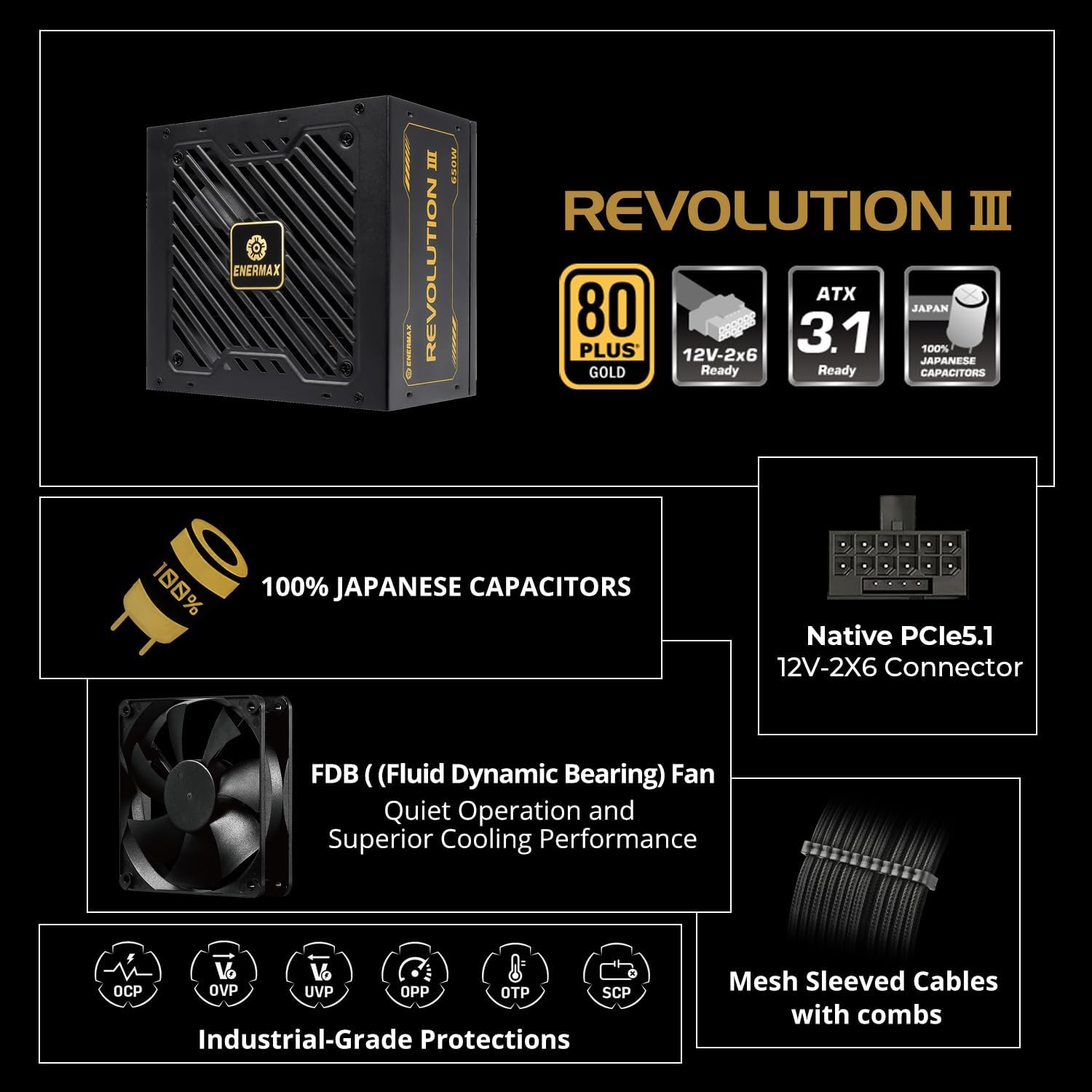
An infographic highlighting key features such as 80 PLUS Gold certification, ATX 3.1 readiness, 100% Japanese capacitors, native 12V-2x6 connector, FDB fan, industrial-grade protections, and mesh sleeved cables.

Жакын план view of the modular cable connections on the ENERMAX Revolution III 650, showing the mesh-sleeved cables and included cable combs for organized builds.
- SATA/Molex Devices: Connect SATA power cables to your storage drives (HDDs, SSDs) and optical drives. Use Molex cables for other peripherals as needed.
- Кабелдик башкаруу: Use the included cable combs to organize your cables for better airflow and a cleaner build.
- Корпусту жаап, AC кубатын туташтырыңыз: Once all internal connections are secure, close your computer case. Connect the AC power cord to the power supply and then to a wall outlet.
5. Иштөө нускамалары
The ENERMAX Revolution III 650 is designed for reliable and efficient operation.
- Күйгүзүү/өчүрүү: After installation, turn on your computer using the system's power button. The power supply will automatically manage power delivery.
- 80 PLUS алтындын эффективдүүлүгү: This power supply is 80 PLUS Gold certified, achieving up to 93% efficiency at 50% load. This reduces energy waste and heat generation, contributing to a cooler and more stable system.

A graph illustrating the efficiency curve of 80 PLUS Gold certified power supplies compared to other ratings (Titanium, Platinum, Silver, Bronze) across different load percentages.
- Тынч операция: The integrated 120mm Fluid Dynamic Bearing (FDB) fan provides ultra-quiet operation, even under significant system load.
- ATX 3.1 шайкештиги: The power supply adheres to the latest Intel ATX 3.1 specifications, ensuring compatibility and optimal performance with current and future high-performance components, including a 450W native 12V-2x6 connector.
- Superior Performance for High-End GPUs: The unit accommodates up to 200% power excursion, allowing it to handle the transient power spikes of demanding graphics cards without system instability.
- Туруктуу компоненттер: Built with 100% industrial-grade Japanese capacitors, ensuring long-term stability and reliability.

Ички view of a power supply circuit board, highlighting the 100% Japanese industrial-grade capacitors for stable performance.
6. Техникалык тейлөө
Туура тейлөө электр менен камсыздооңуздун узак мөөнөттүү жана оптималдуу иштешин камсыз кылат.
- Чаңды тазалоо: Мезгил-мезгили менен кысылган абаны колдонуу менен кубат булагынын желдеткичинен жана желдеткичтерден чаңды тазалап туруңуз. Тазалоодон мурун системанын өчүрүлгөнүн жана розеткадан ажыратылганын текшериңиз.
- Аба агымы: Ensure that the power supply's intake and exhaust vents are not obstructed. Maintain good airflow within your PC case to prevent heat buildup.
- Кабелдин бүтүндүгү: Regularly check that all modular cables are securely connected and free from damage.
7. Кыйынчылыктарды
Эгерде сиз электр менен камсыздоодо көйгөйлөргө туш болсоңуз, төмөнкү кеңири таралган көйгөйлөрдү жана чечимдерди караңыз:
- Система күйбөй жатат:
- AC кубат шнурунун кубат булагына жана розеткага бекем туташкандыгын текшериңиз.
- Ensure the power switch on the back of the power supply is in the 'ON' position.
- Verify that the 24-pin ATX and CPU power cables are correctly seated in the motherboard.
- Test the power supply with a known working system or use a PSU tester if available.
- Системанын туруксуздугу же кокусунан өчүрүлүшү:
- Ensure all modular cables are fully inserted into both the power supply and the components.
- Check for proper ventilation and ensure the power supply fan is spinning. Overheating can cause shutdowns.
- The ENERMAX Revolution III 650 includes multiple protection circuitries to safeguard your system:

Icons representing the multiple protection circuitries: OCP (Over Current Protection), OVP (Over Voltage Protection), UVP (Тtage Protection), OPP (Over Power Protection), OTP (Over Temperature Protection), and SCP (Short Circuit Protection).
- If these protections are triggered, the power supply may shut down to prevent damage. Address any potential overcurrent, overvoltage, undervolvoltage, overpower, or overheating issues.
- адаттан тыш үндөр:
- A rattling or grinding noise may indicate a fan issue. Ensure no cables are obstructing the fan blades.
- Эгер ызы-чуу кайталана берсе, кардарларды колдоо бөлүмүнө кайрылыңыз.
If troubleshooting steps do not resolve the issue, please contact ENERMAX customer support.
8. Техникалык шарттар
| Өзгөчөлүк | Спецификация |
|---|---|
| Бренд | Enermax |
| Модель аты | REVOLUTION III 650 |
| Элемент моделинин номери | EP-RV3-650G-FR |
| Чыгуу Wattage | 650 Ватт |
| Натыйжалуулуктун сертификациясы | 80 PLUS Gold (up to 93% at 50% load) |
| Форма фактору | ATX |
| Энергия менен жабдуунун дизайны | Толук модулдук |
| ATX стандарты | ATX 3.1 ылайыктуу |
| PCIe туташтыргычы | Native 12V-2x6 (450W) |
| Конденсаторлор | 100% Japanese Industrial-Grade |
| Муздатуу ыкмасы | Аба (120 мм FDB желдеткич) |
| Protection Circuitries | OCP, OVP, UVP, OPP, SCP, OTP |
| Элементтин өлчөмдөрү (LxWxH) | 5.51 x 5.91 x 3.39 дюйм |
| Элемент Салмагы | 4.69 фунт |
| Шайкеш түзмөктөр | Иш такта |
9. Кепилдик жана колдоо
The ENERMAX Revolution III 650 Power Supply comes with a 10 жылдык кепилдик, нормалдуу колдонууда материалдардын жана жасалгалоодогу кемчиликтерди жабуу. Бул кепилдик узак мөөнөттүү ишенимдүүлүктү жана жан дүйнө тынчтыгын камсыз кылат.
For technical support, warranty claims, or further assistance, please visit the official Enermax website or contact their customer service department. Please have your product model number (EP-RV3-650G-FR) and proof of purchase ready when contacting support.


