Introduction
The Arbiter Polar 75 is a state-of-the-art magnetic gaming keyboard engineered for peak performance and customization. Featuring second-generation Hall-sensor technology and Fuji Pro Magnetic Linear Switches, it offers unparalleled speed and precision. Its robust CNC aluminum frame, vibrant RGB lighting, and advanced functionalities like Rapid Trigger and Super Tap make it an essential tool for competitive gamers and discerning typists.
Орнотуу колдонмосу
1. Кутудан чыгаруу жана алгачкы текшерүү
Carefully remove the Arbiter Polar 75 keyboard from its packaging. Inspect the keyboard and included accessories (USB-C cable) for any signs of damage. Ensure all components are present.

1-сүрөт: жогорудан ылдыйга view of the Arbiter Polar 75 keyboard with RGB lighting enabled.
2. Баскычтопту туташтыруу
- USB-C портун клавиатуранын арткы бетинен табыңыз.
- Берилген USB-C кабелин клавиатуранын портуна туташтырыңыз.
- USB-C кабелинин экинчи учун компьютериңиздеги жеткиликтүү USB портуна сайыңыз.
- Клавиатура сиздин операциялык системаңыз тарабынан автоматтык түрдө таанылат. Негизги функциялар үчүн кошумча драйверлер талап кылынбайт.
3. кирүү Web-App for Customization
The Arbiter Polar 75 utilizes a web-based application for advanced customization of settings, including actuation points, Rapid Trigger, Super Tap, and RGB lighting effects. To access the web-app:
- Ensure your keyboard is connected to your computer via USB-C.
- Каалооңузду ачыңыз web браузер.
- Navigate to the official Arbiter Studio website (refer to product packaging or manufacturer's webтак маалымат алуу үчүн сайт URL).
- Locate the "Web-App" or "Software" section and follow the on-screen instructions to connect your keyboard.
- It is recommended to create a desktop shortcut to the web-app for quick access.
Иштөө нускамалары
Негизги өзгөчөлүктөр жана функциялар
- Gen 2 Hall-Sensor Performance: The keyboard features second-generation dedicated Hall sensors for ultra-fast keystroke detection, providing near-instant input. This technology offers a significant advantage in competitive gaming by reducing input lag.
- Fuji Pro Magnetic Linear Switches: Equipped with pre-lubed 36g magnetic switches, the Polar 75 allows for adjustable actuation points ranging from 0.1 mm to 3.8 mm. This wide range enables users to fine-tune the sensitivity for different tasks, from light gaming touches to deliberate typing.
- Rapid Trigger & Super Tap (SOCD): Rapid Trigger instantly resets keys upon release, allowing for quicker successive inputs and smoother movement. Super Tap (or SOCD - Simultaneous Opposite Cardinal Directions) ensures precise control, particularly useful for advanced movement techniques like strafing in first-person shooter games. These features are configurable via the web- колдонмо.
- Премиум куруу сапаты: The keyboard features a CNC-milled aluminum frame, providing a durable and weighted construction. It includes dye-sub PBT AOP-profile keycaps for enhanced durability and feel, and screw-in stabilizers for consistent keypresses. The PCB is IP54 nano-coated for additional protection against spills and dust.
- Brilliant RGB Lighting: Customize your keyboard's aesthetics with ultra-bright RGB lighting. The web-app offers 16 vibrant RGB lighting modes and personalized configurations.
- Dedicated Audio Knob: A convenient audio knob with push-to-mute functionality is integrated for easy volume control.
- Компакт 75% Макет: The keyboard features a compact 75% layout, balancing functionality with a space-saving design, ideal for decluttering your setup.
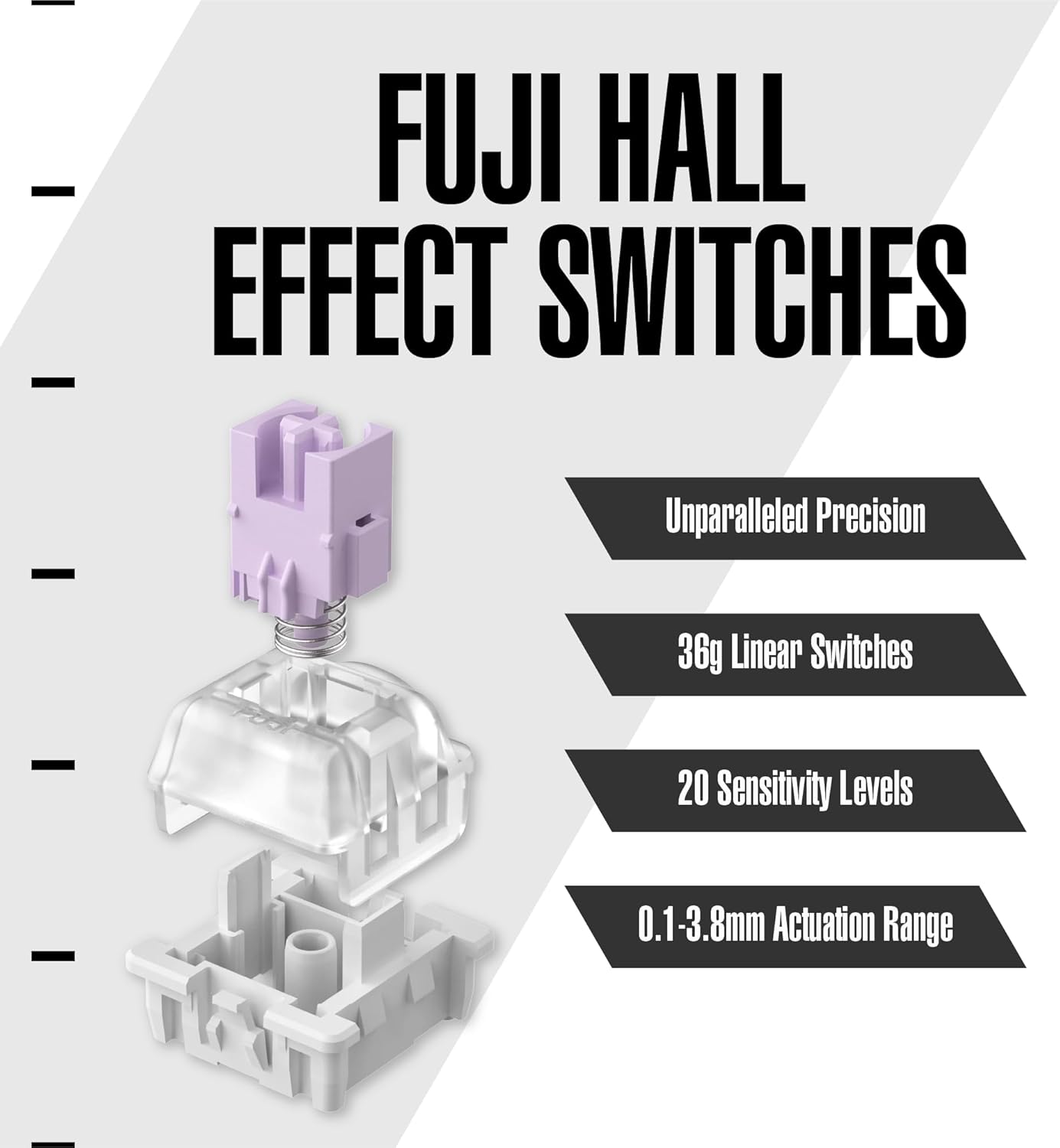
Figure 2: Illustration of Fuji Hall Effect Switches and their adjustable actuation range.

Figure 3: Comparison of Rapid Trigger's adjustable release and actuation points versus a regular keyboard's fixed points.

4-сүрөт: жарылган view illustrating the internal components and CNC aluminum frame construction.

Figure 5: The Arbiter Polar 75 displaying its customizable RGB lighting.
Техникалык тейлөө
Клавиатураңызды тазалоо
- Жалпы тазалоо: Бир аз жумшак, түксүз кездемени колдонуңуз dampБаскычтардын капкактарын жана алкагын сүртүү үчүн суу же жумшак тазалоочу эритме менен эритиңиз. Ашыкча нымдуулуктан алыс болуңуз.
- Чаңды тазалоо: Баскыч капкактары менен өчүргүчтөрдүн ортосундагы чаңды жана калдыктарды тазалоо үчүн кысылган абаны колдонуңуз.
- Клавиатураны алып салуу: If necessary, use a keycap puller to carefully remove keycaps for deeper cleaning. Be gentle to avoid damaging the switches.
- Switch Care: The Fuji Pro Magnetic Linear Switches are pre-lubed. Avoid applying additional lubricants unless specifically recommended by Arbiter Studio, as this may affect performance.
Сактагыч
When not in use, store the keyboard in a clean, dry environment away from extreme temperatures and direct sunlight to preserve its components and finish.
Проблемаларды чечүү
- Баскычтоп жооп бербейт:
- USB-C кабели клавиатурага жана компьютерге бекем туташып турганын текшериңиз.
- Баскычтопту компьютериңиздин башка USB портуна туташтырууга аракет кылыңыз.
- Көйгөй клавиатурадабы же баштапкы компьютердеби, аныктоо үчүн клавиатураны башка компьютерден сынап көрүңүз.
- RGB жарыгы иштебейт/туура эмес:
- кирүү web-app to verify RGB settings and ensure a lighting mode is selected.
- Клавиатуранын микропрограммасы жаңыртылганын текшериңиз web- колдонмо.
- Actuation Issues/Inconsistent Keypresses:
- Recalibrate the Hall-effect switches through the web- колдонмо.
- Check the actuation point settings in the web-app and adjust as needed.
- Ensure no debris is lodged under the keycaps or around the switches.
- PC Boot Issues (as reported by some users):
- If experiencing system instability or boot loops when the keyboard is plugged in during startup, try disconnecting the keyboard before booting your PC, then reconnect it once the system has fully loaded.
- Consider updating your motherboard's BIOS and performing a CMOS reset, as this has resolved similar issues for some users. Consult your motherboard's manual for specific instructions.
- Web-App Connectivity Problems:
- Интернет туташууңуз туруктуу экенин текшериңиз.
- Башкасын байкап көрүңүз web браузер.
- Браузериңиздин кэшин жана кукилерин тазалаңыз.
- For further assistance, please visit the official Arbiter Studio support page or contact their customer service.
Техникалык шарттар
| Өзгөчөлүк | Деталь |
|---|---|
| Бренд | Арбитр |
| Модел | Поляр 75 |
| Байланыш технологиясы | USB-C |
| Keyboard Description | Оюндар |
| Сунушталган Колдонуулар | Оюндар |
| Өзгөчө өзгөчөлүк | Ыкчам алмаштырылуучу |
| Түс | Kitsune Black |
| Ачкычтардын саны | 81 |
| Камтылган компоненттер | Баскычтоп |
| Power Source | Электр зымдары |
| Элемент Салмагы | 3.5 фунт |
| Өндүрүүчү | АРБИТЕР |
| Келип чыккан өлкө | Кытай |
| Дата биринчи жеткиликтүү | 28-январь, 2025-жыл |
Кепилдик жана колдоо
Arbiter products are designed and manufactured to the highest quality standards. For information regarding product warranty, please refer to the warranty policy available on the official Arbiter Studio webсайт. Кепилдик дооматтар үчүн сатып алганыңыздын далилин сактаңыз.
For technical support, frequently asked questions, or to download the latest firmware updates, please visit the Arbiter Studio official webсайт or contact their customer support team directly.


