1. Киришүү
The Elitech LogEt5T is a reusable USB temperature data logger designed for precise temperature monitoring across various applications, including biosciences, cold chain logistics, and industrial environments. It features automatic PDF and CSV report generation, a wide temperature range, and enhanced data integrity functions.
Негизги өзгөчөлүктөрү:
- Enhanced Shadow Data Function: Ensures data integrity even during accidental shutdowns or restarts.
- Reusable Temperature Logger: Wide temperature range of -30°C to 70°C with high accuracy (±0.1°C).
- Customizable Parameters: Easily modify temperature units, alarm ranges, and logging intervals.
- Automatic PDF & CSV Reports: Generates reports automatically without additional software.
- On-screen Data Visualization: Displays current, max, min, MKT values, date, and recording points.

2. Орнотуу
2.1 Баштапкы орнотуу
- Батарея орнотуу: The device comes with a pre-installed CR2450 battery. Ensure it is properly seated.
- Software Installation (Optional for Advanced Features): For advanced functionalities and detailed analysis, download the Elitechlog software from the official Elitech webсайт. Бул программа Windows жана macOS менен шайкеш келет.
2.2 Customizing Parameters
Before starting a new recording, you can customize various parameters using the Elitechlog software:
- Температура бирдиктери (°C/°F)
- Alarm thresholds (high and low temperature limits)
- Logging interval (how frequently data is recorded)
- Кечигип баштоо
- Сырсөз менен коргоо
3. Иштөө нускамалары
3.1 Starting a Recording
басып, кармап туруңуз START button on the device until the recording indicator appears on the LCD screen. The device will begin logging data according to the configured interval.
3.2 Stopping a Recording
басып, кармап туруңуз ТОКТОТ button on the device until the recording indicator disappears. The device will cease logging data.
3.3 ViewЭкрандагы маалыматтар
The LCD screen provides real-time and summary data. Press the START button briefly to cycle through different display modes:
- Учурдагы Температура
- Maximum Temperature (MAX)
- Minimum Temperature (MIN)
- Average Temperature (AVG)
- Орточо кинетикалык температура (MKT)
- Дата жана убакыт
- Number of Recorded Points (LOG)

3.4 Data Export and Report Generation
To access recorded data:
- Connect the LogEt5T to a computer's USB port.
- The device will automatically generate a PDF report and a CSV file containing all recorded data. These files can be found in the device's storage when connected to a computer.
- For more detailed analysis, open the Elitechlog software and import the data. The software allows for graphical comparison of data and trend analysis.

3.5 Reusing the Logger
The LogEt5T is reusable. To clear data and prepare for a new recording cycle:
- Аппаратты компьютерге туташтырыңыз.
- Open the Elitechlog software.
- Perform a quick reset and confirm the action within the software.
Эскертүү: Always save historical data before resetting the device to prevent data loss.

4. Техникалык тейлөө
4.1 Батареяны алмаштыруу
The LogEt5T uses a CR2450 button cell battery. When the battery indicator on the LCD screen shows low power, replace the battery:
- Батарея отсегин кылдаттык менен ачыңыз.
- Эски CR2450 батареясын алып салыңыз.
- Туура полярдуулукту камсыз кылуу менен жаңы CR2450 батареясын салыңыз.
- Батарея отсегин бекем жабыңыз.
4.2 Тазалоо жана сактоо
- Аппаратты жумшак, кургак чүпүрөк менен тазалаңыз. Абразивдүү тазалагычтарды же эриткичтерди колдонбоңуз.
- Аппаратты түз күн нурунан жана экстремалдык температурадан алыс салкын, кургак жерде сактаңыз.
- Ensure the USB port is protected from moisture and dust when not in use.
5. Кыйынчылыктарды
Жалпы маселелер жана чечимдер:
- Түзмөк башталбай жатат: Батареянын деңгээлин текшериңиз. Эгерде азайып калса, алмаштырыңыз.
- No data export: Ensure the device is properly connected to the USB port. Try a different USB port or cable.
- Программа түзмөктү тааныбай жатат: Ensure Elitechlog software is installed correctly. Restart the software and reconnect the device.
- Туура эмес окуулар: Ensure the device is placed in an appropriate environment, away from direct heat sources or extreme drafts. Refer to specifications for operating range.
For further assistance, consult the Elitechlog software's help section or contact Elitech customer support.
6. Техникалык шарттар
The following table details the technical specifications of the Elitech LogEt5T USB Temperature Data Logger:
| Өзгөчөлүк | Спецификация |
|---|---|
| Модель аты | LogEt5T |
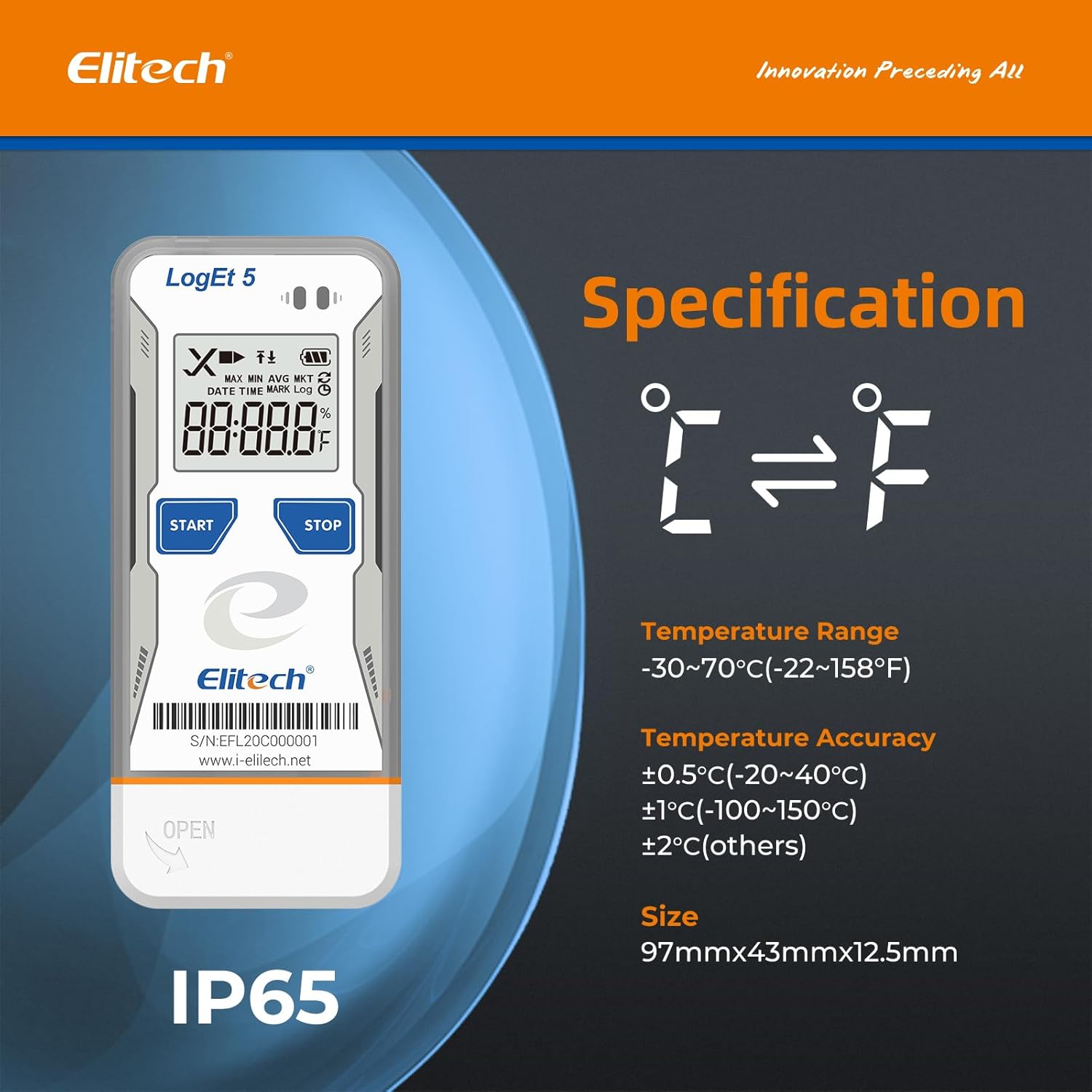
| Температура диапазону | -30°Cден 70°Cге чейин (-22°Fтен 158°Fге чейин) |
| Температуранын тактыгы | ±0.5°C (-20~40°C), ±1°C (-100~150°C), ±2°C (others) |
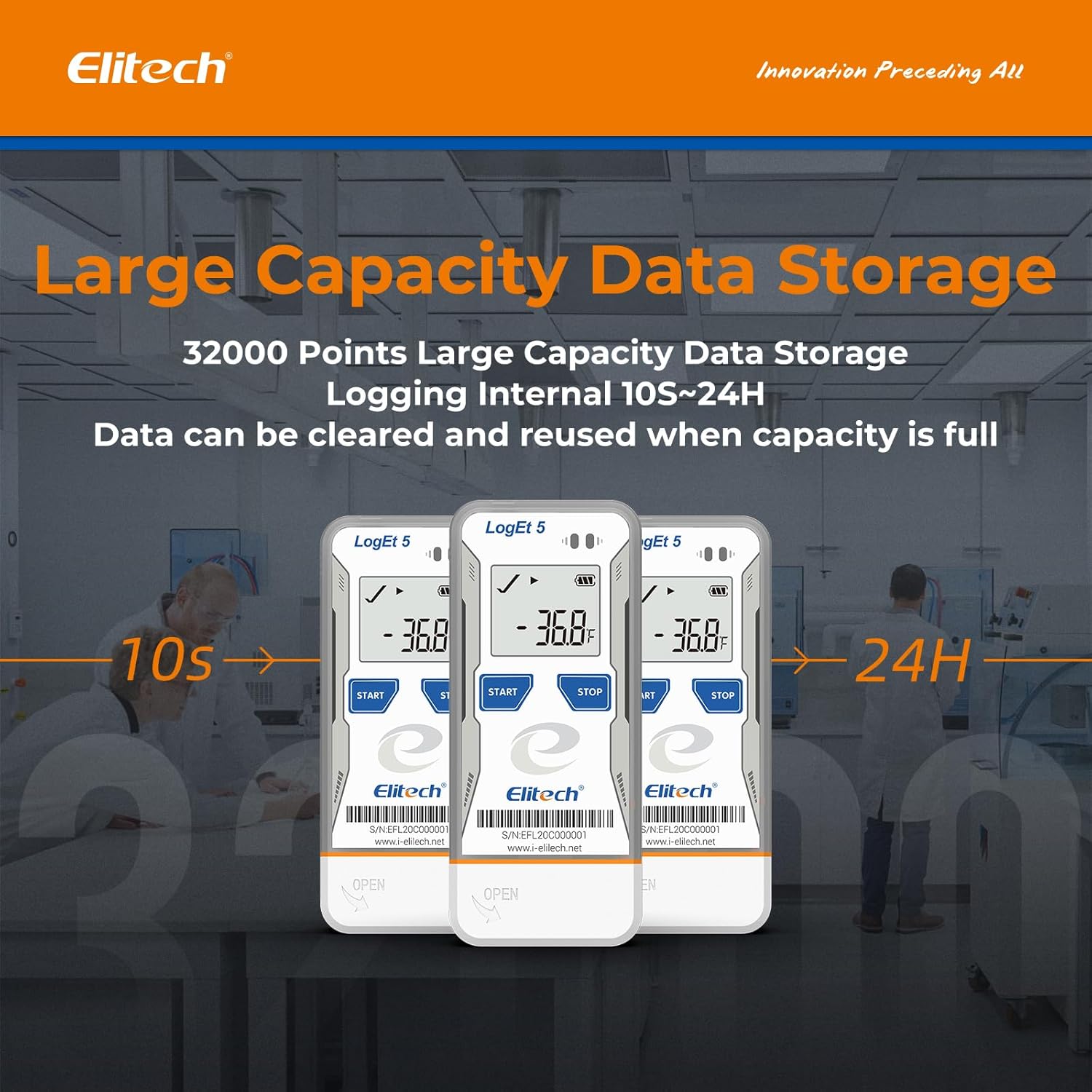
| Маалыматтарды сактоо мүмкүнчүлүгү | 32,000 упай |
| Кирүү аралыгы | Configurable (from 10 seconds to 24 hours) |
| Байланыш технологиясы | USB |
| Дисплей түрү | Санарип LCD |
| Power Source | Battery powered (1x CR2450, included) |
| Материал | Дат баспас болот (тышкы) |
| Өлчөмдөр | 97мм x 43мм x 12.5мм |
| Салмагы | 80 грамм |
| Шайкештик | FDA 21 CFR 11-бөлүк |

7. Кепилдик жана колдоо
For information regarding product warranty, technical support, or service, please refer to the official Elitech website or contact Elitech customer service directly. Details are typically provided with the product packaging or available online.
Сиз да зыярат кылсаңыз болот Amazonдагы Elitech бренд дүкөнү көбүрөөк продукт маалымат жана колдоо ресурстар үчүн.


