Eonon Car Stereo User Manual
Model: HAC2X7
Honda Accord 2008-2012 үчүн
1. Киришүү
This manual provides comprehensive instructions for the installation, operation, and maintenance of your Eonon Car Stereo (Model HAC2X7). Please read this manual thoroughly before using the product to ensure proper functionality and safety.
1.1 Колдонулуучу унаа моделдери
This car stereo is custom-designed for Honda Accord models manufactured between 2008 and 2012. It is engineered to perfectly match your dashboard without requiring additional frame modifications. Before purchase and installation, ensure your vehicle's model year and dashboard dimensions are compatible.

Image: Visual guide showing suitable and unsuitable Honda Accord dashboards for installation.
1.2 Негизги өзгөчөлүктөрү
- Android 14 системасы: Powered by an RK3562 Quad-core ARM Cortex-A53 CPU (2.0GHz) with 3GB RAM and 32GB ROM for smooth performance.
- Зымсыз CarPlay & Android Auto: Seamless integration with your smartphone for navigation, music, calls, and messages via voice commands or touchscreen.
- 10.1 дюймдук IPS HD дисплей: Capacitive touchscreen with 1280x720 resolution and 178° viewing angle for clear visuals.
- Өркүндөтүлгөн аудио: Built-in 48-band EQ and 4x45W surround sound amplifier for customizable audio experiences.
- Кеңейтүү: Supports backup camera input, steering wheel controls, dual-band Wi-Fi (2.4G/5G), Bluetooth 5.4, and additional Eonon accessories (sold separately).
- Over-the-Air (OTA) Updates: Convenient online firmware updates to fix software issues and enhance security.
2. Кутуда эмне бар
Таңгактан чыгаргандан кийин, төмөнкү компоненттердин бардыгы камтылганын текшериңиз:
- Eonon Car Stereo Head Unit
- Электр кабели
- GPS антеннасы
- Audio Adapter Cables (various)
- CarPlay & Android Auto USB Adapter Cable
- USB Adapter Cables (multiple)
- Камеранын камдык видео киргизүү кабели
- Factory LCD Screen Adapter Cable
- Тышкы микрофон
- Glove Compartment (x3)
- кашаа (x4)
- Бурамалар (x20)
- Запастагы Сактандыргыч
- Колдонуучунун Колдонмосу (бул документ)
- Backup Camera (A0125)

Сүрөт: деталдуу view продуктунун таңгагына кирген бардык компоненттердин.
3. Орнотуу жана орнотуу
Installation of the Eonon Car Stereo requires careful attention to detail. It is recommended that installation be performed by a qualified professional. Always disconnect the vehicle's battery before beginning any electrical work.
3.1 Disassembly of Existing Components
Carefully remove the existing car stereo and dashboard components. Use appropriate tools to avoid damaging the vehicle's interior. Refer to your vehicle's specific service manual for detailed disassembly instructions.
3.2 Электр өткөргүч схемасы
Connect the provided cables according to the wiring diagram below. Ensure all connections are secure and properly insulated.

Image: Comprehensive wiring diagram illustrating all connections for the head unit.
3.3 Assembly and Testing
Once all connections are made, carefully reassemble the dashboard components. Before fully securing, connect the vehicle's battery and perform initial tests to ensure all functions (power, audio, display, controls) are working correctly.
Video: A step-by-step guide demonstrating the installation process of the Eonon car stereo in a Honda Accord, including disassembly, wiring, and reassembly.
4. Иштөө нускамалары
4.1 Display and Audio Excellence
The 10.1-inch IPS HD capacitive touchscreen provides vibrant colors and sharp details with a wide 178° viewing angle. Navigate menus and control functions with intuitive touch gestures.

Image: Close-up of the 10.1-inch IPS display highlighting its resolution and viewбурч.
Customize your audio experience using the built-in 48-band EQ and 4x45W surround sound amplifier. The system supports various media formats including 1080P video, MP3, FLAC, and APE.

Image: Screenshot of the 36-band graphic equalizer interface for fine-tuning audio output.
4.2 Wireless CarPlay & Android Auto
Experience effortless connectivity with Wireless CarPlay and Android Auto. Access navigation, music, calls, and messages seamlessly using voice commands or the intuitive touchscreen. Wireless functionality provides a clean and hassle-free setup, while wired options are also available for flexibility.
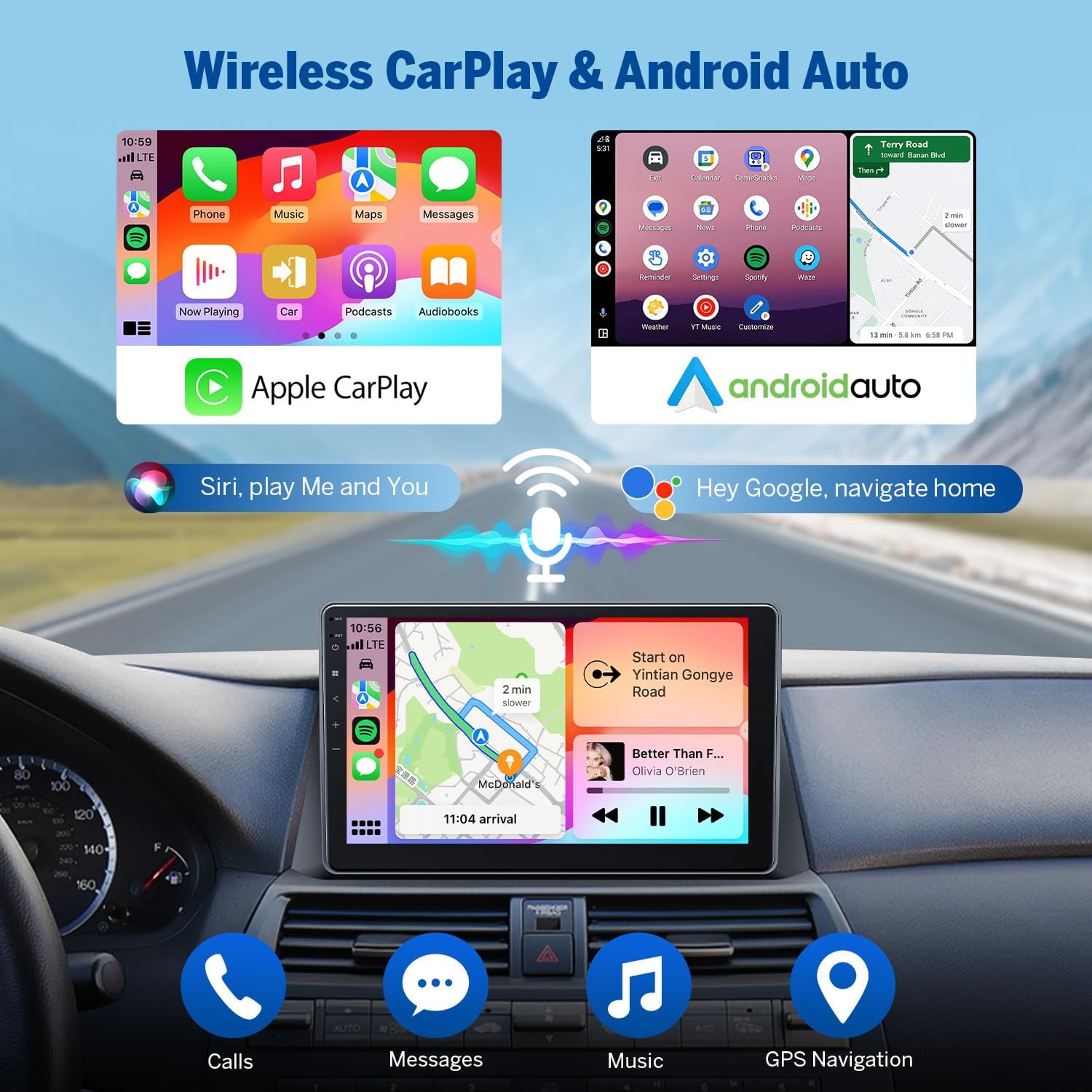
Image: Depiction of the Wireless CarPlay and Android Auto interfaces, showing navigation and media playback.
4.2.1 Зымсыз Apple CarPlay туташуу
To connect your iPhone wirelessly to CarPlay:
- Унаа стереосундагы Zlink5 колдонмосун чыкылдатыңыз.
- iPhone'уңузда Wi-Fi жана Bluetooth'ду күйгүзүңүз.
- Find 'EONON' in your phone's Bluetooth device list and pair it.
- Туташкандан кийин, "CarPlay'ди колдонуу" баскычын таптап, туташууну аяктоо үчүн бир нече секунд күтө туруңуз.
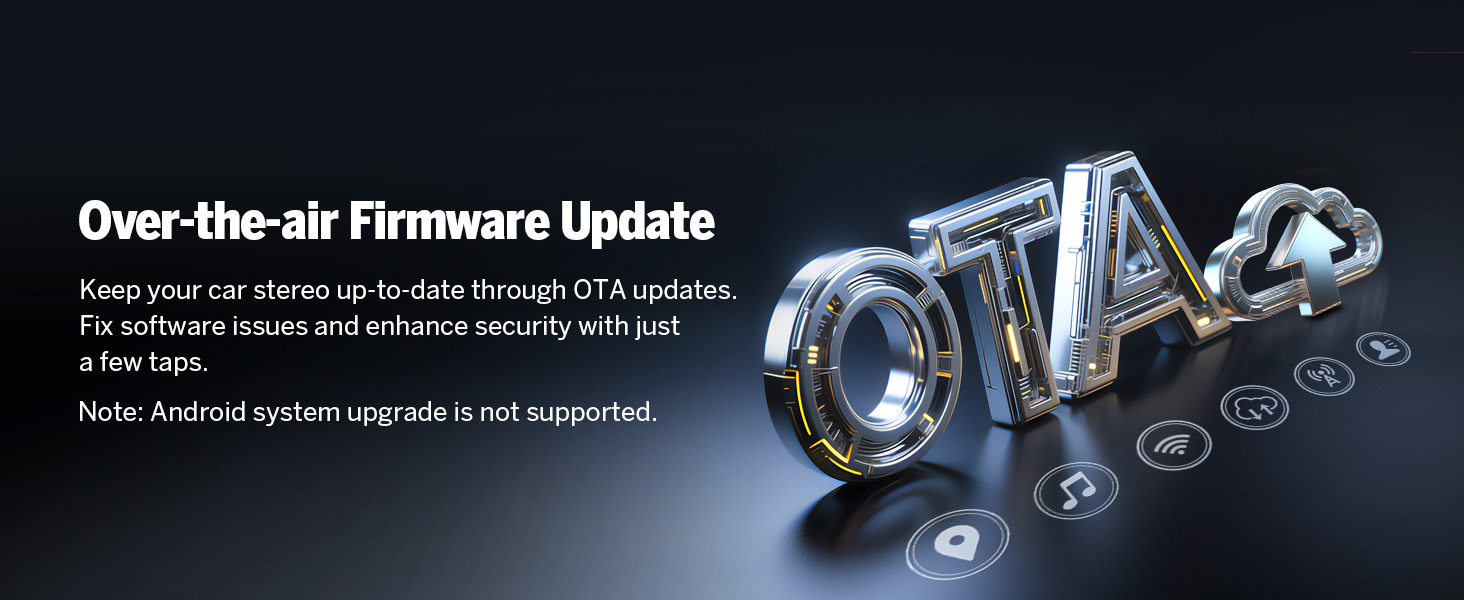
Image: Visual steps for connecting an iPhone to Wireless Apple CarPlay.
4.2.2 зымсыз Android Auto туташуу
Android телефонуңузду Android Auto менен зымсыз туташтыруу үчүн:
- Унаа стереосундагы Zlink5 колдонмосун чыкылдатыңыз.
- Android телефонуңузда Wi-Fi жана Bluetooth'ду күйгүзүңүз.
- Find 'EONON' in your phone's Bluetooth device list and pair it.
- Байланышты аяктоо үчүн бир нече секунд күтө туруңуз.

Image: Visual steps for connecting an Android phone to Wireless Android Auto.
4.3 Bluetooth функциясы
The unit features Bluetooth 5.4 for quick and stable connections, noise reduction, crystal-clear call quality, and high-quality music streaming. Easily search phonebooks and manage calls hands-free.

Image: Diagram illustrating the independent Bluetooth module and external antenna for improved signal.
4.4 Рулдун башкаруу элементтери
The unit supports your vehicle's existing steering wheel controls, allowing you to manage audio and calls without taking your hands off the wheel. This feature enhances driving safety and convenience.
Video: Demonstration of the steering wheel controls functionality with the Eonon car stereo.
4.5 Камера
The system includes support for a backup camera input, providing a clear view of the area behind your vehicle when reversing. The included A0125 backup camera offers 720P AHD resolution, a 140° rear viewбурч жана IP68 суу өткөрбөө рейтинги.

Image: Illustration of the backup camera view on the stereo screen, complete with reversing guidelines.
Video: Live demonstration of the backup camera functionality, showing the clear rear view on the stereo display.
4.6 Экранды чагылдыруу
Mirror your smartphone's screen directly onto the car stereo display for enhanced content viewing and app access.
4.6.1 Screen Mirroring for iOS
To mirror your iOS device:
- Click the Zlink5 app on the car stereo and set it to iPhone wireless screen mirroring mode.
- iPhone'дун хотспотун күйгүзүп, унаанын стереосуна туташыңыз.
- iPhone'дун экранын чагылдыруу функциясын күйгүзүп, "zj-airplay" тандаңыз.

Image: Visual guide for setting up screen mirroring from an iOS device.
4.6.2 Screen Mirroring for Android
To mirror your Android device:
- Click the Zlink5 app on the car stereo and set it to Android wireless screen mirroring mode.
- Turn on your phone's hotspot and connect to the car stereo.
- Телефонуңузга Zplus колдонмосун орнотуңуз. Колдонмону иштетип, "зымсыз байланышты" тандаңыз.
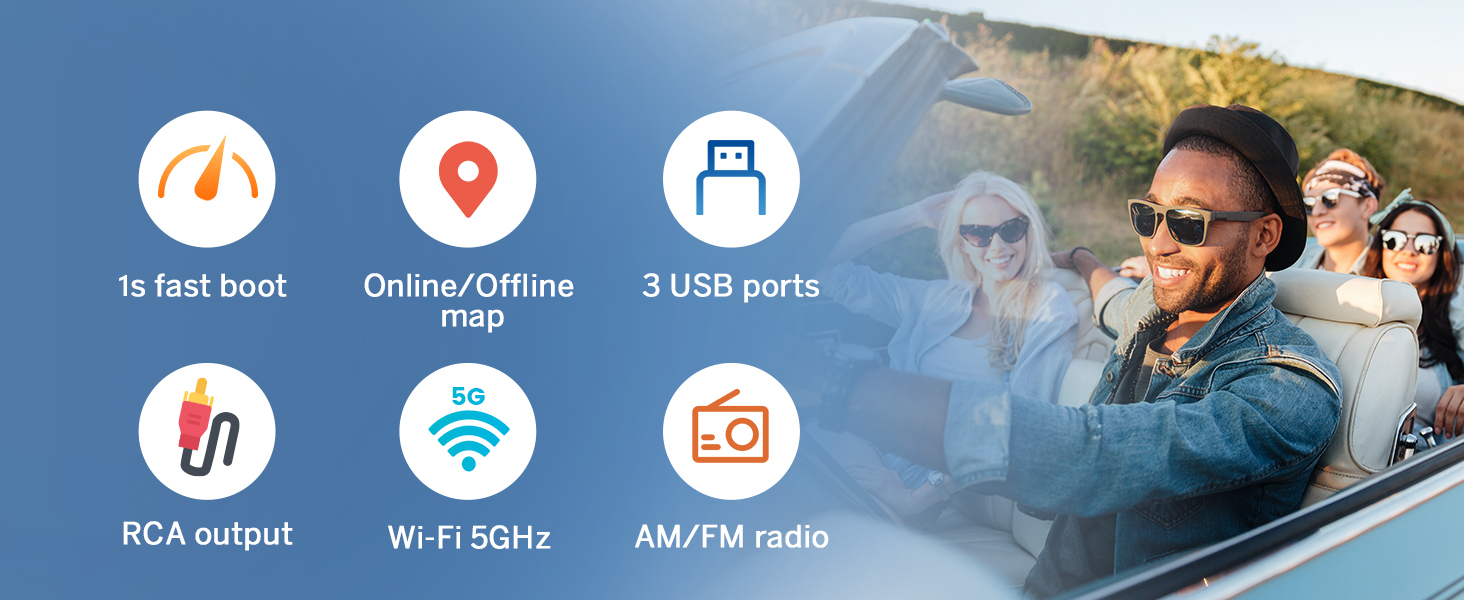
Image: Visual guide for setting up screen mirroring from an Android device.
4.7 Ыңгайлаштыруу параметрлери
Personalize your car stereo experience with various customization options, including different UI themes, boot logos, button colors, and wallpapers.

Сүрөт: Мисamples of customizable elements like boot logo, button color, and wallpaper.
5. Техникалык тейлөө
5.1 Микропрограмма жаңыртуулары
The Eonon car stereo supports Over-the-Air (OTA) firmware updates. These updates are crucial for fixing software issues, enhancing security, and improving overall device performance. You can update your device with just a few taps, without the need for a USB stick. Please note that these updates are for the software and do not upgrade the Android system version.
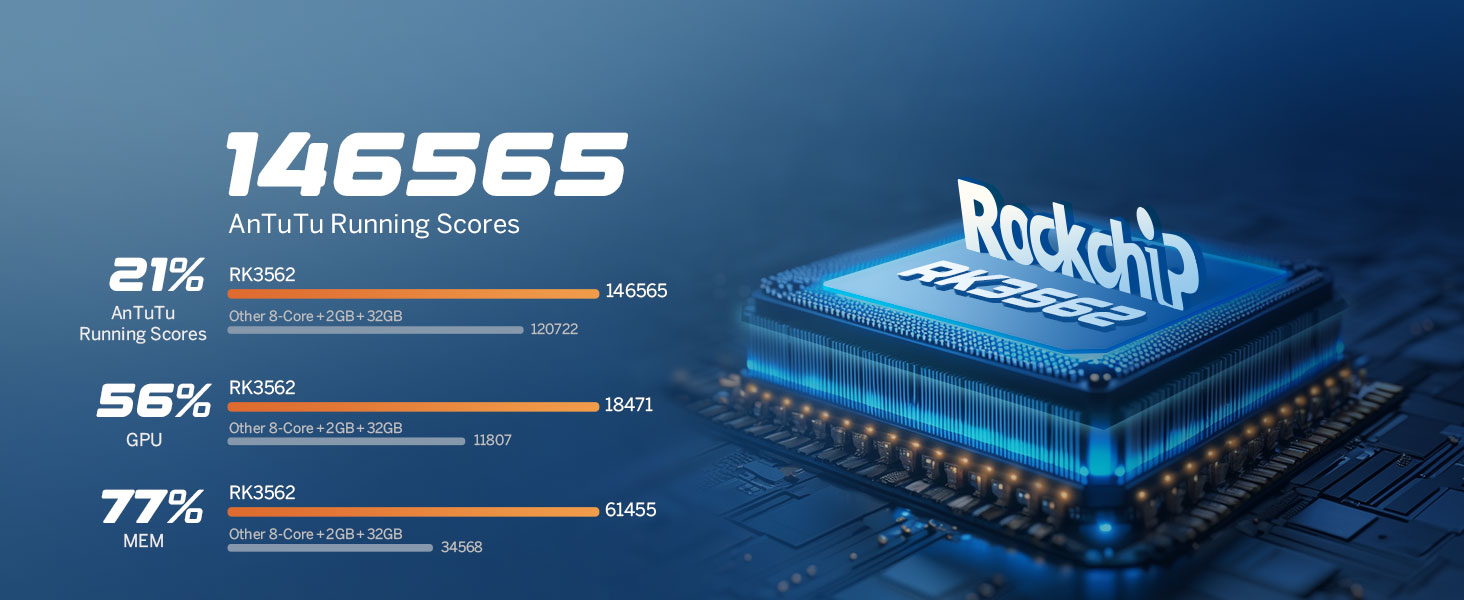
Image: Illustration of the OTA firmware update process, showing cloud synchronization.
6. Кыйынчылыктарды
If you encounter any issues with your Eonon car stereo, please refer to the following general troubleshooting advice. For more specific problems or advanced diagnostics, visit the official Eonon support webсайтка же кардарларды тейлөөгө кайрылыңыз.
6.1 Иштин аткарылышын текшерүү
To verify the authenticity and specifications of your device, you can use third-party applications like 'Fake Device Test'. This can help confirm the Android version, processor, memory (RAM), and storage (ROM) of your head unit.
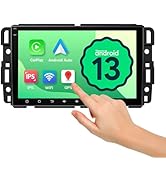
Image: Screenshot of a 'Fake Device Test' application, used to verify the internal specifications of the head unit.
6.2 Жалпы маселелер
- Кубат жок: Check all power connections and the vehicle's fuse box. Ensure the unit is properly grounded.
- Үн жок: Verify speaker connections and audio output settings. Check the volume level and mute status.
- Сенсордук экран жооп бербейт: Түзмөктү өчүрүп-күйгүзүп көрүңүз. Эгер көйгөй чечилбесе, заводдук жөндөөлөргө кайтаруу керек болушу мүмкүн (жөндөөлөр менюсун караңыз).
- Bluetooth/Wi-Fi байланышындагы көйгөйлөр: Ensure Bluetooth/Wi-Fi is enabled on both the stereo and your device. Try re-pairing or restarting both devices.
- GPS сигналын жоготуу: GPS антеннасы туура орнотулганын жана асманга даана көрүнүп турганын текшериңиз.
7. Техникалык шарттар
| Өзгөчөлүк | Спецификация |
|---|---|
| Элемент Салмагы | 6.49 фунт |
| Пакеттин өлчөмдөрү | 13 x 9.5 x 8 дюйм |
| Элемент моделинин номери | HAC2X6 |
| Дисплей өлчөмү | 10.1 дюйм |
| Screen Resolution | 1280x720 |
| Операция системасы | Android 14 |
| CPU | RK3562 Quad-core ARM Cortex-A53 (2.0GHz) |
| RAM | 3 ГБ |
| ROM | 32 ГБ |
| Bluetooth версиясы | 5.4 |
| Wi-Fi | Dual-band (2.4G/5G) |
| Аудио чыгаруу күчү | 4x45W |
| Камтылган компоненттер | Камера |

Image: Diagram showing the internal components and robust 4-layer automotive PCB design.

Image: Details on the Professional 32-bit DSP and 48-Band EQ for optimized audio.
8. Кепилдик жана колдоо
8.1 Кепилдик маалыматы
The Eonon Car Stereo (Model HAC2X7) comes with a 2 жылдык Өндүрүүчүнүн Кепилдиги. Бул кепилдик нормалдуу колдонуудагы материалдардагы жана жасалгадагы кемчиликтерди камтыйт. Кепилдик дооматтары үчүн сатып алганыңыздын далилин сактап коюңуз.
8.2 Кардарларды колдоо
For technical assistance, troubleshooting, or warranty inquiries, please visit the official Eonon website or contact their customer support team. You can find contact information and frequently asked questions on their support page.


