Introduction
The ZAZU Instant Digital Camera is designed to provide a fun and engaging photography experience for children. This versatile camera allows young photographers to capture high-resolution photos, record Full HD videos, and instantly print their favorite moments using inkless thermal printing technology.
Its user-friendly design, compact size, and creative features make it an ideal tool for fostering creativity and capturing memories.
- Instant Printing Fun: Capture and print photos instantly using inkless thermal printing technology. Includes 2 print rolls for up to 120 photos.
- Таасирдүү ачык-айкындуулук: Record every moment in high-resolution 48MP photos and 1080P Full HD videos.
- Creative Design Options: Personalize photos and videos with fun filters.
- Ар тараптуу дизайн: Combines photography, video recording, and built-in games in a compact device.
- Portable and Robust: Lightweight (230g) with a 1200 mAh rechargeable battery and a lanyard for safe, on-the-go use. USB charging cable included.
Пакеттин мазмуну
Пакетте бардык буюмдар бар экенин текшериңиз:
- ZAZU Instant Digital Camera
- USB заряддоо кабели
- Lanyard
- 2 Thermal Print Rolls (5.7 cm width)
Эскертүү: A TF (MicroSD) card is not included and is required for saving photos and videos. The camera supports up to 64GB TF cards.
Жайгашуу
1. Камераны заряддоо
Before first use, fully charge the camera's built-in 1200 mAh rechargeable battery.
- Берилген USB кубаттоо кабелин камеранын кубаттоо портуна туташтырыңыз.
- USB кабелинин экинчи учун туура келген USB кубат адаптерине (кошумча эмес) же компьютердин USB портуна туташтырыңыз.
- Заряддоо индикаторунун жарыгы күйөт. Толук заряддалгандан кийин жарыктын түсү өзгөрүшү же өчүшү мүмкүн.
2. Inserting a TF (MicroSD) Card
A TF card is necessary to store your photos and videos.
- Камерадагы TF карта уячасын табыңыз.
- TF картасын алтын түстүү контакттары ылдый каратып, ордуна чыкылдаган үн чыкканча акырын салыңыз.
- Алып салуу үчүн, картаны ал чыгып кеткенче акырын басыңыз.
3. Loading Thermal Print Paper
The camera uses inkless thermal paper for instant prints.
- Кагаз бөлүктүн капкагын ачыңыз.
- Insert a roll of thermal paper, ensuring the paper feeds out from the top of the roll.
- Pull a small length of paper out of the slot and close the cover firmly.

Image: The ZAZU Instant Digital Camera showing how to load the thermal print paper roll into the designated compartment.
Иштөө нускамалары
1. Күйгүзүү/өчүрүү
Press and hold the Power button (usually marked with a power symbol) for a few seconds to turn the camera on or off.

Сүрөт: алдыңкы view of the ZAZU Instant Digital Camera, showing its 2-inch color screen and control buttons.
2. Сүрөт тартуу
The camera captures photos at 48MP resolution.
- Ensure the camera is in photo mode (check the icon on the screen).
- Frame your shot using the 2-inch color screen.
- Press the Shutter button (usually a prominent button on top or side) to take a picture.

Image: A child holding the ZAZU Instant Digital Camera, demonstrating its ease of use for capturing moments.
3. Видеолорду жаздыруу
Record Full HD 1080P videos.
- Switch to video recording mode (refer to the on-screen icons or menu).
- Press the Record button (often the same as the Shutter button, or a dedicated video button) to start recording.
- Жазууну токтотуу үчүн Record баскычын кайра басыңыз.

Image: A child actively using the ZAZU Instant Digital Camera to capture photos and videos.
4. Instant Printing
Print your captured photos instantly without ink.
- After taking a photo, or when viewing a photo in playback mode, look for the Print option on the screen.
- Select the Print option, and the camera will automatically print the image on the thermal paper.

Image: A child's hands holding the ZAZU Instant Digital Camera as it prints a black-and-white photo on thermal paper.
5. Using Filters and Creative Options
Enhance your photos and videos with various built-in filters and frames.
- Navigate through the camera's menu to find the "Filters" or "Frames" option.
- Select your desired filter or frame before taking a photo or recording a video.
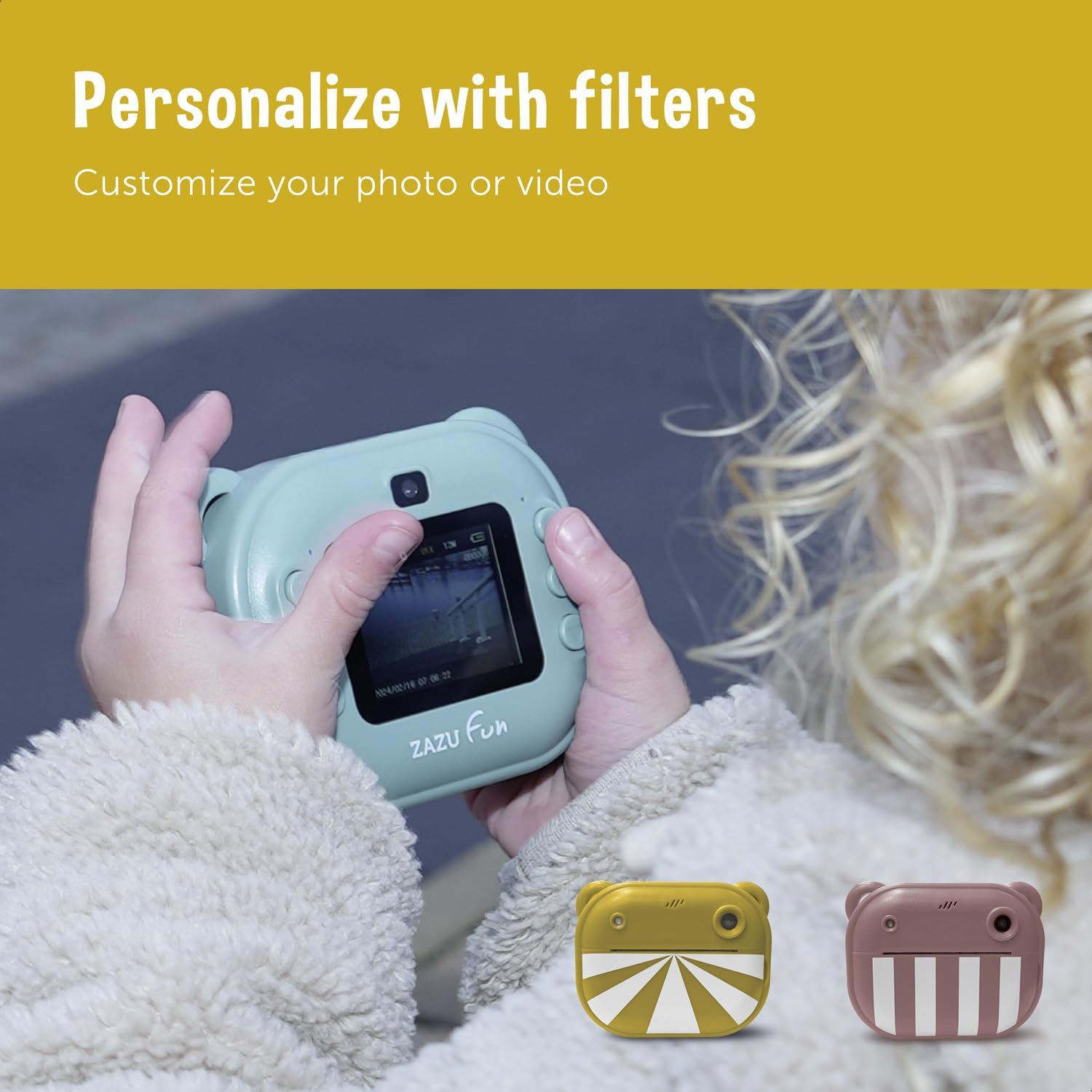
Image: A child interacting with the ZAZU Instant Digital Camera, demonstrating the use of creative filters on the screen.
6. Taking Selfies
The camera features a front-facing lens for easy selfies.
- Switch to the front-facing camera mode (usually an icon on the screen or a dedicated button).
- Hold the camera facing yourself and press the Shutter button.

Image: A child holding the ZAZU Instant Digital Camera to take a selfie, utilizing its front-facing camera feature.
7. Creative Activities with Prints
The black-and-white thermal prints can be colored and decorated.

Сүрөт: Мисamples of thermal prints from the ZAZU Instant Digital Camera, colored and decorated with pencils, encouraging creative engagement.
Техникалык тейлөө
1. Камераны тазалоо
- Камеранын корпусун сүртүү үчүн жумшак, кургак чүпүрөктү колдонуңуз.
- For the lens and screen, use a specialized lens cleaning cloth. Avoid abrasive materials or harsh chemicals.
- Нымдуулуктун тешиктерге же капталдарга кирбегенин текшериңиз.
2. Replacing Thermal Paper Rolls
When the paper roll is depleted, replace it with a new 5.7 cm wide thermal paper roll, following the instructions in the "Loading Thermal Print Paper" section.
3. Батареяга кам көрүү
- Recharge the camera regularly to maintain battery health.
- Батареяны бат-баттан толук түгөтүп коюудан алыс болуңуз.
- Камераны узак убакытка колдонбогондо салкын, кургак жерде сактаңыз.
Проблемаларды чечүү
| Көйгөй | Мүмкүн себеп | Чечим |
|---|---|---|
| Камера күйбөйт. | Батарея түгөнүп калды. | Charge the camera fully using the provided USB cable. |
| Сүрөткө/видео тартууга болбойт. | No TF card inserted or card is full/corrupted. | Insert a TF card, or check if the existing card has enough space. Format the card if corrupted (this will erase all data). |
| Prints are blank or faded. | Thermal paper loaded incorrectly or paper roll is empty. | Ensure the thermal paper is loaded with the correct side facing the print head. Replace the paper roll if empty. |
| Камера катып калат же жооп бербей калат. | Программанын катасы же батареянын аздыгы. | Press and hold the Power button for 10-15 seconds to force a restart. Ensure the battery is charged. |
| Сүрөттүн сапаты начар. | Lens is dirty or insufficient lighting. | Clean the camera lens. Ensure adequate lighting when taking photos. |
Техникалык шарттар
| Бренд | ZAZU |
| Модел | ZA-CAMERA |
| Түс (учурдагы вариант) | Сары |
| Натыйжалуу дагы эле чечим | 48 мегапиксел |
| Video Resolution | 1080p толук HD |
| Экран | 2 дюймдук TFT түстүү экран |
| Оптикалык масштаб | 3x |
| Байланыш технологиясы | USB |
| Батарея | 1200 мАч кайра заряддалуучу батарея |
| Сактагыч | Supports up to 64GB TF (MicroSD) Card (not included) |
| Басма технологиясы | Сыясыз термикалык басып чыгаруу |
| Продукциянын өлчөмдөрү | Болжол менен 13 x 9 x 4 см |
| Продукт Салмагы | 230 грамм |
| Модель жылы | 2024 |
Кепилдик жана колдоо
Кепилдик маалымат
Specific warranty details for the ZAZU Instant Digital Camera are typically provided with your purchase documentation or can be found on the official ZAZU webсайт. Кепилдик дооматтары үчүн сатып алганыңыздын далилин сактап коюңуз.
Кардарларды колдоо
For further assistance, technical support, or inquiries regarding your ZAZU Instant Digital Camera, please visit the official ZAZU webсайтка же кардарларды тейлөө бөлүмүнө кайрылыңыз. Байланыш маалыматы, адатта, продуктунун таңгагында же өндүрүүчүнүн дарегинде тапса болот webсайт.


