Introduction
This manual provides comprehensive instructions for setting up, operating, maintaining, and troubleshooting your FIREBAT AM02 Mini PC. Designed for home, business, and gaming, this compact desktop computer features an AMD Ryzen 6600H processor, Radeon 660M GPU, DDR5 RAM, and high-speed storage, offering robust performance for various applications.

Image: The FIREBAT AM02 Mini PC, showcasing its compact design and various ports from different angles.
Жайгашуу
1. Кутудан чыгаруу жана Пакеттин мазмуну
Кутучадан бардык компоненттерди этияттык менен чыгарыңыз. Төмөндө көрсөтүлгөн бардык нерселердин бар экенин текшериңиз:
- 1 x AMD 6600H Mini PC
- 1 x 19V/5A 95W US Adapter (Power Supply)
- 1 x VESA орнотуучусу
- 1 x HDMI кабели
- 1 х Колдонуучунун колдонмосу (бул документ)

Image: All items included in the FIREBAT AM02 Mini PC package, laid out for inspection.
2. Перифериялык түзүлүштөрдү туташтыруу
Күйгүзүүдөн мурун негизги перифериялык түзүлүштөрдү туташтырыңыз:
- Монитор: Connect your display using the provided HDMI cable to the HDMI 2.1 port, or use a DisplayPort (DP 2.0) or USB-C port for video output. The device supports triple 4K display output simultaneously.
- Баскычтоп жана чычкан: Connect your USB keyboard and mouse to any of the available USB-A ports (USB-A 3.2 or USB-A 2.0).
- Тармак: For a wired connection, connect an Ethernet cable to one of the two RJ45 LAN ports. For wireless, ensure your Wi-Fi network is available.
- Аудио: Connect headphones or speakers to the 3.5mm audio combo jack.

Сүрөт: жакын план view of the front and rear ports of the FIREBAT AM02 Mini PC, including USB-C, USB-A, HDMI, DisplayPort, LAN, and audio jacks.
3. Күйгүзүү
Connect the power adapter to the DC IN port on the mini PC, then plug the adapter into a power outlet. Press the power button located on the front of the device to turn it on. The system will boot up, and you should see the operating system load on your connected display.
Иштөө нускамалары
1. Системаны баштапкы орнотуу
Upon first boot, you may be prompted to complete the operating system setup, including language selection, network configuration, and user account creation. Follow the on-screen instructions to finalize the setup process.
2. Байланыш
- Wi-Fi 6 (802.11ax): The mini PC supports Wi-Fi 6 for faster and more efficient wireless connections. Connect to your preferred Wi-Fi network through the operating system's network settings.
- Bluetooth 5.2: Pair Bluetooth-enabled devices such as headphones, speakers, or game controllers via the Bluetooth settings in your operating system.
- Кош LAN: Utilize the two 1Gbps RJ45 LAN ports for stable wired network connections, ideal for high-bandwidth applications or network redundancy.

Image: Visual representation of the mini PC's advanced connectivity features, including WiFi 6, Bluetooth 5.2, MU-MIMO, and dual RJ45 LAN ports.
3. Көп дисплейлүү конфигурация
The FIREBAT AM02 supports connecting up to three 4K displays simultaneously, enhancing productivity and multimedia experiences. Use a combination of the DP 2.0 (4K@160Hz), HDMI 2.1 TMDS (4K@60Hz), and USB-C (4K@60Hz) ports for your display setup. Configure display settings within your operating system to extend or duplicate your desktop.
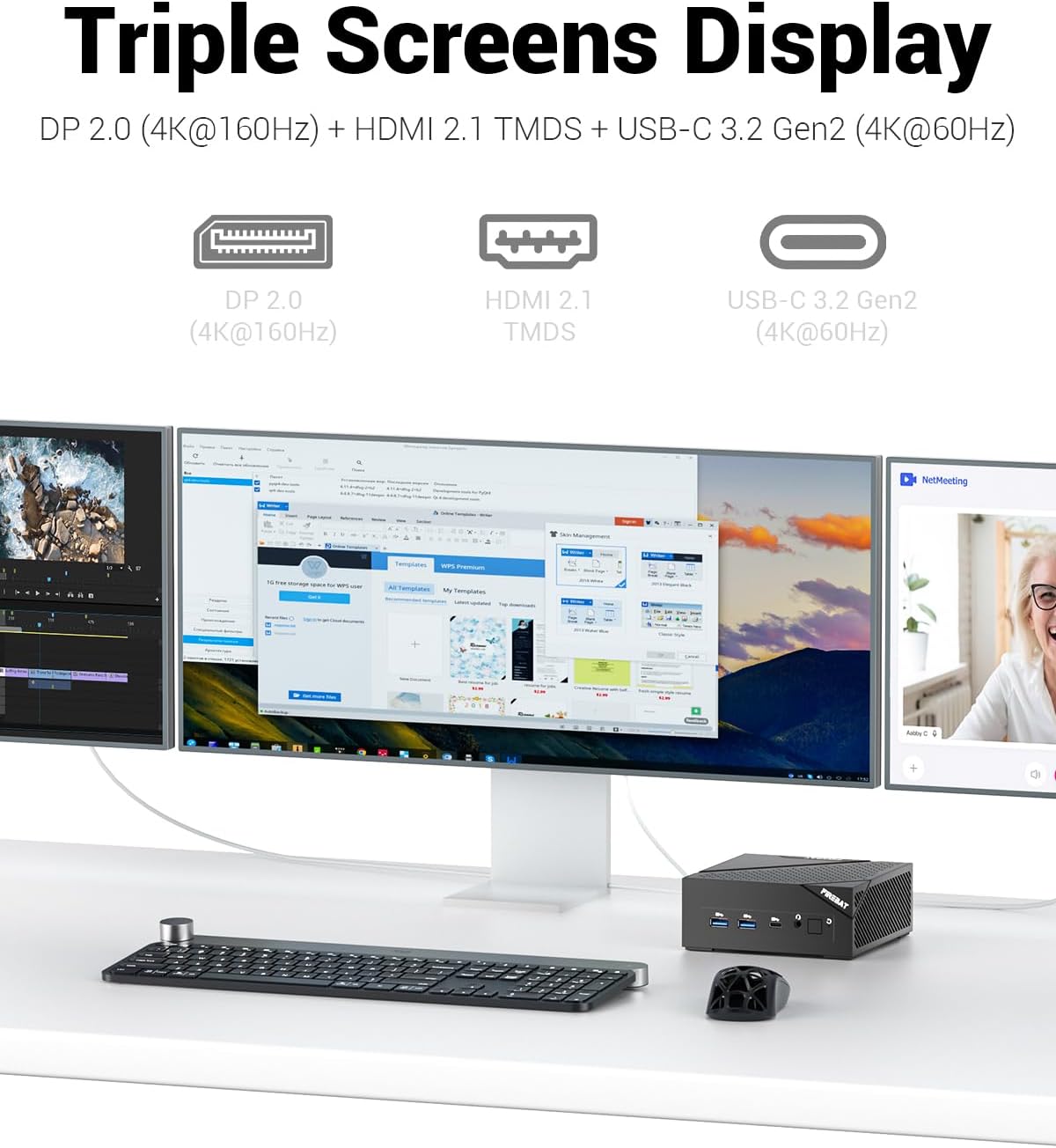
Image: The FIREBAT AM02 Mini PC demonstrating its capability to connect to and display content across three separate monitors.
4. Аткаруу көрсөткүчү жогоруview
The mini PC is equipped with an AMD Ryzen 6600H processor (6 cores/12 threads, up to 4.5GHz) and an AMD Radeon 660M GPU (1900MHz). This configuration is suitable for demanding tasks such as complex design software, UHD video editing, graphic processing, and gaming. The system is designed for efficient multi-threaded task processing.

Image: An internal diagram highlighting the key components: AMD Ryzen 6600H CPU, AMD Radeon 660M GPU, dual DDR5 RAM slots, and M.2 NVMe 2280 SSD.
Техникалык тейлөө
1. Тазалоо
To ensure optimal performance and longevity, regularly clean the exterior of the mini PC with a soft, dry cloth. Avoid using liquid cleaners or abrasive materials. Periodically, gently clean the ventilation grilles to prevent dust buildup, which can impede airflow and heat dissipation.

Image: A visual representation of the mini PC's cooling system, emphasizing its ultra-fast heat dissipation and low noise design.
2. Программалык камсыздоону жаңыртуу
Keep your operating system and drivers updated to the latest versions. This ensures system stability, security, and optimal performance. Refer to your operating system's documentation for instructions on checking and installing updates.
3. Hardware Upgrades
The FIREBAT AM02 Mini PC offers expandable capacity for both RAM and storage:
- RAM: The device comes with one 16GB 4800MHz DDR5 RAM stick. It supports dual-channel memory and can be expanded up to 64GB RAM (32GB x 2).
- SSD: It includes one 512GB M.2 2280 SSD. The system features dual M.2 M-KEY PCI-E 4.0 x 4 SSD hard drive interfaces, allowing for significant storage expansion.
For hardware upgrades, it is recommended to consult a qualified technician or refer to detailed technical guides to avoid damaging components.

Сүрөт: жарылган view of the FIREBAT AM02 Mini PC, illustrating the accessible slots for upgrading DDR5 RAM and M.2 NVMe SSDs.
Проблемаларды чечүү
This section addresses common issues you might encounter with your FIREBAT AM02 Mini PC.
Күч жок
- кубат туташуу текшерүү: Кубат адаптери мини компьютерге да, иштеген электр розеткасына да бекем туташып турганын текшериңиз.
- Outlet текшерүү: Электр розеткасын башка аспап менен текшерип, анын иштешин ырастаңыз.
- Кубат баскычы: Кубат баскычы толугу менен басылганын текшериңиз.
Дисплей чыгаруу жок
- Монитор туташуу: Verify that the HDMI, DisplayPort, or USB-C cable is securely connected to both the mini PC and the monitor.
- Монитор киргизүү: Ensure your monitor is set to the correct input source (e.g., HDMI 1, DisplayPort).
- Test Different Cable/Port: If possible, try a different video cable or a different video output port on the mini PC.
- Монитор күчү: Confirm the monitor is powered on.
Тармакка туташуу маселелери
- Зымдуу туташуу: Check if the Ethernet cable is properly connected to both the mini PC and your router/modem. Verify the network status lights on the LAN port.
- Зымсыз туташуу: Ensure Wi-Fi is enabled in your operating system settings. Restart your router/modem. Verify your Wi-Fi password is correct.
- Айдоочу маселелери: Ensure network drivers are up to date.
System Slowdown or Freezing
- Тиркемелерди жабуу: Фондо иштеп жаткан керексиз тиркемелерди жабыңыз.
- Тапшырма башкаргычын текшерүү: Use Task Manager (Windows) or Activity Monitor (Linux) to identify resource-intensive processes.
- Диск мейкиндиги: Ensure there is sufficient free space on your primary drive.
- Жаңыртуулар: Ensure your operating system and drivers are updated.
- Ашыкча ысып кетүү: Ensure the mini PC has adequate ventilation and is not obstructed.
Техникалык шарттар
The following table outlines the key technical specifications of the FIREBAT AM02 Mini PC:
| Өзгөчөлүк | Спецификация |
|---|---|
| Модель номери | AM02 |
| Процессор | AMD Ryzen 6600H (6 Cores/12 Threads, up to 4.5 GHz) |
| Графикалык сопроцессор | AMD Radeon 660M (1900MHz) |
| RAM | 16 ГБ DDR5 4800MHz (64 ГБ чейин кеңейтилиши мүмкүн) |
| Сактагыч | 512GB M.2 2280 SSD (Dual M.2 M-KEY PCI-E 4.0 x 4 interfaces) |
| Операция системасы | Default (Pre-installed) |
| Зымсыз байланыш | WiFi 6 (802.11ax), Bluetooth 5.2 |
| LAN | 2 x 1Gbps RJ45 |
| USB порттору | 1 x USB-C 3.2 (PD/DP/DATA), 3 x USB-A 3.2, 1 x USB-A 2.0 |
| Video Output | 1 x DP 2.0 (4K@160Hz), 1 x HDMI 2.1 TMDS (4K@60Hz), 1 x USB-C (4K@60Hz) |
| Аудио порт | 1 x 3.5mm Audio Combo (HP&MIC) |
| Өлчөмдөрү (LxWxH) | 5 x 5 x 2 дюйм |
| Элемент Салмагы | 13.9 унция |
Кепилдик жана колдоо
Кепилдик маалымат
The FIREBAT AM02 Mini PC comes with a standard manufacturer's warranty. Please refer to the warranty card included in your package or contact FIREBAT customer support for specific details regarding warranty coverage and duration.
Кардарларды колдоо
For technical assistance, troubleshooting, or any inquiries regarding your FIREBAT AM02 Mini PC, please contact our support team:
- Электрондук почта: support@firebatpc.com
- Webсайт: www.firebatpc.com
When contacting support, please have your product model number (AM02) and purchase details ready to facilitate faster service.


