1. Киришүү
This manual provides essential information for the safe and effective operation, setup, and maintenance of your GEPRC Vapor-D5 HD O4 Pro FPV Drone. Please read this manual thoroughly before operating the drone to ensure proper usage and to prevent damage or injury.
Продукт бүттүview
The GEPRC Vapor-D5 HD O4 Pro is a high-performance FPV drone designed for advanced flight experiences. It features a robust carbon fiber frame, powerful motors, and an integrated O4 Air Unit Pro for superior video transmission and image clarity.
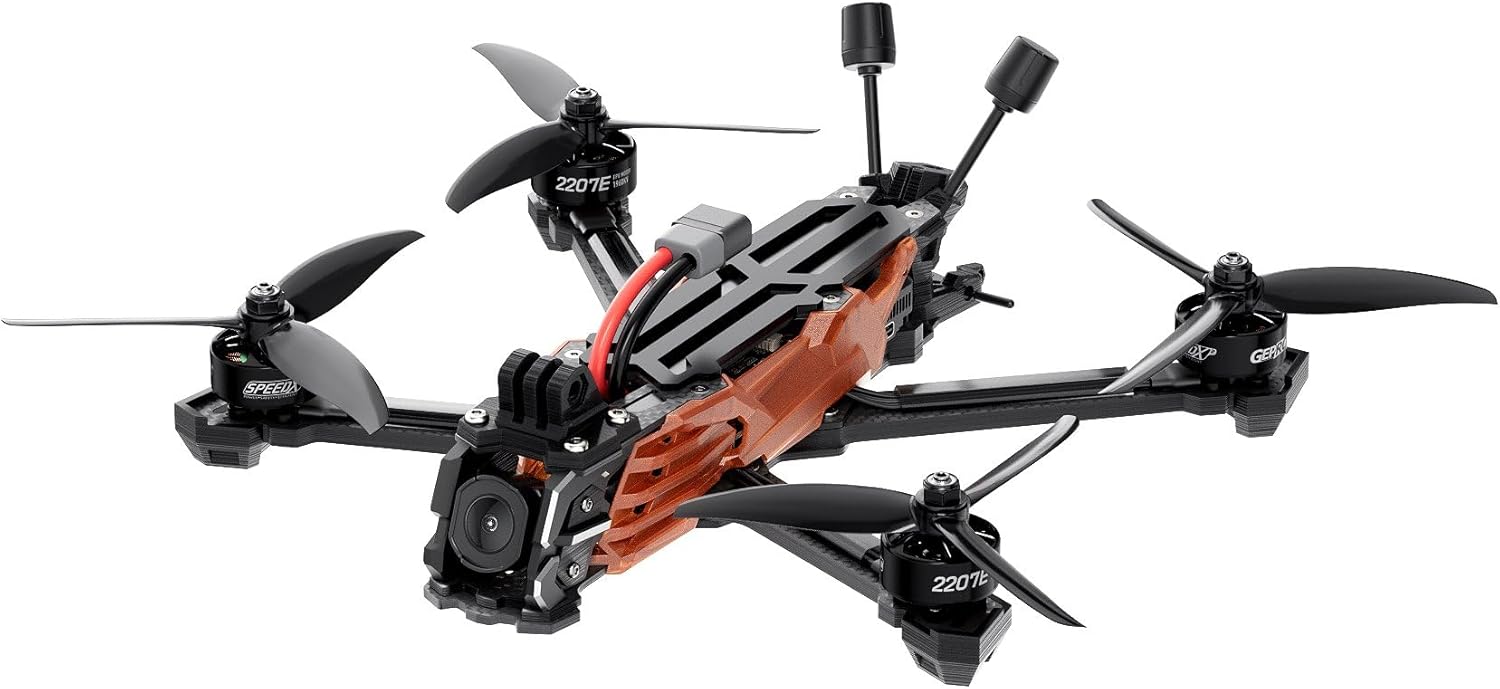
This image displays the GEPRC Vapor-D5 HD O4 Pro FPV Drone from a slightly elevated front-right angle, showcasing its carbon fiber frame, propellers, motors, and the O4 Air Unit Pro camera system. The ELRS 2.4G antennas are visible at the rear.
Негизги өзгөчөлүктөрү
- O4 Air Unit Pro: Features a powerful CMOS sensor for improved image clarity and enhanced light sensitivity.
- CNC Aluminum Lens Housing: Provides a durable and robust design for the camera.
- GEPRC SPEEDX2 E-series Motors: Ensures smooth and powerful flight performance.
- Front Lip Design: Offers additional lens protection during flight.
- Wider 5mm Carbon Fiber Arms: Increases durability and contributes to a sleek build.
Пакеттин мазмуну
Пакетиңизде бардык буюмдар бар экенин текшериңиз:
- 1 x Vapor-D5 O4 Pro FPV Drone
- 2 x GEMFAN 5136 Propellers (sets)
- 2 x Battery Anti-slip Pads
- 1 x Spare Screw Pack (includes M3*10mm, M3*8mm, M3*6mm, M5*28mm screws, M5 flange nut, M3 rivet nuts)
- 1 x Vapor Side Panel
- 2 x M20*250mm Battery Straps
- 1 x L формасындагы 1.5 мм отвертка
- 1 x L формасындагы 2.0 мм отвертка
- 1 x GoPro Mount
2. Коопсуздук боюнча көрсөтмөлөр
Operating FPV drones requires adherence to strict safety protocols. Failure to follow these guidelines can result in serious injury, property damage, or legal penalties.
- Колдонмону окуу: Колдонуудан мурун бардык көрсөтмөлөрдү жана эскертүүлөрдү түшүнүңүз.
- Жергиликтүү эрежелер: Always comply with local aviation laws and regulations. This includes airspace restrictions, registration requirements, and privacy laws.
- Учуу алдында текшерүү: Inspect the drone for any damage, loose propellers, or wiring issues before each flight.
- Курчап турган чөйрө: Fly in open areas, away from people, animals, buildings, and power lines. Avoid flying in strong winds, rain, or other adverse weather conditions.
- Батареянын коопсуздугу: Use only recommended batteries (6S LiPo 1300mAh – 1800mAh). Never overcharge or over-discharge batteries. Store them in a fire-safe bag.
- Пропеллердин коопсуздугу: Keep hands and face clear of propellers when the drone is powered on. Propellers can cause severe injury.
- Көрүү сызыгы: Maintain visual line of sight with your drone at all times, even when flying FPV.
- Responsible Operation: Do not operate the drone under the influence of drugs or alcohol.
3. Баштапкы орнотуу
Follow these steps to prepare your GEPRC Vapor-D5 for its first flight.
3.1 Пропеллерди орнотуу
- Ensure the drone is powered off and the battery is disconnected.
- Identify the correct rotation direction for each propeller (CW for clockwise, CCW for counter-clockwise).
- Match the propellers to the corresponding motors. Typically, two propellers rotate clockwise and two counter-clockwise.
- Securely attach each propeller to its motor using the provided screws. Do not overtighten.
3.2 Батареяны туташтыруу
The Vapor-D5 uses an XT60 connector for the battery. Ensure a secure connection.
- Place the anti-slip pads on the top plate to secure the battery.
- Connect a fully charged 6S LiPo battery (1300mAh – 1800mAh recommended) to the XT60 connector on the drone.
- Use the provided battery straps to firmly secure the battery to the top plate.

Жогортон ылдый view of the GEPRC Vapor-D5 HD O4 Pro FPV Drone, highlighting the central frame structure, battery strap area, and the arrangement of the four propellers and motors. The XT60 battery connector is clearly visible.
3.3 Binding the ELRS 2.4G Receiver
This drone is equipped with an ELRS 2.4G receiver. Refer to your ELRS transmitter's manual for specific binding procedures. Generally, the process involves:
- Power on your ELRS 2.4G transmitter and put it into binding mode.
- Connect the drone's battery. The receiver's LED should flash rapidly.
- If the receiver does not enter binding mode automatically, cycle power to the drone three times (connect battery, disconnect, connect, disconnect, connect). The LED should then flash slowly, indicating binding mode.
- Once bound, the receiver LED will become solid.
3.4 Betaflight конфигурациясы
For advanced settings and fine-tuning, connect your drone to a computer running Betaflight Configurator. Ensure you have the correct drivers installed.
- Download the latest Betaflight Configurator from the official Betaflight webсайт.
- Connect the drone to your computer via a USB cable.
- In Betaflight Configurator, verify receiver input, motor output, and flight modes.
- Perform a compass calibration if necessary, especially when using the GEP-M10 GPS module.
4. Иштөө нускамалары
This section covers basic flight operations and features of the Vapor-D5 HD O4 Pro.
4.1 Учуу алдындагы текшерүүлөр
- Ensure battery is fully charged and securely mounted.
- Check all propellers for damage and ensure they are tight.
- Verify that your FPV goggles and remote controller are powered on and connected.
- Confirm GPS lock (if applicable) before takeoff, especially for GPS-dependent features.

This image shows the GEPRC Vapor-D5 HD O4 Pro FPV Drone from a rear-right perspective, emphasizing the rear antennas, the robust carbon fiber arms, and the overall aerodynamic design of the frame.
4.2 Куралдануу жана куралсыздандыруу
- Куралдандыруу: Typically, move the throttle stick to the lowest position and the yaw stick to the bottom-right (or left, depending on configuration) for a few seconds. The motors will spin slowly, indicating the drone is armed.
- Куралсыздандыруу: Perform the reverse stick combination or use a dedicated switch configured in Betaflight. Motors will stop. Always disarm immediately after landing.
4.3 Flight Controls (Mode 2 Exampле)
- Сол таякча (дроссель/жаңгак):
- Up/Down: Controls altitude (Throttle).
- Left/Right: Controls rotation around the vertical axis (Yaw).
- Оң таякча (Тепкич/Толгоо):
- Up/Down: Controls forward/backward movement (Pitch).
- Left/Right: Controls left/right movement (Roll).
4.4 GPS Functionality (GEP-M10 GPS)
The integrated GEP-M10 GPS module enables advanced features such as:
- GPS Rescue: In case of signal loss or low battery, the drone can automatically return to its takeoff point. Ensure this feature is properly configured and tested in Betaflight.
- Position Hold: Allows the drone to maintain a stable position and altitude.
- Speed and Altitude Data: Provides accurate telemetry data for flight analysis.
Always wait for a sufficient number of GPS satellites to be acquired before enabling GPS-dependent flight modes.
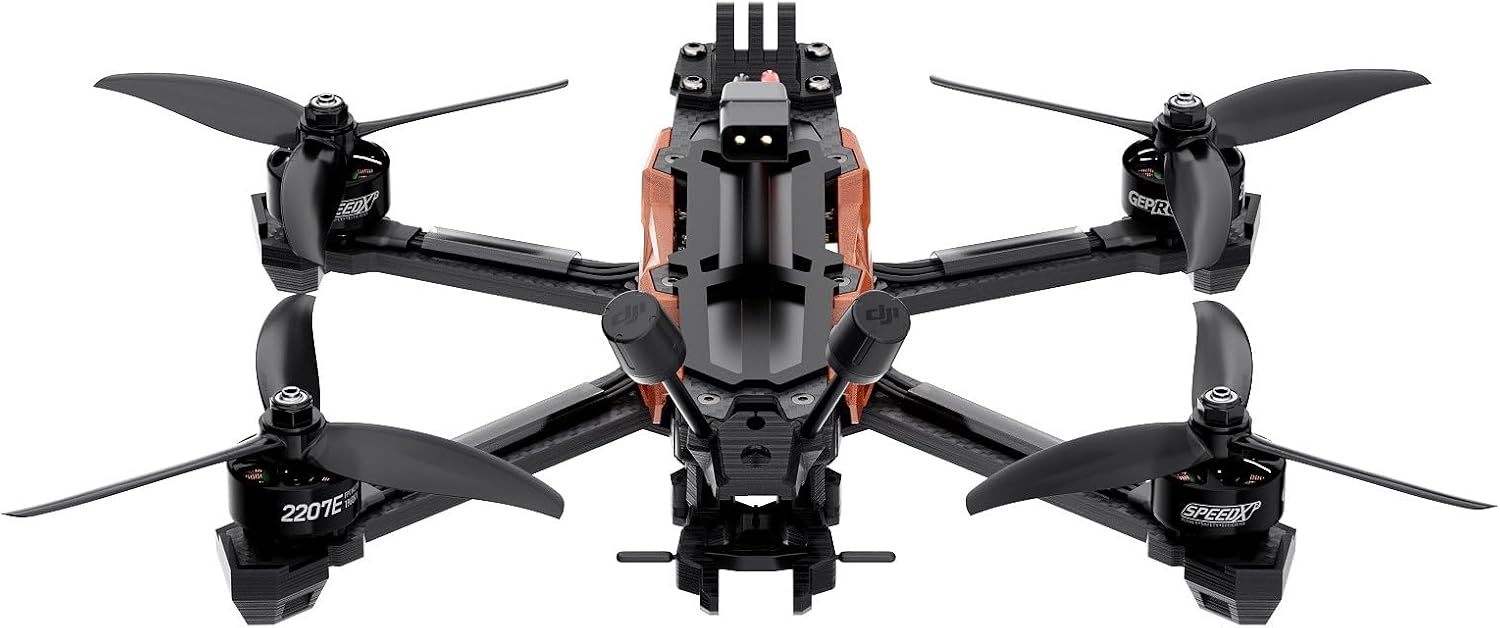
Түз фронт view of the GEPRC Vapor-D5 HD O4 Pro FPV Drone, focusing on the O4 Pro Camera and the protective front lip design. The four propellers are visible, indicating the drone's symmetrical layout.
5. Техникалык тейлөө
Үзгүлтүксүз тейлөө сиздин дронуңуздун узак иштөөсүн жана оптималдуу иштешин камсыздайт.
5.1 Тазалоо
- After each flight, especially in dusty or dirty environments, gently clean the drone.
- Use a soft brush or compressed air to remove dust and debris from motors, frame, and electronics.
- Avoid using liquids directly on electronic components.
5.2 Пропеллерди текшерүү жана алмаштыруу
- Inspect propellers for cracks, bends, or nicks before and after each flight. Damaged propellers can cause instability and reduce flight efficiency.
- Replace any damaged propellers immediately with genuine GEMFAN 5136 replacements.
- Ensure new propellers are installed with the correct rotation direction.
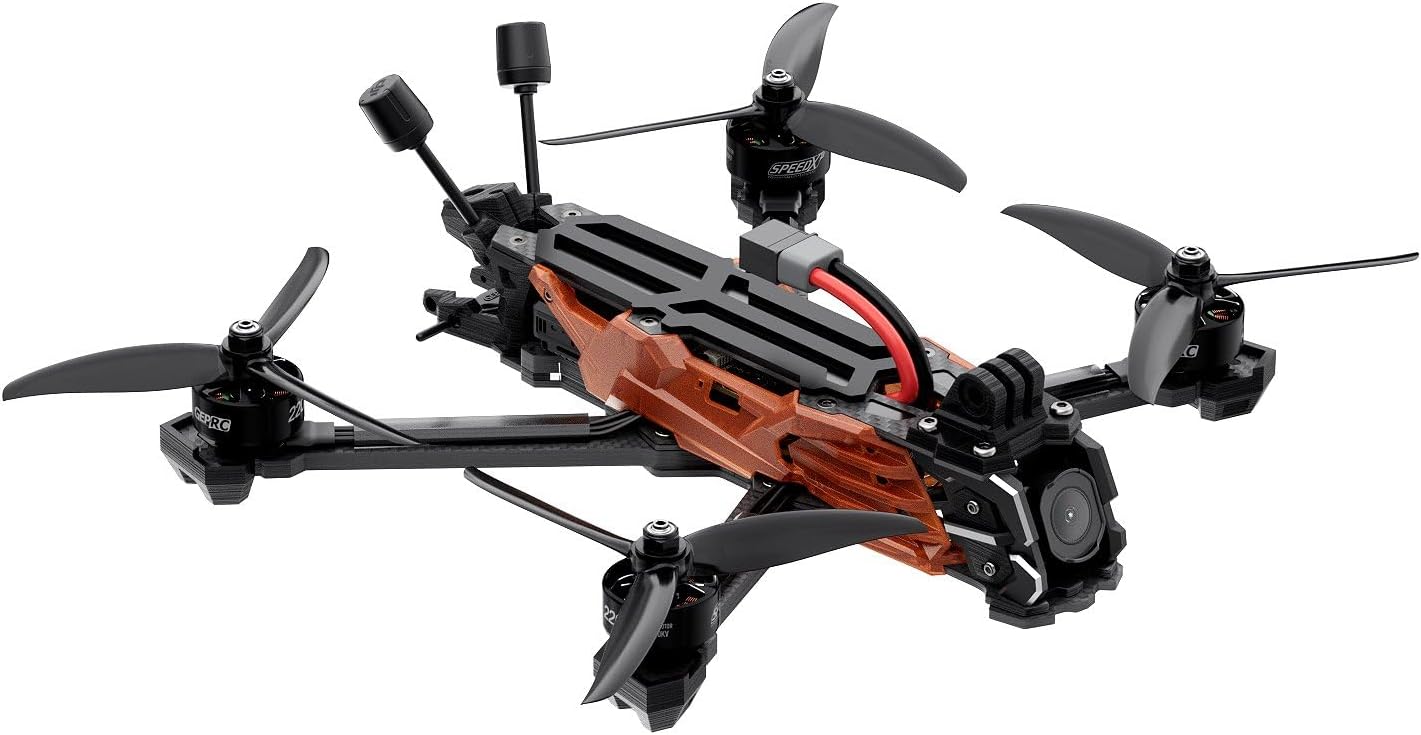
Бул тарап view of the GEPRC Vapor-D5 HD O4 Pro FPV Drone illustrates the profile of the frame, the mounting points for the GoPro, and the position of the flight controller and ESC stack within the central body.
5.3 Микропрограмма жаңыртуулары
Periodically check the official GEPRC website for firmware updates for the flight controller (GEP-F722-HD v2) and O4 Air Unit Pro. Keeping firmware updated can improve performance and add new features.
6. Кыйынчылыктарды
This section addresses common issues you might encounter with your Vapor-D5 drone.
| Көйгөй | Мүмкүн себеп | Чечим |
|---|---|---|
| Дрон күйбөйт | Disconnected battery; faulty battery; damaged power cable. | Ensure battery is fully charged and securely connected. Test with a different battery. Inspect power cables for damage. |
| No video feed in FPV goggles | VTX not powered; O4 Air Unit Pro issue; incorrect channel/band on goggles. | Check VTX power. Ensure O4 Air Unit Pro is functioning. Verify goggles are on the correct frequency. |
| Drone does not arm | Receiver not bound; throttle not at lowest position; pre-arm checks failed (e.g., accelerometer calibration, low battery). | Re-bind receiver. Ensure throttle is at zero. Check Betaflight for pre-arm warnings. Calibrate accelerometer. |
| Unstable flight / Vibrations | Damaged propellers; loose motor screws; bent motor shaft; incorrect PID tuning. | Inspect and replace damaged propellers. Tighten motor screws. Check for bent motor shafts. Review PID settings in Betaflight. |
| GPS кулпуланбай жатат | Poor satellite visibility; GPS module interference; incorrect configuration. | Fly in an open area with clear sky view. Check GPS module connection. Verify GPS settings in Betaflight. |
7. Техникалык шарттар
Detailed technical specifications for the GEPRC Vapor-D5 HD O4 Pro FPV Drone.

An overhead shot of the GEPRC Vapor-D5 HD O4 Pro FPV Drone, providing a clear view of the entire frame, propeller orientation, and the central electronics bay. This angle highlights the drone's compact and balanced design.
| Компонент | Спецификация |
|---|---|
| Модел | Vapor-D5 O4 Pro |
| Frame | GEP-Vapor-D5 O4 Pro frame |
| Wheelbase | 230 мм |
| Үстүнкү плитанын калыңдыгы | 2.0 мм |
| Middle Plate Thickness | 2.0 мм |
| Төмөнкү плитанын калыңдыгы | 2.5 мм |
| Arm Thickness | 5.0 мм |
| Учуу контроллери (FC) | GEP-F722-HD v2 |
| MCU | STM32F722 |
| Гиро | ICM42688-P (SPI) |
| Барометр | Ооба |
| OSD | Betaflight OSD w/AT7456E |
| ESC | TAKER H60_BLS 60A 4IN1 ESC |
| VTX | O4 Air Unit Pro |
| Камера | O4 Pro Camera (CMOS sensor, 4K video capture) |
| Антенна | O4 Pro original antenna |
| Батарея туташтыргычы | XT60 |
| Кошумча GPS | GEP-M10 GPS |
| 5-inch Motor | GEPRC SPEEDX2 2207E 1960 KV |
| 5-inch Propeller | GEMFAN 5136 |
| Weight (PNP Version) | 428 г ± 5 г |
| Receiver (ELRS 2.4G variant) | GEPRC ELRS24 |
| Сунушталган батарея | 6S LiPo 1300mAh – 1800mAh |
| Estimated Flight Time | 14-19 min (depending on battery and flight style) |
| Продукциянын өлчөмдөрү | 9.9"L x 9.6"W x 3.1"H |
| Элемент Салмагы | 430 грамм (15.2 унция) |
8. Кепилдик жана колдоо
GEPRC products are manufactured to high standards. For warranty information, technical support, or service inquiries, please refer to the official GEPRC webсайтка же ыйгарым укуктуу дилериңизге кайрылыңыз.
Ар кандай кепилдик дооматтары үчүн сатып алганыңыздын далилин сактаңыз.


