Маанилүү коопсуздук маалыматы
Please read these instructions carefully before using the product and retain them for future reference. Observe all warnings and follow all instructions to ensure safe operation and prevent damage.
- Бул шайманга тамчылатып же чачыраткан нерселерди тийгизбеңиз.
- Ваза сыяктуу суюктуктар толтурулган нерселерди аппараттын үстүнө койбоңуз.
- Эч кандай желдетүүчү тешиктерди жаап албаңыз. Өндүрүүчүнүн көрсөтмөлөрүнө ылайык орнотуу.
- Радиаторлор, жылуулук регистрлери, мештер же башка аппараттар (анын ичинде) сыяктуу жылуулук булактарынын жанына орнотпоңуз ampкөтөргүчтөр) жылуулукту пайда кылуучу.
- Электр шнурунун басылып кетүүсүнөн же кысып калуудан сактаңыз, өзгөчө сайгычтарда, розеткаларда жана алар аппараттан чыга турган жеринде.
- Өндүрүүчү тарабынан көрсөтүлгөн тиркемелерди/аксессуарларды гана колдонуңуз.
- Бул аппаратты чагылгандуу бороондордо же узак убакыт бою колдонбогондо электр розеткасынан ажыратыңыз.
- Бардык тейлөөлөрдү квалификациялуу тейлөө кызматкерлерине тапшырыңыз. Аппарат кандайдыр бир зыянга учураганда, мисалы, кубат берүүчү шнур же сайгыч бузулганда, суюктук төгүлгөндө же аппараттын ичине нерселер түшкөндө, аппарат жамгырга же нымдуулукка дуушар болгондо, нормалдуу иштебей калганда тейлөө талап кылынат. , же түшүрүлгөн.
Кутуда эмне бар
Пакетти ачканда бардык компоненттер бар экенин жана жакшы абалда экендигин текшериңиз.

Image: The Edifier ES300 speaker, power cable, USB cable, 3.5mm-to-3.5mm audio cable, quick start guide, and important safety instructions are included in the box.
- ES300 Speaker x 1
- Кубат кабели x 1
- USB кабели x 1
- 3.5mm-to-3.5mm Audio Cable x 1
- X 1
- Important Safety Instructions x 1
Продукт бүттүview
The Edifier ES300 is a versatile tabletop wireless speaker designed for high-resolution audio playback and multiple connectivity options. Its elegant design and advanced features make it suitable for various environments.
Дизайн жана өлчөмдөр
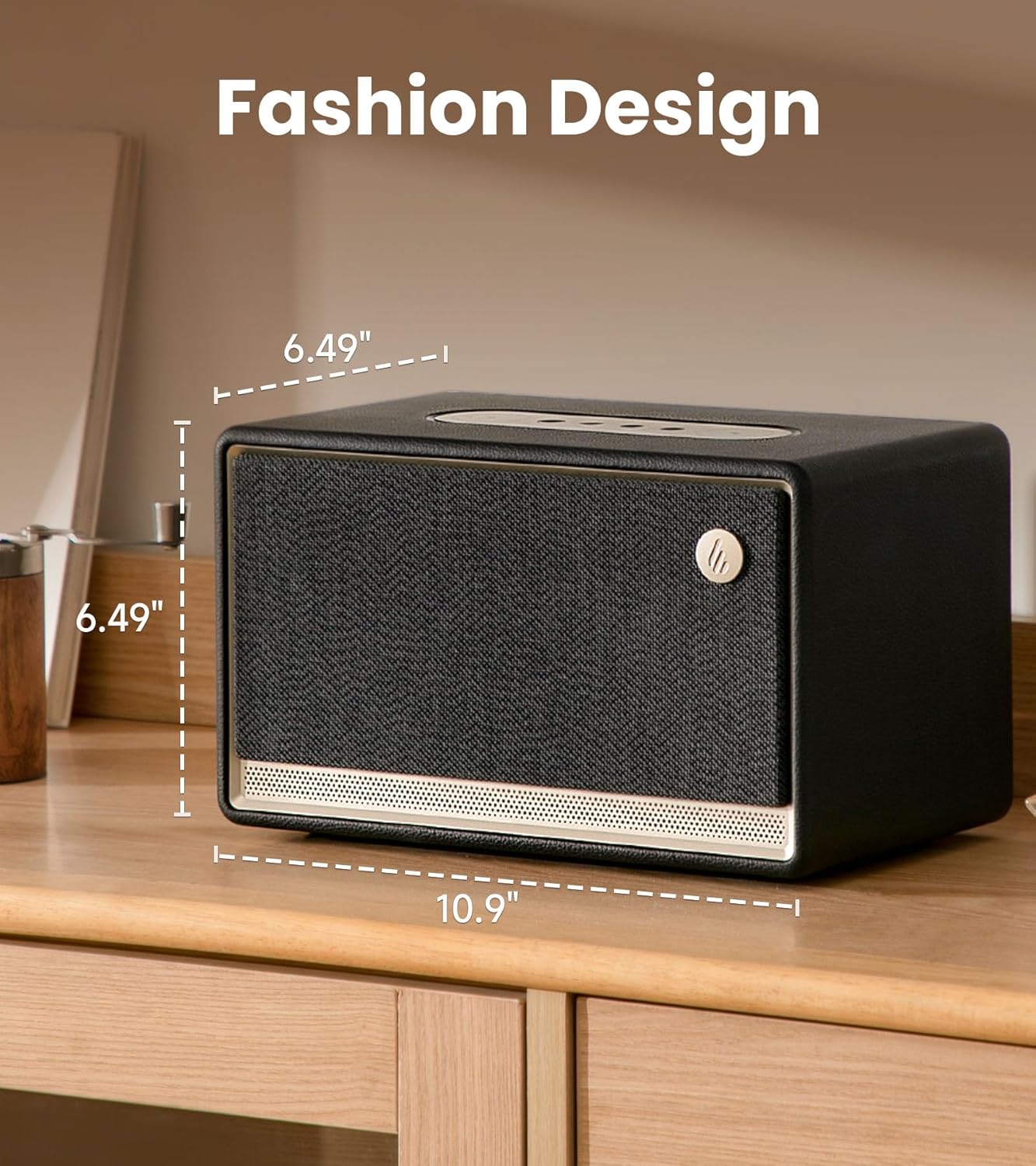
Image: The Edifier ES300 speaker showcasing its compact dimensions, ideal for tabletop placement.
The ES300 features a stylish design with a handcrafted wooden case, leather-like coating, braided grille, and metallic controls. Its dimensions are approximately 13.5"D x 10.2"W x 8.9"H (34.3cm D x 25.9cm W x 22.6cm H), making it a compact yet powerful audio solution.
Акустикалык архитектура

Сүрөт: Ички view of the ES300's speaker components, including the mid-bass driver, tweeters, and bass reflex channels.
Equipped with a 4-inch mid-low driver and dual 1.25-inch silk dome tweeters, the ES300 delivers a total output power of 30W+15W*2 (RMS). It incorporates MazeTube bass reflex channels for enhanced low frequencies and TurbMuff air noise suppression technology for clean, distortion-free sound.
Жогорку Аудио

Image: Visual representation of the ES300's high-resolution audio processing capabilities.
The ES300 is certified for Hi-Res Audio and Hi-Res Audio Wireless, supporting 24-bit/96kHz high-resolution audio with end-to-end digital audio processing. This ensures a rich and detailed sound experience whether streaming wirelessly or using wired inputs.
Туташуу параметрлери
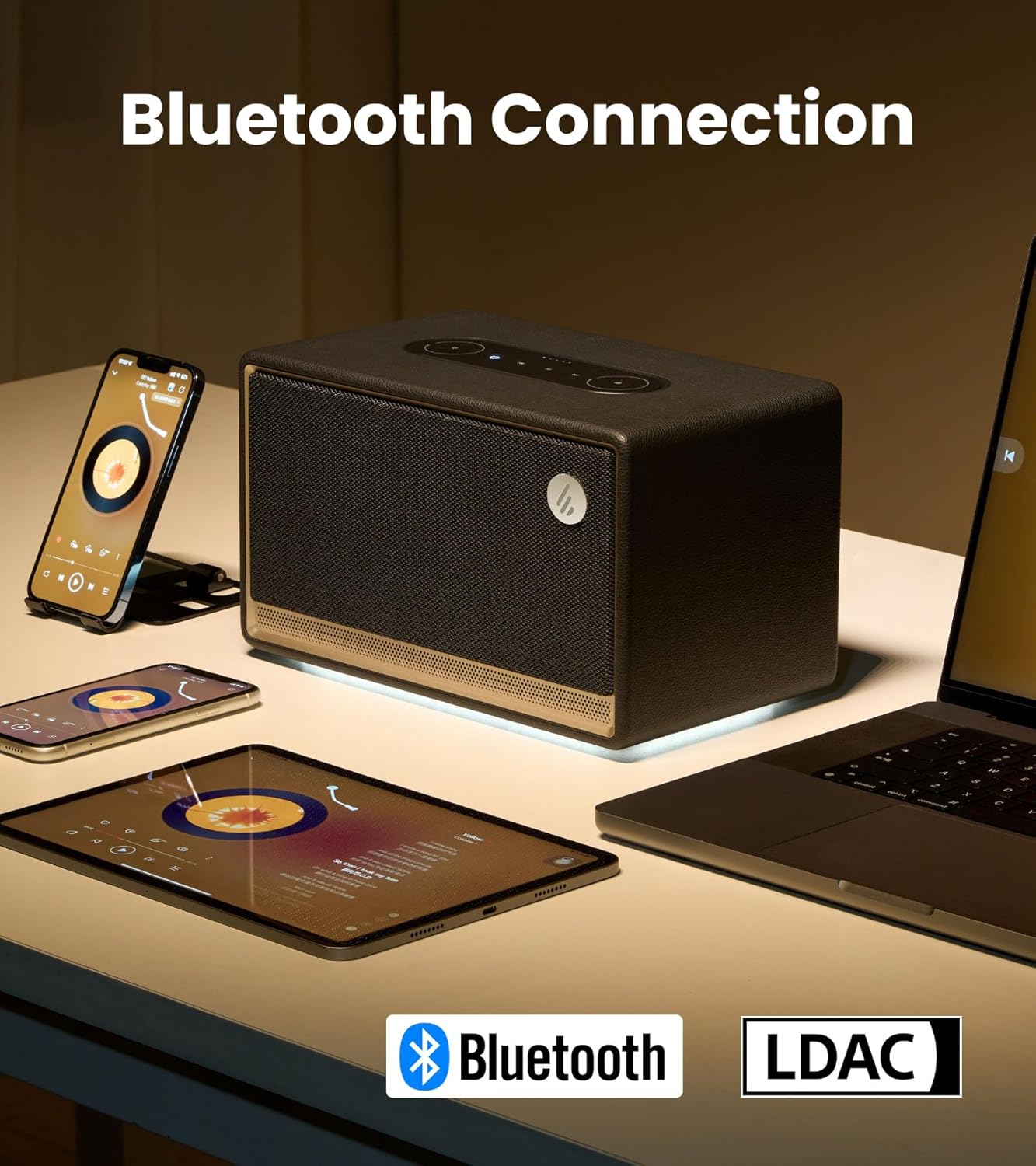
Image: The ES300 demonstrating its Bluetooth connectivity with various devices.
The speaker offers multiple connectivity options including Bluetooth 5.3 (with multi-point connection), WiFi (5G and 2.4G), USB, and AUX inputs. This versatility allows connection to a wide range of audio sources.

Image: Close-up of the rear panel showing the USB-A and AUX input ports.
Multi-Room Audio Synchronization

Image: The ES300's capability for multi-room audio setup using Apple AirPlay 2.
The ES300 supports Apple AirPlay 2, allowing you to group multiple speakers into a multi-room music system. This provides uninterrupted music as you move between rooms and enables immersive surround sound listening when configured via the app.
Батареянын иштөө мөөнөтү
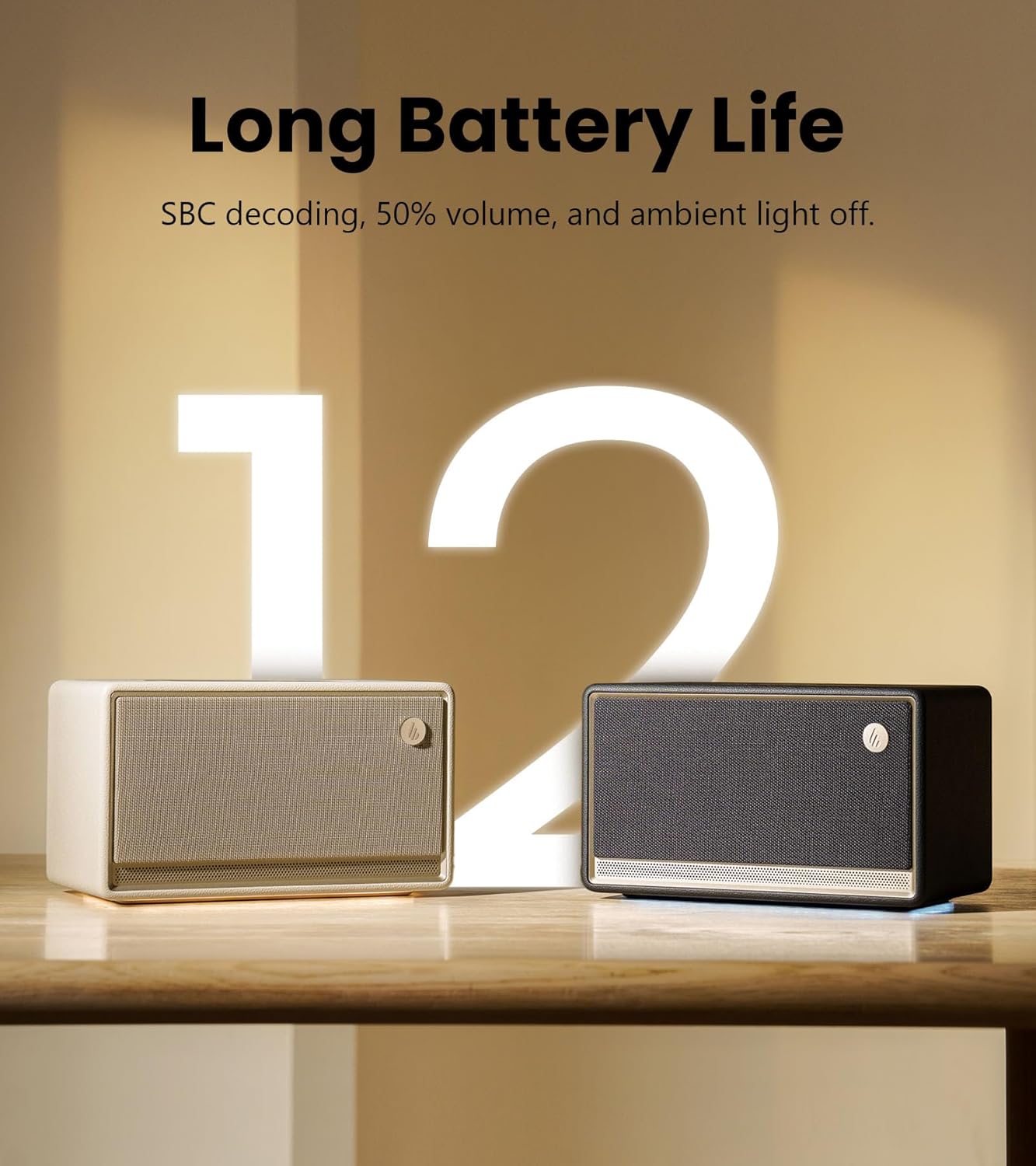
Image: The ES300 highlighting its long battery life.
The built-in 5200mAh battery provides up to 12 hours of continuous playtime, making the ES300 suitable for both indoor and outdoor use. Battery life is tested with SBC decoding, 50% volume, and ambient light off. Actual performance may vary.
Айланадагы жарык системасы
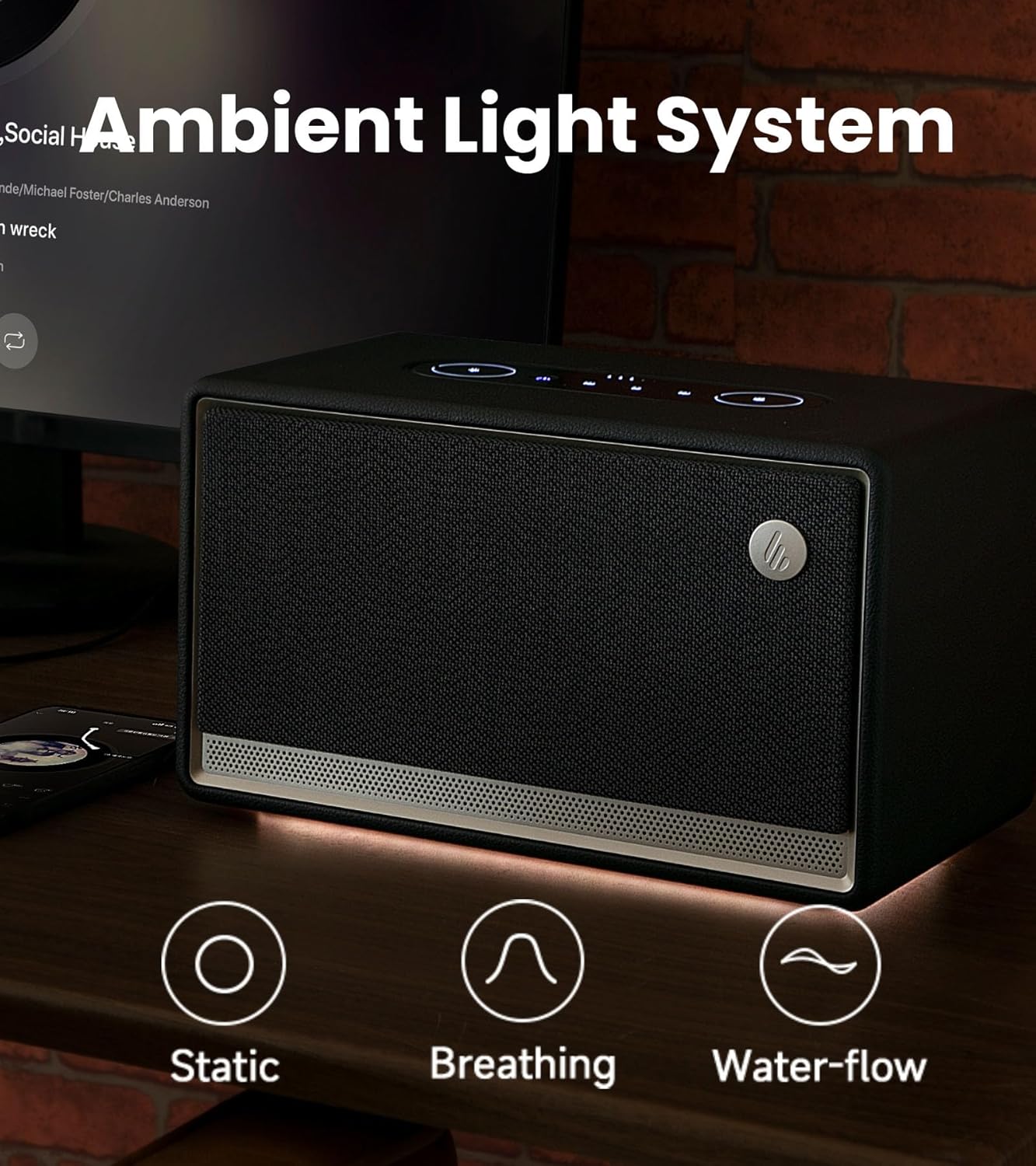
Image: The ES300's ambient light system with various effects.
The integrated ambient light system offers 3 preset effects (Static, Breathing, Water-flow) and two color options, allowing you to set a cozy and tranquil atmosphere.
Башкаруу панели

Сүрөт: деталдуу view of the ES300's easy-to-use touch control panel.
The sleek metallic control panel on top of the speaker provides intuitive touch controls for power, playback, volume adjustment, source selection, and ambient light settings.
Расмий продукт Video
Видео: Edifier showc компаниясынын расмий продукт видеосуasing the features and design of the ES300 Tabletop Wireless Speaker.
Орнотуу колдонмосу
1. Power Connection
Connect the provided power cable to the power input port on the rear of the speaker and then plug it into a wall outlet. The speaker will automatically power on or enter standby mode.
2. Bluetooth Жупташтыруу
- Press the Bluetooth/Source button on the control panel to switch to Bluetooth mode. The Bluetooth indicator light will blink.
- On your device (smartphone, tablet, computer), enable Bluetooth and search for "EDIFIER ES300".
- Select "EDIFIER ES300" to pair. Once connected, the Bluetooth indicator will remain solid.
- For multi-point connection, you can pair a second device by repeating steps 1-3. The speaker will seamlessly switch between the two paired devices.
3. Wi-Fi (AirPlay 2) Setup
For Wi-Fi connectivity and AirPlay 2 functionality, download the EDIFIER Home App. The app will guide you through the network configuration process.
- Download the "EDIFIER Home" app from your device's app store.
- Open the app and follow the on-screen instructions to connect your ES300 speaker to your Wi-Fi network (supports 5G and 2.4G).
- Once connected to Wi-Fi, you can use AirPlay 2 from compatible Apple devices to stream audio or set up multi-room audio groups.
4. USB and AUX Connections
- USB киргизүү: Connect your audio source (e.g., computer) to the USB IN port on the rear of the speaker using the provided USB cable. Select USB input via the source button.
- AUX киргизүү: Connect your audio source (e.g., turntable, MP3 player) to the AUX IN port on the rear of the speaker using the 3.5mm-to-3.5mm audio cable. Select AUX input via the source button.
Иштөө нускамалары
Күйүү/өчүрүү жана күтүү режими
Press the power button on the control panel to turn the speaker on or off. A short press will toggle between active and standby modes.
Үндү көзөмөлдөө
Rotate the outer ring of the volume control on the control panel clockwise to increase volume and counter-clockwise to decrease volume.
Булак тандоо
Press the source button (often combined with Bluetooth icon) on the control panel to cycle through available input sources: Bluetooth, Wi-Fi, USB, and AUX.
Ойнотуу башкаруу
- Ойнотуу/тындыруу: Play/Pause баскычын басыңыз.
- Кийинки трек: Кийинки трек баскычын басыңыз.
- Мурунку трек: Мурунку трек баскычын басыңыз.
Айлана-чөйрө жарыгын башкаруу
Press the light icon button on the control panel to cycle through the ambient light effects (Static, Breathing, Water-flow) and color options. You can also adjust brightness via the EDIFIER Home App.
EDIFIER Башкы бет тиркемесин колдонуу

Image: The EDIFIER Home App interface, offering extended control and customization.
The EDIFIER Home App provides enhanced control and customization options for your ES300 speaker, including:
- Wi-Fi тармагынын конфигурациясы
- Булакты которуу
- Ойнотуу башкаруу
- Stereo channel setup
- Sound effect switch and customization
- Light effect switch and brightness adjustment
- Access to the user manual
- Scheduled power-off
- Микропрограмма жаңыртуулары
Техникалык тейлөө
- Тазалоо: Динамиктин бетин тазалоо үчүн жумшак, кургак чүпүрөктү колдонуңуз. Абразивдүү тазалагычтарды, момдорду же эриткичтерди колдонбоңуз.
- Сактагыч: Узак мөөнөткө колдонулбаганда, динамикти күн тийбеген жана өтө температурадан алыс, салкын, кургак жерде сактаңыз.
- Батареяга кам көрүү: Батареянын иштөө мөөнөтүн узартуу үчүн, бат-баттан батарейканы толук зарядсыздандырбаңыз. Үзгүлтүксүз колдонууда болбосо да, динамикти дайыма заряддаңыз.
Проблемаларды чечүү
| Көйгөй | Мүмкүн себеп | Чечим |
|---|---|---|
| Үн жок | Power off; Incorrect source; Volume too low; Loose cable connection. | Ensure speaker is powered on; Select correct input source; Increase volume; Check all cable connections. |
| Bluetooth жупташуу катасы | Динамик жупташтыруу режиминде эмес; Аппарат өтө алыс; Интерференция. | Ensure speaker is in Bluetooth pairing mode (blinking indicator); Move device closer to speaker; Avoid strong electromagnetic interference. |
| Wi-Fi туташуу маселелери | Incorrect Wi-Fi password; Router issues; Speaker too far from router. | Verify Wi-Fi password; Restart router; Move speaker closer to router; Use EDIFIER Home App for setup. |
| Бурмаланган үн | Үнү өтө жогору; булактын аудио сапаты; динамиктин жайгашкан жери. | Reduce volume on speaker and/or source device; Try a different audio source; Adjust speaker placement to avoid reflections. |
| Батареянын иштөө мөөнөтү кыска | High volume usage; Ambient light on; Battery degradation. | Reduce volume; Turn off ambient light when not needed; Ensure full charge before use. |
If the problem persists, please refer to the EDIFIER Home App for further assistance or contact customer support.
Техникалык шарттар

Image: Detailed technical specifications of the Edifier ES300 speaker.
| Өзгөчөлүк | Деталь |
|---|---|
| Жалпы чыгаруу кубаттуулугу (RMS) | Treble 15W x 2, Mid-bass 30W |
| Айдоочу бөлүмдөр | Treble: 1.25-inch, Mid-bass: 4-inch |
| Frequency Response | 56Гц - 40КГц |
| Ызы-чуунун катышы | ≥ 85 дБ (А) |
| Аудио киргизүү | Bluetooth, Wi-Fi (Apple AirPlay), USB-A, AUX |
| Bluetooth версиясы | V5.4 |
| Codecs | SBC, AAC, LDAC, and ALAC (AirPlay mode only) |
| Киргизүү сезгичтиги | AUX: 600 ± 50 мВ, USB: 600 ± 50 мФС, Bluetooth: 600 ± 50 мФС |
| Өлчөмдөрү (W x Y x D) | 277мм × 185мм × 165мм (10.9"D x 10.2"W x 8.9"H) |
| Таза Салмак | 3.7 кг (8.16 фунт) |
| Батарея сыйымдуулугу | 5200mAh (4 литий-иондук батарейка камтылган) |
| Оюн убактысы | 12 саатка чейин |
Кепилдик жана колдоо
Edifier products come with a limited warranty. Please refer to the warranty card included in your package or visit the official Edifier webСиздин аймакка тиешелүү деталдуу кепилдик шарттары жана шарттары үчүн сайт.
Техникалык колдоо, бузулууларды аныктоо боюнча жардам же кызмат суроо үчүн Edifier кардарларды колдоо кызматына расмий аркылуу кайрылыңыз webсайт же продукт документациясында көрсөтүлгөн байланыш маалыматы.
Расмий Editifier Webсайт: www.edifier.com


