Introduction
This manual provides comprehensive instructions for the XBG B15 Tri-Mode Wireless Mouse. It covers setup, operation, maintenance, and troubleshooting to ensure optimal performance and user experience. Please read this manual thoroughly before using the device.

Сүрөт: жогорудан төмөнгө view of the XBG B15 Tri-Mode Wireless Mouse, showcasing its ergonomic design and central DPI button.
Пакеттин мазмуну
Пакетте бардык буюмдар бар экенин текшериңиз:
- 1 x XBG B15 Tri-Mode Wireless Mouse
- 1 x USB заряддоо кабели
- 1 х Колдонуучунун колдонмосу (бул документ)
Продукт бүттүview
Familiarize yourself with the components of your XBG B15 Wireless Mouse.

Image: Diagram illustrating the various parts of the XBG B15 mouse, including the left button, right button, scroll wheel, forward button, backward button, DPI button, ON/OFF switch, mode switch, and USB receiver.
The mouse features an ergonomic design that conforms to the natural curvature of the human palm, providing a comfortable grip for extended use. Its soft, durable, skin-like surface resists fingerprints.

Сүрөт: Жакын план view of the XBG B15 mouse highlighting its ergonomic shape and textured grip for comfortable handling.
The mouse is compatible with various desktop surfaces, including resin, wood, fabric, paper, and metal.
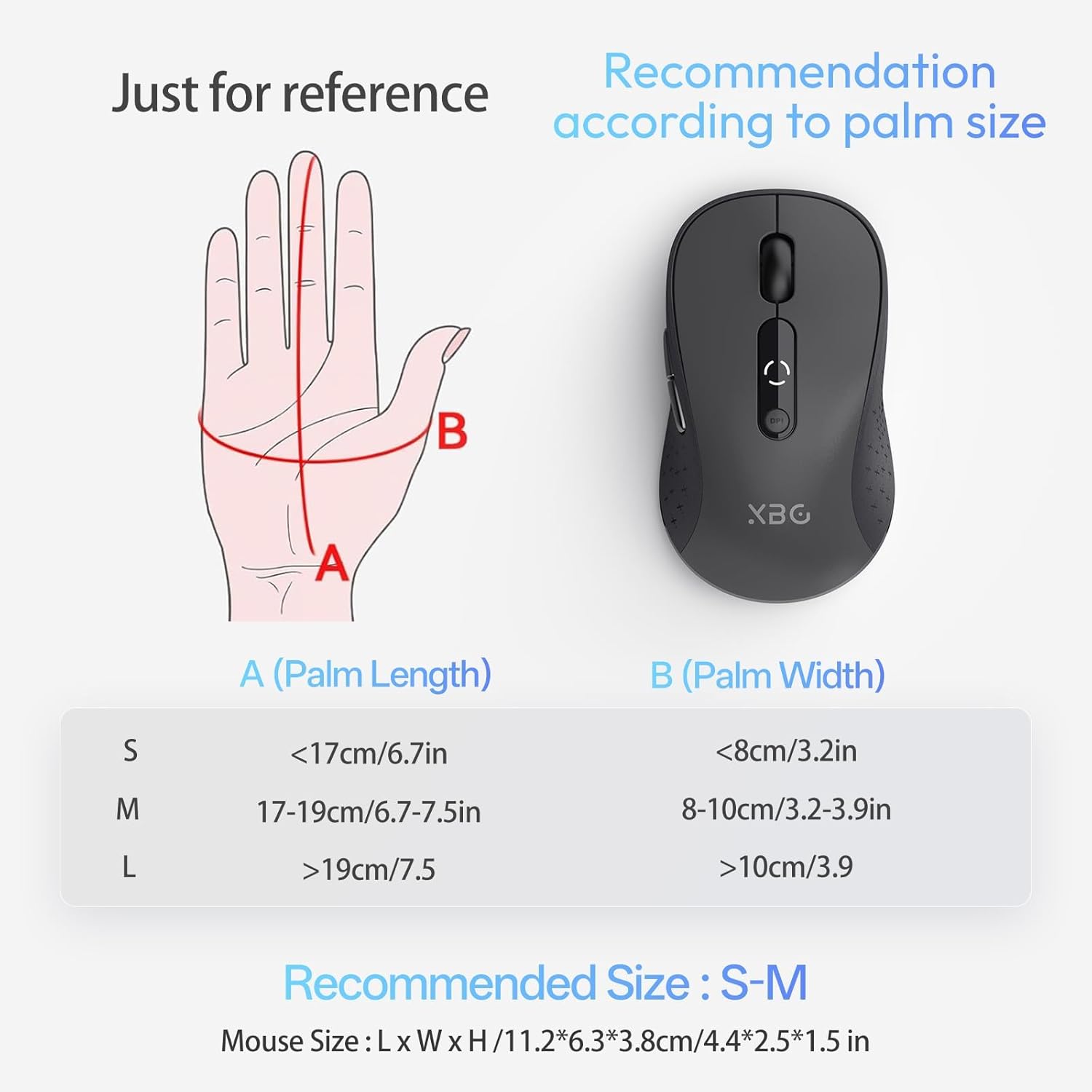
Image: The XBG B15 mouse shown on different surface types (resin, wood, fabric, paper, metal) to demonstrate its versatility.
Жайгашуу
The XBG B15 mouse offers three connection modes: 2.4GHz Wireless, Bluetooth 5.0, and Bluetooth 4.0. You can switch between these modes using the 'Mode Switch' button located on the underside of the mouse.

Image: Illustration showing the XBG B15 mouse connecting to a desktop PC via 2.4G wireless and to a laptop and tablet via Bluetooth (BT1 and BT2), indicating its tri-mode capability.
A mode switch indicator light on the bottom of the mouse will show the current connection mode:
- Кызыл жарык: 2.4G зымсыз режим
- Көк жарык: Bluetooth 1 (BT1) Mode
- Жашыл жарык: Bluetooth 2 (BT2) Mode

Image: Close-up of the underside of the XBG B15 mouse, showing the mode switch and the corresponding indicator lights (Red for 2.4G, Blue for BT1, Green for BT2).
2.4GHz зымсыз туташуу
- Төмөнкү жактагы КҮЙГҮЗҮҮ/ӨЧҮРҮҮ баскычын колдонуп, чычканды күйгүзүңүз.
- Switch the mode to 2.4G (Red Light).
- USB ресиверди компьютериңиздеги жеткиликтүү USB портуна салыңыз.
- The computer should automatically detect and install the mouse.
Bluetooth Connection (BT1/BT2)
- Төмөнкү жактагы КҮЙГҮЗҮҮ/ӨЧҮРҮҮ баскычын колдонуп, чычканды күйгүзүңүз.
- Switch the mode to either BT1 (Blue Light) or BT2 (Green Light).
- Press and hold the 'Mode Switch' button for 3-5 seconds until the indicator light starts flashing rapidly. This indicates the mouse is in pairing mode.
- On your device (laptop, tablet, PC), go to Bluetooth settings.
- Издөө new devices and select "XBG B15" from the list.
- Жупташкандан кийин индикатор жарыгы өчүп-өчпөйт жана өчкөнгө чейин бир нече секунда туруктуу бойдон калат.
- To connect to a second Bluetooth device, switch to the other Bluetooth mode (BT2 if you used BT1, or vice versa) and repeat steps 3-6.
Иштөө нускамалары
DPI тууралоо
The mouse features 5 adjustable DPI levels (800/1000/1200/1600/2400) to suit various tasks such as office work, graphic design, or gaming. Press the DPI button located below the scroll wheel to cycle through the DPI settings. The current DPI level will be displayed on the mouse's built-in indicator.
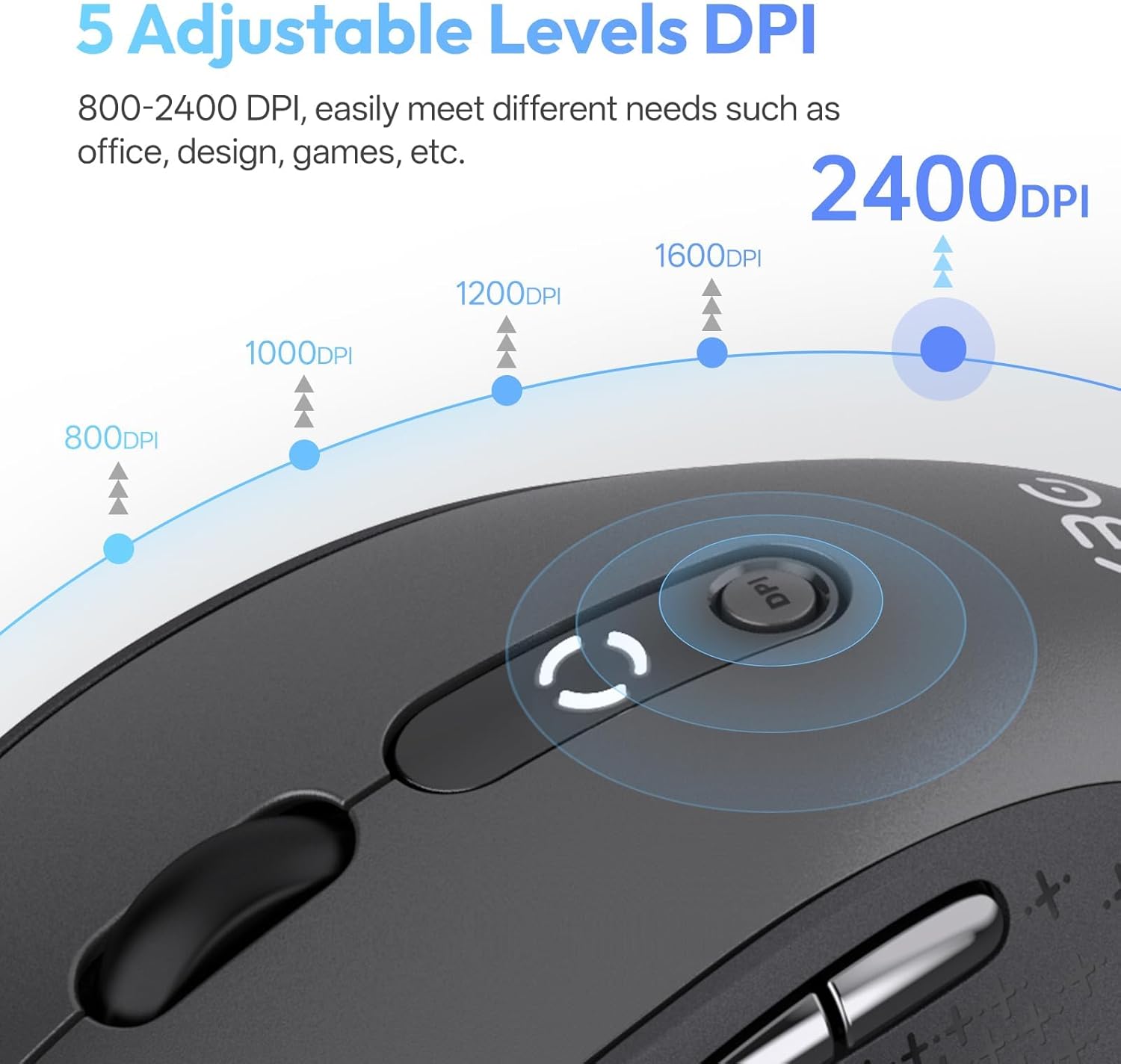
Image: Diagram illustrating the 5 adjustable DPI levels (800, 1000, 1200, 1600, 2400) and how to change them using the DPI button on the XBG B15 mouse.
Үнсүз чыкылдатуу функциясы
The XBG B15 mouse is designed with silent buttons, providing a tactile click feel without producing audible noise. This feature is beneficial in quiet environments such as libraries, offices, or during late-night use.

Image: A person using the XBG B15 mouse silently in an office environment, with a baby sleeping in the background, demonstrating the noiseless click feature.
Автоматтык уйку режими
To conserve battery life, the mouse will automatically enter sleep mode after 5 minutes of inactivity. To wake the mouse, simply move it or click any button.
Техникалык тейлөө
Чычканды заряддоо
The XBG B15 mouse is equipped with a built-in 500 mAh rechargeable battery and a Type-C charging port. Connect the provided USB charging cable to the mouse's Type-C port and to a USB power source (e.g., computer USB port, wall adapter). A full charge takes approximately 2 hours and can provide months of use.

Image: The XBG B15 mouse connected to a charging cable via its Type-C port, illustrating the recharging process and highlighting its 500mAh battery capacity.
Батарея көрсөткүчү
The mouse features a 3-level battery indicator to monitor the remaining power:
- 3 lights on: Батарея 100%-75%
- 2 lights on: Батарея 75%-50%
- 1 light on: Батарея 50% төмөн

Image: Close-up of the XBG B15 mouse's display, showing the 3-level battery indicator and its corresponding battery percentage диапазондору.
Тазалоо
Чычканды тазалоо үчүн, анын бетин жумшак, d менен акырын сүртүңүзamp cloth. Avoid using harsh chemicals or abrasive materials, as these may damage the finish.
Проблемаларды чечүү
- Чычкан жооп бербей жатат:
- Чычкан күйгүзүлгөнүн текшериңиз.
- Батареянын деңгээлин текшерип, керек болсо заряддаңыз.
- For 2.4G connection, ensure the USB receiver is securely plugged into the computer. Try a different USB port.
- For Bluetooth connection, ensure the mouse is in the correct Bluetooth mode (BT1 or BT2) and is paired with your device. Re-pair if necessary.
- Компьютериңизди же түзмөгүңүздү өчүрүп-күйгүзүп көрүңүз.
- Үзгүлтүксүз туташуу:
- Move the mouse closer to the receiver or Bluetooth-enabled device.
- Avoid using the mouse on metal surfaces, which can interfere with wireless signals.
- Жакын жерде башка күчтүү зымсыз тоскоолдук булактары жок экенин текшериңиз.
- DPI жөндөөсү өзгөрбөйт:
- Ensure you are pressing the dedicated DPI button.
- Check if the mouse is fully charged.
Техникалык шарттар
| Өзгөчөлүк | Деталь |
|---|---|
| Модел | B15-Кара |
| Байланыш технологиясы | Bluetooth 5.0/4.0, 2.4GHz Wireless (USB) |
| DPI деңгээли | 800, 1000, 1200, 1600, 2400 (Adjustable) |
| Батарея түрү | Кайра заряддалуучу литий полимери |
| Батарея сыйымдуулугу | 500 мАч |
| Заряддоо порту | Type-C |
| Продукциянын өлчөмдөрү | 4.4 x 2.5 x 0.04 дюйм |
| Элемент Салмагы | 2.65 унция |
| Өзгөчөлүктөр | Ergonomic Design, Portable, Silent Click, 3-Level Battery Indicator, Automatic Sleep |
| Шайкештик | Windows, Mac, Linux, Android |
Кепилдик жана колдоо
The XBG B15 Tri-Mode Wireless Mouse comes with a manufacturer's warranty. For specific warranty details, please refer to the documentation included with your purchase or contact XBG customer support. If you encounter any issues not covered in this manual, please reach out to our support team for assistance.
Кошумча жардам алуу үчүн, сураныч, баш багыңыз XBG Store on Amazon.


