Introduction
The ZTE U50 Pro is a high-performance 5G portable WiFi router designed for reliable and fast internet access on the go. Featuring a powerful Qualcomm Snapdragon X62 processor, it supports dual-mode 5G and global roaming, ensuring connectivity in over 100 countries and regions. This device incorporates 5G NR carrier aggregation and low-frequency ENDC technologies for enhanced speeds and network capacity. With Wi-Fi 6 (802.11ax) technology, it delivers a peak rate of 3600 Mbps and can support up to 64 connected devices simultaneously, making it ideal for various personal and professional uses.
This manual provides essential information for setting up, operating, maintaining, and troubleshooting your ZTE U50 Pro router. Please read it thoroughly before use.
Пакеттин мазмуну
Пакетте бардык буюмдар бар экенин текшериңиз:
- ZTE U50 Pro 5G Portable WiFi 6 Router
- USB Type-C маалымат кабели
- Quick Guide (English)
- Built-in Lithium-ion Battery (10,000 mAh)
Түзмөк бүттүview
Familiarize yourself with the components of your ZTE U50 Pro router.

Сүрөт: Фронт view of the ZTE U50 Pro 5G Portable WiFi Router, showing its 2.4-inch touch screen interface with network status, data usage, and Wi-Fi indicators.

Сүрөт: Алдыңкы жана арткы view of the ZTE U50 Pro 5G Portable WiFi Router, illustrating its compact design and the ZTE branding on the rear panel.
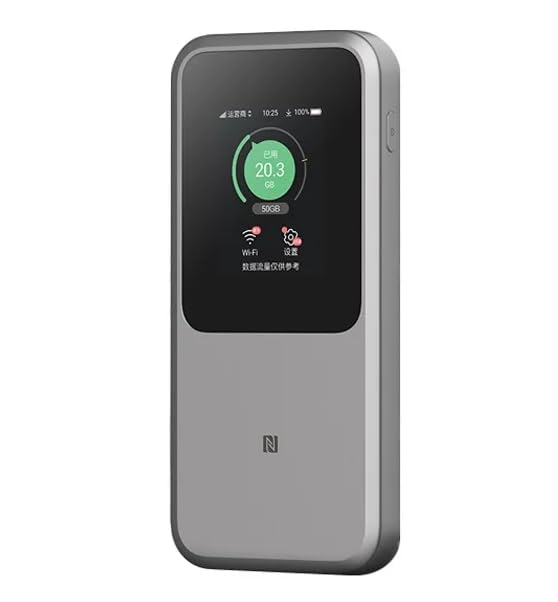
Сүрөт: The ZTE U50 Pro 5G Portable WiFi Router highlighting its main features: high-performance Snapdragon X62 chip, high-rate Wi-Fi 6 (3600Mbps), 10000mAh ultra-large capacity battery with 27W fast charge, and a 2.4-inch touch screen for easy device management.
Жайгашуу
1. SIM картаны орнотуу
- Аппараттагы SIM картанын уячасын табыңыз.
- Carefully open the SIM card slot cover.
- Insert a standard Nano-SIM card into the slot with the gold contacts facing down and the notched corner aligned correctly.
- SIM картаны ордунан чыккыча акырын түртүңүз.
- SIM картанын уячасынын капкагын бекем жабыңыз.
- Эскертүү: The device is unlocked and compatible with any standard Nano-SIM card.
2. Күйгүзүү / Өчүрүү
- Күйгүзүү үчүн: Экран жарыктанганга чейин Кубат баскычын бир нече секунд басып туруңуз.
- Өчүрүү үчүн: Press and hold the Power button until a power-off option appears on the screen. Select "Power Off" or continue holding the button until the device shuts down.
3. Баштапкы конфигурация
- Upon first power-on, the device may guide you through an initial setup wizard on its 2.4-inch touch screen.
- Follow the on-screen prompts to set basic preferences such as language, time zone, and initial Wi-Fi settings (SSID and password).
- Alternatively, you can connect to the device's default Wi-Fi network (SSID and password usually found on a sticker inside the SIM card slot or on the device packaging) and access the web management interface via a browser (e.g., 192.168.0.1 or 192.168.1.1).
Иштөө нускамалары
1. Түзмөктөрдү Wi-Fi аркылуу туташтыруу
- Ensure your ZTE U50 Pro is powered on.
- On your device (smartphone, laptop, tablet, etc.), open the Wi-Fi settings.
- Жеткиликтүү Wi-Fi тармактарын издөө.
- Select the network name (SSID) broadcast by your ZTE U50 Pro. The default SSID is usually printed on the device or its packaging.
- Enter the Wi-Fi password (key) when prompted. The default password is also typically printed on the device.
- Once connected, your device will have internet access through the ZTE U50 Pro.
- The router supports up to 64 simultaneous device connections.
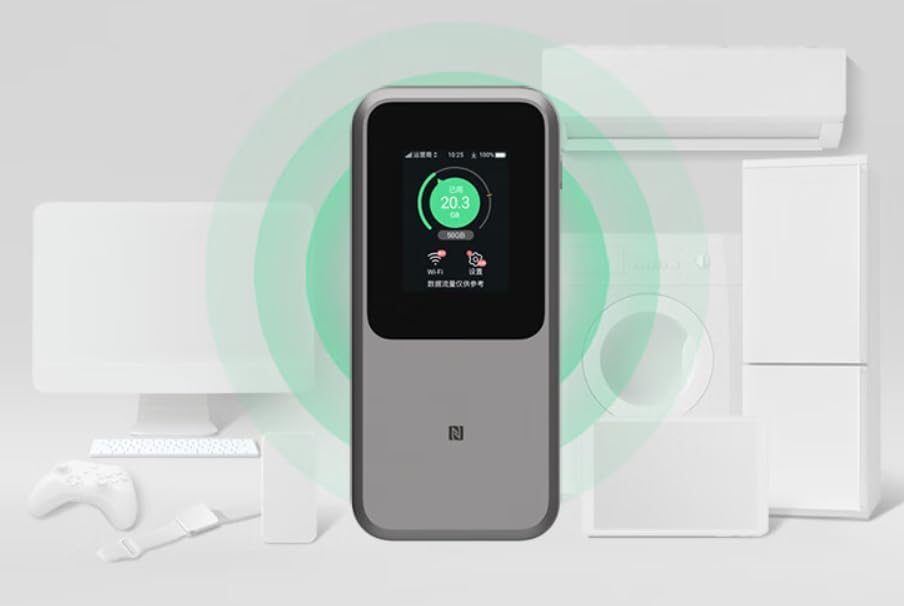
Сүрөт: The ZTE U50 Pro 5G Portable WiFi Router actively broadcasting a Wi-Fi signal, demonstrating its ability to connect to various devices such as computers, mobile phones, and gaming consoles simultaneously.
2. Орнотууларды башкаруу
- Сенсордук экран аркылуу: Use the 2.4-inch touch screen to view network status, data usage, connected devices, and access quick settings.
- аркылуу Web Башкаруу интерфейси: For advanced settings, connect a device to the router's Wi-Fi network and open a web browser. Enter the router's IP address (e.g., 192.168.0.1) in the address bar. Log in using the administrator username and password (default credentials are usually on the device or in the quick guide). Here you can configure Wi-Fi names, passwords, security settings, network modes, and more.
3. Аппаратты заряддоо
- Connect the provided USB Type-C data cable to the charging port on the ZTE U50 Pro.
- Кабелдин экинчи учун туура келген USB кубат адаптерине (кошумча эмес) же компьютердин USB портуна туташтырыңыз.
- The device supports 27W fast charging. Use a compatible fast charger for optimal charging speed.
- Экрандагы батарейканын көрсөткүчү заряддоо абалын көрсөтөт.
Техникалык тейлөө
- Батареяга кам көрүү: To prolong battery life, avoid exposing the device to extreme temperatures. For long-term storage, charge the battery to approximately 50% and store in a cool, dry place.
- Тазалоо: Аппаратты тазалоо үчүн жумшак, кургак чүпүрөктү колдонуңуз. Суюк тазалагычтарды же аэрозолдорду колдонбоңуз.
- Программалык камсыздоо жаңыртуулары: Мезгил-мезгили менен микропрограмманын жаңыртууларын текшерип туруңуз web оптималдуу иштөөнү жана коопсуздукту камсыз кылуу үчүн башкаруу интерфейси.
Проблемаларды чечүү
| Көйгөй | Мүмкүн себеп | Чечим |
|---|---|---|
| Интернет байланышы жок | SIM card not inserted correctly, no network signal, data plan expired, incorrect APN settings. |
|
| Wi-Fi'га туташпай жатат | Incorrect Wi-Fi password, Wi-Fi disabled, too many connected devices. |
|
| Жай Интернет ылдамдыгы | Weak signal, network congestion, distance from router, too many connected devices. |
|
| Түзмөк күйбөй жатат | Low battery, faulty charger/cable. |
|
Заводдук абалга кайтаруу
If the device experiences persistent issues, a factory reset may resolve them. This will erase all custom settings and restore the device to its original factory defaults. Refer to the Quick Guide or the web management interface for instructions on how to perform a factory reset.
Техникалык шарттар
| Бренд | ZTE |
| Модель аты | U50 Pro |
| Операция системасы | ZyNOS |
| Байланыш технологиясы | 5G, LTE |
| Зымсыз стандарт | 802.11ax (Wi-Fi 6) |
| Жыштык тилкесинин классы | Кош диапазондуу (2.4 ГГц жана 5 ГГц) |
| Max Wi-Fi Rate | 3600 Мбит/сек |
| Максималдуу туташкан түзмөктөр | 64 |
| Батарея сыйымдуулугу | 10,000 мАч (Литий-ион) |
| Заряддоо | 27W Fast Charge (USB Type-C) |
| Дисплей | 2.4 дюймдук сенсордук экран |
| Антенна түрү | Ички |
| Сунушталган колдонуу | Outdoor/Travel |
| Камтылган компоненттер | USB Type-C Data Cable, Quick Guide |
| Келип чыккан өлкө | Кытай |
Коопсуздук маалыматы
- Аппаратты экстремалдык температурага, түз күндүн нуруна же жогорку нымдуулукка дуушар кылбаңыз.
- Аппаратты түшүрүүдөн же катуу соккудан сактаныңыз.
- Use only approved accessories, such as the provided USB Type-C cable.
- Аппаратты ажыратууга же өзгөртүүгө аракет кылбаңыз. Бул кепилдикти жокко чыгарат.
- Аппаратты суудан жана башка суюктуктардан алыс кармаңыз.
- Батареяны жана түзмөктү жергиликтүү эрежелерге ылайык жок кылыңыз.
Кепилдик жана колдоо
Information regarding specific warranty terms and conditions for the ZTE U50 Pro is typically provided with the product packaging or can be found on the manufacturer's official website. Please refer to the included Quick Guide for details on how to contact customer support for technical assistance or warranty claims.
For further assistance, please visit the official ZTE support webсайтка же сатуучуга кайрылыңыз.