1. Киришүү
Сатып алганыңыз үчүн рахматasing the QFX Bluetooth 1961 Retro Mini Bus Speaker. This device combines a vintage design with modern audio technology, offering multiple playback options and portable convenience. This manual provides essential information for setting up, operating, and maintaining your speaker.
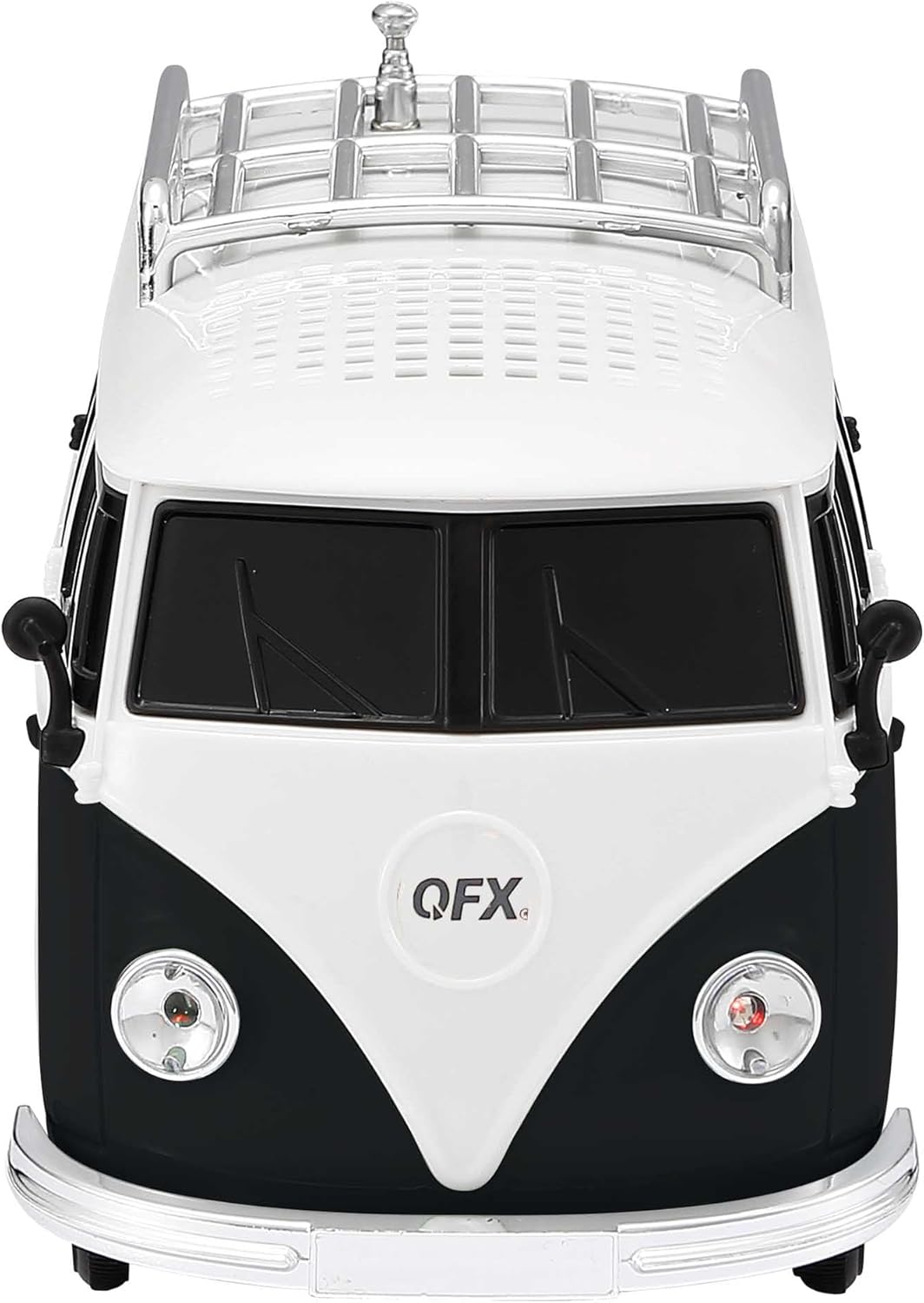
Сүрөт 1: Алдыңкы view of the QFX Bluetooth 1961 Retro Mini Bus Speaker.
2. Продукциянын өзгөчөлүктөрү
- Vintage Дизайн: Inspired by the classic 1960s mini bus.
- Күчтүү аудио: Equipped with a 2-inch speaker and bass radiator for enhanced sound.
- Бир нече ойнотуу параметрлери: Supports Bluetooth, FM Radio, USB drives, TF cards, and AUX input.
- LED кече жарыктары: Built-in colorful LED headlights that flash during operation.
- Hands Free Чалуу: Integrated microphone for seamless phone calls when connected via Bluetooth.
- Портативдик жана заряддалуучу: Features a built-in rechargeable battery for on-the-go use.
- Чыныгы зымсыз стерео (TWS): Ability to pair two BT-1961 speakers for stereo sound.
3. Пакеттин мазмуну
- QFX Bluetooth 1961 Retro Mini Bus Speaker
- Power Cable (USB to Micro USB)
- User Manual
Note: A 5V DC charger is required for charging and is not included.
4. Продукт бүтүп калдыview жана Controls
Familiarize yourself with the speaker's components and control panel.

Figure 2: Rear panel controls and ports.
- 1. POWER / M Button: Press and hold to power on/off. Short press to switch between modes (Bluetooth, FM, USB, TF, AUX).
- 2. Ойнотуу/Тындыруу баскычы: Play or pause audio. During a call, press to answer/end.
- 3. Previous Track / Volume Down Button: Short press for previous track. Press and hold to decrease volume.
- 4. Next Track / Volume Up Button: Short press for next track. Press and hold to increase volume.
- 5. DC 5V порт: Динамикти заряддоо үчүн микро USB киргизүү.
- 6. USB порт: MP3 ойнотуу үчүн USB дискти салыңыз.
- 7. TF Card Slot: Insert a TF (MicroSD) card for MP3 playback.
- 8. AUX киргизүү: 3.5 мм аудио кабелин колдонуу менен тышкы аудио түзмөктөрдү туташтырыңыз.
- 9. Tail Lights: Indicate charging status (refer to Charging section).
- 10. Retractable Antenna: FM радио кабыл алуусун жакшыртуу үчүн кеңейтүү.
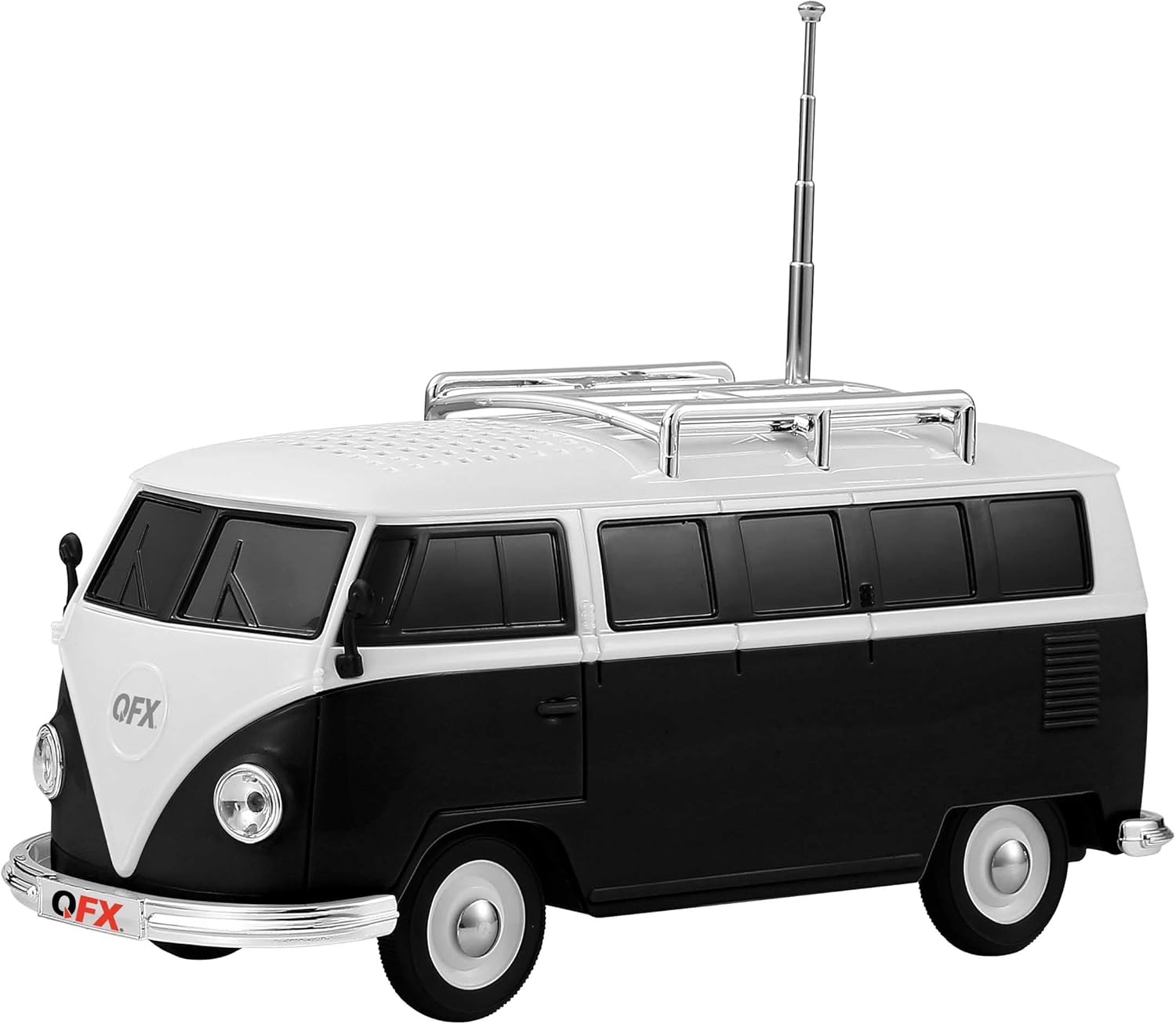
3-сүрөт: Каптал view with retractable antenna extended.
5. Орнотуу
5.1 Алгачкы заряддоо
- Биринчи колдонуудан мурун динамикти толук заряддаңыз.
- Connect the provided USB charging cable to the DC 5V port on the rear of the speaker.
- Connect the other end of the USB cable to a 5V DC USB power adapter (not included).
- The front headlights will flash during charging. Once fully charged, the tail lights should illuminate (behavior may vary; refer to Troubleshooting if unsure).
5.2 Күйгүзүү/өчүрүү
- Күйгүзүү үчүн, басып, кармап туруңуз POWER / M button until you hear an engine start sound.
- Өчүрүү үчүн, басып туруңуз POWER / M button until you hear an engine off sound.
6. Иштөө нускамалары
6.1 Bluetooth жупташтыруу
- Power on the speaker. It will automatically enter Bluetooth pairing mode, indicated by a voice prompt.
- Мобилдик түзмөгүңүздө Bluetooth'ду иштетиңиз (смартфон, планшет ж.б.).
- Издөө available Bluetooth devices and select "BT-1961" from the list.
- Once paired, you will hear a confirmation sound. You can now play audio from your device through the speaker.

Figure 4: Bluetooth connectivity for music and hands-free calling.
6.2 FM радиосунун иштеши
- Power on the speaker. Press the POWER / M button repeatedly to switch to FM Radio mode.
- Оптималдуу кабыл алуу үчүн чогултулуучу антеннаны узартыңыз.
- Жеткиликтүү станцияларды автоматтык түрдө сканерлөө жана сактоо үчүн, баскычын басып кармап туруңуз Ойнотуу/Тыныгуу button. The speaker will scan and store stations.
- колдонуу Мурунку трек / Көлөмүн төмөндөтүү жана Кийинки Track / Volume Up баскычтар сакталган станциялардын ортосунда чабыттоо.
6.3 USB / TF картасын ойнотуу
- Insert a USB drive or TF (MicroSD) card containing MP3 audio files тиешелүү портко.
- Динамик сактагыч түзмөгүн автоматтык түрдө аныктап, музыка ойной баштайт. Эгер андай болбосо, баскычын басыңыз POWER / M button to cycle through modes until USB/TF mode is active.
- колдонуу Мурунку трек / Көлөмүн төмөндөтүү жана Кийинки Track / Volume Up buttons for track control.
6.4 AUX киргизүү
- 3.5 мм аудио кабелинин бир учун (киргизилген эмес) динамиктеги AUX киргизүү портуна туташтырыңыз.
- Экинчи учун тышкы аспабыңыздын гарнитура уячасына же аудио чыгышына туташтырыңыз.
- басыңыз POWER / M AUX режимине өтүү үчүн баскыч.
- Control playback and volume directly from your external device.
6.5 Hands-Free чалуу
- When the speaker is paired with your phone via Bluetooth, incoming calls will be routed to the speaker.
- басыңыз Ойнотуу/Тыныгуу кирүүчү чалууга жооп берүү үчүн баскычты басыңыз.
- басыңыз Ойнотуу/Тыныгуу Чалууну аяктоо үчүн баскычты кайра басыңыз.
6.6 Чыныгы зымсыз стерео (TWS) жупташтыруу
To achieve stereo sound, you can pair two QFX BT-1961 speakers together.
- Ensure both BT-1961 speakers are powered on and in Bluetooth mode, but not yet paired to any device.
- Динамиктердин биринде (бул негизги динамик болот) баскычын басып кармап туруңуз POWER / M жупташтыруу үнүн укканга чейин баскычын бир нече секунд басып туруңуз.
- Эки динамик автоматтык түрдө бири-бирине туташат. TWS жупташуусу ийгиликтүү болгондон кийин ырастоо үнүн угасыз.
- Now, connect your mobile device to the primary speaker via Bluetooth as described in section 6.1. Audio will play in stereo across both speakers.

Figure 5: TWS pairing for enhanced stereo audio.
6.7 LED кече жарыктары
The speaker features built-in LED headlights that flash during operation, adding a visual element to your music experience. There is no specific control to turn these lights off independently.

Figure 6: Flashing LED headlights.
7. Заряддоо
To charge the QFX Bluetooth 1961 Retro Mini Bus Speaker:
- Берилген USB кубаттоо кабелин динамиктеги DC 5V портуна туташтырыңыз.
- Plug the USB end into a compatible 5V DC USB power adapter (not included).
- The front headlights will flash to indicate that the unit is charging.
- Once charging is complete, the tail lights are expected to illuminate, and the headlights may stop flashing.
8. Техникалык шарттар
| Өзгөчөлүк | Деталь |
|---|---|
| Модель аты | BT-1961-BLK |
| Бренд | QFX |
| Материал | Пластик |
| Динамик түрү | Single Speaker (with Bass Radiator) |
| Динамиктин максималдуу чыгаруу күчү | 3 Ватт |
| Байланыш технологиясы | Bluetooth |
| Аудио чыгаруу режими | Стерео (TWS жупташтыруусу менен) |
| Өзгөчөлүктөр | USB Port, TF Card Slot, AUX Input, FM Radio, Built-in Microphone, LED Party Lights |
| Башкаруу ыкмасы | Touch Buttons |
| Продукциянын өлчөмдөрү | 8"D x 3.3"W x 4"H |
| Элемент Салмагы | 1 фунт |
| Сунушталган Колдонуулар | Indoor |

Сүрөт 7: Продукциянын өлчөмдөрү.
9. Кыйынчылыктарды
| Көйгөй | Чечим |
|---|---|
| Динамик күйбөйт. | Ensure the battery is charged. Connect to a 5V DC power source and allow it to charge for at least 30 minutes before attempting to power on again. |
| Bluetooth аркылуу жупташтыруу мүмкүн эмес. | Ensure the speaker is in Bluetooth mode. Turn off and on your device's Bluetooth. Move the speaker closer to your device. Disconnect from any other paired devices. |
| FM радиосун кабыл алуу начар. | Fully extend the retractable antenna. Try repositioning the speaker to find a stronger signal. Perform an auto-scan again. |
| No sound from USB/TF card. | Ensure the card/drive contains compatible MP3 files. Check if the speaker is in the correct mode (press POWER/M button). Ensure volume is not at minimum. |
| Loud engine sound on power on/off. | This is a design feature and cannot be disabled. Adjust the volume before powering off if this is a concern. |
| Charging indicator (headlights/tail lights) not working as expected. | Ensure the charging cable is securely connected and the 5V DC power source is functional. While headlights typically flash during charging and tail lights indicate full charge, slight variations in indicator behavior may occur. If the speaker functions normally after charging, it is likely charging correctly. |
10. Техникалык тейлөө
- Динамикти жумшак, кургак чүпүрөк менен тазалаңыз. Абразивдүү тазалагычтарды же эриткичтерди колдонбоңуз.
- Avoid exposing the speaker to extreme temperatures, direct sunlight, or moisture.
- Do not disassemble the unit, as this will void the warranty.
- Колдонулбаганда салкын, кургак жерде сактаңыз.
11. Official Product Video (Similar Model)
Төмөнкү видеодо толук маалымат берилетview of a similar QFX Bluetooth speaker model (BT-1953 Hot Rod Replica) and demonstrates features that are also present in your BT-1961 Mini Bus Speaker, such as Bluetooth connectivity, LED lights, and multiple playback options.
Видео: Бүттүview of QFX BT-1953 Hot Rod Replica Bluetooth Speaker, demonstrating features like Bluetooth, LED lights, and various input options. Note: This video features a different model (BT-1953) but showcases similar functionalities to the BT-1961 Mini Bus Speaker.
12. Кепилдик жана колдоо
For warranty information and customer support, please refer to the documentation included with your product or visit the official QFX webсайт. Сатып алганыңыздын далили катары сатып алуу дүмүрчөгүңүздү сактаңыз.


