1. Продукт бүтүп калдыview
The Yihou Smart Watch is a versatile and rugged activity tracker designed for both daily use and outdoor adventures. It combines the functionality of a smartwatch with features like a built-in compass and a powerful flashlight, making it suitable for various environments. This manual provides detailed instructions on how to set up, operate, maintain, and troubleshoot your device.
Негизги өзгөчөлүктөрү:
- Integrated Compass for navigation.
- Ultra-Powerful Flashlight with long-range shooting and stroboscopic capabilities.
- Bluetooth Call Functionality (Answer/Dial Calls).
- AI Voice Assistant for hands-free control.
- Comprehensive Health Monitoring: Heart Rate, Blood Pressure, Sleep Monitoring.
- Multi-Sport Modes (over 100) for various activities.
- Activity Tracking: Steps, Distance, Calorie Count.
- Message Notifications and Information Storage.
- IP67 Water Resistance for daily use and light water exposure.
- Additional features: Stopwatch, Timer, Calculator, World Clock, Camera Remote Control, Music Control, Find Phone/Bracelet, Do Not Disturb Mode, Flip Wrist to Highlight Screen.
2. Орнотуу колдонмосу
2.1 Пакеттин мазмуну
Пакетиңизде бардык буюмдар бар экенин текшериңиз:
- Yihou Smart Watch (Model KT76)
- Заряддоо кабели
- Колдонуучунун Колдонмосу (бул документ)
- Белги
2.2 Аппаратты заряддоо
Before first use, fully charge your Yihou Smart Watch. Connect the magnetic charging cable to the charging points on the back of the watch and plug the USB end into a standard USB power adapter (not included) or a computer USB port. The watch display will indicate charging status. A full charge typically takes approximately 2 hours.
2.3 Initial Pairing with Your Smartphone
To unlock the full functionality of your Yihou Smart Watch, you must pair it with your smartphone using the "Da Fit" application.
- Download the "Da Fit" App: Издөө Смартфонуңуздун колдонмолор дүкөнүнө (Android үчүн Google Play Store, iOS үчүн Apple App Store) "Da Fit" жүктөп алып, орнотуңуз.
- Bluetooth иштетүү: Смартфонуңузда Bluetooth иштетилгенин текшериңиз.
- Open "Da Fit" App: Launch the "Da Fit" application and follow the on-screen prompts to create an account or log in.
- Түзмөк кошуу: Колдонмодо "Түзмөк" же "Түзмөк кошуу" бөлүмүнө өтүңүз. Колдонмо жакын жердеги Bluetooth түзмөктөрүн издейт.
- Саатыңызды тандаңыз: Select "KT76" or "Yihou Smart Watch" from the list of found devices.
- Жупташтыруу ырастоо: A pairing request may appear on both your watch and phone. Confirm the pairing on both devices.
- Bluetooth чалуу байланышы: After initial pairing, go to your phone's Bluetooth settings and manually connect to the watch's secondary Bluetooth signal, often named "KT76_CALL" or similar, to enable call functionality.

Image: Bluetooth connection and call functionality.
Шайкештик: The Yihou Smart Watch is compatible with Android 6.0+ and iOS 10.0+ devices.
3. Иштөө нускамалары
3.1 Негизги навигация
The Yihou Smart Watch features a 1.53-inch IPS full touch color screen for intuitive navigation. Swipe left, right, up, or down to access different menus and functions. Press the side buttons for specific actions like power on/off, returning to the home screen, or quick access to features.

Image: Watch display showing time, date, and heart rate.
3.2 Фонарды колдонуу
The watch is equipped with a powerful built-in flashlight. To activate, locate the flashlight icon or dedicated button (refer to your watch's specific interface). The flashlight offers long-range illumination up to 20 meters and may include stroboscopic or flash modes for signaling or emergency situations.

Image: Smartwatch flashlight in use during nighttime.
3.3 Компас функциясы
The integrated compass allows for accurate direction measurement. Access the compass feature from the main menu. For best accuracy, ensure the watch is held flat and away from strong magnetic fields. Calibrate the compass periodically as instructed on the watch screen or in the app.
3.4 Чалууларды кабыл алуу жана кабыл алуу
Once the Bluetooth call connection is established (as described in Section 2.3), you can make and receive calls directly from your watch. Use the watch's dial pad to initiate calls or answer incoming calls by tapping the green phone icon on the screen. The watch utilizes its built-in microphone and speaker for communication.

Image: Call and message notifications on the smartwatch.
3.5 Жасалма интеллект үн жардамчысы
Activate the AI voice assistant by pressing and holding a designated button or by selecting the voice assistant icon. You can then issue voice commands for various functions, such as checking the weather, playing music, or initiating calls. Ensure your watch is connected to your phone for this feature to work.

Image: AI voice assistant interface.
3.6 Activity Tracking and Sport Modes
The watch automatically tracks your daily steps, distance, and calorie consumption. To access specific sport modes (e.g., climbing, walking, cycling, basketball, soccer, badminton, rope skipping, running), navigate to the "Exercise" or "Sport Modes" menu. Select your desired activity to begin tracking. Data will be synchronized with the "Da Fit" app for detailed analysis.
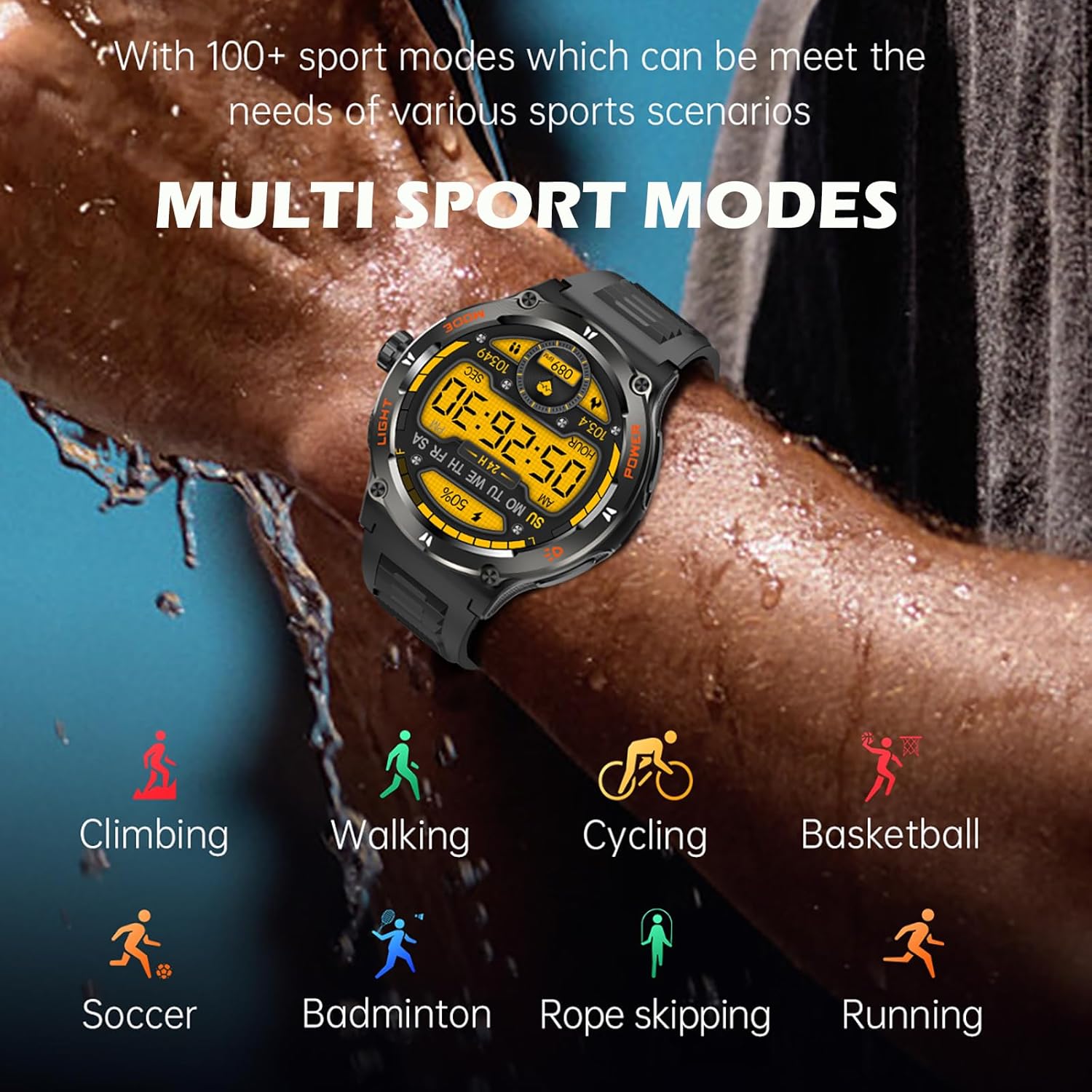
Image: Multi-sport modes available on the smartwatch.
3.7 Ден соолуктун мониторинги
The Yihou Smart Watch provides 24-hour monitoring for heart rate and blood pressure. Access these features from the health menu on the watch. For sleep monitoring, simply wear the watch to bed; it will automatically track your sleep patterns and provide a detailed analysis in the "Da Fit" app.

Image: Sleep monitoring feature and app interface.
3.8 Эскертмелер жана башка функциялар
Receive notifications for calls, messages, and social media directly on your watch. Configure notification settings within the "Da Fit" app. Explore other useful features such as weather forecasts, music control, remote camera shutter, timer, stopwatch, calculator, and the "Find Phone" function from the watch's menu.
4. Техникалык тейлөө
4.1 Саатыңызды тазалоо
Regularly clean your watch and band to prevent skin irritation and maintain device performance. Use a soft, lint-free cloth to wipe the screen and case. For the silicone band, you can use mild soap and water, then rinse thoroughly and dry completely before wearing.
4.2 Сууга туруктуулук (IP67)
The Yihou Smart Watch is IP67 water-resistant, meaning it is protected against dust ingress and can withstand immersion in water up to 1 meter for up to 30 minutes. It is suitable for daily use, such as washing hands, rain, and light splashes. It is жок recommended for hot showers, saunas, diving, or high-pressure water activities. Avoid exposing the watch to hot water or steam, as this can damage the seals.

Image: Smartwatch demonstrating water resistance.
4.3 Батареяга кам көрүү
To prolong battery life, avoid fully discharging the watch frequently. Charge the watch when the battery level is low. Store the watch in a cool, dry place if not used for extended periods, and charge it periodically to prevent deep discharge.
5. Кыйынчылыктарды
If you encounter issues with your Yihou Smart Watch, please refer to the following common solutions:
- Күйгүзүлбөй жаткан саат: Саат толук заряддалганын текшериңиз. Аны заряддагычка туташтырыңыз жана аны кайра күйгүзүүдөн мурун бир нече мүнөт күтүңүз.
- Телефон менен жупташтыруу мүмкүн эмес:
- Телефонуңузда жана саатыңызда Bluetooth иштетилгенин текшериңиз.
- Make sure the "Da Fit" app is installed and running.
- Телефонуңузду да, саатыңызды да өчүрүп күйгүзүңүз.
- Телефонуңуздун Bluetooth жөндөөлөрүнөн түзмөктү унутуп, кайра жупташтырып көрүңүз.
- Сааттын батареясынын заряды өтө төмөн эмес экенин текшериңиз.
- Bluetooth call function not working:
- Verify that the watch's secondary Bluetooth (e.g., "KT76_CALL") is connected in your phone's Bluetooth settings.
- Check the volume settings on both the watch and your phone.
- Inaccurate health data (Heart Rate/Blood Pressure):
- Сааттын билегиңизге бекем тагылганын, өтө бош же өтө катуу эмес экенин текшериңиз.
- Өлчөө учурунда колуңузду кыймылдатпай кармаңыз.
- Note that these measurements are for reference only and should not be used for medical diagnosis.
- Эскертмелер көрүнбөй жатат:
- Check notification permissions for the "Da Fit" app in your phone's settings.
- Саат Bluetooth аркылуу туташып турганын текшериңиз.
- Disable "Do Not Disturb" mode on the watch if it is active.
- Экран жооп бербейт: Try restarting the watch by pressing and holding the power button. If unresponsive, allow the battery to fully drain and then recharge it.
6. Техникалык шарттар
| Өзгөчөлүк | Спецификация |
|---|---|
| Модель номери | KT76 |
| Screen Size | 1.53 inches IPS Full Touch Color Screen |
| Bluetooth версиясы | 5.3 |
| Шайкештик | Android 6.0+ / iOS 10.0+ |
| Топтун материалы | Силикон |
| Иштин диаметри | 48.5 мм (1.91 дюйм) |
| Case Thickness | 13.2 мм (0.52 дюйм) |
| Band Length | 255 мм (10.04 дюйм) |
| Продукциянын өлчөмдөрү | 10.04 x 1.91 x 0.52 дюйм |
| Элемент Салмагы | 7.1 унция |
| Сууга туруктуулук рейтинги | IP67 |
| Өндүрүүчү | Shenzhen Kule Times Technology Co., Ltd. |
| Келип чыккан өлкө | Кытай |
7. Кепилдик жана колдоо
7.1 Кепилдик маалыматы
The Yihou Smart Watch is covered by a manufacturer's warranty against defects in materials and workmanship. Please refer to the warranty card included with your product or contact the seller for specific warranty terms and conditions. This warranty typically covers manufacturing defects but does not cover damage caused by misuse, accidents, unauthorized modifications, or normal wear and tear.
7.2 Кардарларды колдоо
For technical assistance, troubleshooting beyond this manual, or warranty claims, please contact the seller or manufacturer directly. Contact information can usually be found on the product packaging, the seller's website, or within the "Da Fit" application.


