1. Киришүү
Thank you for choosing the AYANEO AM01 Retro Mini PC. This manual provides essential information for setting up, operating, maintaining, and troubleshooting your device. Please read this manual thoroughly before use to ensure optimal performance and longevity of your Mini PC.
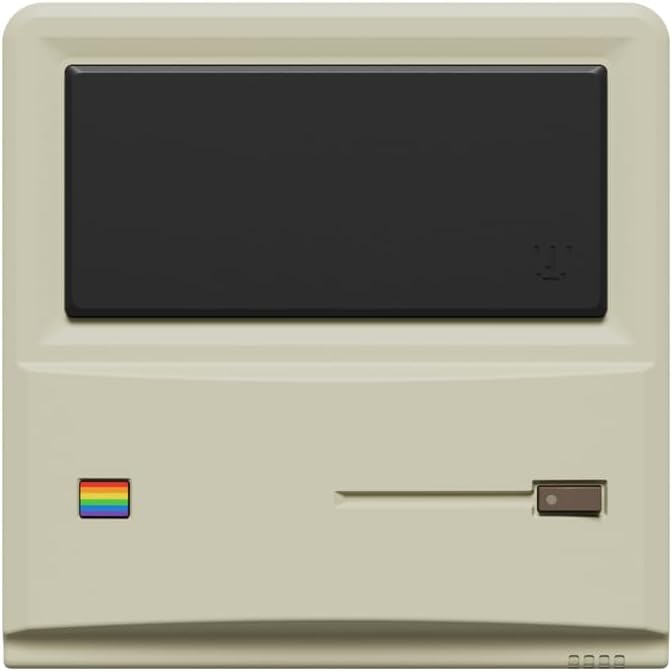
Сүрөт 1: Алдыңкы view of the AYANEO AM01 Retro Mini PC.
2. Коопсуздук маалыматы
To prevent damage to the device or injury to yourself and others, please observe the following safety precautions:
- Аппаратты сууга, нымдуулукка же экстремалдык температурага тийгизбеңиз.
- Аппаратты жылуулук булактарынын жанына же тике күн нуруна коюудан алыс болуңуз.
- Берилген кубат адаптерин гана колдонуңуз.
- Аппаратты өзүңүз ачууга же оңдоого аракет кылбаңыз. Квалификациялуу тейлөө кызматкерлерине кайрылыңыз.
- Ашыкча ысып кетүүнүн алдын алуу үчүн аппараттын айланасында туура желдетүүнү камсыз кылыңыз.
3. Пакеттин мазмуну
Пакетте бардык буюмдар бар экенин текшериңиз:
- 1 x AYANEO AM01 Mini PC
- 1 x Кубат адаптери
- 1 x 2.5-inch hard drive bracket with Screws
- 1 x HDMI кабели
- 1 x 2.5-inch hard SATA cable
- 2 x User Manual
4. Продукт бүтүп калдыview
The AYANEO AM01 Mini PC features a compact design with various ports for connectivity.
4.1 алдыңкы панели
The front panel includes decorative elements and a power indicator.

Figure 2: Close-up of the AM01 front panel, highlighting the retro design and decorative elements. The virtual screen is for decoration only.
4.2 Rear and Side Panels
The rear and side panels house the primary connectivity ports and ventilation.
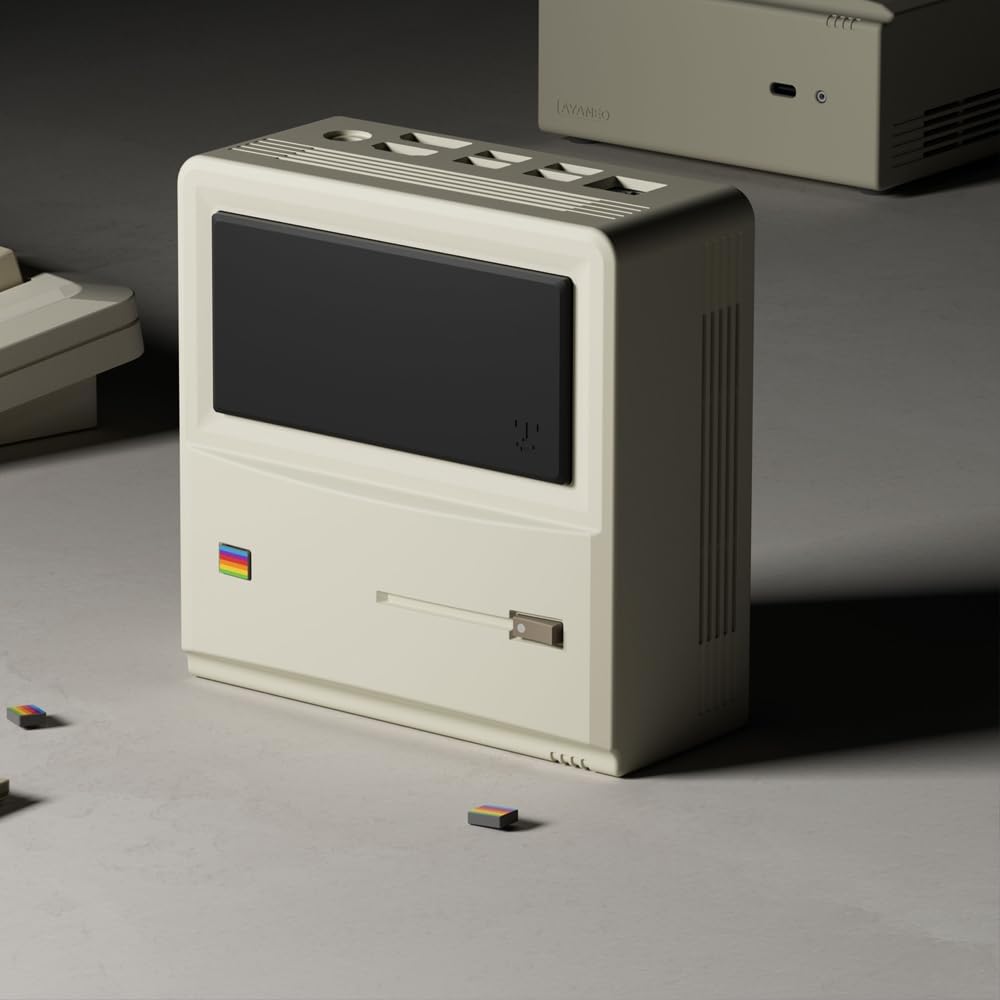
3-сүрөт: Арткы жана каптал view of the AM01, illustrating the various input/output ports and ventilation grilles.
Key ports include:
- USB 3.2 Gen 2 порттору
- HDMI 2.0 порту
- DisplayPort 1.4
- Гигабит Ethernet порту
- 3.5 мм аудио уячасы
- Кубат киргизүү
5. Орнотуу
5.1 Перифериялык түзүлүштөрдү туташтыруу
- Connect your monitor(s) to the HDMI and/or DisplayPort outputs.
- Баскычтоп менен чычканыңызды жеткиликтүү USB портторуна туташтырыңыз.
- Эгер зымдуу тармак колдонулуп жатса, Ethernet кабелин Gigabit Ethernet портуна туташтырыңыз.
5.2 Күйгүзүү
- Connect the power adapter to the Mini PC's power input and then to a power outlet.
- Press the power button located on the device. The power indicator will illuminate.
5.3 Windows 11ди баштапкы орнотуу
Upon first boot, you will be guided through the Windows 11 Home setup process. Follow the on-screen instructions to configure your language, region, network, and user account.
5.4 Тармакка туташуу
- Wi-Fi: During Windows setup or via Windows Settings, select your Wi-Fi network and enter the password. The AM01 supports Wi-Fi 6.
- Ethernet: If an Ethernet cable is connected, the system will automatically detect and connect to the wired network.
6. Иштөө нускамалары
6.1 Негизги колдонуу
The AYANEO AM01 runs on Windows 11 Home, providing a familiar desktop environment. You can install applications, browse the web, and perform various computing tasks.

Figure 4: The AM01 Mini PC integrated into an office workspace, demonstrating its use for productivity tasks.
6.2 AYASpace Software
The AM01 is compatible with AYASpace, a Windows management software developed by AYANEO. This software offers features such as game library management, real-time performance monitoring (FPS Thunder), and fan control strategies.

Figure 5: ашыкview of the AYASpace software interface, showing features like game library search, FPS monitoring, and fan scheduling.
For barebone versions, AYASpace can be downloaded and installed from the AYANEO website after Windows installation.
6.3 Сактоо жана эс тутумду кеңейтүү
The AM01 offers flexibility for upgrades:
- RAM: Dual DDR4 memory slots support up to 64GB RAM.
- Сактагыч: Includes a 512GB PCIe 3.0 SSD and a 2.5-inch SATA 3.0 slot for additional SSDs or HDDs.
Consult a qualified technician for hardware upgrades to avoid voiding your warranty or damaging the device.
7. Техникалык тейлөө
7.1 Тазалоо
- Мини-компьютердин сыртын тазалоо үчүн жумшак, кургак чүпүрөктү колдонуңуз.
- For dust accumulation in vents, use compressed air. Ensure the device is powered off before cleaning.
- Суюк тазалагычтарды же абразивдүү материалдарды колдонбоңуз.
7.2 Программалык камсыздоо жаңыртуулары
Regularly update your Windows operating system and device drivers to ensure optimal performance and security. Windows Update can be accessed via the Settings menu.
7.3 Муздатуу системасы
The AM01 features a 35W high-pressure turbo fan and a four-copper-pipe cooling module for efficient heat dissipation. Ensure that the ventilation grilles are not obstructed to maintain proper airflow.

6-сүрөт: Ички view illustrating the AM01's cooling system components, including the fan and copper pipes.
8. Кыйынчылыктарды
If you encounter issues with your AYANEO AM01, refer to the following common solutions:
- Кубат жок: Ensure the power adapter is securely connected to both the Mini PC and a working power outlet. Try a different outlet.
- Дисплей жок: Verify that the monitor is powered on and correctly connected to the Mini PC via HDMI or DisplayPort. Try a different cable or monitor.
- Интернет байланышы жок: Check Wi-Fi settings or ensure the Ethernet cable is properly connected. Restart your router/modem.
- Жай аткаруу: Close unnecessary applications. Check for background updates. Ensure adequate ventilation.
- Системанын тоңушу: Press and hold the power button for 10 seconds to force a shutdown, then restart the device.
For persistent issues, contact AYANEO customer support or visit their official webкошумча жардам үчүн сайт.
9. Техникалык шарттар
Detailed technical specifications for the AYANEO AM01 Mini PC:
| Өзгөчөлүк | Спецификация |
|---|---|
| Модел | AM01 |
| Процессор | AMD Ryzen 7 5825U |
| RAM | 32 ГБ DDR4 (64 ГБ чейин кеңейтүүгө болот) |
| Сактагыч | 512GB SSD (PCIe 3.0), 2.5-inch SATA 3.0 slot available |
| Операция системасы | Windows 11 Home |
| Графика | Интегралдык графика |
| Max Screen Resolution | 3840x2160 (4K) |
| Байланыш | Wi-Fi 6, Bluetooth 5.2, Gigabit Ethernet |
| Порттар | USB 3.2 Gen 2 (x3), USB 2.0 (x1), HDMI 2.0 (x1), DisplayPort 1.4 (x1), 3.5mm Audio Jack (x1) |
| Өлчөмдөр | 132 × 132 × 60.5mm (approx.) |
| Элемент Салмагы | 1.1 фунт (болжол менен) |
10. Кепилдик жана колдоо
The AYANEO AM01 Retro Mini PC comes with a manufacturer's warranty. Please refer to the warranty card included in your package or visit the official AYANEO webдеталдуу кепилдик шарттары жана шарттары үчүн сайт.
For technical support, product inquiries, or service requests, please contact AYANEO customer support through their official channels. Keep your purchase receipt and product serial number handy when contacting support.


