1. Introduction and Applicable Models
This manual provides detailed instructions for the installation, setup, and operation of your XTRONS 10.25 Inch Android 14 Car Stereo. This advanced head unit offers enhanced clarity, vibrant colors, and a high-resolution touchscreen for an optimized driving experience.
Applicable Models & Years:
- For BMW 3 Series F30 F31 F34 (2013-2016) NBT system
- For BMW 4 Series F32 F33 F36 (2013-2016) NBT system
- For BMW M3 F80 F81 (2013-2019)
- For BMW M4 F82 F83 (2013-2019)

2. Негизги өзгөчөлүктөрү
- 10.25 дюймдук IPS экран: Experience enhanced clarity and vibrant colors with a 1920*720 high-resolution touchscreen. Supports 1080p format video playback for easy visibility and access to all options.
- Built-in Wireless CarAutoPlay / Android Auto: Access GPS, calls, music, Google Assistant, and Siri from your mobile phone for a connected and safer driving experience. Compatible with iPhone 5 and newer (iOS 8+) and Android phones (Android 4.3+).
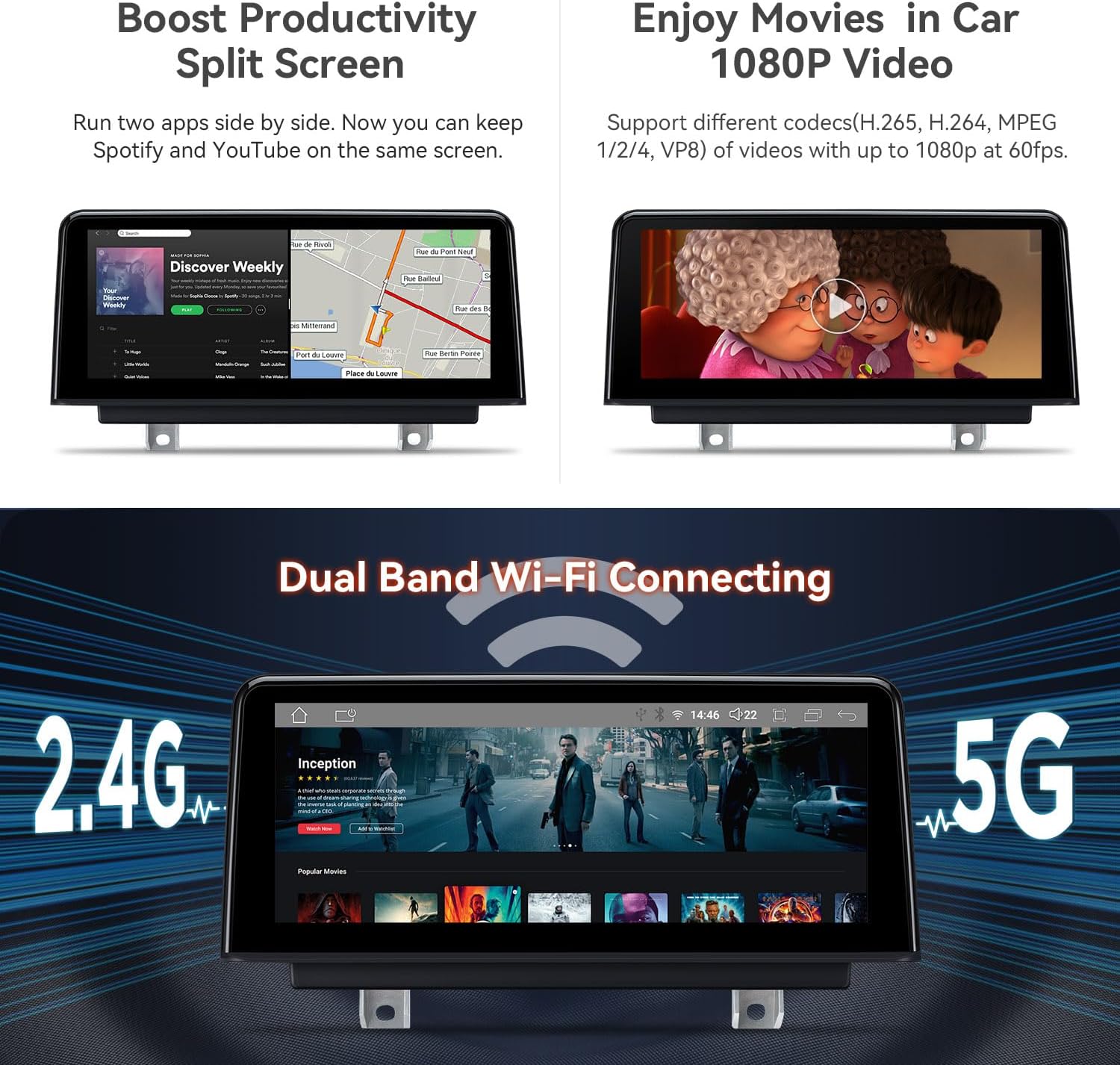
- Bluetooth 5.0 & Dual Band Wi-Fi: Connect your smartphone via Bluetooth for hands-free calls, contact searching, and music streaming. Dual-band Wi-Fi (2.4GHz and 5GHz) ensures flexible and seamless internet connectivity.
- Global 4G LTE: Insert a Micro-SIM card for mobile broadband connection anywhere, with download speeds up to 300Mbps. Supports 99% of carriers worldwide.
- Retain iDrive and Original Functions: Maintains iDrive system control and full range of original functions (supported in both original and Android systems). Multiple user interfaces are available.
- Экранды бөлүү режими: Use two apps side-by-side, such as Spotify for music while navigating.


3. Пакеттин мазмуну
The following accessories are included in your XTRONS 10.25 Inch Android 14 Car Stereo package:
- 1 × ISO зымдарынын шнуру
- 1 × USB Cable
- 1 × 4G антеннасы
- 1 × GPS антеннасы
- 1 × Пинцет
- 1 x Мини динамик
- 1 × Орнотуу нускамалары
- 1 × Колдонуучунун колдонмосу

4. Орнотуу боюнча колдонмо
Follow these steps carefully for proper installation of your XTRONS car stereo. It is recommended to consult a professional if you are unsure about any step.
4.1 Wiring Harness Overview

4.2 Орнотуу кадамдары
- Баштапкы компоненттерди алып салуу: Carefully pry out the air-conditioning trim panel and the original host panel. Disconnect all associated plugs and remove the original display screen.
- Зымдарды туташтыруу: Connect the provided Linux ISO harness to the stock main unit. Ensure all connections are secure.
- Маршруттук кабелдер: Thread the USB harness plug to the base of the display and lay the female end of the USB connection cable into the passenger compartment.
- Жаңы дисплейди орнотуу: Connect the plugs of the Linux ISO harness and USB harness to the back of the Linux device. Connect the stock LVDS male connector to the back connector of the Linux device. Install the Linux device to the base of the original display and lock the screws to secure it.
- Reinstall Panels: Restore the connection plugs on the back of the air conditioning trim panel and the main engine panel. Put all panels back in their original positions.
4.3 Орнотуу видеолору
Refer to the following videos for visual guidance on the installation process:
5. Орнотуу жана колдонуу боюнча нускамалар
After successful installation, follow these instructions to set up and operate your car stereo.
5.1 Баштапкы орнотуу жана туташуу
- Bluetooth жупташууда: Connect your smartphone via Bluetooth 5.0 for hands-free calls and audio streaming.
- Wi-Fi туташуусу: Connect to 2.4GHz or 5GHz Wi-Fi networks for internet access and app downloads.
- CarPlay / Android Auto: The unit supports built-in wireless CarAutoPlay and wired Android Auto. Ensure your phone's Bluetooth is connected for seamless integration.
5.2 Basic Operation and Features
- Сенсордук экран интерфейси: Navigate through menus and apps using the responsive 10.25-inch IPS touchscreen.
- Экранды бөлүү режими: Навигация жана музыка ойнотуу сыяктуу эки тиркемени бир убакта иштетиңиз.
- GPS навигациясы: Utilize supported Android OS navigation software like Google Maps, Sygic, or Waze.
- Колдонмонун колдонулушу: Download and use various Android applications, including streaming services and utility apps.
- OEM System Integration: Access original iDrive system controls and vehicle information directly through the new display.

6. Техникалык тейлөө
To ensure the longevity and optimal performance of your XTRONS car stereo, follow these maintenance guidelines:
- Экранды тазалоо: Сенсордук экранды акырын сүртүү үчүн жумшак, мамыксыз чүпүрөктү колдонуңуз. Дисплейге зыян келтириши мүмкүн болгон абразивдүү тазалоочу каражаттардан же катуу химиялык заттардан алыс болуңуз.
- Программалык камсыздоо жаңыртуулары: Periodically check for firmware updates from XTRONS to ensure you have the latest features and bug fixes.
- Кабелдик байланыштар: Бардык кабелдердин бекем туташтырылганын жана бузулбаганын текшериңиз. Бошоң туташуулар үзгүлтүккө учурап көйгөйлөргө алып келиши мүмкүн.
7. Кыйынчылыктарды
If you encounter any issues with your XTRONS car stereo, refer to the following troubleshooting tips:
- Үн маселеси жок: If there is no sound, ensure the AUX harness is correctly connected and the car's audio input is set to AUX. Adjust the volume knob on the original car interface.
- Экранды көрсөтүү көйгөйлөрү: If the screen display is not correct (e.g., distorted, incorrect resolution), navigate to the settings menu and adjust the screen resolution to an appropriate option.
- Bluetooth байланышы: If Bluetooth is not connecting, ensure the
Тектеш документтер - NBT iDrive 4.0 4+64GB

DX120L/TX121L үчүн XTRONS TX сериясындагы жапон колдонуучусунун колдонмосу
Бул колдонуучу колдонмосунда XTRONS TX сериясындагы автоунаа маалымат-көңүл ачуу системасы боюнча кеңири көрсөтмөлөр, анын ичинде DX120L жана TX121L моделдери үчүн орнотуу, иштетүү жана мүчүлүштүктөрдү оңдоо боюнча көрсөтмөлөр камтылган. Анда радио, USB/SD ойнотуу, Bluetooth байланышы, Carplay/Android Auto, күзгү чагылдыруу, навигация жана ар кандай жөндөөлөр сыяктуу функциялар камтылган.
XTRONS TIE сериясынын колдонуучу колдонмосу
XTRONS TIE сериясындагы автоунаа маалымат-көңүл ачуу системалары үчүн колдонуучу колдонмосу, анда орнотуу, функциялар, мүчүлүштүктөрдү оңдоо жана Bluetooth, CarPlay, Android Auto жана GPS сыяктуу туташуу параметрлери камтылган.
XTRONS TQS113/DQS112L Android 11 Колдонуучунун колдонмосу
XTRONS TQS113 жана DQS112L Android 11 унаа маалымат-зоок тутумдары үчүн комплекстүү колдонуучу нускама, орнотууну, жөндөөлөрдү, функцияларды жана көйгөйлөрдү аныктоону камтыйт.
XTRONS Колдонуучунун колдонмосу: Орнотуу, колдонуу жана мүмкүнчүлүктөр
XTRONS унаа стереолору үчүн комплекстүү колдонуучу нускама, орнотууну, негизги операцияларды, радио, навигация жана Bluetooth сыяктуу өркүндөтүлгөн функцияларды, ошондой эле орнотууларды жана көйгөйлөрдү аныктоону камтыйт.
XTRONS Autoradio Bedienungsanleitung: Орнотуу жана Нутцунг
XTRONS Autoradiosysteme mit Android-Betriebssystem үчүн Umfassende Bedienungsanleitung. Орнотуу, Навигация, Bluetooth, Medienwiedergabe жана Fehlerbehebung функцияларын аткарыңыз.
XTRONS колдонуучусунун колдонмосу: Унаадагы көңүл ачуу тутумуңуз боюнча толук колдонмо
Унааңыздагы көңүл ачуу системасын орнотуу, колдонуу жана ага кам көрүү боюнча кеңири көрсөтмөлөрдү алуу үчүн XTRONS колдонуучу колдонмосун карап чыгыңыз. Bluetooth, навигация, CarAutoPlay, Android Auto жана башкалар сыяктуу функциялар жөнүндө билип алыңыз.