1. Киришүү
The GOBOULT Crown R Pro 2 Smartwatch is designed to enhance your daily life with advanced features and health monitoring capabilities. It features a 1.43-inch HD AMOLED display, Bluetooth Calling 5.2, and a comprehensive health suite. This manual provides instructions for setup, operation, and maintenance of your smartwatch.

Image: The GOBOULT Crown R Pro 2 Smartwatch, showcasing анын саркеч дизайны жана жандуу дисплей.
2. Кутуда эмне бар
Сураныч, кутудан чыкканда пакеттин мазмунун текшериңиз:
- GOBOULT Crown R Pro 2 Smartwatch
- Заряддоо кабели
- User Manual
- Кепилдик картасы
3. Баштоо
3.1. Аппаратты заряддоо
Биринчи жолу колдонуудан мурун, акылдуу саатыңызды толугу менен кубаттаңыз. Магниттик кубаттоочу кабелди сааттын арткы жагындагы кубаттоочу чекиттерге туташтырып, USB учун кубат адаптерине (кошулмага кирбейт) же компьютердин USB портуна сайыңыз.
- Charging Time: Approximately 150 minutes for a full charge.
- Battery Life: Up to 7 days on a single charge, depending on usage.
3.2. Күйгүзүү / Өчүрүү
- Күйгүзүү: Press and hold the side button for a few seconds until the GOBOULT logo appears.
- Өчүрүү: Капталдагы баскычты басып, кармап туруңуз, андан кийин экрандагы "Өчүрүү" опциясын тандаңыз.
3.3. Колдонмону орнотуу жана жупташтыруу
Акылдуу саатыңыздын толук мүмкүнчүлүктөрүн ачуу үчүн, смартфонуңузга тиркемени жүктөп алып, орнотуңуз.
- Scan the QR code in the manual or search for the 'BoultFit' app (or similar, as specified in the included manual) on your smartphone's app store (Google Play Store or Apple App Store).
- Колдонмону орнотуп, каттоо эсебин түзүңүз же кириңиз.
- Смартфонуңузда Bluetooth иштетилгенин текшериңиз.
- Open the app, navigate to 'Device' or 'Add Device', and select 'GOBOULT Crown R Pro 2' from the list of available devices.
- Смартфонуңузда да, акылдуу саатыңызда да жупташтыруу өтүнүчүн ырастаңыз.
4. Smartwatch Features and Operation
4.1. Display and Watch Faces
The smartwatch features a 1.43-inch HD AMOLED display with 600 Nits brightness for clear visibility in various lighting conditions.
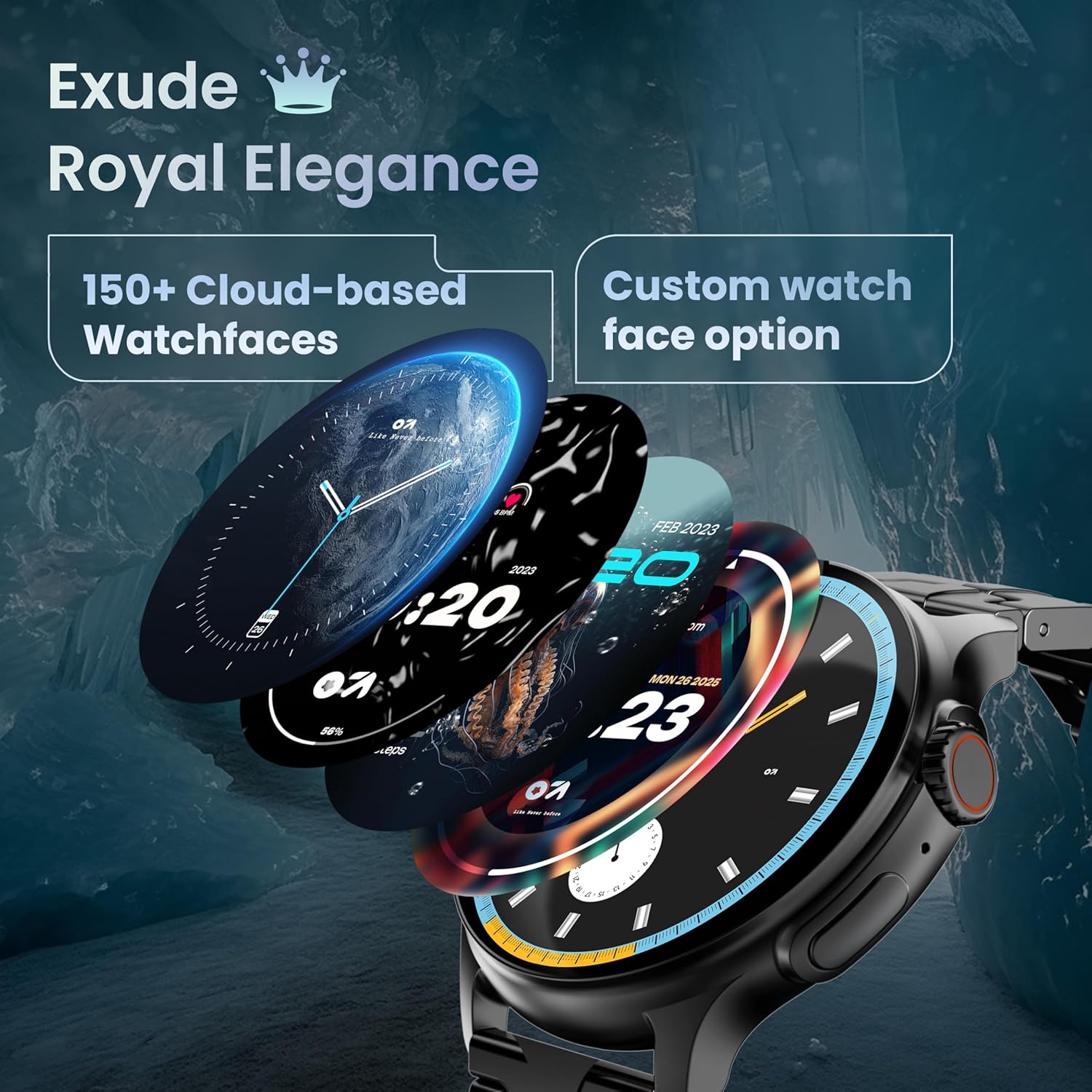
Image: A selection of over 150 watch faces available for customization.
- Сааттын жүзүн өзгөртүү: Long-press the home screen to access watch face options. Swipe left or right to browse and tap to select. More watch faces are available through the companion app.
4.2. Навигация жана башкаруу элементтери
Navigate the smartwatch interface using touch gestures and the functional 'Working Crown'.

Image: Detail of the working crown, used for navigation and customization.
- Төмөн сүрүү: Тез жөндөөлөргө өтүү (мисалы, жарыктык, DND, батареяны үнөмдөө).
- Өйдө серпүү: View эскертмелер.
- Солго/Оңго сүрүү: Access widgets and main features (e.g., activity, heart rate, weather).
- Иштөөчү таажы: Rotate to scroll through menus or lists. Press to return to the home screen or confirm selections.
4.3. Bluetooth чалуу
The smartwatch supports Bluetooth Calling v5.2, allowing you to make and receive calls directly from your wrist.

Image: Illustration of the smartwatch's Bluetooth calling capabilities with integrated microphone and speaker.
- Чалууларга жооп берүү: Tap the green phone icon on the screen when a call comes in.
- Чалууларды жасоо: Access the dial pad or contacts list from the smartwatch menu.
- Чалууларды четке кагуу: Tap the red phone icon.
4.4. Спорт режимдери
Track over 120 sports and fitness activities with detailed analytics.

Image: The smartwatch interface showing active sports tracking and various sports icons.
- Access the 'Sports' menu to select your desired activity.
- The watch will record data such as duration, calories burned, and heart rate during your workout.
4.5. Ден соолуктун мониторинги
Monitor key health metrics in real-time.

Image: The health suite features, including heart rate, SpO2, and sleep monitoring.
- Жүрөктүн кагышын көзөмөлдөөчү: Provides 24x7 heart rate tracking.
- SpO2 кандын кычкылтек менен каныккандыгын өлчөгүч: Кандагы кычкылтектин деңгээлин өлчөйт.
- Уйкунун мониторинги: Уйкунун үлгүсүн жана сапатын көзөмөлдөйт.
- Аялдардын этек кир циклин көзөмөлдөө: Менструалдык циклди көзөмөлдөөгө жана алдын ала айтууга жардам берет.
- Активдүүлүккө көз салгыч: Records steps, distance, and calories burned throughout the day.
- Дем алуу тренинги: Эс алуу үчүн дем алуу көнүгүүлөрүн жасоо.
4.6. AI үн жардамчысы
Control your smartwatch hands-free using voice commands.

Image: The AI voice assistant feature, activated by pressing a button for 3 seconds.
- Press the dedicated button (or specified gesture) for 3 seconds to activate the AI voice assistant.
- Use voice commands to ask questions, set reminders, or manage tasks.
4.7. Notifications and Utilities
Receive SMS and push notifications directly on your wrist. The smartwatch also includes useful utilities.

Image: The 'Find My Phone' feature, which causes the connected phone to ring or vibrate.
- Эскертмелер: Ensure notification permissions are enabled in the companion app for your desired applications.
- Калькулятор: Access the calculator from the app menu for quick calculations.
- Менин телефонумду тап: Use this feature from the smartwatch to make your connected phone ring or vibrate, helping you locate it.
4.8. Суу жана чаңга туруктуулук (IP67)
The smartwatch is IP67 rated, providing protection against dust and temporary immersion in water.
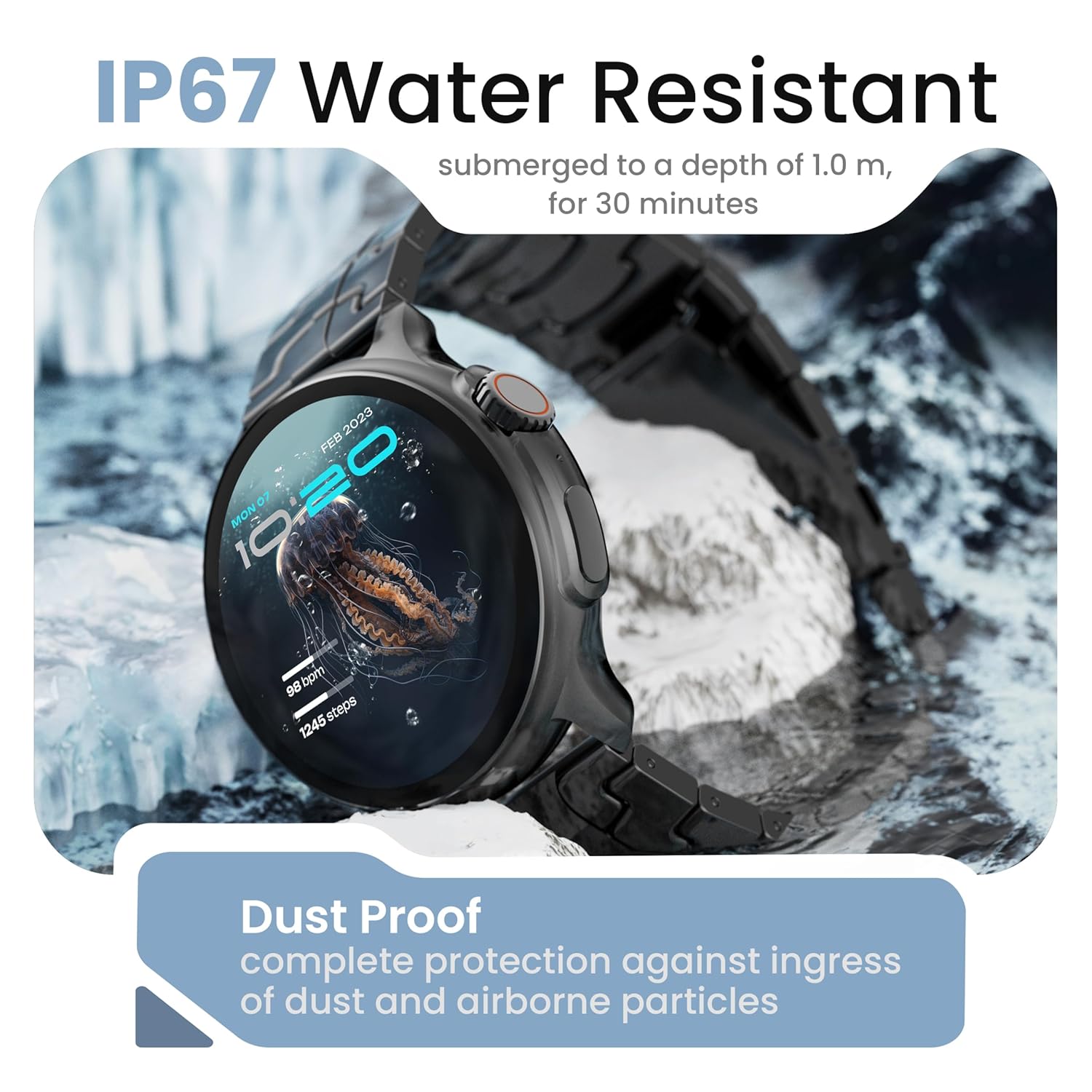
Image: The smartwatch demonstrating its IP67 water resistance, capable of being submerged up to 1 meter for 30 minutes.
- The device is resistant to sweat, splashes, and brief immersion in water up to 1 meter for 30 minutes.
- Avoid using the watch in hot water, saunas, or steam rooms.
- Do not press buttons while the watch is submerged.
5. Кароо жана тейлөө
- Тазалоо: Саатты жана боону жумшак, кургак чүпүрөк менен үзгүлтүксүз сүртүңүз. Зарыл болсо, бир аз нымдуу чүпүрөк колдонуңуз.amp чүпүрөк жана кылдат кургатуу.
- Химиялык заттардан алыс болуңуз: Катуу химиялык заттарды, тазалоочу эриткичтерди же күчтүү жуугучтарды колдонбоңуз, анткени алар сааттын сыртына жана пломбаларына зыян келтириши мүмкүн.
- Сактагыч: Акылдуу саатты колдонбогондо салкын, кургак жерде сактаңыз.
- Заряддоо: Берилген заряддоо кабелин гана колдонуңуз.
6. Кыйынчылыктарды
6.1. Smartwatch Not Turning On
- Саат толук заряддалганын текшериңиз. Аны заряддагычка кеминде 30 мүнөт туташтырыңыз.
- Press and hold the side button for an extended period (10-15 seconds) to force a restart.
6.2. Смартфон менен жупташтыруу мүмкүн эмес
- Смартфонуңузда жана акылдуу саатыңызда Bluetooth иштетилгенин текшериңиз.
- Make sure the smartwatch is within the Bluetooth range of your phone (typically 10 meters).
- Смартфонуңузду да, акылдуу саатыңызды да өчүрүп күйгүзүңүз.
- Телефонуңуздагы Bluetooth кэшин тазалап (эгер бар болсо) жана кайра жупташтырып көрүңүз.
- Өнөктөш колдонмо эң акыркы версияга жаңыртылганын текшериңиз.
6.3. Ден соолук боюнча так эмес маалыматтар
- Саат өтө тар же өтө бош эмес, билегиңизге бекем тагылганын текшериңиз.
- Сааттын артындагы сенсорлорду тазалаңыз.
- Өлчөө учурунда ашыкча кыймылдан качыңыз.
- Note that smartwatch health data is for reference only and should not be used for medical diagnosis.
6.4. Эскертмелер көрүнбөй жатат
- Check if notification permissions are granted for the companion app and individual applications on your smartphone.
- Ensure the smartwatch is connected to your phone via Bluetooth.
- Disable 'Do Not Disturb' mode on both your phone and smartwatch.
7. Техникалык шарттар
| Бренд | GOBOULT |
| Модель аты | R Pro 2 |
| Дисплей өлчөмү | 1.43 дюйм |
| Дисплей түрү | HD AMOLED |
| Жарыктык | 600 Nits |
| Bluetooth версиясы | 5.2 |
| Суу каршылык | IP67 |
| Батареянын иштөө мөөнөтү (орточо) | 7 күн |
| Батареяны заряддоо убактысы | 150 мүнөт |
| Операция системасы | Android (шайкеш) |
| Элемент Салмагы | 56.5 г |
| Камтылган компоненттер | Акылдуу саат, кубаттоочу кабель, колдонуучунун колдонмосу, кепилдик картасы |
8. Кепилдик жана колдоо
8.1. Кепилдик маалыматы
Your GOBOULT Crown R Pro 2 Smartwatch comes with a standard manufacturer's warranty. Please refer to the included Warranty Card for specific terms, conditions, and duration of the warranty.
8.2. Кардарларды колдоо кызматы
For any product-related queries, technical assistance, or warranty claims, please contact GOBOULT customer support through the following channels:
- Webсайт: Visit the official GOBOULT webКөп берилүүчү суроолор жана колдоо булактары үчүн сайт.
- Электрондук почта: Кепилдик картаңызга же расмий өкүлгө кайрылыңыз webкардарларды тейлөө электрондук почта даректери үчүн сайт.
- Телефон: Contact numbers may be available on the official GOBOULT website or warranty card.
Please have your product model number (R Pro 2) and purchase details ready when contacting support.


