Introduction
This manual provides comprehensive instructions for the assembly, operation, and maintenance of your FLEXISPOT L Shaped Standing Desk. Please read this manual thoroughly before assembly and use to ensure safe and efficient operation. This desk is designed to provide a versatile and ergonomic workspace, allowing seamless transitions between sitting and standing positions.

Image: The FLEXISPOT L Shaped Standing Desk in a home office setting, showcasing its spacious design and ability to accommodate multiple devices like monitors and a printer.
Коопсуздук маалыматы
Adherence to the following safety guidelines is crucial for preventing injury and damage to the desk:
- Үстөлдү ар дайым туруктуу, түз бетке чогултуңуз.
- Үстөлдү жылуулук булактарынан алыс кармаңыз.
- Do not place heavy objects on the desk when it is in the raised position beyond the specified weight capacity.
- Always use the desk with caution and follow all instructions provided in this manual.
- Ensure no obstructions are present in the desk's path during height adjustments to prevent collision.
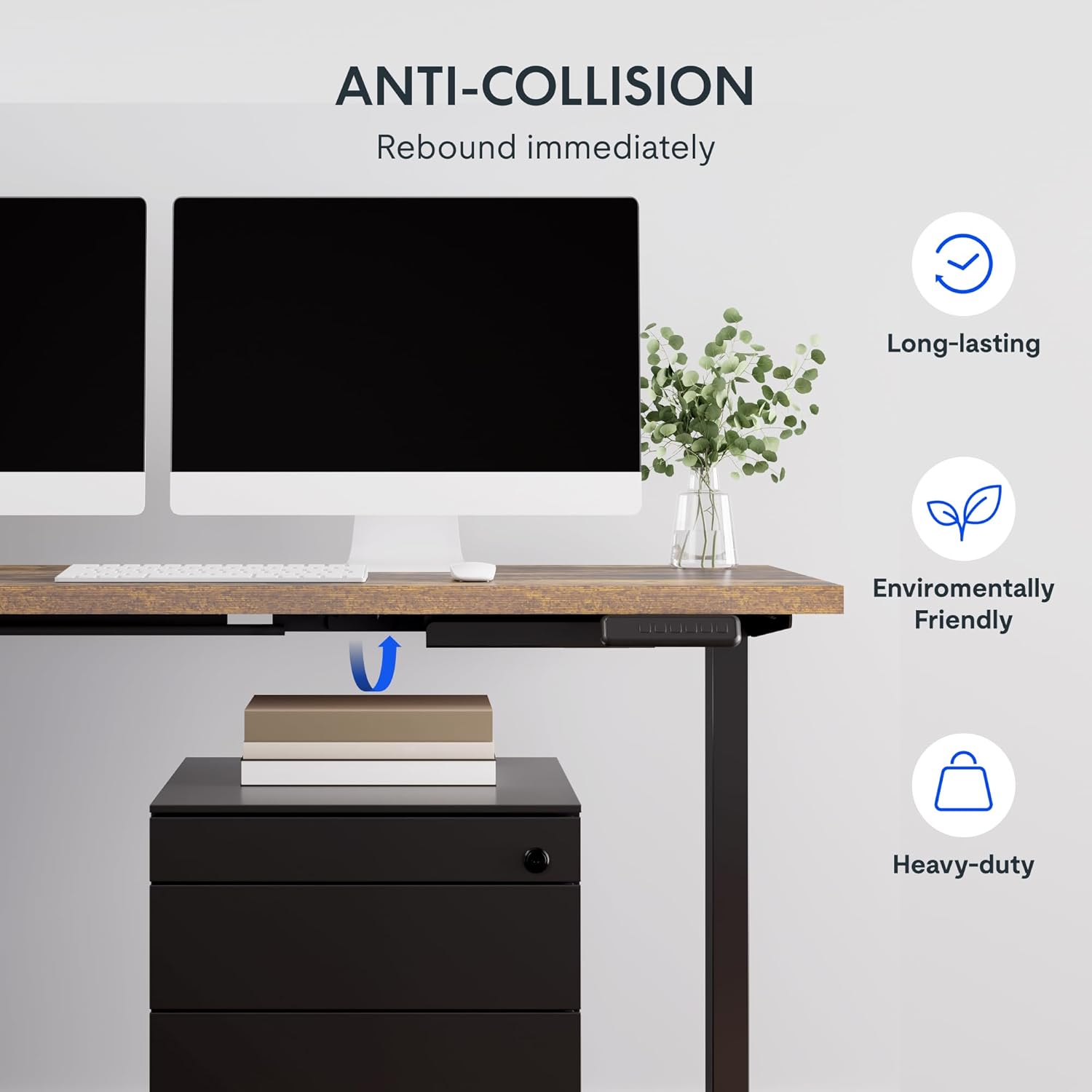
Image: Illustration of the desk's anti-collision feature, showing it rebounding when an object is detected underneath, ensuring safety during height adjustments.
Продукт өзгөчөлүктөрү
- Кең иш тактасы: Кең L формасындагы жумушчу бети экологиялык жактан тазаланган бириктирүүчү такта менен кемчиликсиз жасалган, өлчөмү 63.0" x 55.1". Ал төмөнкүлөрдү камсыз кылат: ample space for ongoing projects and office supplies.
- Көп тараптуу багыт: This height-adjustable desk features a wider desktop section that can be positioned on either the left or right side, allowing you to customize the layout to best fit your space.
- Катуу курулуш: The industrial-grade steel frame and solid desktop (1") combine to support a maximum weight capacity of up to 220 lbs, effortlessly handling your ideal work setup.
- Customizable LED Control Panel: The LED control pad allows you to customize the desk height with 4 different memory settings, enabling easy switching between your preferred standing and sitting positions.

Сүрөт: үстүнкү view demonstrating the flexible right/left orientation of the L-shaped standing desk, highlighting its adaptability to various room layouts.

Сүрөт: жакын план view emphasizing the 1-inch thick commercial-grade desktop, indicating durability and suitability for monitor mounts.
Орнотуу жана чогултуу
Your FLEXISPOT L Shaped Standing Desk ships in two separate packages, which may arrive on different days. Please ensure you have received both packages before beginning assembly.

Image: Visual representation indicating that the desk components are shipped in two separate boxes, which may arrive at different times.
Баштоодон мурун:
- Чогулуш үчүн кенен аянтты тазалаңыз.
- Unpack all components and verify against the parts list (refer to the included assembly guide for a detailed list).
- It is recommended to have two people for assembly due to the weight and size of the components.
- Ensure all necessary tools are available. While some basic tools may be included, additional tools like a drill might be helpful for pre-drilled holes that may be missing (as noted in some customer reviewс).
Чогултуу кадамдары:
- Assemble the desk frame according to the provided assembly instructions. Pay close attention to the orientation of the L-shaped sections, as they can be configured for left or right-sided use.
- Attach the desktop sections to the assembled frame. Ensure all screws are tightened securely.
- Connect the motor and control panel cables as indicated in the assembly guide.
- Carefully flip the desk upright with assistance.
- Plug the desk into a power outlet.
Иштөө нускамалары
The FLEXISPOT L Shaped Standing Desk features an intuitive LED control panel for easy height adjustment and memory settings.

Сүрөт: деталдуу view of the smart control panel, showing the LED display, up/down buttons, four memory preset buttons, and the anti-collision indicator.
Үстөлдүн бийиктигин тууралоо:
- колдонуу Өйдө (▲) жана Төмөн (▼) столдун бийиктигин кол менен тууралоо үчүн башкаруу панелиндеги жебе баскычтары. Учурдагы бийиктик LED экранында көрсөтүлөт.
- The desk has a height range from 28.3 inches (minimum) to 45.9 inches (maximum).

Image: The desk demonstrating its large adjustable height range, from a minimum of 28.3 inches to a maximum of 45.9 inches, suitable for various user preferences.
Эстутум алдын ала орнотууларын орнотуу:
Башкаруу панели сизге төрт тандалган бийиктик жөндөөлөрүн сактоого мүмкүндүк берет:
- Өйдө/Төмөн баскычтары менен үстөлдү каалаган бийиктикке тууралаңыз.
- басыңыз "М" баскычы (же окшош эстутум орнотуу баскычы, эгер бар болсо). Дисплей жаркырап калышы мүмкүн.
- Дароо номерленген эс тутум баскычтарынын бирин басыңыз (1, 2, 3 же 4) учурдагы бийиктикти ошол алдын ала коюлганга сактоо үчүн.
- Сакталган бийиктикти кайра чакырып алуу үчүн, жөн гана тиешелүү номерленген эстутум баскычын басыңыз. Үстел автоматтык түрдө сакталган абалга жылат.
Кагылышууга каршы өзгөчөлүгү:
The desk is equipped with an anti-collision system. If the desk encounters an obstruction during height adjustment, it will automatically stop and rebound slightly to prevent damage. Ensure the area around and under the desk is clear before adjusting height.
Техникалык тейлөө
Regular maintenance ensures the longevity and optimal performance of your FLEXISPOT L Shaped Standing Desk.
- Тазалоо: Иш тактасын жана алкакты жумшак менен сүртүңүз, гamp cloth. Avoid abrasive cleaners or harsh chemicals that could damage the finish. For the rustic brown top, a mild cleaner can be used for smudges.
- Кабелдик башкаруу: Periodically check and organize cables to prevent tangling or interference with the desk's movement. The desk includes some small cable management tools.
- Motor and Frame: The motor is designed for quiet and smooth operation. No specific user maintenance is required for the motor or frame. If you notice unusual noises or movement, refer to the troubleshooting section or contact customer support.
- Салмак сыйымдуулугу: Do not exceed the maximum weight capacity of 220 lbs. Distribute weight evenly across the desktop.
Проблемаларды чечүү
Үстөлүңүздө көйгөйлөргө туш болсоңуз, төмөнкү жалпы көйгөйлөрдү жана чечимдерди караңыз:
| Көйгөй | Мүмкүн себеп | Чечим |
|---|---|---|
| Иш стол кыймылдабайт же башкаруу элементтерине жооп бербейт. | Power disconnected, motor cable loose, control panel issue. |
|
| Desk stops during adjustment or moves erratically. | Obstruction detected (anti-collision activated), uneven weight distribution, motor overload. |
|
| Эстутум алдын ала орнотулган жөндөөлөрү туура сакталбай же кайра чакыртылбай жатат. | Туура эмес сактоо процедурасы, убактылуу мүчүлүштүк. |
|
Эгер бул чечимдерди колдонгондон кийин көйгөй чечилбесе, кошумча жардам алуу үчүн FLEXISPOT кардарларды колдоо кызматына кайрылыңыз.
Техникалык шарттар
| Өзгөчөлүк | Деталь |
|---|---|
| Бренд | FLEXISPOT |
| Модел | 63x55"Top (3-Legged) |
| Продукциянын өлчөмдөрү (D x W x Y) | 55.1"D x 63"W x 45.9"H |
| Түс | Black Frame + Rustic Brown Top |
| Стиль | Заманбап |
| Негизги материал | Эритме болот |
| Жогорку Материал түрү | Жыгач |
| Аяктоо түрү | Жылмаланган |
| Өзгөчө өзгөчөлүк | жоон |
| Эмерек бүтүрүү | Жаңгак |
| UPC | 840460438421 |
| Элемент түрү аты | турган стол |
| Минималдуу бийиктик | 28.3 дюйм |
| Максималдуу бийиктик | 45.9 дюйм |
| Максималдуу салмак боюнча сунуш | 220 фунт |
| Керектүү Ассамблея | Ооба |
| Кепилдик түрү | Узартылган |

Image: A detailed diagram illustrating the key dimensions of the L-shaped standing desk, including length, width, and height range.
Кепилдик жана колдоо
FLEXISPOT provides a comprehensive warranty for your peace of mind:
- 5 жылдык камтуу: Үстөлдүн рамкасына жана моторуна тиешелүү.
- 2 жылдык коргоо: Башкаруу панелине жана электроникага тиешелүү.
For warranty claims, technical support, or any inquiries, please contact FLEXISPOT customer support. You can find contact information on the official FLEXISPOT webсайт же сатып алуу платформасы аркылуу.
Кайтаруу саясаты: This product typically has a 30-day return policy for refund or replacement, subject to the retailer's terms and conditions.
Коргоо пландары: Extended protection plans are available for purchase, including 2-Year and 3-Year options, as well as a monthly "Complete Protect" plan. These plans offer additional coverage beyond the standard manufacturer's warranty.


