1. Киришүү
Thank you for choosing the FLEXISPOT L-Shaped Electric Standing Desk. This manual provides essential information for the safe assembly, operation, and maintenance of your new desk. Please read it thoroughly before use and retain it for future reference.
The FLEXISPOT L-Shaped Electric Standing Desk offers a spacious 63.0" x 55.1" work surface with electric height adjustment, allowing seamless transitions between sitting and standing positions. It features a robust 3-legged frame, a preset controller for personalized height settings, and a versatile orientation to fit various office layouts.
2. Коопсуздук маалыматы
Always ensure the desk is properly assembled and anchored to the floor to prevent tipping. Do not exceed the maximum weight capacity of 220 lbs (100 kg) to maintain stability. Be cautious when adjusting the desk height to avoid injury. Keep children and pets away from the desk during operation. Ensure all cables are managed to prevent tripping hazards or damage during height adjustments.
3. Пакеттин мазмуну
Your FLEXISPOT L-Shaped Electric Standing Desk ships in two separate packages, which may arrive on different days. Please verify all components against the included packing list before beginning assembly. If any parts are missing or damaged, contact FLEXISPOT customer support immediately.
4. Орнотуу жана чогултуу
Assembly of the FLEXISPOT L-Shaped Electric Standing Desk requires careful attention to detail. It is recommended to have two people for certain steps, especially when handling the desktop and flipping the assembled unit. The desk features a flexible design, allowing the wider desktop section to be positioned on either the left or right side to best suit your workspace.
4.1 Таңгактан чыгаруу жана даярдоо
- Carefully unpack all components from both boxes.
- Чийилип калбашы үчүн бардык бөлүктөрүн таза, жумшак бетке (мисалы, жууркан же килем) жаткырыңыз.
- Identify all components using the provided parts list.
4.2 Рамка монтажы
Follow the detailed instructions in the separate assembly guide provided with your desk. Ensure all screws are tightened securely. The robust industrial-grade steel frame provides stability for your workstation.
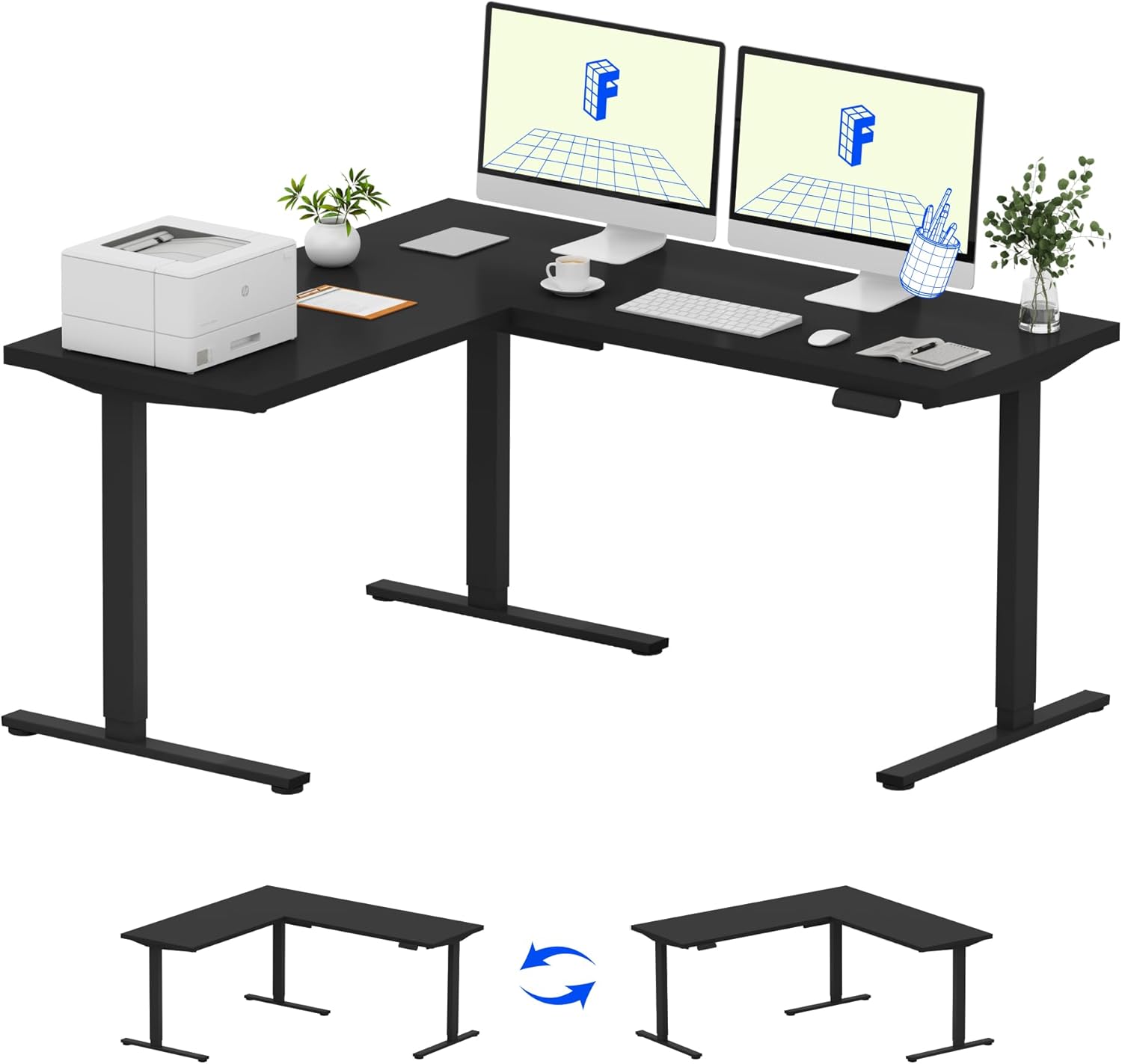
Image: Assembled FLEXISPOT L-Shaped Electric Standing Desk.
4.3 Desktop Attachment and Orientation
The expansive L-shaped desktop can be configured for either a left-hand or right-hand setup. Decide on your preferred orientation before attaching the desktop to the frame. The desktop is crafted from environmentally sourced splice board, measuring 63.0" x 55.1".

Image: Flexible right/left orientation options for the L-shaped desk.
4.4 Кабелди башкаруу
Utilize the included cable management tools to keep your workspace tidy and prevent cables from interfering with the desk's movement.

Image: The desk ships in two packages and has a 220 lbs weight capacity.
5. Иштөө нускамалары
Your FLEXISPOT L-Shaped Electric Standing Desk is equipped with an intuitive LED control panel for easy height adjustments and memory presets.
5.1 Үстөлдүн бийиктигин тууралоо
- колдонуу Өйдө (▲) жана Төмөн (▼) buttons on the control panel to manually adjust the desk to your desired height.
- The desk offers a large adjustable range, from a minimum height of 28.3 inches to a maximum height of 45.9 inches.

Image: Large adjustable height range of the desk.
5.2 Эстутум алдын ала орнотууларды колдонуу
The LED control panel allows you to save up to four preferred height settings for quick transitions.
- Өйдө/Төмөн баскычтары менен үстөлдү каалаган бийиктикке тууралаңыз.
- басыңыз M (Эс тутум) баскычын, андан кийин номерленген алдын ала коюлган баскычтардын бирин басыңыз (1, 2, 3 же 4) to save the current height.
- Сакталган бийиктикти кайра чакырып алуу үчүн жөн гана тиешелүү номерленген алдын ала коюлган баскычты басыңыз.

Image: Smart LED control panel with memory presets.
5.3 Кагылышууга каршы функция
The desk is equipped with an anti-collision system. If the desk encounters an obstacle during height adjustment, it will automatically stop and rebound slightly to prevent damage or injury.

Image: Anti-collision feature in action.
6. Техникалык тейлөө
Үзгүлтүксүз тейлөө сиздин үстөлүңүздүн узак мөөнөттүү жана оптималдуу иштешин камсыз кылат.
- Тазалоо: Иш тактасын жана алкакты жумшак менен сүртүңүз, гamp кездеме. Финишке зыян келтире турган катаал химиялык заттардан же абразивдүү тазалагычтардан алыс болуңуз.
- Текшерүүлөр: Мезгил-мезгили менен бардык бурамалар менен болттордун бекемдигин текшерип туруңуз. Керек болсо кайра тартыңыз.
- Кабелдик башкаруу: Ensure power cords and other cables are not pinched or tangled, especially during height adjustments.
- Салмак сыйымдуулугу: Моторго жана рамага күч келбеши үчүн, максималдуу 220 фунт салмактан ашпаңыз.
7. Кыйынчылыктарды
If you encounter issues with your FLEXISPOT L-Shaped Electric Standing Desk, refer to the following common troubleshooting steps:
- Үстөл кыймылдабайт:
- Электр шнурунун столго да, иштеген электр розеткасына да бекем сайылганын текшериңиз.
- Ensure no objects are obstructing the desk's movement.
- Үстөлдү 30 секунд сууруп, анан кайра сайып, аны баштапкы абалга келтирип көрүңүз.
- Бир калыпта эмес кыймыл/солкулдоо:
- Бардык чогултуу бурамалары бекем тартылганын текшериңиз.
- Столдун тегиз жерде турганын текшериңиз. Зарыл болсо, тегиздөөчү буттарды тууралаңыз.
- Confirm that the weight distribution on the desktop is balanced and within the maximum capacity.
- Башкаруу панели жооп бербей жатат:
- Perform a power cycle (unplug and replug).
- Check for any visible damage to the control panel or its cable.
Эгер бул кадамдар көйгөйдү чечпесе, FLEXISPOT кардарларды колдоо кызматына кайрылыңыз.
8. Техникалык шарттар
| Бренд | FLEXISPOT |
| Модел | B0DV54QLX4 |
| Продукциянын өлчөмдөрү | 55.1"D x 63"W x 45.9"H |
| Түс | Кара кадр + кара үстү |
| Стиль | Заманбап |
| Негизги материал | Эритме болот |
| Жогорку Материал түрү | Жыгач |
| Үстөлдүн калыңдыгы | 1 дюйм |
| Минималдуу бийиктик | 28 дюйм |
| Максималдуу бийиктик | 45.9 дюйм |
| Максималдуу салмак боюнча сунуш | 220 фунт |
| Өзгөчө өзгөчөлүк | Corded, Preset Controller, Anti-collision |
| Керектүү Ассамблея | Ооба |
| UPC | 840460438384 |
9. Кепилдик жана колдоо
9.1 Кепилдик маалыматы
FLEXISPOT provides the following warranty coverage for your L-Shaped Electric Standing Desk:
- 5 жылдык камтуу: Үстөлдүн рамкасына жана моторуна тиешелүү.
- 2 жылдык коргоо: Башкаруу панелине жана электроникага тиешелүү.
Please retain your proof of purchase for warranty claims. The warranty covers manufacturing defects under normal use.
9.2 Кардарларды колдоо
For any questions, assistance with assembly, troubleshooting, or warranty inquiries, please contact FLEXISPOT customer support. You can find contact information on the official FLEXISPOT webсайт же сатып алуу платформасы аркылуу.


