1. Продукт бүтүп калдыview
The FIREBAT AM02 Mini PC is a compact and powerful computing solution designed for various applications, including home, business, education, and light gaming. Featuring the Intel 12th Gen Alder Lake-N N100 processor, 16GB LPDDR5 RAM, and a 512GB M.2 SSD, it offers efficient performance in a small form factor. This manual provides essential information for setting up, operating, maintaining, and troubleshooting your device.

Image: The FIREBAT AM02 Mini PC, showcasing its compact design and various input/output ports on the front and rear panels.
Негизги өзгөчөлүктөрү:
- Процессор: Intel 12th Gen Alder Lake-N N100 (4 cores/4 threads, up to 3.4GHz).
- Графика: Intel UHD Graphics (up to 750MHz) with 4K video support.
- Эстутум: 16GB LPDDR5 4000MHz SODIMM RAM.
- Сактагыч: 512GB M.2 SSD, expandable up to 2TB (via SSD replacement) or additional 2.5-inch HDD/SSD.
- Байланыш: Dual 2.5Gbps and 1Gbps Ethernet ports, WiFi 6, Bluetooth 5.2.
- Дисплей чыгаруу: 1x DP 1.4, 1x HDMI 2.0, 1x Type-C for triple 4K display support.
- Порттор: 4x USB 3.2, 2x RJ45, 1x Type-C, 1x DP 1.4, 1x HDMI 2.0, 1x 3.5mm audio jack.
2. Орнотуу колдонмосу
Follow these steps to set up your FIREBAT AM02 Mini PC for the first time.
2.1 Кутудан чыгаруу жана алгачкы текшерүү
Carefully remove all components from the packaging. Verify that all items listed in the package list are present and undamaged.

Image: Contents of the FIREBAT AM02 Mini PC package, including the Mini PC, VESA mount, 12V/3A US adapter, HDMI cable, and user manual.
2.2 Перифериялык түзүлүштөрдү туташтыруу
- Дисплейди туташтыруу: Use the provided HDMI cable or a DisplayPort cable to connect your monitor(s) to the HDMI 2.0, DP 1.4, or USB-C ports on the Mini PC. The device supports up to three 4K displays simultaneously.
- Баскычтоп менен чычканды туташтыруу: Plug your USB keyboard and mouse into any of the available USB 3.2 Type-A ports.
- Тармакка туташуу (милдеттүү эмес): For a wired connection, connect an Ethernet cable from your router or modem to one of the RJ45 LAN ports (2.5Gbps or 1Gbps). For wireless, ensure WiFi is enabled after booting.
- Туташуу кубаты: Plug the 12V/3A US adapter into the DC IN port on the Mini PC, then plug the adapter into a power outlet.

Сүрөт: деталдуу view of the FIREBAT AM02 Mini PC's ports, including DC IN, dual RJ45 LAN, HDMI, DisplayPort, USB 3.2 Type-A, USB Type-C, and 3.5mm audio jack.
2.3 Биринчи жүктөө
Press the power button located on the front of the Mini PC. The system will boot up. Follow the on-screen instructions to complete the initial setup of the operating system (default OS is pre-installed).
2.4 VESA орнотуу (милдеттүү эмес)
The Mini PC comes with a VESA mount for attaching it to the back of a compatible monitor or TV. Secure the VESA mount to your display using the provided screws, then slide the Mini PC onto the mount until it clicks into place.

Image: The FIREBAT AM02 Mini PC shown mounted on the back of a monitor using the VESA mount, illustrating its compact and space-saving design.
3. Иштөө нускамалары
3.1 Күйгүзүү/өчүрүү
- Күйгүзүү: Алдыңкы панелдеги кубат баскычын басыңыз.
- Өчүрүү: Use the operating system's shutdown function. Alternatively, press and hold the power button for 5 seconds for a forced shutdown (only use if the system is unresponsive).
3.2 Тармакка туташуу
- Зымдуу туташуу: Connect an Ethernet cable to one of the RJ45 ports. The system will automatically detect the connection.
- Wireless Connection (WiFi 6): Navigate to your operating system's network settings, select your desired WiFi network, and enter the password.
- Bluetooth (BT 5.2): Enable Bluetooth in your operating system's settings to pair with compatible devices such as keyboards, mice, or headphones.
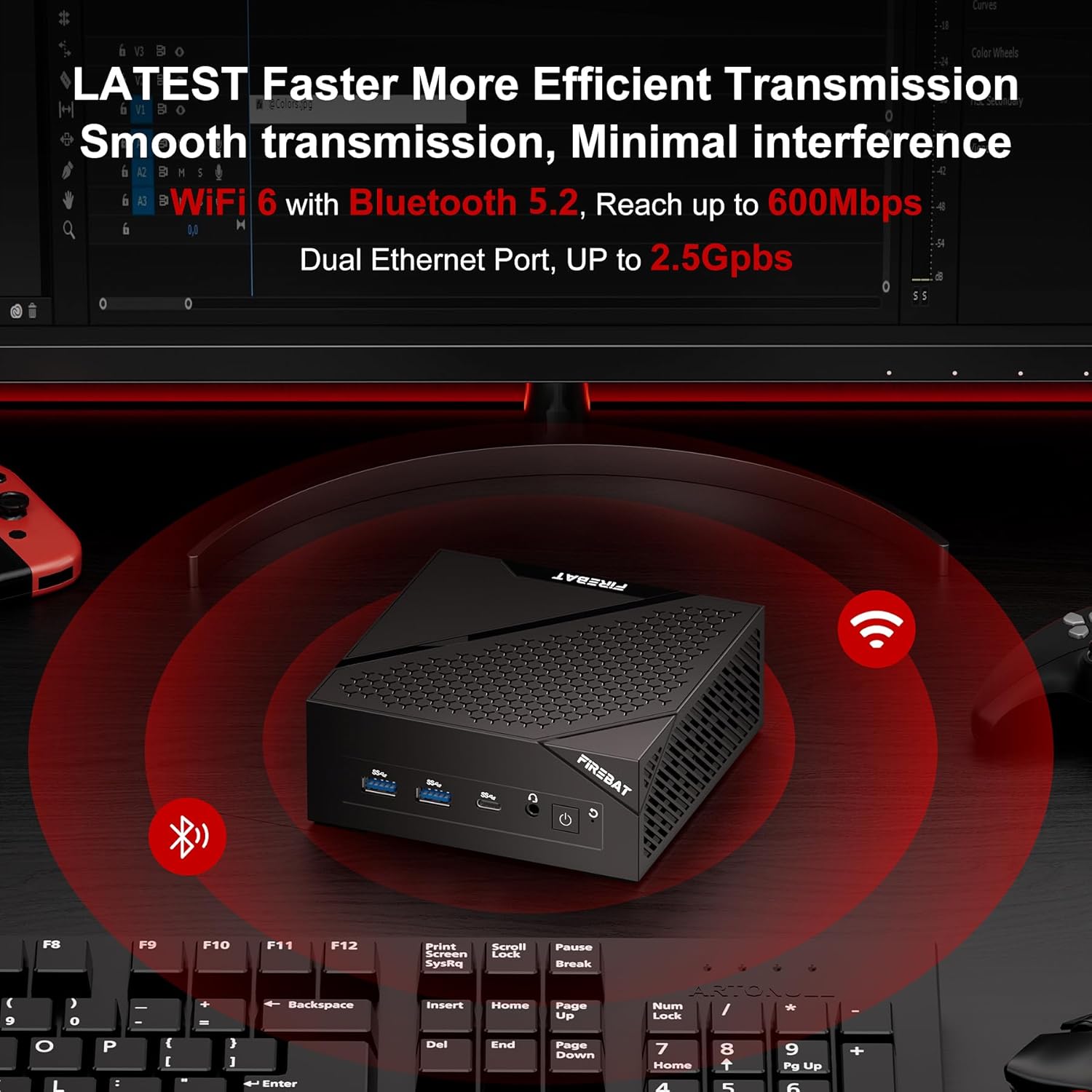
Image: The FIREBAT AM02 Mini PC on a desk with WiFi and Bluetooth symbols radiating from it, indicating its wireless capabilities and dual Ethernet ports.
3.3 Сактагычты кеңейтүү
The FIREBAT AM02 Mini PC supports storage expansion. You can replace the existing 512GB M.2 SSD with a larger one (up to 2TB) or add a 2.5-inch 7mm HDD/M.2 SSD 2280 (not included) for additional storage. Refer to the internal layout for drive bay locations.

Сүрөт: ички view of the FIREBAT AM02 Mini PC, highlighting the 16GB LPDDR5 RAM and 512GB M.2 2280 NGFF/NVMe SSD, with an indication of expandability up to 2TB or by adding a 2.5" SSD/HDD.
4. Техникалык тейлөө
Тийиштүү техникалык тейлөө сиздин мини-компьютериңиздин узак мөөнөттүү иштешин жана оптималдуу иштешин камсыз кылат.
4.1 Жалпы кам көрүү
- Түзмөктү таза, кургак жерде, күн нуру түз тийген жерлерден жана өтө жогорку температурадан алыс кармаңыз.
- Avoid placing heavy objects on top of the Mini PC.
- Вентиляция тешиктерин жаппаңыз.
- Сыртын жумшак, кургак чүпүрөк менен тазалаңыз. Суюк тазалоочу каражаттарды колдонбоңуз.
4.2 Жылуулук диссипациясы
The FIREBAT AM02 Mini PC features an ultra-fast heat dissipation design to maintain low temperatures and quiet operation. Ensure adequate airflow around the device to prevent overheating.

Image: An illustration of the FIREBAT AM02 Mini PC's ultra-fast heat dissipation design, showing airflow and indicating low temperature and low noise operation (38dB).
5. Кыйынчылыктарды
Бул бөлүмдө сиздин Mini PC менен кездешиши мүмкүн болгон жалпы көйгөйлөр каралат.
5.1 Күч жок
- Кубат адаптери Мини компьютерге жана иштеген электр розеткасына бекем туташып турганын текшериңиз.
- Башка аспапка сайып, розетка иштеп жатканын текшериңиз.
- Электр адаптеринде көрүнгөн зыяндын бар-жоктугун текшериңиз.
5.2 Display Output жок
- Confirm that the display cable (HDMI, DP, or USB-C) is securely connected to both the Mini PC and the monitor.
- Монитордун күйгүзүлгөнүн жана туура киргизүү булагына коюлганын текшериңиз.
- Башка дисплей кабелин же бар болсо мониторду колдонуп көрүңүз.
5.3 Тармакка туташуу маселелери
- текст: Check the Ethernet cable connection and ensure your router/modem is working correctly.
- Зымсыз: Verify that WiFi is enabled in the operating system. Restart your router/modem. Ensure you are within range of your WiFi network.
5.4 Системанын иштешинин маселелери
- Фондо иштеп жаткан керексиз тиркемелерди жабыңыз.
- Ensure the Mini PC has adequate ventilation and is not overheating.
- Check for available operating system updates and driver updates.
If you continue to experience issues, please refer to the Warranty & Support section for contact information.
6. Техникалык шарттар
| Өзгөчөлүк | Спецификация |
|---|---|
| Бренд | FIREBAT |
| Модель номери | AM02 |
| Процессор | Intel 12th Gen Alder Lake-N N100 (4 Cores/4 Threads, up to 3.4 GHz) |
| RAM | 16 GB LPDDR5 4000MHz SODIMM |
| Катуу диск | 512 GB M.2 SSD (eSATA interface) |
| Max Screen Resolution | 4096 x 2160@60Hz Pixels |
| Графика | Intel UHD Graphics (up to 750MHz) |
| Зымсыз түрү | 802.11ax (WiFi 6), Bluetooth 5.2 |
| USB порттору | 4x USB 3.0 Ports (Type-A), 1x USB Type-C |
| LAN порттору | 2x RJ45 (1x 2.5Gbps, 1x 1Gbps) |
| Video Output | 1x HDMI 2.0, 1x DP 1.4, 1x Type-C (supports triple display) |
| Аудио чыгаруу | 1x 3.5 мм аудио уячасы |
| Операция системасы | Default (User-installable) |
| Элемент Салмагы | 13.9 унция (болжол менен 394 г) |
| Продукциянын өлчөмдөрү | 5 x 5 x 2 дюйм (болжол менен 12.7 x 12.7 x 5.1 см) |
| Түс | Кара |
7. Кепилдик жана колдоо
FIREBAT is committed to providing quality products and excellent customer service. For any technical assistance, warranty claims, or product inquiries, please contact our support team.
Электрондук почта колдоо: support@firebatpc.com
Please include your model number (AM02) and a detailed description of your issue when contacting support to ensure a prompt and effective resolution.


