1. Киришүү
The Rane ONE MKII is a motorized DJ controller designed for professional DJs using Serato DJ Pro. This unit combines the tactile feel of traditional turntables with advanced digital control, offering a comprehensive solution for mixing, scratching, and performance. It features two motorized platters, an extensive internal effects suite, and deep integration with Serato's Stems functionality, providing enhanced creative control for various DJing environments, from home studios to clubs and events.
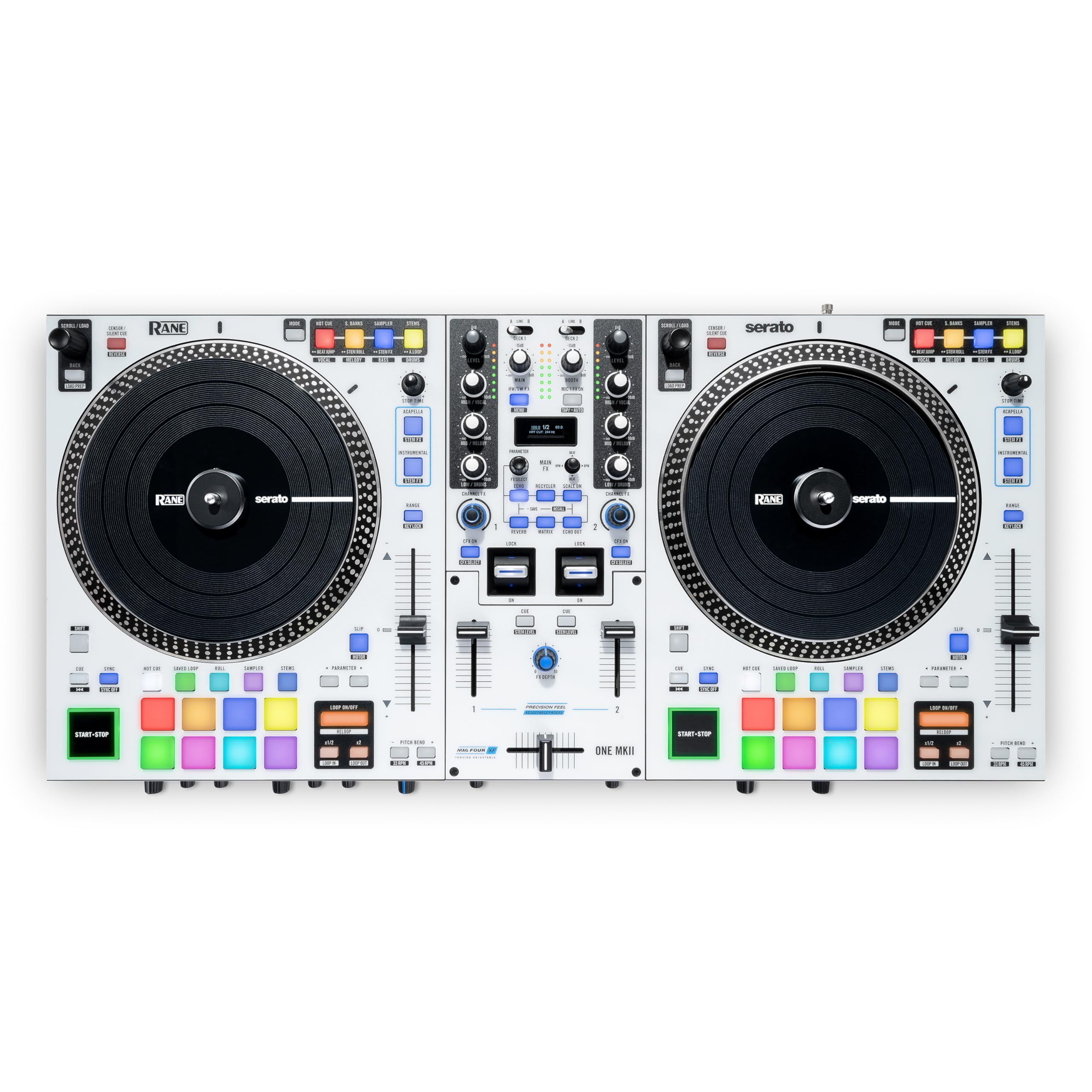
1.1-сүрөт: жогорудан ылдыйга view of the Rane ONE MKII controller, showcasing its dual motorized platters, mixer section, and performance pads.
2. Негизги өзгөчөлүктөрү
- Motorized 7.2" Platters: Provides an authentic turntable feel with adjustable torque settings for precise control during scratching and mixing.
- Serato DJ Pro Integration: Unlocks full Serato DJ Pro functionality, including advanced Stems control for isolating and manipulating individual track elements.
- Dynamic Internal FX Suite: Features 29 meticulously crafted internal effects with an OLED display for intuitive selection and parameter adjustment.
- Channel FX: Dedicated filter knobs on each channel provide hands-on control over Filter, Filter Roll, Flanger, and Noise effects.
- 16 Multi-Color Backlit Pads: Eight performance pads per deck, each with 10 modes, for Hot Cues, Saved Loops, Rolls, Sampler, and Stems functions.
- Secondary Pad Buttons: Allows simultaneous access to two pad modes, enhancing workflow and creative flexibility.
- Custom PRECISION FEEL Channel Faders: Ultra-smooth, tension-adjustable faders for intricate and dynamic mixing.
- MAG FOUR Crossfader: Tension-adjustable crossfader with independent contour and reverse controls for precise scratch performance.
- Мыкты курулуш: All-metal chassis with high-quality knobs and faders designed for durability and professional use.
3. Орнотуу колдонмосу
3.1 Таңгактан чыгаруу жана алгачкы текшерүү
Carefully remove the Rane ONE MKII from its packaging. Inspect the unit for any signs of damage during transit. Ensure all included accessories, such as power cable and USB cables, are present.
3.2 Connecting Your Rane ONE MKII
Before connecting the Rane ONE MKII to your computer or audio system, ensure all devices are powered off. Refer to the diagram below for proper connection points.

Figure 3.1: Rear panel connections of the Rane ONE MKII.
- Кубат туташуу: Connect the included power adapter to the unit and then to a power outlet.
- USB туташуу: Use the provided USB Type-B cables to connect the Rane ONE MKII to your computer. The unit features two USB ports (USB A and USB B) for connecting two computers simultaneously, allowing for seamless DJ changeovers.
- Аудио чыгуулар:
- Негизги чыгуулар (XLR): Connect these to your main sound system or PA.
- Booth Outputs (XLR): Connect these to your booth monitor speakers.
- Башкы чыгаруу (RCA): An additional stereo RCA output for connecting to other audio devices.
- Аудио киргизүү каражаттары:
- Deck Inputs (RCA): Two stereo RCA input pairs (Deck 1-2) for connecting external media players or turntables.
- Aux Input (RCA): A stereo RCA input for connecting auxiliary audio sources.
- Microphone Inputs (XLR / 1/4" TRS): Two combo inputs for connecting microphones.
- Гарнитуранын чыгышы: 1/4" TRS and 1/8" TRS outputs for connecting headphones.
3.3 Программалык камсыздоону орнотуу
The Rane ONE MKII unlocks Serato DJ Pro. Download and install the latest version of Serato DJ Pro from the official Serato website. Ensure your computer meets the minimum system requirements for Serato DJ Pro.
4. Иштөө нускамалары
4.1 Күйгүзүү жана өчүрүү
To power on, connect the power adapter and press the power button located on the rear panel. To power off, ensure all audio is faded out, then press and hold the power button until the unit shuts down.
4.2 Motorized Platters and Torque Adjustment
The 7.2-inch motorized platters provide a realistic vinyl feel. You can adjust the platter's torque to match your preference using the dedicated control on the unit. This allows for customization whether you prefer a lighter touch for mixing or a heavier feel for scratching.
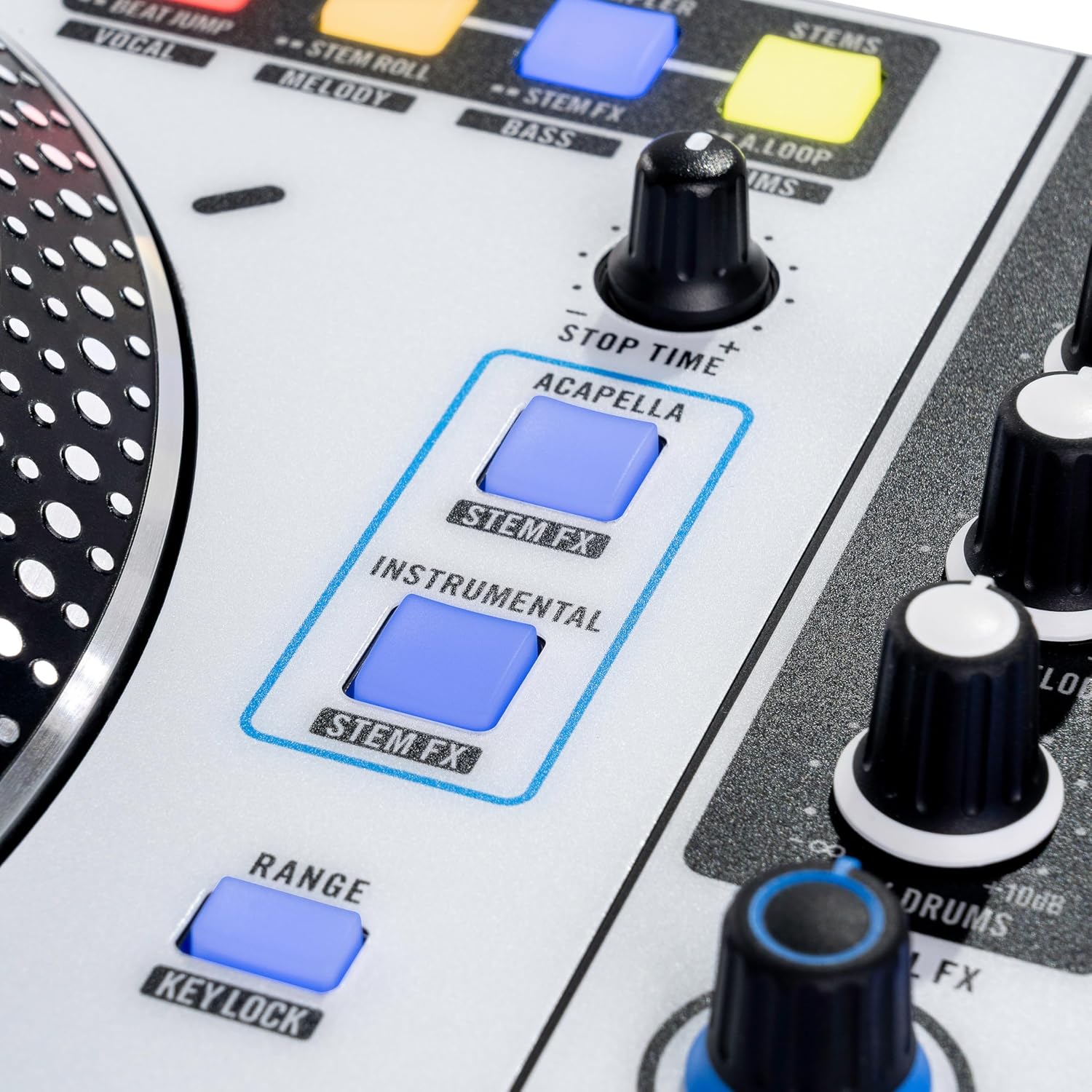
Figure 4.1: Detail of a motorized platter, designed for an authentic vinyl experience.
4.3 Dynamic Internal FX Suite
The Rane ONE MKII features 29 internal effects. Use the OLED display and associated controls to browse and select effects. The Channel FX knobs allow for quick application of Filter, Filter Roll, Flanger, and Noise effects directly to individual channels.

Figure 4.2: The central mixer section with OLED display for effect selection and control.
4.4 Stems Integration
Leverage Serato DJ Pro's Stems feature with dedicated controls on the Rane ONE MKII. Use the Acapella/Instrumental buttons to instantly isolate or remove vocals and instrumentals. Stems Level Control and performance pad modes like Stem FX and Stem Roll allow for real-time manipulation and remixing of individual track elements (vocals, melody, bass, drums).

Figure 4.3: Dedicated Stems controls for isolating and manipulating track elements.
4.5 Performance Pad
Each deck features eight multi-color backlit performance pads with 10 modes. These modes include Hot Cue, Saved Loop, Roll, Sampler, and Stems. Secondary pad buttons above the platters provide immediate access to additional pad modes, streamlining your performance workflow.

Figure 4.4: Multi-color performance pads for various creative functions.
4.6 Fader Control
The Rane ONE MKII is equipped with Custom PRECISION FEEL channel faders and a MAG FOUR tension-adjustable crossfader. These faders offer ultra-smooth and accurate control, essential for dynamic mixing and precise scratching. Adjust the tension and contour settings of the crossfader to suit your individual style.

Figure 4.5: Channel faders and crossfader for precise audio control.
4.7 Продукциянын демонстрациялык видеосу
Video 4.1: An official product video demonstrating the Rane ONE MKII in use by a DJ, showcasing its features and performance capabilities.
5. Техникалык тейлөө
To ensure the longevity and optimal performance of your Rane ONE MKII, follow these maintenance guidelines:
- Тазалоо: Regularly wipe the unit with a soft, dry, lint-free cloth. Avoid using abrasive cleaners, solvents, or strong chemicals, as these can damage the finish and components.
- Чаңдан коргоо: When not in use, cover the controller with a dust cover to prevent dust and debris from accumulating on the platters, faders, and buttons.
- Суюктуктан качуу: Keep liquids away from the unit to prevent spills and potential damage to internal electronics.
- Кабелдик башкаруу: Туташтыргычтарга жана портторго зыян келтирбөө үчүн бардык кабелдердин тыкан уюштурулганын жана чыңалуу астында эместигин текшериңиз.
- Сактагыч: Аппаратты күн нурунан жана экстремалдык температурадан алыс салкын, кургак жерде сактаңыз.
6. Кыйынчылыктарды
If you encounter issues with your Rane ONE MKII, refer to the following common troubleshooting steps:
- Кубат жок: Ensure the power adapter is securely connected to both the unit and a working power outlet. Verify the power button is pressed.
- Үн чыгышы жок: Check all audio cable connections (Main, Booth, Headphones). Verify volume levels on the controller, your computer, and your sound system. Ensure the correct audio output device is selected in your computer's sound settings and Serato DJ Pro.
- Controller Not Recognized by Computer/Serato DJ Pro: Ensure USB cables are securely connected. Try a different USB port or cable. Restart your computer and the Rane ONE MKII. Verify that Serato DJ Pro is updated to the latest version and that necessary drivers are installed (if applicable).
- Platters Not Responding: Check the motor on/off switch for each platter. Ensure Serato DJ Pro is running and correctly configured for the Rane ONE MKII.
- Эффекттер иштебейт: Verify that effects are enabled in Serato DJ Pro and on the controller. Check the OLED display for effect selection and parameter settings.
- Бурмаланган аудио: Check input and output gain levels to prevent clipping. Ensure all cables are in good condition and properly connected.
For further assistance, consult the Rane support webсайтка же кардарларды тейлөөгө кайрылыңыз.
7. Техникалык шарттар
| Модель номери | ONEMKII |
| Элемент Салмагы | 30.4 фунт (13.8 килограмм) |
| Продукциянын өлчөмдөрү | 12.48 x 26.5 x 5 дюйм (13.6"D x 26.5"W x 4.9"H) |
| Түс | Ак |
| Материалдын түрү | Дат баспаган болот |
| Power Source | Электр зымдары |
| Каналдардын саны | 2 |
| Байланыш технологиясы | (2) RCA stereo input pairs (Deck 1–2), (2) USB Type-B ports, (2) XLR / 1/4” TRS inputs (Mic 1–2), (2) XLR outputs (Booth), (2) XLR outputs (Main), 1/4” TRS output (Headphones), 1/8” TRS output (Headphones), RCA stereo input pair (Aux), RCA stereo output pair (Master) |
8. Кепилдик жана колдоо
The Rane ONE MKII comes with a manufacturer's warranty. Please refer to the warranty card included with your product or visit the official Rane webдеталдуу кепилдик шарттары жана шарттары үчүн сайт. Кепилдик дооматтар үчүн сатып алганыңыздын далилин сактаңыз.
For technical support, product registration, or to download the latest drivers and software, please visit the Rane support webсайт:
You may also find additional resources and FAQs on the Rane brand store on Amazon: Rane Store.


