Introduction
The COLMI C8 Max Smartwatch is a versatile fitness tracking device designed for both men and women. It features a vibrant 1.93-inch IPS touchscreen, IP68 waterproof rating, and a long-lasting battery. This manual provides essential information for setting up, operating, and maintaining your smartwatch.
With a comprehensive suite of features including fitness tracking, heart rate monitoring, sleep analysis, and smart notifications, the C8 Max helps you stay connected and active. It is compatible with both Android and iOS smartphones and tablets.
Кутуда эмне бар
- COLMI C8 Max акылдуу сааты
- Spare Watch Strap
- Заряддоо кабели
- User Manual
Жайгашуу
1. Акылдуу саатты заряддоо
Before first use, fully charge your COLMI C8 Max Smartwatch. The device supports wireless charging for convenience.
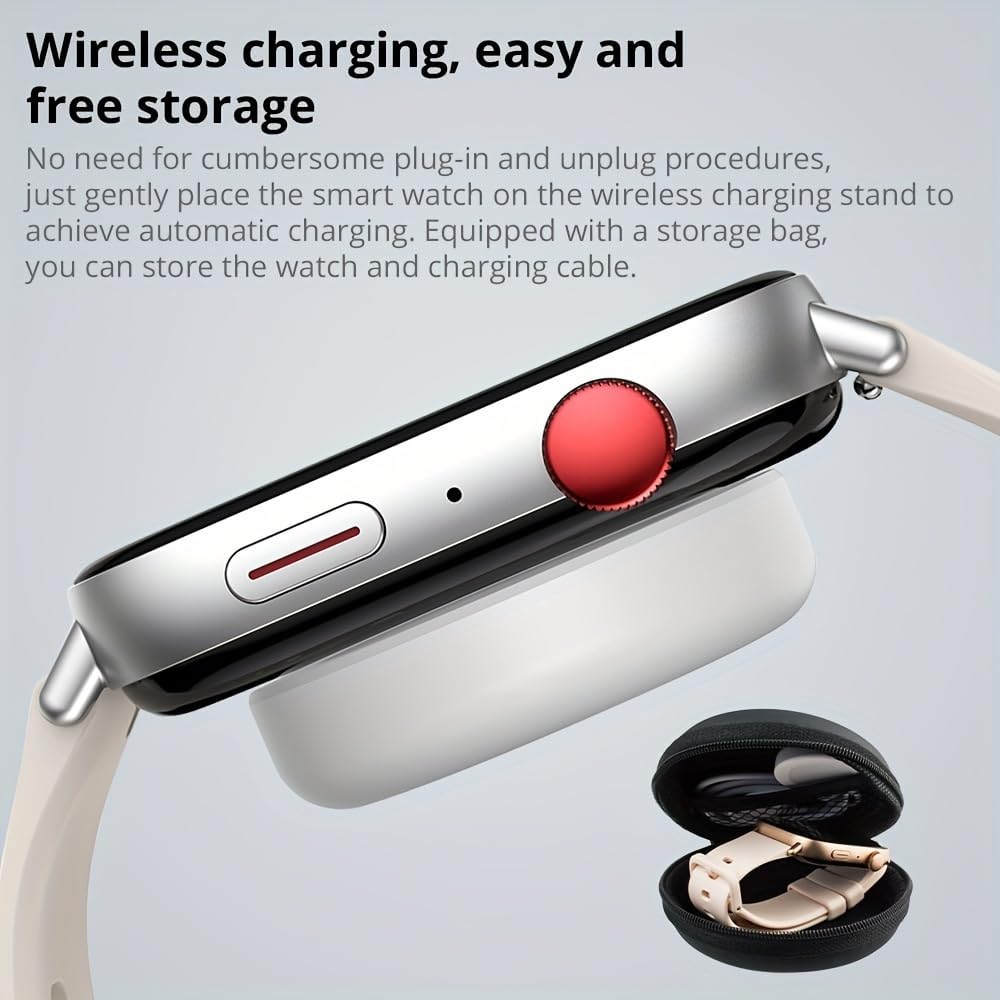
Сүрөттүн сүрөттөлүшү: Жакын план view of the COLMI C8 Max Smartwatch resting on a white wireless charging pad. The watch has a silver metallic frame and a light-colored strap. A small black zippered storage case is visible in the bottom right corner. This image illustrates the wireless charging capability and the included storage solution.
- Place the smartwatch gently onto the wireless charging stand.
- Ensure the watch is correctly positioned for automatic charging.
- The battery icon on the watch screen will indicate charging status.
2. Колдонмону орнотуу жана жупташтыруу
To unlock the full potential of your smartwatch, download the companion application on your smartphone or tablet.
- Scan the QR code in the included user manual or search for the official COLMI app in your device's app store (Google Play Store for Android, Apple App Store for iOS).
- Install the application and grant necessary permissions.
- Смартфонуңузда Bluetooth'ду иштетиңиз.
- Open the COLMI app and follow the on-screen instructions to pair your C8 Max Smartwatch. Ensure the smartwatch is powered on and within Bluetooth range.
Иштөө нускамалары
Дисплей жана навигация
The COLMI C8 Max features a large 1.93-inch IPS touchscreen with a resolution of 240 x 288 pixels, offering a clear and vibrant display experience with narrow bezels.
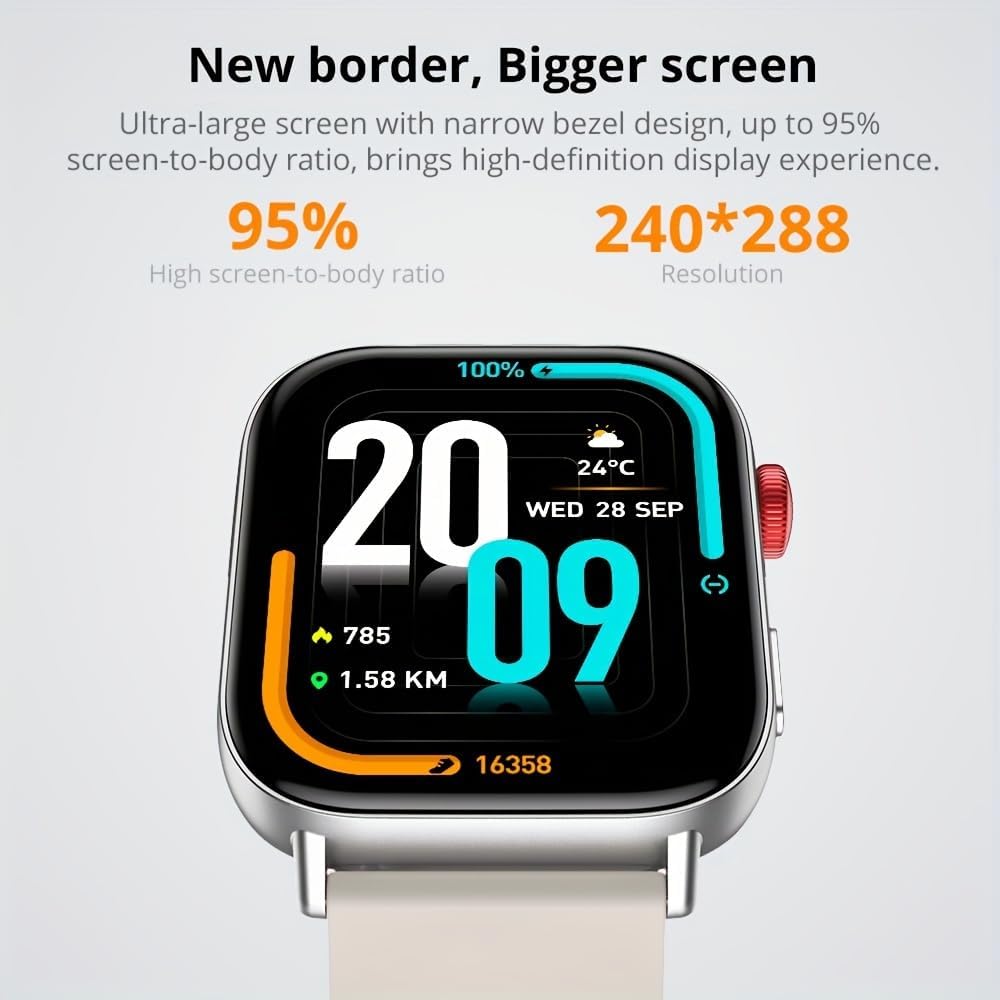
Сүрөттүн сүрөттөлүшү: A close-up of the COLMI C8 Max Smartwatch screen. The display shows the time "20:09", date "WED 28 SEP", weather "24°C", battery percentage "100%", steps "785", and distance "1.58 KM". The image highlights the large screen and narrow bezel design, emphasizing the high screen-to-body ratio and resolution.
- Өйдө/ылдый сүрүү: Ыкчам орнотууларга же эскертмелерге кириңиз.
- Солго/Оңго сүрүү: Navigate through different widgets and functions (e.g., heart rate, activity data, weather).
- Каптал баскычын басыңыз: Return to the home screen or access the app menu.
Smart Island Function
The smartwatch supports a "Smart Island" function, allowing quick access to messages and notifications with a single click.

Сүрөттүн сүрөттөлүшү: Two COLMI C8 Max smartwatches are shown. The watch in the foreground displays a circular watch face with colorful segments. The watch in the background shows a notification bubble at the top of the screen, resembling a "Smart Island" feature, with "15 message" displayed. This illustrates the Smart Island function for quick message access.
Зымсыз чалуу
The COLMI C8 Max has a built-in microphone and speaker, enabling stable wireless calls directly from your wrist.

Сүрөттүн сүрөттөлүшү: Three COLMI C8 Max smartwatches are displayed, each showing a different aspect of the wireless calling feature. From left to right: a dial pad for making calls, a screen with options for "Phone Call," "Recent Call," "Dial Pad," and "Contacts," and an incoming call screen showing "Tim" with options to answer or decline. This demonstrates the watch's capability for making and receiving calls.
- Акылдуу саатыңыздын телефонуңузга Bluetooth аркылуу туташып турганын текшериңиз.
- Use the dial pad, recent calls, or contacts list on the watch to initiate calls.
- Answer or decline incoming calls directly from your wrist.
Фитнес жана ден соолукту көзөмөлдөө
The C8 Max offers comprehensive tracking for your health and fitness goals:
- Жүрөктүн кагышын көзөмөлдөөчү: Үзгүлтүксүз жүрөктүн кагышын көзөмөлдөйт.
- жөө: Күн бою кадамдарыңызды эсептейт.
- Уйкуга көз салуу: Уйкуңуздун үлгүсүн жана сапатын көзөмөлдөйт.
- Көп спорттук трекердик машыгуу: Supports various sports modes to record specific activity data.
- Калорияга көз салуу: Кыймыл-аракетиңизге жараша күйгөн калорияларды эсептейт.
- Отуруучу эстеткич: Өтө көп убакыт жигерсиз болгонуңузда эскертет.
- Menstruation Management: Provides tracking and reminders for female users.
Башка өзгөчөлүктөр
- AI үн жардамчысы: Үн буйруктарын колдонуп, саатыңыз менен өз ара аракеттениңиз.
- Календарь жана ойготкуч: Set reminders and manage your schedule.
- Камераны алыстан башкаруу: Саатыңызды телефонуңуздун камерасы үчүн алыстан жапкыч катары колдонуңуз.
- Артка саноо таймери: A convenient timer for various tasks.
- Message & Call Notifications: Receive alerts for incoming calls and messages directly on your wrist.
- Social Media Notifications: Stay updated with alerts from your favorite social platforms.
Техникалык тейлөө
The COLMI C8 Max Smartwatch is designed for durability and convenience. Follow these guidelines to ensure its longevity:
- Сууга туруктуулук (IP68): The watch is IP68 rated, meaning it is waterproof and dust-resistant. It can withstand immersion in water up to 1.5 meters for 30 minutes. However, it is not suitable for hot water baths, saunas, or diving. Avoid prolonged exposure to saltwater.
- Тазалоо: Саатты жана боону жумшак, кургак чүпүрөк менен үзгүлтүксүз сүртүңүз. Зарыл болсо, бир аз нымдуу чүпүрөк колдонуңуз.amp чүпүрөк, анан кылдат кургатуу. Катуу химиялык заттарды же абразивдүү материалдарды колдонуудан алыс болуңуз.
- Сактагыч: When not in use for extended periods, store the watch in a cool, dry place, ideally in its original packaging or the provided storage case.
- Батареяга кам көрүү: To prolong battery life, avoid fully discharging the battery frequently. Charge it when the battery level is low.
Проблемаларды чечүү
If you encounter issues with your COLMI C8 Max Smartwatch, try the following solutions:
- Күйгүзүлбөй жаткан саат: Сааттын толук заряддалганын текшериңиз. Аны кубаттагычка туташтырып, күйгүзүүдөн мурун бир нече мүнөт күтө туруңуз.
- Телефон менен жупташтыруу мүмкүн эмес:
- Телефонуңузда жана саатыңызда Bluetooth иштетилгенин текшериңиз.
- Саат Bluetooth диапазонунда (адатта 10 метр) экенин текшериңиз.
- Телефонуңузду да, акылдуу саатыңызды да өчүрүп күйгүзүңүз.
- Clear Bluetooth cache on your phone (if applicable) and try pairing again.
- Ensure the COLMI app is updated to the latest version.
- Дене тарбия маалыматтары туура эмес:
- Сааттын билегиңизге бекем тагылганын, өтө бош же өтө катуу эмес экенин текшериңиз.
- Calibrate the pedometer in the app if an option is available.
- Сааттын микропрограммасын колдонмо аркылуу жаңыртыңыз.
- Эскертмелер көрүнбөй жатат:
- Check notification permissions for the COLMI app on your phone.
- Саат телефонуңузга Bluetooth аркылуу туташып турганын текшериңиз.
- Verify notification settings within the COLMI app.
- Батарейканын кыска мөөнөтү:
- Экран жарыктыгын азайтыңыз.
- Зарыл болбосо, жүрөктүн кагышын үзгүлтүксүз көзөмөлдөөнү өчүрүңүз.
- Саатка эскертмелерди жөнөтүүчү колдонмолордун санын чектөө.
- Саат ар бир жолу толук кубатталганын текшериңиз.
If problems persist, please refer to the official COLMI support channels or contact customer service.
Техникалык шарттар
| Өзгөчөлүк | Деталь |
|---|---|
| Бренд | КОЛМИ |
| Модель номери | C8 Макс |
| Түс | Silver Metallic |
| Дисплей | 1.93 дюймдук IPS сенсордук экраны |
| Резолюция | 240 x 288 пиксель |
| Суу өткөрбөйт рейтинги | IP68 |
| Батарея сыйымдуулугу | 250 мАч литий полимери |
| Батареянын иштөө мөөнөтү | 5 to 10 days (typical usage) |
| Байланыш | Bluetooth 5.3 |
| Шайкеш системалар | Android, iOS |
| Ички сактагыч | 128 MB |
| RAM | 640 KB |
| GPS | Жок |
| Өзгөчөлүктөр | AI Voice Assistant, Wireless Calling, Smart Island Function |
| Өндүрүүчү | Shenzhen Colmi Technology Co., Ltd. |
Кепилдик жана колдоо
The COLMI C8 Max Smartwatch comes with a manufacturer's warranty. Please refer to the warranty card included in your product packaging for specific terms and conditions, including warranty duration and coverage details.
For technical support, troubleshooting assistance, or warranty claims, please contact COLMI customer service through their official website or the contact information provided in your product documentation. Keep your purchase receipt as proof of purchase for warranty services.


