1. Киришүү
This manual provides detailed instructions for the safe and effective operation of your ANCEL DS200 OBD2 Scanner and ANCEL BA101 Car Battery Tester. Please read this manual thoroughly before use to ensure proper functionality and to prevent damage to the devices or your vehicle. These tools are designed to assist in diagnosing vehicle issues and maintaining battery health.

Figure 1.1: ANCEL DS200 OBD2 Scanner and BA101 Car Battery Tester.
This image displays both the ANCEL DS200 diagnostic scanner and the ANCEL BA101 battery tester. The DS200 is a tablet-like device with a screen and an OBD2 connector cable, while the BA101 is a smaller, handheld red device with a screen and two battery clamps.
2. Продукциянын компоненттери
The ANCEL DS200 and BA101 package typically includes the following items:
- ANCEL DS200 OBD2 Diagnostic Scanner Unit
- ANCEL BA101 Car Battery Tester Unit
- OBD2 Diagnostic Cable (for DS200)
- Колдонуучунун Колдонмосу (бул документ)
- USB Cable (for DS200 updates/charging, if applicable)
- Protective Case (for DS200, if included in package)
3. ANCEL DS200 OBD2 Scanner
3.1. Негизги өзгөчөлүктөрү
- Бардык системалардын диагностикасы: Comprehensive scanning of engine, ABS, SRS, transmission, ESP, SAS, audio control, air conditioning control, PCM, and more.
- 15+ баштапкы абалга келтирүү кызматтары: Includes ABS bleeding, SAS reset, battery matching, Adblue reset, oil reset, throttle relearn, D-P-F regen reset, TPMS reset, injector coding, etc. (Note: Functions vary by vehicle model and year).
- Колдонуучуга ыңгайлуу интерфейс: Features a 5-inch touchscreen, Android OS, quad-core processor, and one-click operations.
- Өмүр бою акысыз жаңыртуулар: Ensures the device remains current with new vehicle models and diagnostic protocols.
- Камтылган батарея: Көчмө колдонуу үчүн 1500 мАч батарейка.
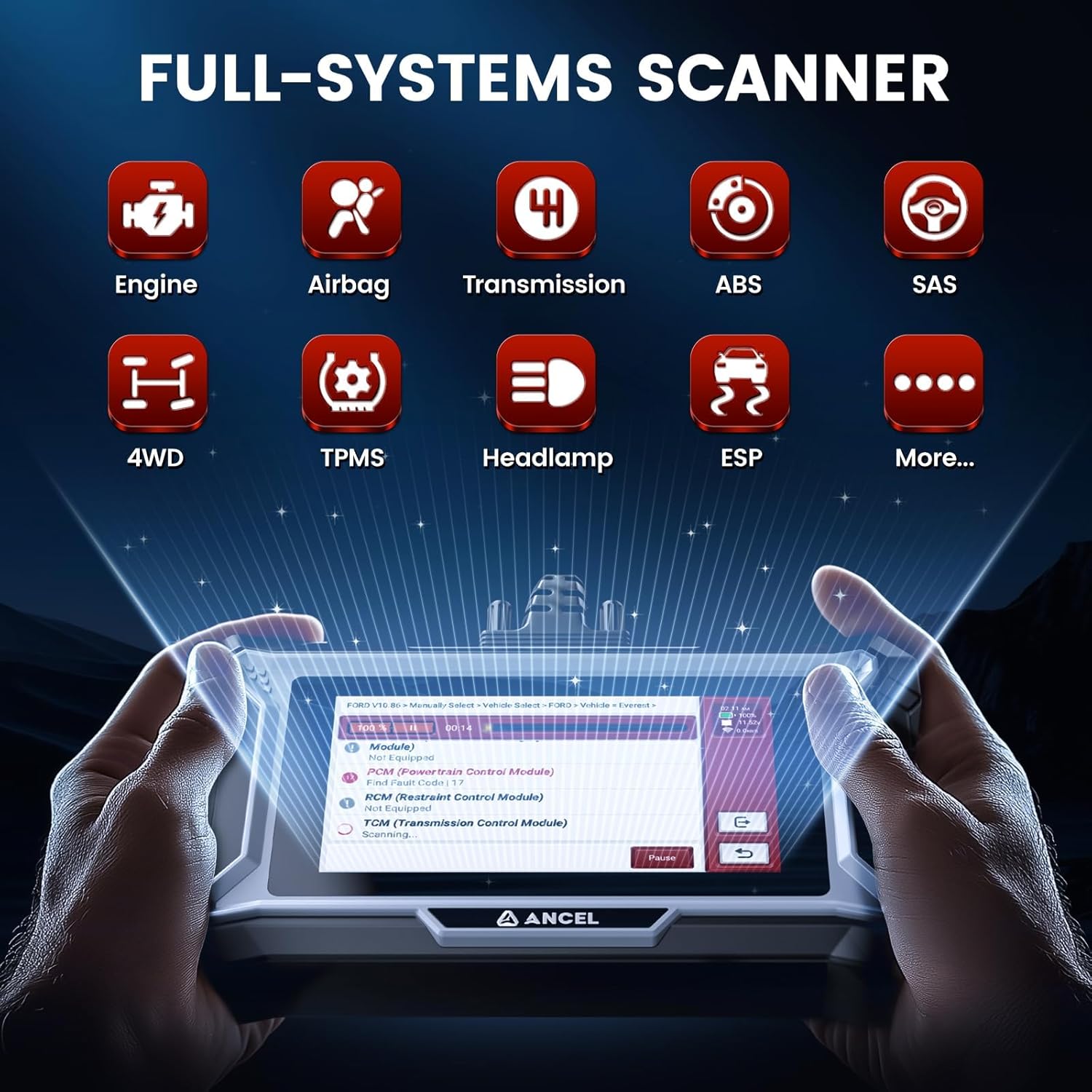
Figure 3.1: ANCEL DS200 Full-Systems Diagnostic Capabilities.
This image illustrates the ANCEL DS200's ability to diagnose various vehicle systems, including Engine, Airbag, Transmission, ABS, SAS, 4WD, TPMS, Headlamp, ESP, and more. It shows a graphical representation of the scanner's interface displaying diagnostic information.

Figure 3.2: ANCEL DS200 15+ Hot Reset Services.
This image highlights the various reset services offered by the ANCEL DS200, such as Air/Fuel Ratio Reset, Gearbox Relearn, Brake Pad Reset, EGR Adaption, TPMS Reset, Gear Learn, NOX Sensor Reset, ABS Bleeding, Battery Matching, Oil Reset, SAS Reset, Injector Coding, Throttle Relearn, Adblue Reset, and D-P-F Regen.
3.2. Орнотуу жана туташуу
- Күйгүзүү: Ensure the DS200 is sufficiently charged or connected to a power source.
- OBD2 портун табыңыз: Identify your vehicle's 16-pin OBD2 diagnostic port, usually located under the dashboard on the driver's side.
- Кабелди туташтыруу: Plug the OBD2 diagnostic cable into the vehicle's OBD2 port and the other end into the DS200 unit.
- От күйгүзүү: Унаанын от алдыруучу системасын "ON" абалына коюңуз (кыймылдаткыч өчүрүлгөн).
- Түзмөктү инициализациялоо: The DS200 will automatically power on and begin communication with the vehicle.
3.3. Иштөө нускамалары
After successful connection, navigate the DS200's touchscreen interface:
- Унаа тандоо: Менюдан унааңыздын маркасын, моделин жана чыгарылган жылын тандаңыз.
- Системаны сканерлөө: Choose "All Systems Diagnosis" to perform a comprehensive scan of all available modules. The device will display diagnostic trouble codes (DTCs) and live data.
- Баштапкы абалга келтирүү функциялары: To perform a specific reset service (e.g., ABS Bleeding, Oil Reset), select "15+ Reset Services" from the main menu and follow the on-screen prompts. Ensure you understand the implications of each reset before proceeding.
- Data Review: View freeze frame data, I/M readiness status, and live data streams to further analyze vehicle performance.
- Кодду тазалоо: After repairs, you can clear DTCs from the vehicle's ECU. Ensure the underlying issue is resolved before clearing codes.

Figure 3.3: ANCEL DS200 ABS Bleeding Function.
This image illustrates the ABS Bleeding function of the ANCEL DS200, showing how it helps expel air from the brake system to ensure optimal brake performance, especially after brake fluid addition/replacement or ABS parts repair.

Figure 3.4: ANCEL DS200 SAS Reset Function.
This image demonstrates the SAS (Steering Angle Sensor) Reset function of the ANCEL DS200, which is used to recalibrate the steering column alignment for improved driving stability, particularly if the car is off course.
4. ANCEL BA101 Car Battery Tester
4.1. Негизги өзгөчөлүктөрү
- Multi-function Testing: Performs Quick Test, Battery Test, Cranking Test, and Charging Test.
- Так натыйжалар: Delivers 99.6% testing accuracy for battery health, voltage, and charge status.
- Коопсуздукту коргоо: Features reverse polarity protection, short circuit protection, and no need to charge the battery during testing.
- Жогорку сапаттагы курулуш: Advanced crocodile clips with copper construction and robust spring design for secure connection.

Figure 4.1: ANCEL BA101 Versatile Battery Master Functions.
This image illustrates the ANCEL BA101's capabilities, including Cranking Test, Charging Test, and Battery Test, providing detailed reports on battery health, charge, internal resistance, and rated capacity.
4.2. Орнотуу жана туташуу
- Батареяны даярдоо: Батарея терминалдарынын таза жана дат баспагандыгын текшериңиз.
- Connect Clamps: Кызыл позитивдүү (+) клды туташтырыңызamp оң батарея терминалына жана кара терс (-) clamp to the negative battery terminal. The BA101 will power on automatically.
- Батарея түрүн тандоо: On the BA101 screen, select the correct battery type (e.g., Regular Flooded, AGM Flat Plate, AGM Spiral, GEL, EFB).
- Input Battery Standard: Select the correct battery standard (e.g., CCA, BCI, CA, MCA, JIS, DIN, IEC, EN, SAE, GB).
- Input CCA/AH Value: Муздак кранкингге кириңиз Amps (CCA) or Ampere-hour (AH) value as specified on your battery label.
4.3. Иштөө нускамалары
Once connected and configured, select the desired test from the main menu:
- Батарея сыноо: Assesses the overall health, charge, and internal resistance of the battery. Follow on-screen prompts for in-vehicle or out-of-vehicle testing.
- Кранк сыноо: Evaluates the vehicle's starting system, including cranking voltage and time. Follow prompts to start the engine.
- Заряддоо сыноо: Checks the alternator's charging system, including loaded and unloaded voltage. Follow prompts to rev the engine.
- Review Натыйжалар: The BA101 will display clear results such as "GOOD BATTERY," "GOOD: RECHARGE," "BAD CELL: REPLACE," or "REPLACE."
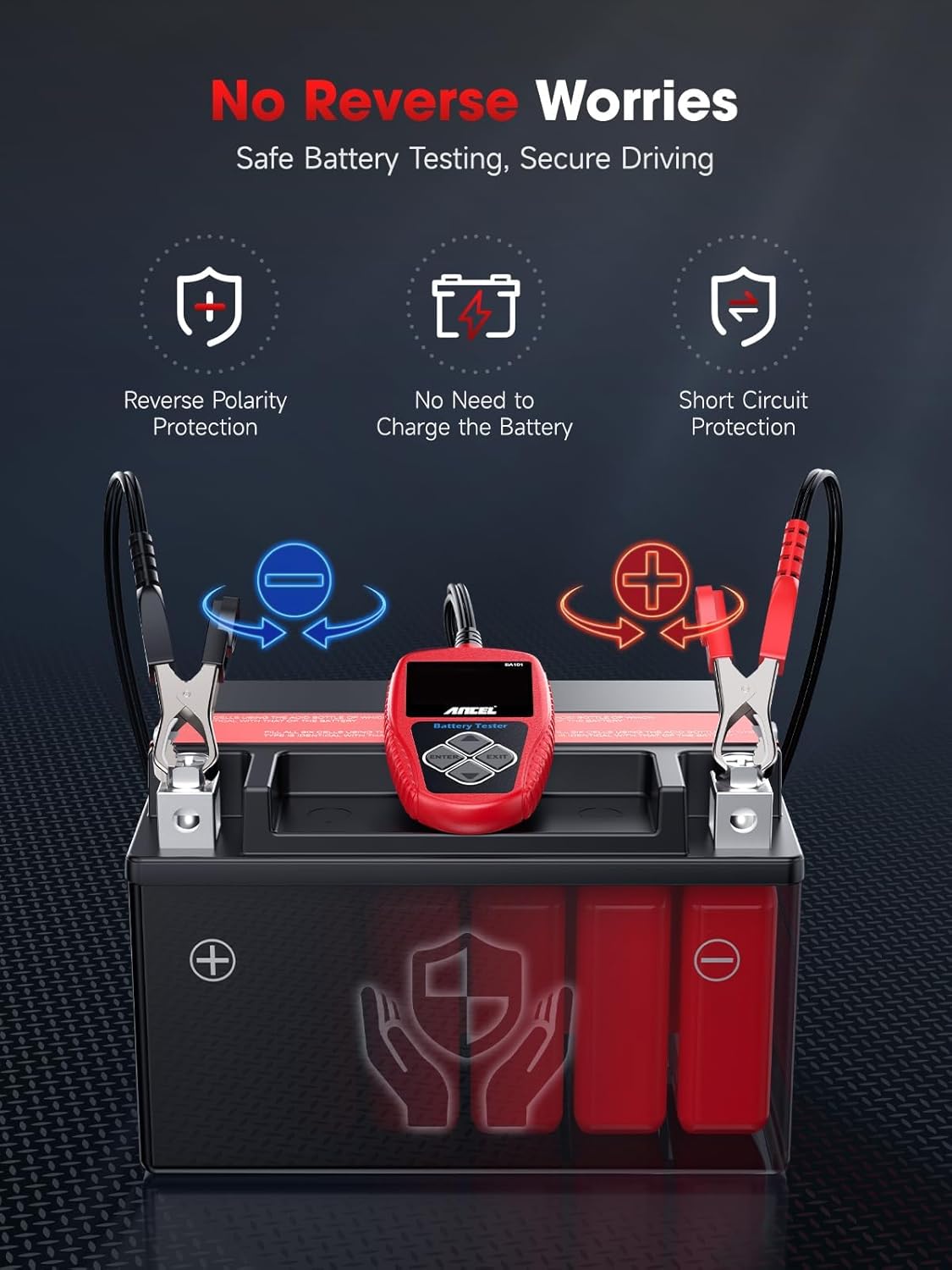
Figure 4.2: ANCEL BA101 Battery Tester Safety Features.
This image highlights the safety features of the ANCEL BA101, including reverse polarity protection, short circuit protection, and the ability to test without needing to charge the battery, ensuring safe and secure testing.

Figure 4.3: ANCEL BA101 Battery Tester Accuracy.
This image emphasizes the 99.6% testing accuracy of the ANCEL BA101, showing various diagnostic outcomes like "GOOD BATTERY," "BAD CELL: REPLACE," "GOOD: RECHARGE," and "REPLACE," indicating quick and reliable results within 3 seconds.
5. Кыйынчылыктарды
| Көйгөй | Мүмкүн себеп | Чечим |
|---|---|---|
| DS200 does not power on. | Low battery; Loose OBD2 connection; Vehicle ignition off. | Charge the DS200; Ensure secure connection; Turn vehicle ignition to ON. |
| DS200 fails to communicate with vehicle. | Incorrect vehicle protocol; Faulty OBD2 port; Software issue. | Verify vehicle compatibility; Check vehicle's OBD2 port with another device; Update DS200 software. |
| BA101 does not power on. | Туура эмес clamp connection; Battery completely dead. | Ensure correct positive/negative connection; Try on a known good battery. |
| BA101 shows inaccurate results. | Incorrect battery type/standard/CCA input; Dirty battery terminals. | Verify input parameters; Clean battery terminals thoroughly. |
6. Техникалык тейлөө
- Тазалоо: жумшак колдонуу, damp эки түзмөктүн тең сыртын тазалоо үчүн чүпүрөктү колдонуңуз. Абразивдүү тазалоочу каражаттарды же эриткичтерди колдонбоңуз.
- Сактагыч: Store the devices in a cool, dry place, away from direct sunlight and extreme temperatures. Keep them in their protective case when not in use.
- Software Updates (DS200): Regularly check for and install software updates for the DS200 via Wi-Fi or USB connection to ensure optimal performance and compatibility with new vehicle models.
- Кабельге кам көрүү: Inspect cables for any signs of damage (fraying, cuts) before each use. Do not use damaged cables.
7. Техникалык шарттар
7.1. ANCEL DS200 OBD2 Scanner
- Операция системасы: Android OS
- Процессор: Төрт ядролуу
- Дисплей: 5 дюймдук сенсордук экран
- Батарея: Камтылган 1500mAh
- Байланыш: OBD2, Wi-Fi (for updates)
- Колдоого алынган протоколдор: All OBD2 protocols (ISO9141-2, ISO14230-4, SAEJ1850, ISO15765-4)
7.2. ANCEL BA101 Car Battery Tester
- Тtage диапазону: 12V
- Сыноо диапазону: 100-2000 CCA
- Тактыгы: 99.6%
- Дисплей: LCD экран
- Коргоо: Reverse Polarity, Short Circuit
8. Кепилдик жана колдоо
For warranty information, technical support, or assistance with specific vehicle compatibility, please contact ANCEL customer service. Refer to the product packaging or the official ANCEL webакыркы байланыш маалыматы үчүн сайт.
Онлайн колдоо: ANCEL offers live chat support for assistance.
Өмүр бою акысыз жаңыртуулар: The ANCEL DS200 comes with lifetime free software updates, ensuring long-term usability and compatibility.


