1. Киришүү
Thank you for choosing the Angrox Universal Remote Control. This manual provides essential information for setting up, operating, and maintaining your new remote control. Please read it carefully to ensure optimal performance and longevity of your device.
This remote control is designed specifically for Roku Built-in TVs from brands such as TCL, ONN, Hisense, Sharp, Element, Westinghouse, and Philips. It is an infrared remote control and does ЖОК work with external Roku streaming players (e.g., Roku Box, Roku Stick, Roku Express, Roku Player) or Roku audio devices.
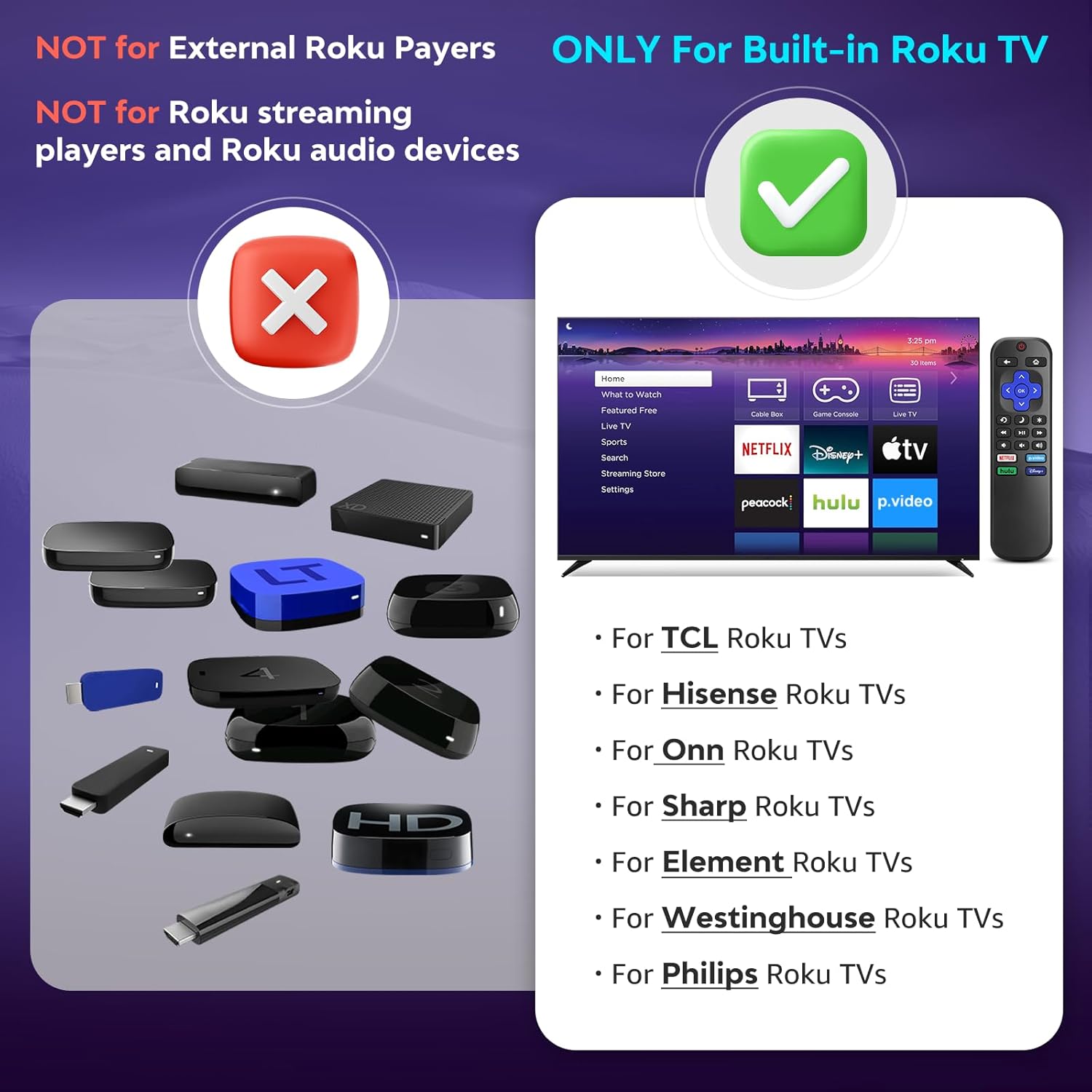
1.1-сүрөт: Шайкештик аяктадыview. The remote is compatible with TVs that have Roku built-in, but not with standalone Roku streaming devices.
2. Орнотуу
2.1 Батареяны орнотуу
- Пульттун артындагы батарея отсегин табыңыз.
- Батареянын капкагын ачуу үчүн ылдый жылдырыңыз.
- Insert two (2) AAA alkaline batteries, ensuring the positive (+) and negative (-) terminals match the diagrams inside the compartment.
- Батареянын капкагын бекем чыккыча ордуна жылдырыңыз.
Эскертүү: Батареялар алыстан башкаруу пульту менен кошо берилбейт.
2.2 Алгачкы колдонуу
This Angrox Universal Remote Control requires no programming or pairing. Once batteries are correctly installed, it is ready for immediate use with your compatible Roku Built-in TV.

Image 2.1: Battery installation guide. The remote requires two AAA batteries and no setup.
3. Иштөө нускамалары
The remote control features a standard layout for intuitive navigation and control of your Roku Built-in TV.
3.1 Баскыч функциялары бүттүview

Image 3.1: Detailed button layout and functions of the Angrox Universal Remote Control.
- TV Power (Red Button): Телевизорду күйгүзөт же өчүрөт.
- Артка: Мурунку экранга же менюга кайтат.
- Үй: Navigates to the Roku home screen.
- Багыттоочу панель (өйдө, ылдый, солго, оңго) жана OK: Менюда навигация жана тандоо үчүн колдонулат.
- Уйку режими: Телевизордун уйку таймери функциясын иштетет.
- Ыкчам кайталоо: Видеону ойнотуу учурунда бир нече секунд артка жылдырылат.
- Параметрлер: Accesses context-sensitive options or settings.
- Rewind Scan (RWD Scan): Видеону ойнотууну артка түрдүрөт.
- Ойнотуу/тындыруу: Видео мазмунду ойнотот же тындырат.
- Fast Forward Scan (FWD Scan): Видеону алдыга жылдырып ойнотуу.
- Үндү башкаруу (+/-): Телевизордун үнүн тууралайт.
- Үнсүз: Телевизордун үнүн өчүрөт же үнүн чыгарат.
3.2 Жарлык баскычтары
The remote includes four dedicated shortcut buttons for quick access to popular streaming services:
- NETFLIX
- p.video (Prime Video)
- hulu
- Disney+
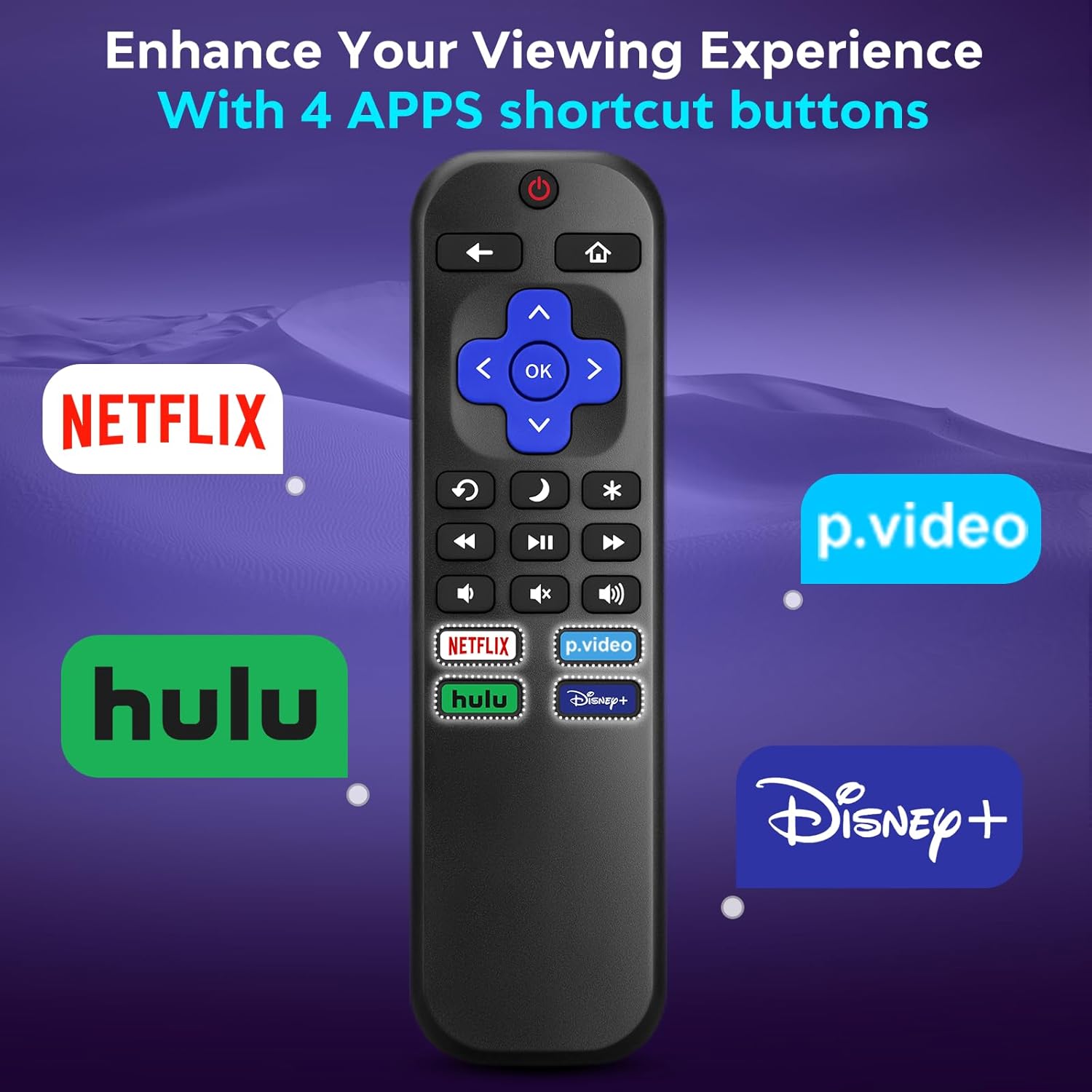
Image 3.2: The remote features dedicated shortcut buttons for popular streaming services.
3.3 Аткаруу
The remote operates using infrared technology, providing a sensitive response and precise control. It has an effective transmission distance of up to 10 meters (32 feet).

Image 3.3: The remote offers fast response and a wide transmission range.
4. Техникалык тейлөө
4.1 Тазалоо
To clean your remote control, gently wipe it with a soft, dry cloth. For stubborn dirt, slightly dampen the cloth with water. Avoid using harsh chemicals, abrasive cleaners, or solvents, as these can damage the remote's surface or internal components.
4.2 Батареяны алмаштыруу
Replace batteries when the remote's response becomes sluggish or it stops functioning. Always replace both AAA batteries at the same time with new ones. Do not mix old and new batteries, or different types of batteries.
4.3 Сактоо
When not in use for extended periods, it is recommended to remove the batteries to prevent leakage, which could damage the remote. Store the remote in a cool, dry place away from direct sunlight and extreme temperatures.
The remote is constructed from high-quality ABS plastic and silicone for durability.
5. Кыйынчылыктарды
- Пульт жооп бербей жатат:
- Батареялар туура полярдуулук менен туура салынганын текшериңиз.
- Эски батарейкаларды жаңы AAA щелочтуу батарейкаларына алмаштырыңыз.
- Check for any obstructions between the remote and the TV's infrared sensor. Ensure a clear line of sight.
- Пульттун түз телевизорго багытталганын текшериңиз.
- Пульт айрым функцияларды гана башкарат:
- This remote is designed for Roku Built-in TVs. Ensure your TV has Roku integrated and is not an external Roku player connected to a standard TV.
- Some advanced TV functions not directly related to Roku may not be supported by this universal remote.
- TV does not turn on/off:
- Confirm the TV is plugged into a power source and is not in a deep sleep mode that requires a manual power button press on the TV itself.
6. Техникалык шарттар
| Өзгөчөлүк | Деталь |
|---|---|
| Бренд | Angrox |
| Модел | B0DW7SW5C4 |
| Өзгөчөлүктөр | Ergonomic, No Programming Required, Universal |
| Түс | Кара |
| Колдоого алынган түзмөктөрдүн максималдуу саны | 1 (Roku Built-in TV) |
| Шайкеш түзмөктөр | Television (Roku Built-in TVs: TCL, ONN, Hisense, Sharp, Element, Westinghouse, Philips, etc.) |
| Power Source | 2 x AAA Батареялар (киргизилген эмес) |
| Технология | Инфракызыл (IR) |
| Операциялык аралык | 10 метрге чейин (32 фут) |
| Материал | High-quality ABS plastic and silicone |
7. Кепилдик жана колдоо
For warranty information, please refer to the documentation provided with your purchase or contact your retailer. Angrox is committed to providing quality products and customer satisfaction.
For further assistance or inquiries, please visit the official Angrox store on Amazon: Ангрокс дүкөнү.
