1. Продукт бүтүп калдыview
The APEXEL 36X Telephoto Lens Kit enhances your smartphone's photographic capabilities, allowing for high-magnification photography of distant subjects. It can also function as a monocular.

Image: The APEXEL 36X Telephoto Lens Kit, including the lens, smartphone clip, and tripod.
Пакеттин мазмуну:
- 36X телефото объектив
- Special All-Metal Tripod
- Сактоочу баштык
- Dust-Proof Lens Cover
- Special Mobile Phone Holder
- Fixed Ring
- Көз боёгу
- Көп тилдүү инструкция
- Тазалоочу кездеме

Image: Visual representation of all items included in the APEXEL 36X Telephoto Lens Kit package.
2. Орнотуу нускамалары
Follow these steps to properly set up your APEXEL 36X Telephoto Lens Kit with your smartphone.
- Prepare the Phone Holder: If your phone has a convex camera or you use a phone case, use the provided EVA pads to fill any gaps between the phone and the clamp коопсуз туура үчүн.
- Телефонду салыңыз: Place your smartphone into the mobile phone holder. Ensure the holder's 17mm threaded hole aligns with your phone's main camera. If your phone has multiple cameras, identify the primary lens for optimal alignment.
- Install the Telephoto Lens: Screw the telephoto lens clockwise into the 17mm threaded hole on the phone holder.
- Attach the Fixed Ring: Secure the fixed ring onto the telephoto lens.
- Install the Tripod: Screw the tripod into the 1/4 inch connector of the fixed ring.
- Adjust the Tripod: Unfold the tripod and adjust its height as needed. Tighten the side knob to fix the rotation shaft. Adjust the ball joint rotation shaft according to the desired angle and tighten the knob on its side.

Image: Visual guide for installing the phone holder, lens, and tripod.

Сүрөт: Мисamples of primary lens locations for different smartphone models to aid in proper alignment.
3. Иштөө нускамалары
Focusing the Lens:
To achieve a clear image, slowly rotate the focus ring on the telephoto lens until the subject is sharp. For high magnification, using the tripod is recommended to minimize camera shake and ensure stable focusing.
Using as a Monocular:
The 36X telephoto lens can be used independently as a monocular. Attach the included eyeshade to the eyepiece for comfortable viewing.

Image: The telephoto lens being used as a standalone monocular with an attached eyecup.
Adjusting for Black Corners (Vignetting):
When using the telephoto lens, you may observe black corners (vignetting) in your phone's camera preview. This is normal. Simply zoom in slightly on your phone's camera interface until the black corners disappear from the frame.

Image: Demonstrates adjusting the phone's zoom to eliminate black corners when using the external lens.
Smartphone Macro Control Settings:
For optimal performance, especially with newer phone models, adjust your smartphone's macro control settings.
- For iPhone (13 and newer): Navigate to Settings > Camera. Turn off 'Macro Control' and ensure you are using the main camera.
- For Samsung Galaxy (S22, S23 Ultra): Open the camera app. Tap the close-up focus enhancement icon (if illuminated yellow, it is active) to disable it.

Image: Step-by-step visual guide for adjusting macro control settings on iOS and Android devices.
4. Техникалык тейлөө
Proper maintenance ensures the longevity and performance of your telephoto lens kit.
Линзаларды тазалоо:
Use the provided cleaning cloth to gently wipe the lens surfaces. Ensure the cloth is free of dust and particles before cleaning to avoid scratching the lens. For stubborn smudges, a specialized eyeglass cleaning solution can be used with the cloth.
Сактагыч:
When not in use, store the telephoto lens and accessories in the provided storage bag to protect them from dust, moisture, and physical damage.
5. Кыйынчылыктарды
Төмөнкү жалпы маселелерди жана аларды чечүү жолдорун караңыз:
- Q1: Why are photos easily blurred when shooting with a high-powered lens?
- A1: Blurring is typically caused by handheld shaking, low light conditions, or inaccurate focusing. It is recommended to fix the phone with a tripod, manually rotate the focus ring slowly to adjust until the picture is clear, and prioritize shooting in a well-lit environment.
- Q2: What should I do if I always feel out of focus after installing the lens?
- A2: The depth of field for high-magnification lenses is shallow, making it easy to lose focus with slight movement. Ensure the phone and lens fit perfectly, with the main camera aligned with the center of the lens. Maintain a stable shooting distance.
- Q3: The lens is easy to loosen or fall off when mounted on the cell phone, how to solve it?
- A3: This may occur if the size of the cell phone does not match the fixture (e.g., excessive camera protrusion, thick phone case, or small phone size). Ensure your phone model is compatible. Use the provided silicone spacers to fill any gaps and tighten the fixture screws for a secure fit.
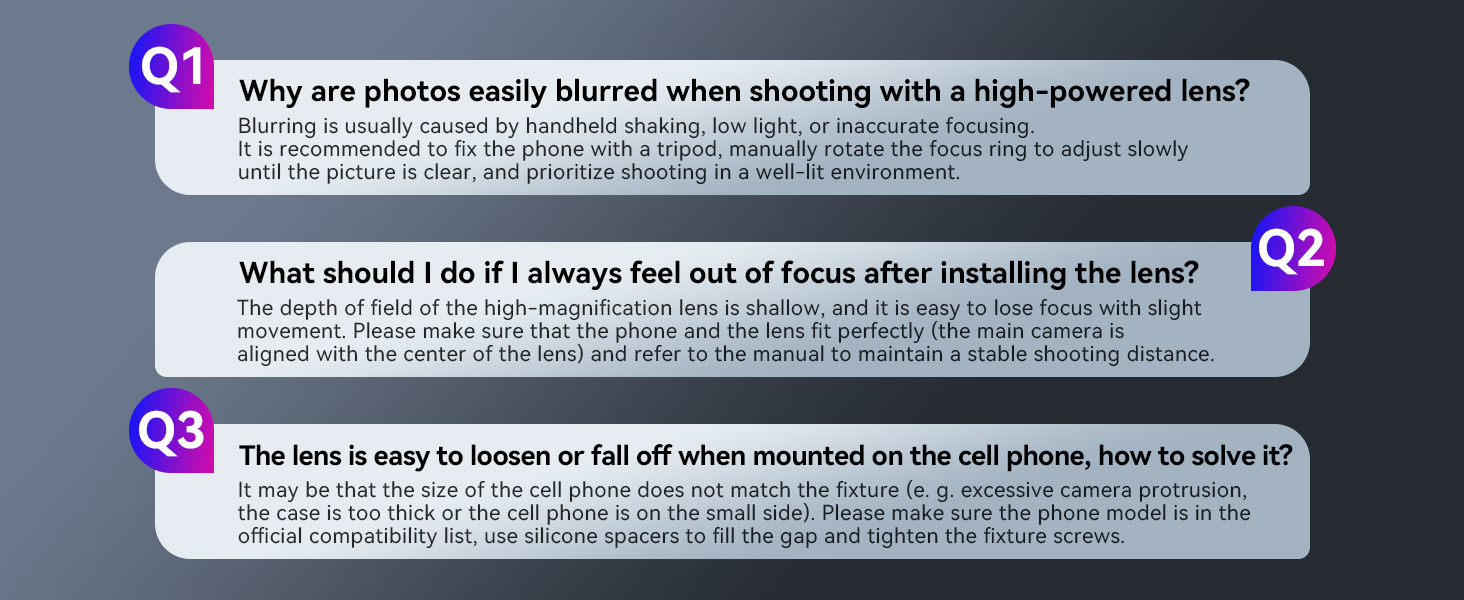
Image: Visual representation of common questions and answers regarding lens usage and stability.
6. Техникалык шарттар
| Өзгөчөлүк | Спецификация |
|---|---|
| Продукциянын өлчөмдөрү | 7.84 x 2.03 x 2.03 дюйм |
| Элемент Салмагы | 1.68 фунт |
| Бренд | APEXEL |
| Линзанын түрү | Телефото |
| Шайкеш орнотуулар | iPhone, Android (Universal Clip) |
| Камера объективинин сүрөттөлүшү | Телефото линза |
| Линзанын дизайны | Чоңойтуу |
7. Кепилдик жана колдоо
APEXEL is committed to customer satisfaction. If you encounter any issues or have questions regarding your 36X Telephoto Lens Kit, please contact APEXEL customer support. Support is available even after the standard Amazon return period.


