1. Киришүү
Thank you for choosing the Chuboor P13 Handheld Cordless Vacuum Cleaner. This versatile device is designed to provide efficient cleaning and utility with its 6-in-1 multifunctional capabilities, including vacuuming, blowing, inflating, air extraction, flashlight, and SOS light. This manual provides essential information for safe operation, setup, maintenance, and troubleshooting to ensure optimal performance and longevity of your product.
2. Коопсуздук нускамалары
- Колдонуудан мурун бардык нускамаларды окуп чыгыңыз.
- Keep the vacuum away from water or other liquids. Do not use in wet conditions.
- Тез күйүүчү же күйүүчү материалдарды, ысык күлдү же курч буюмдарды чаң соргуч менен тазалабаңыз.
- Иштетүүдөн мурун чыпканын туура орнотулганын текшериңиз.
- Балдарга вакуумду иштетүүгө жол бербеңиз.
- Use only the provided charging cable and ensure the power source matches the specifications.
- Иштеп жаткан учурда аба кирүүчү же чыгуучу жерлерди жаап салбаңыз.
- If the vacuum is damaged, do not attempt to repair it yourself. Contact customer support.
3. Пакеттин мазмуну
Сураныч, пакетте төмөнкү нерселерди текшериңиз:
- Chuboor P13 Handheld Cordless Vacuum Cleaner Unit
- 2-in-1 Nozzle (Crevice Tool & Brush)
- Long Hose Attachment
- Inflation Nozzles (Small, Medium, Large, Silicone)
- C түрүндөгү кубаттоочу кабель
- Жуулуучу HEPA чыпкасы (алдын ала орнотулган)
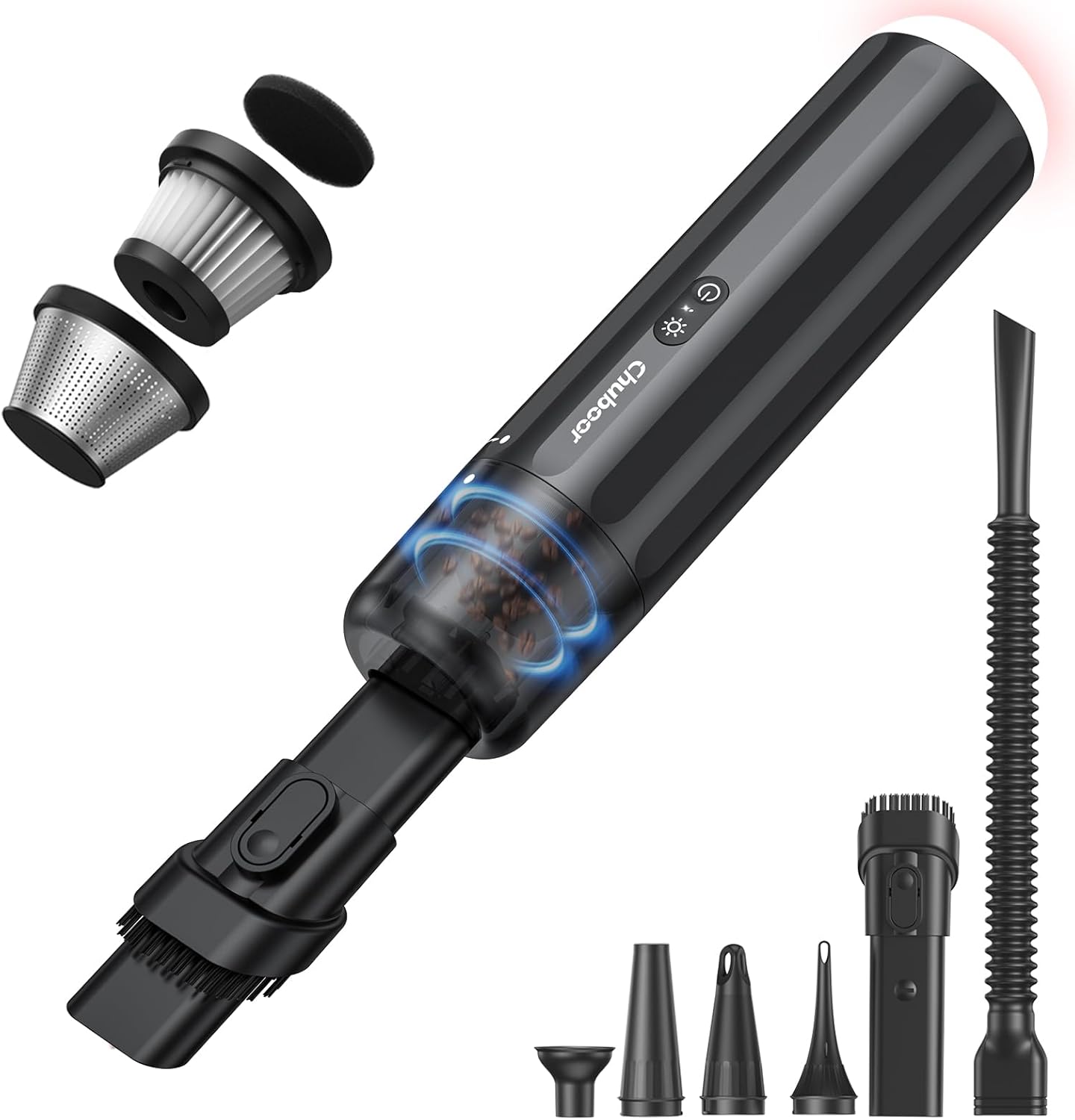
This image displays the main vacuum unit along with its various attachments, including the 2-in-1 nozzle, long hose, and multiple inflation nozzles, as well as the internal filter components.
4. Продукт бүтүп калдыview
The Chuboor P13 features a compact design with intuitive controls. Key components include the main unit, dust cup, power button, mode button, and LED light.

This image illustrates the main vacuum body and the different types of nozzles that can be attached for various functions, highlighting the modular design.
5. Орнотуу
5.1 Алгачкы заряддоо
Before first use, fully charge the vacuum cleaner. Connect the provided Type-C charging cable to the vacuum's charging port and plug the other end into a compatible USB power adapter (not included), car charger, or power bank. A full charge typically takes approximately 3 hours.
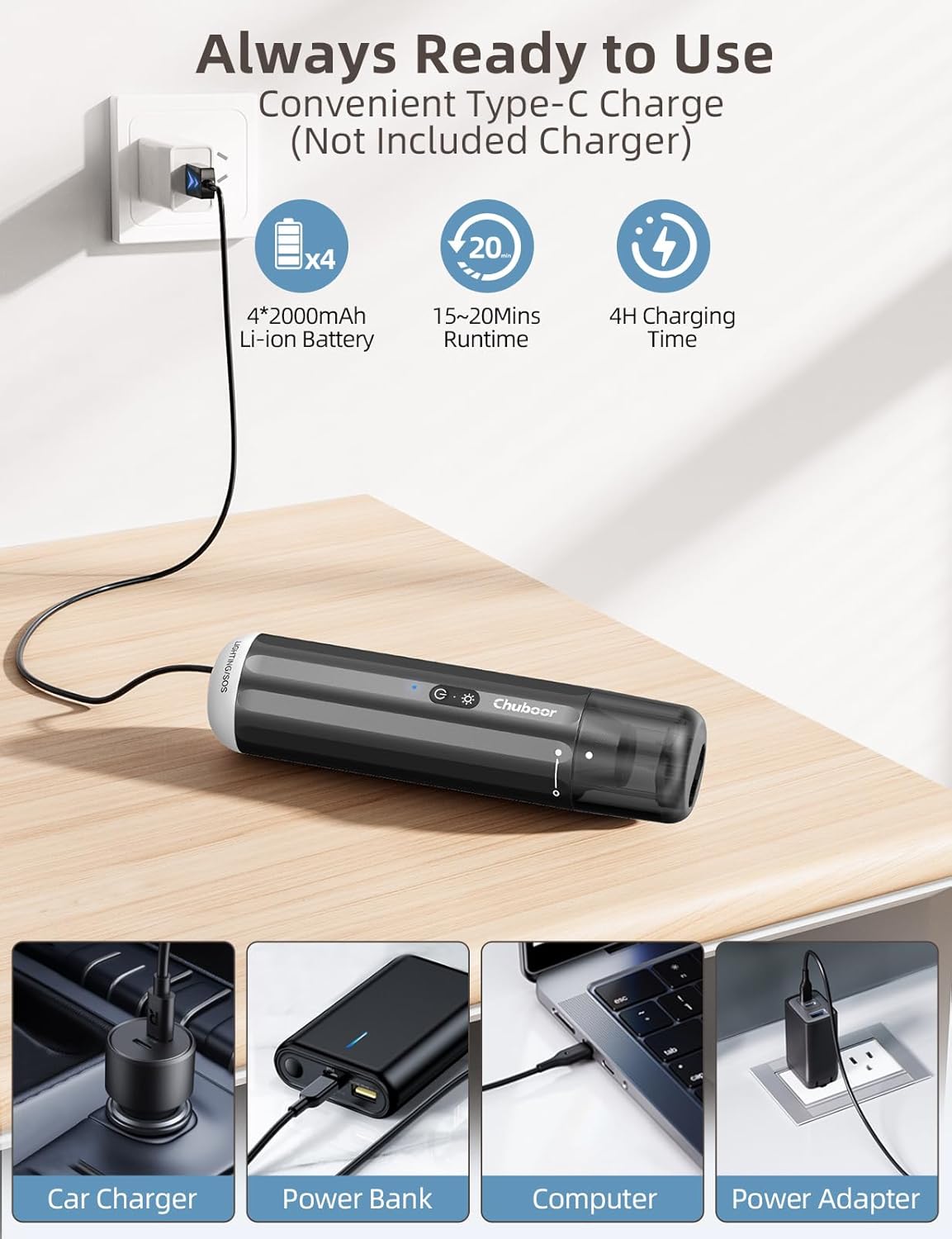
This image shows the vacuum being charged via a Type-C cable, illustrating different charging methods such as a wall adapter, car charger, power bank, and computer.
5.2 Соплолорду бекитүү
Select the appropriate nozzle for your cleaning task. Align the nozzle with the vacuum's intake and push firmly until it clicks into place. To remove, pull the nozzle away from the vacuum.
6. Иштөө нускамалары
6.1 Күйгүзүү/өчүрүү жана соргуч режимдери
- Press the power button once to turn on the vacuum in the standard suction mode (9kPa, approx. 25 minutes runtime).
- Press the power button a second time to switch to high suction mode (14kPa, approx. 15 minutes runtime).
- Чаң соргучту өчүрүү үчүн кубат баскычын үчүнчү жолу басыңыз.
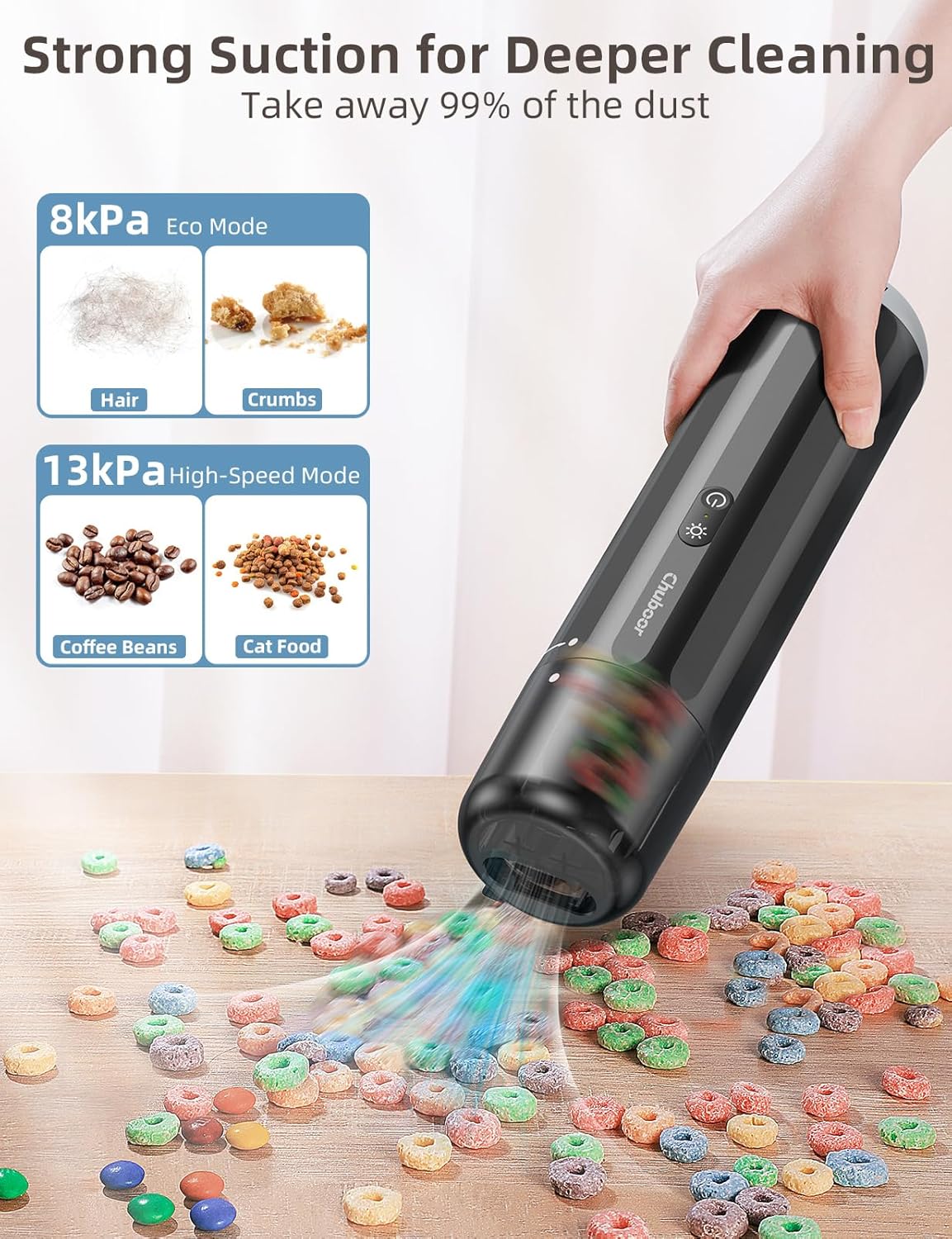
This image illustrates the two suction modes, showing their effectiveness on different types of debris, from hair and crumbs to coffee beans and cat food.
6.2 Көп функциялуу колдонуу
The Chuboor P13 offers six distinct functions:
- Чаң соргуч: Use the appropriate nozzle (crevice, brush, or long hose) to clean dust, crumbs, pet hair, and debris from various surfaces, including car interiors, furniture, and tight spaces.
- Үлдөө: Attach the nozzle to the exhaust port to use the vacuum as a mini blower for clearing dust from keyboards, camera lenses, or starting campөрт.
- Үстүрүү: Use the specialized inflation nozzles to inflate items such as air mattresses, pool floats, and sleeping pads.
- Air Extraction (Wireless Compressor): Attach the silicone nozzle to the exhaust port to compress air from storage bags, optimizing space.
- Кол чырак: Press the light button once to activate the low-level flashlight. Press again for high-level brightness.
- SOS жарыгы: Press the light button a third time to activate the flashing SOS emergency light. Press a fourth time to turn off the light.

Бул сүрөт ар тараптуу камсыз кылатview of the vacuum's six functions, showing it in action for each use case, from cleaning pet litter to inflating items and providing emergency lighting.

This image demonstrates the effective use of the crevice nozzle, brush nozzle, and long hose for cleaning various surfaces and tight spots.
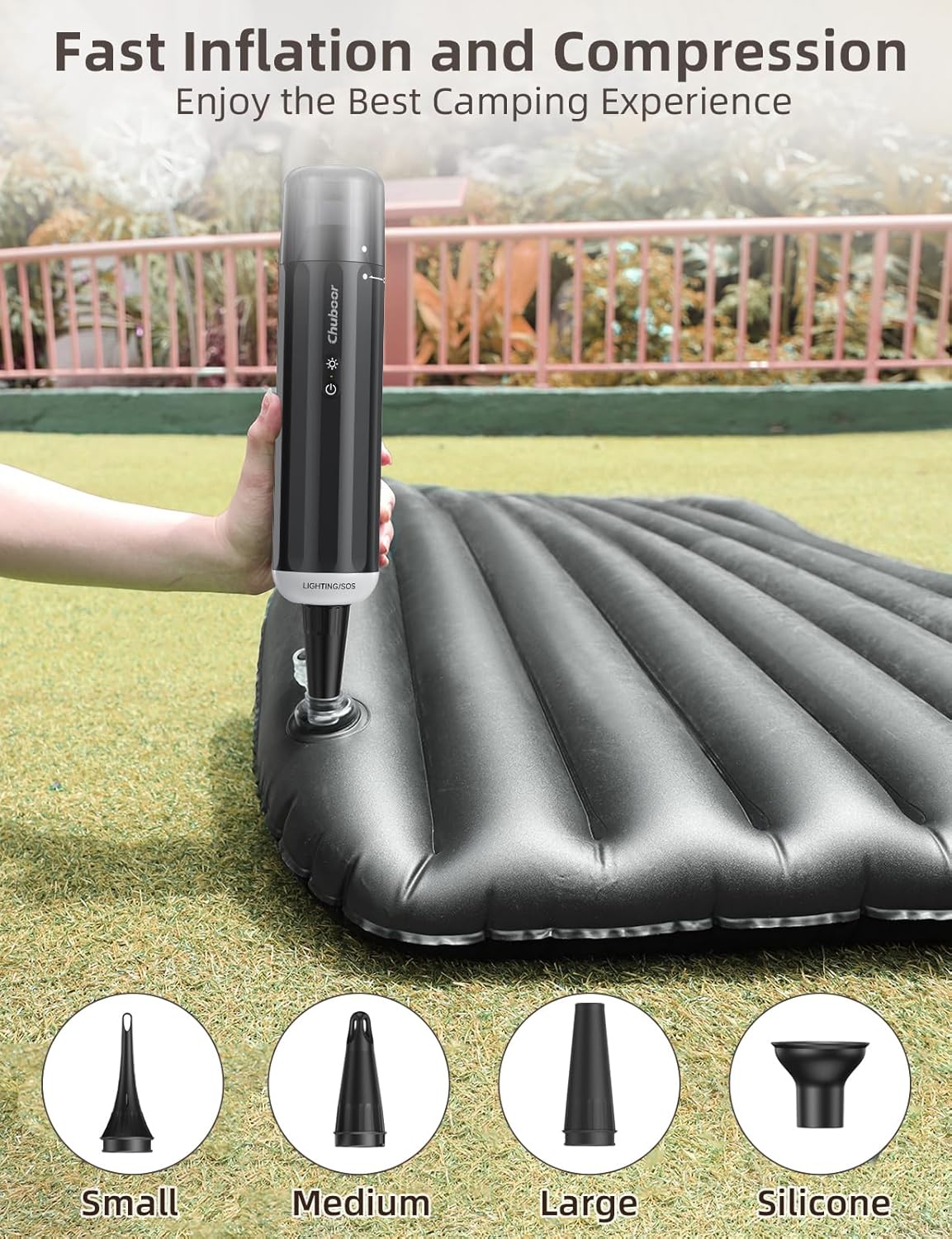
This image highlights the inflation capability of the vacuum, showing it inflating an air mattress and detailing the different nozzle sizes available for various inflatable items.

This image demonstrates the flashlight function for detailed inspection and the SOS emergency light for roadside safety.
7. Техникалык тейлөө
Regular maintenance ensures the longevity and optimal performance of your Chuboor P13 vacuum cleaner.
7.1 Чаң чөйчөгүн бошотуу
- Вакуум өчүрүлгөнүн текшериңиз.
- Locate the dust cup release button/mechanism (often a single click).
- Remove the dust cup and empty its contents into a trash receptacle.
7.2 HEPA чыпкасын тазалоо
The Chuboor P13 features a washable 3-stage filtration HEPA filter.
- After emptying the dust cup, gently twist and pull out the filter system from the dust cup.
- Separate the HEPA filter from the metal pre-filter.
- Rinse both the HEPA filter and the metal pre-filter under running water until clean.
- Allow all filter components to air dry completely before reassembling and placing them back into the vacuum. Do not use the vacuum with wet filters.
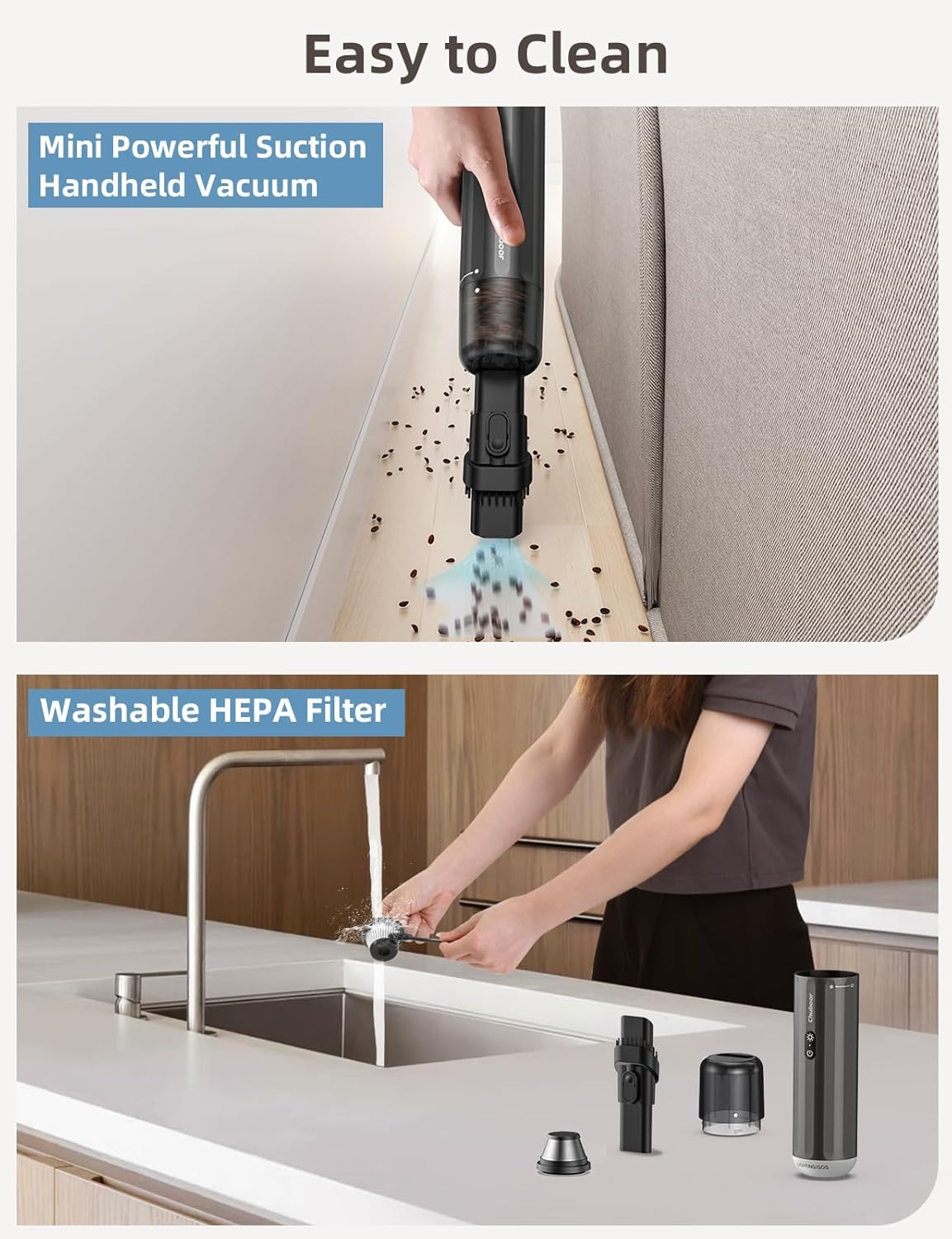
This image shows the vacuum in action and provides a visual guide to cleaning the washable HEPA filter, emphasizing the ease of maintenance.

This image provides a clear, step-by-step visual instruction for the entire cleaning and maintenance process of the vacuum and its filter system.
8. Кыйынчылыктарды
If you encounter any issues with your Chuboor P13, please refer to the following common problems and solutions:
| Көйгөй | Мүмкүн себеп | Чечим |
|---|---|---|
| Вакуум күйбөйт | Батареянын аздыгы; Кубат баскычы туура басылган жок | Charge the vacuum fully; Press the power button firmly. |
| Соруу күчү начар | Dust cup full; Filter clogged; Nozzle blocked | Empty the dust cup; Clean or replace the filter; Clear any blockages from the nozzle. |
| Кыска иштөө убактысы | Battery not fully charged; Using high suction mode continuously | Ensure battery is fully charged; Use standard suction mode for longer runtime. |
| Жарык иштебейт | Light button not pressed correctly; Low battery | Press the light button firmly multiple times; Charge the vacuum. |
9. Техникалык шарттар
| Өзгөчөлүк | Деталь |
|---|---|
| Бренд | Чубор |
| Модель аты | P13 |
| Соруу күчү | 14kPa (High Mode), 9kPa (Standard Mode) |
| Мотор күчү | 120W щеткасыз мотор |
| Батарея | 8000mAh Lithium-ion (4*2000mAh) |
| Заряддоо убактысы | Болжол менен 3 саат (С түрү) |
| Runtime | 15 minutes (High Mode), 25 minutes (Standard Mode) |
| Чыпка түрү | 3-сtage filtration HEPA |
| Чаң чөйчөктүн сыйымдуулугу | 150 миллилитр |
| Салмагы | 1.3 фунт |
| Продукциянын өлчөмдөрү | 2"L x 2"W x 12"H |
| Ызы-чуу деңгээли | 65 дБ |
| Өзгөчөлүктөр | Compact, HEPA, Portable, 6-in-1 (Vacuum, Blower, Inflator, Air Extraction, Flashlight, SOS) |

This image visually summarizes the main technical specifications and features of the Chuboor P13 vacuum cleaner.
10. Кепилдик жана колдоо
Chuboor products are designed for reliability and performance. For warranty information, product support, or any inquiries, please refer to the contact information provided with your purchase or visit the official Chuboor webсайт. Кепилдик дооматтары үчүн сатып алганыңыздын далилин сактап коюңуз.


