1. Киришүү
This user manual provides comprehensive instructions for the AOBOCAM Mini Home Security Camera Q18. It covers setup, operation, maintenance, and troubleshooting to ensure optimal performance and longevity of your device. The Q18 is a compact, high-resolution camera designed for indoor monitoring, featuring 4K video capability, night vision, and intelligent motion detection.
2. Продукт бүтүп калдыview
2.1 Камтылган компоненттер
- AOBOCAM Mini Camera Q18
- USB заряддоо кабели
- Монтаждоочу стенд
- Көрсөтмө (бул документ)
2.2 Camera Features and Parts
The AOBOCAM Q18 is designed for discreet and effective monitoring. Below are key features and a visual representation of its components.

2.2.1-сүрөт: AOBOCAM Mini Home Security Camera Q18. This image displays the compact camera alongside a smartphone illustrating its 4K video capabilities and wireless connectivity icons.
2.2.2-сүрөт: Деталдаштырылган view of the AOBOCAM Q18 camera. This image highlights the camera's lens, indicator lights, USB port, and reset button for user reference.
- Объектив: High-resolution 4K lens with a 120-degree viewбурч.
- Индикатор жарыгы: Displays camera status (e.g., charging, recording, Wi-Fi connection).
- USB порт: For charging and continuous power.
- Калыбына келтирүү баскычы: Камераны заводдук жөндөөлөргө кайтаруу үчүн колдонулат.
- Микро SD карта слоту: Жергиликтүү сактагыч үчүн 256 ГБ чейин колдойт (карта кошулган эмес).
3. Орнотуу колдонмосу
3.1 Камераны заряддоо
Before initial use, fully charge the camera using the provided USB cable and a 5V 1A power adapter. A full charge provides approximately 6-8 hours of continuous use. For 24/7 monitoring, keep the camera plugged in.
3.2 Колдонмону жүктөп алуу жана орнотуу
Download the official AOBOCAM application from your smartphone's app store (iOS or Android). Издөө "AOBOCAM" or refer to the QR code provided in the quick start guide included with your camera.
3.3 Wi-Fi жана Bluetooth туташуу
The Q18 camera supports 2.4GHz Wi-Fi for remote viewing and Bluetooth for quick initial setup.
- 1-кадам: Sign into the AOBOCAM app. If you don't have an account, register a new one.
- 2-кадам: Turn on the Q18 camera by pressing and holding the power button until the indicator light illuminates.
- 3-кадам: In the app, select "Add Device" and follow the on-screen instructions to connect the camera to your 2.4GHz Wi-Fi network. The app will guide you through the Bluetooth pairing process for a simpler connection.
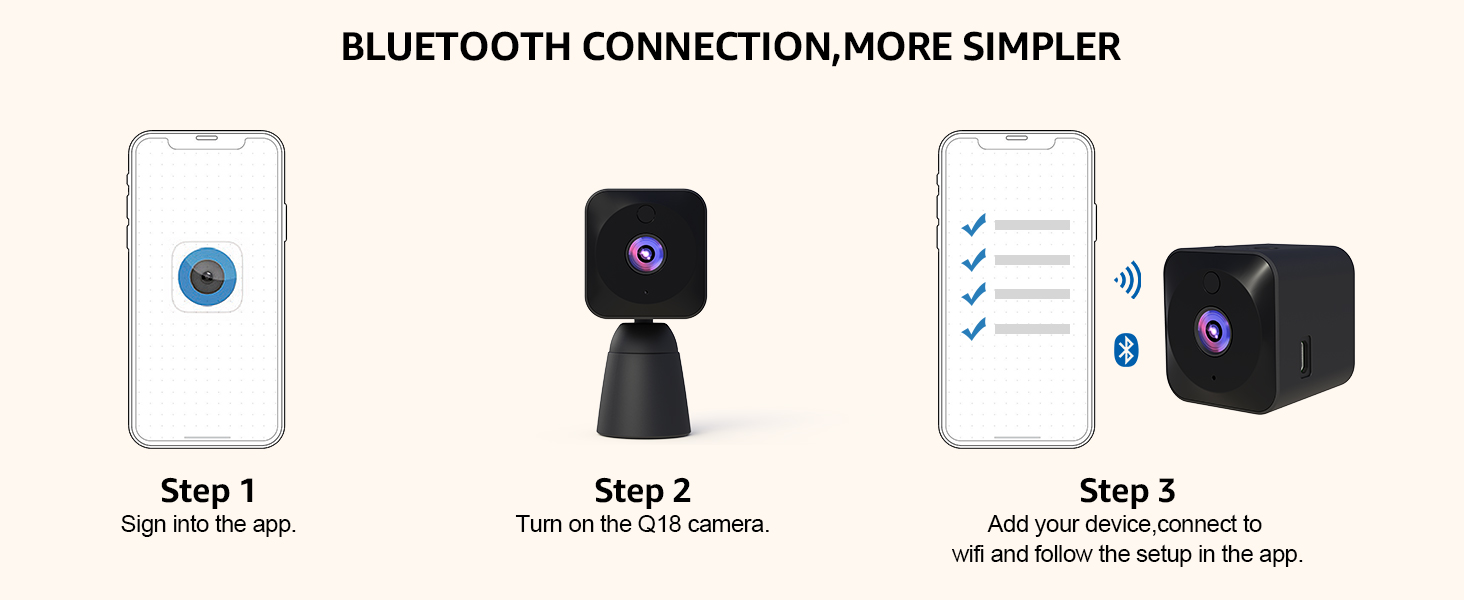
3.3.1-сүрөт: Bluetooth Connection Steps. This diagram illustrates the three-step process for connecting the AOBOCAM Q18 camera via Bluetooth and Wi-Fi using the mobile application.
3.4 Орнотуу жана орнотуу
The compact design of the Q18 allows for versatile placement. Use the included stand for freestanding placement or mount it discreetly on shelves, walls, or desks. Ensure the camera has a clear line of sight to the area you wish to monitor.

3.4.1-сүрөт: Multi-Scene Installation. This image demonstrates various discreet placement options for the AOBOCAM Q18 camera, including on a shelf, wall, sofa, desk, and curtain.
4. Иштөө нускамалары
4.1 Live View жана Жаздыруу
Once connected, open the AOBOCAM app to access the live video feed from your camera. You can initiate manual recordings or capture screenshots directly from the app interface.

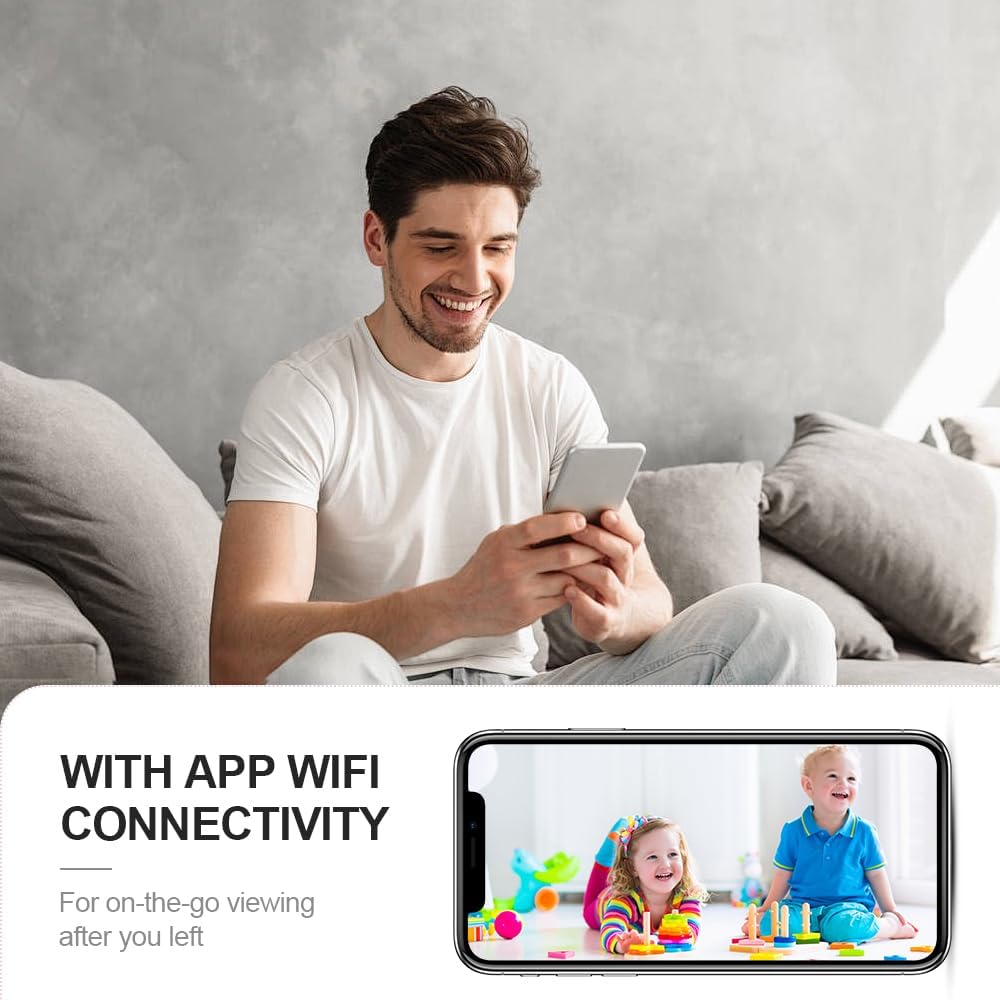
4.1.1-сүрөт: App Wi-Fi Connectivity. This image shows a user viewing a live feed of children on their smartphone, demonstrating the camera's app and Wi-Fi connectivity for on-the-go viewing.

4.1.2-сүрөт: View Video Recordings Anytime, Anywhere. This image illustrates the app interface for viewing live and recorded video, with options for micro SD card and cloud storage.
4.2 4K Ultra HD Image Resolution
The Q18 camera captures video at a maximum resolution of 4K, providing clear and detailed images. Its True Wide Dynamic (TURE-WDR) technology enhances image quality in varying light conditions.

4.2.1-сүрөт: 4K Ultra HD Image. This comparison shows the superior clarity, vivid colors, and lack of color cast in 4K resolution compared to 2K, emphasizing the camera's high-resolution capabilities.
4.3 Интеллектуалдык кыймылды аныктоо
The camera features AI smart motion detection. When motion is detected, the camera automatically records and sends instant alerts to your phone. This system is designed to minimize false alarms by distinguishing significant movements.

4.3.1-сүрөт: Perfect Motion Detection Alarms. This image depicts a scenario where motion detection alerts a user to an intruder, emphasizing the camera's real-time security monitoring capabilities.

4.3.2-сүрөт: AI Smart Motion Detection. This image shows the camera and a smartphone displaying instant alerts triggered by motion, with dogs in the background, illustrating the smart detection feature.
4.4 Excellent Night Vision
Equipped with a starlight sensor and efficient LED infrared light, the Q18 provides clear and rich visual experiences even in low-light or complete darkness, with a night vision range of up to 6 meters.

4.4.1-сүрөт: Amazing 4K HD Video Image Resolution with Night Vision. This image compares day and night vision footage of a sleeping child, demonstrating the camera's ability to capture clear images in both conditions.

4.4.2-сүрөт: HD Night Vision. This image shows a woman viewing a clear night vision feed of a sleeping child on her phone, highlighting the camera's capability to see clearly even in darkness.
4.5 Video Sharing and Privacy
The AOBOCAM app allows you to share camera access with friends and family. You can manage user permissions, set/change passwords, and delete access to protect your home privacy.

4.5.1-сүрөт: Multi-User Access. This image illustrates multiple users simultaneously accessing camera feeds from their smartphones, demonstrating the sharing feature of the AOBOCAM Q18.
5. Техникалык тейлөө
Туура техникалык тейлөө AOBOCAM Q18 камераңыздын узак мөөнөттүү иштешин жана оптималдуу иштешин камсыз кылат.
- Тазалоо: Камера линзасын жана корпусун тазалоо үчүн жумшак, кургак чүпүрөктү колдонуңуз. Абразивдүү тазалоочу каражаттарды же эриткичтерди колдонбоңуз.
- Батареяга кам көрүү: To protect the battery, it is recommended to use a 5V 1A plug for charging. Avoid extreme temperatures that can affect battery life.
- Программалык камсыздоо жаңыртуулары: Regularly check the AOBOCAM app for firmware updates to ensure your camera has the latest features and security enhancements.
6. Кыйынчылыктарды
If you encounter issues with your AOBOCAM Q18, refer to the following common problems and solutions.
| Көйгөй | Мүмкүн себеп | Чечим |
|---|---|---|
| Камера Wi-Fi'га туташпай жатат | Incorrect Wi-Fi password, 5GHz network, camera too far from router. | Ensure correct 2.4GHz Wi-Fi network and password. Move camera closer to router. Reset camera and try again. |
| Сүрөттүн сапаты начар | Кир линза, жарыктын жетишсиздиги, тармактын өткөрүү жөндөмдүүлүгү маселелери. | Clean the lens. Ensure adequate lighting or enable night vision. Check your internet connection speed. |
| Кыймылды аныктоо эскертмелери өтө тез-тез/сейрек кездешет | Sensitivity settings, environmental factors. | Adjust motion detection sensitivity in the app. Ensure camera is not facing areas with constant, irrelevant movement (e.g., tree branches swaying). |
| Батарея бат эле түгөнөт | Continuous recording, frequent motion detection, night vision always on. | For extended use, keep the camera plugged in. Optimize settings for motion detection and night vision to conserve battery. |
If problems persist, please contact AOBOCAM customer support for further assistance.
7. Техникалык шарттар
| Өзгөчөлүк | Деталь |
|---|---|
| Модель аты | Q18 |
| Видео тартуунун резолюциясы | 4K (3840 effective video resolution) |
| Viewбурч | 120 градус |
| Түнкү көрүү диапазону | 6 метр |
| Frame Rate | 30 кадр/сек |
| Байланыш технологиясы | 2.4GHz router Wi-Fi, Bluetooth, Cellular (hotspot) |
| Power Source | Battery Powered (1400mAh Lithium Polymer, included) |
| Батареянын иштөө мөөнөтү | 6-8 hours (continuous use); 4-5 hours (with night vision & motion detection) |
| Сактагыч | Supports micro SD card up to 256GB (not included), Cloud storage support |
| Өзгөчөлүктөр | HD Resolution, Motion Sensor, Night Vision, Portable |
| Ички/тышкы колдонуу | Indoor |
| Өлчөмдөрү (L x W x Y) | 30 x 40 x 40 миллиметр (3 x 4 x 4 см) |
| Элемент Салмагы | 150 г |
| Материал | Пластик |
| Түс | Кара |
8. Кепилдик жана колдоо
8.1 Кепилдик маалыматы
The AOBOCAM Mini Home Security Camera Q18 comes with a 1 жылдык кепилдик сатып алынган күндөн тартып. Бул кепилдик өндүрүштүк кемчиликтерди жана нормалдуу колдонуудагы бузулууларды камтыйт. Кепилдик дооматтары үчүн сатып алганыңыздын далилин сактап коюңуз.
8.2 Кардарларды колдоо
For technical support, warranty claims, or any questions regarding your AOBOCAM Q18 camera, please refer to the contact information provided in the packaging or visit the official AOBOCAM website. Our support team is available to assist you.


