1. Киришүү
The GardePro E8PWF is a high-performance Wi-Fi trail camera designed for capturing wildlife activity and for security monitoring. It features 48MP still image resolution, 1296p video recording, Bluetooth connectivity, and an 8000mAh rechargeable battery. Its color night vision with white flash technology provides detailed nighttime captures. This manual provides essential information for setting up, operating, and maintaining your camera.
2. Пакеттин мазмуну
Сураныч, пакеттин мазмунун текшерип, бардык буюмдар бар экенин текшериңиз:
- GardePro E8PWF Wi-Fi Trail Camera
- 8000mAh Rechargeable Lithium Battery Pack
- Монтаждоо боосу
- USB кабели
- User Manual
3. Продукт бүтүп калдыview
Familiarize yourself with the main components of your GardePro E8PWF camera.

3.1-сүрөт: Фронт view of the GardePro E8PWF camera alongside a smartphone showing the camera's app interface with captured images.
3.1 алдыңкы панели
- Объектив: Негизги камеранын линзасы.
- PIR сенсорлору: Passive Infrared sensors for motion detection.
- White Flash LEDs: Түнкүсүн түстүү көрүү үчүн.
- Инфракызыл диоддор: For adaptive infrared illumination.
- Антенна: For Wi-Fi and Bluetooth connectivity.
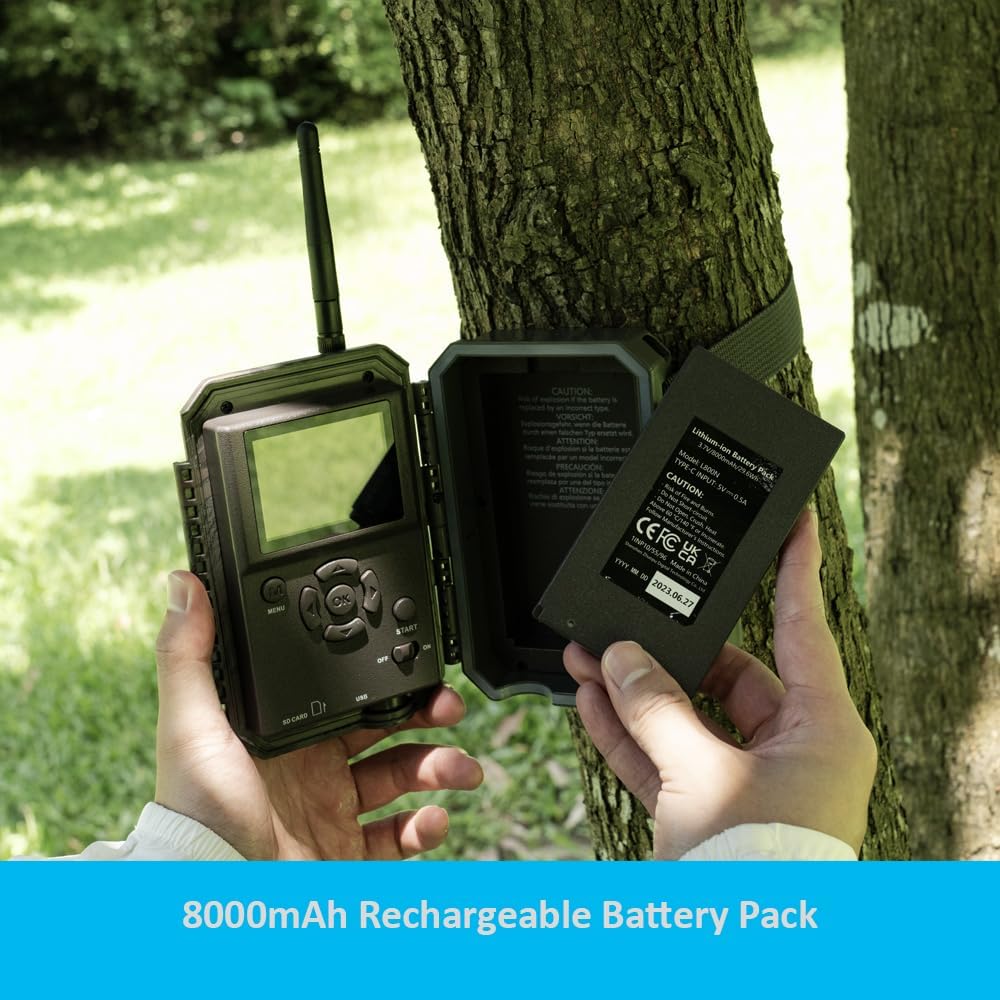
3.2 Inside Panel
- 2.4" Color Screen: For menu navigation and image/video playback.
- Башкаруу баскычтары: Menu, OK, Navigation (Up/Down/Left/Right), Shot, Playback.
- SD карта уячасы: Supports up to 512GB SDHC/SDXC card (not included).
- USB порт: For connecting to a computer or external power.
- Батарея бөлүмү: Заряддалуучу батарея топтомун камтыйт.
3.2-сүрөт: Open camera showing the internal screen, control buttons, and the battery compartment with a rechargeable battery being inserted.
4. Орнотуу
4.1 Батареяны орнотуу
- Open the camera's side latch and swing open the front cover.
- Батарея бөлүкчөсүн табыңыз.
- Insert the provided 8000mAh rechargeable lithium battery pack, ensuring correct polarity.
- Батарея уясынын капкагын бекем жабыңыз.

4.1-сүрөт: Жакын план view of hands inserting the rechargeable battery pack into the camera's battery slot.
4.2 SD картаны орнотуу
- With the camera powered off, locate the SD card slot on the side of the camera.
- Insert an SDHC/SDXC card (Class 10 or higher, up to 512GB) with the metal contacts facing down until it clicks into place.
- Чыгаруу үчүн, картаны сыртка чыкканга чейин кайра түртүңүз.
4.3 Камераны орнотуу
The camera can be mounted using the provided strap or a tripod mount.
- Боону орнотуу: Thread the mounting strap through the slots on the back of the camera and secure it around a tree or pole. Ensure the camera is stable and pointed towards the desired monitoring area.
- Tripod орнотуу: Use the 1/4"-20 threaded insert on the bottom of the camera to attach it to a tripod or other mounting accessory.

4.2-сүрөт: The GardePro E8PWF camera securely mounted to a tree using its strap, with a smartphone nearby showing a live feed of a bird.
5. Иштөө нускамалары
5.1 Күйгүзүү/өчүрүү
To power on the camera, slide the power switch to the 'ON' position. To power off, slide the switch to 'OFF'.
5.2 Меню Навигациясы
Use the 'MENU' button to access settings. Use the 'UP' and 'DOWN' arrows to navigate through options, 'OK' to select, and 'LEFT'/'RIGHT' to change values. Press 'MENU' again to exit.
5.3 Жазуу режимдери
The camera supports Photo, Video, and Photo+Video (Hybrid) modes. Select your desired mode from the settings menu.
- Сүрөт режими: Иштетилгенде кыймылсыз сүрөттөрдү тартат.
- Видео режими: Иштетилгенде видеоклиптерди жаздырат.
- Сүрөт+Видео режими: Иштетилгенде кыймылсыз сүрөттү тартып, андан кийин видеоклип тартат.
5.4 Кыймылды аныктоо орнотуулары
Adjust PIR sensitivity and trigger delay to optimize detection for your environment.
- PIR сезгичтиги: Set to High, Medium, or Low based on the distance and size of subjects you wish to capture.
- Ишти кечиктирүү: Determines the time interval before the camera can be triggered again after an initial capture.
5.1-сүрөт: Illustration of the camera's 120-degree capture zone and preactivated zones, indicating its wide detection range.
6. Connectivity (Wi-Fi & Bluetooth App)
The GardePro E8PWF camera can connect to your smartphone via Wi-Fi and Bluetooth for convenient viewбашкаруу жана башкаруу.
6.1 Колдонмону орнотуу
Download the official GardePro app from your smartphone's app store (iOS or Android).
6.2 Connecting to the Camera
- Смартфонуңузда Bluetooth иштетилгенин текшериңиз.
- Open the GardePro app and follow the on-screen instructions to add your camera. The app will use Bluetooth to initiate a Wi-Fi connection with the camera.
- Туташкандан кийин, мүмкүн view the camera's live feed, adjust settings, and download captured photos and videos directly to your phone.
The local Wi-Fi connection is effective up to approximately 33 feet (10 meters).
6.1-сүрөт: The GardePro E8PWF camera positioned next to a smartphone showing its dedicated application, indicating seamless wireless connectivity.
7. Night Vision Features
The E8PWF camera incorporates advanced night vision technology for clear nighttime captures.
- Color Night Vision with White Flash: Utilizes white flash LEDs to capture full-color photos and videos at night, revealing more detail and true colors compared to traditional infrared.
- Adaptive Infrared Illumination: The camera intelligently adjusts infrared light intensity based on the distance of the subject, optimizing clarity and reducing overexposure.

7.1-сүрөт: A nighttime image of a deer, demonstrating the camera's color night vision capabilities with white flash, capturing fine details and natural hues.
8. Электр энергиясын башкаруу
The GardePro E8PWF is designed for efficient and eco-friendly power usage.
8.1 кайра заряддалуучу батарея
The camera is powered by an 8000mAh rechargeable lithium battery pack. This reduces the need for disposable batteries, offering a cost-effective and environmentally conscious solution.
8.2 Solar Panel Compatibility
For extended operation without manual battery changes, the camera is compatible with the GardePro SP300 solar panel (sold separately). Connecting a solar panel can provide continuous power, especially in remote locations.
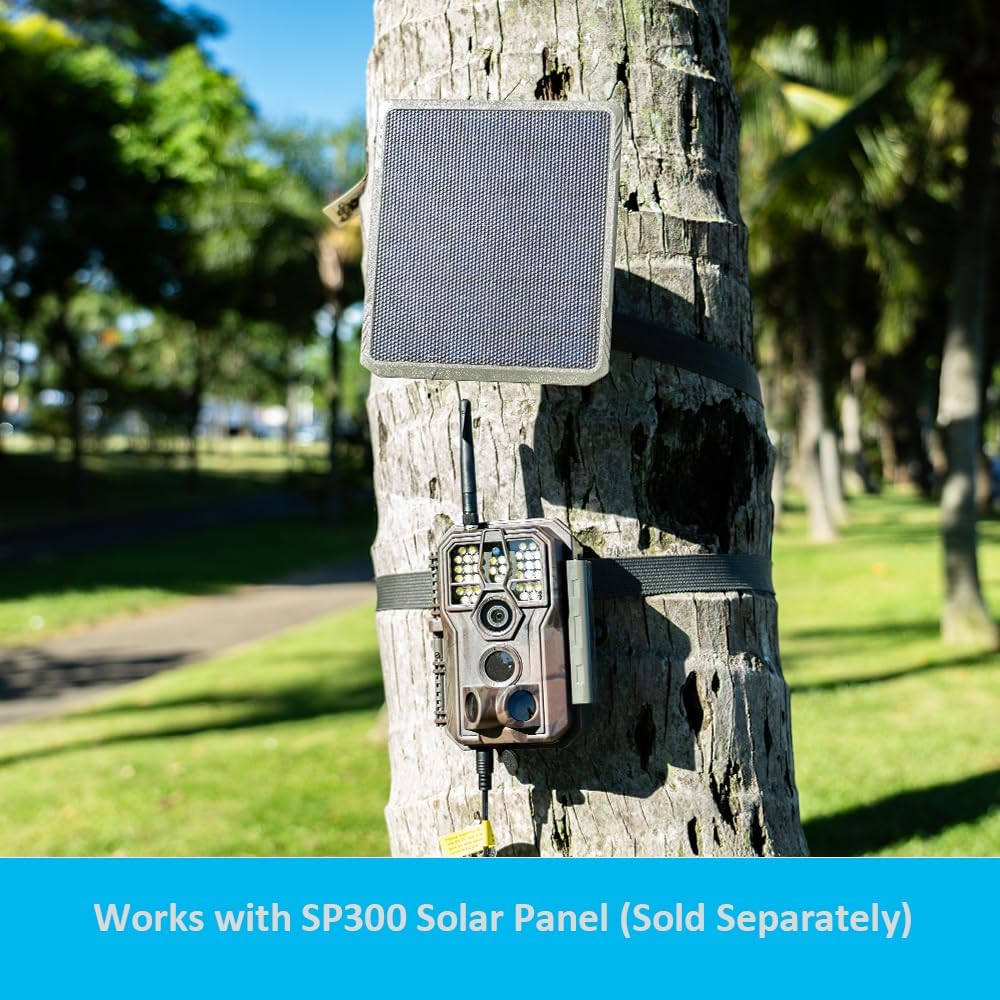
8.1-сүрөт: The GardePro E8PWF camera mounted on a tree, with a GardePro SP300 solar panel positioned above it, illustrating the optional solar power setup.
9. Техникалык тейлөө
- Тазалоо: Камера линзасын жана PIR сенсорлорун тазалоо үчүн жумшак, кургак чүпүрөктү колдонуңуз. Абразивдүү материалдардан же катуу химиялык заттардан алыс болуңуз.
- Сактагыч: When not in use for extended periods, remove the battery pack and store the camera in a cool, dry place.
- Программалык камсыздоонун жаңыртуулары: Periodically check the GardePro webоптималдуу иштешин жана жаңы функцияларга жетүүнү камсыз кылуу үчүн микропрограммаларды жаңыртуу үчүн сайт.
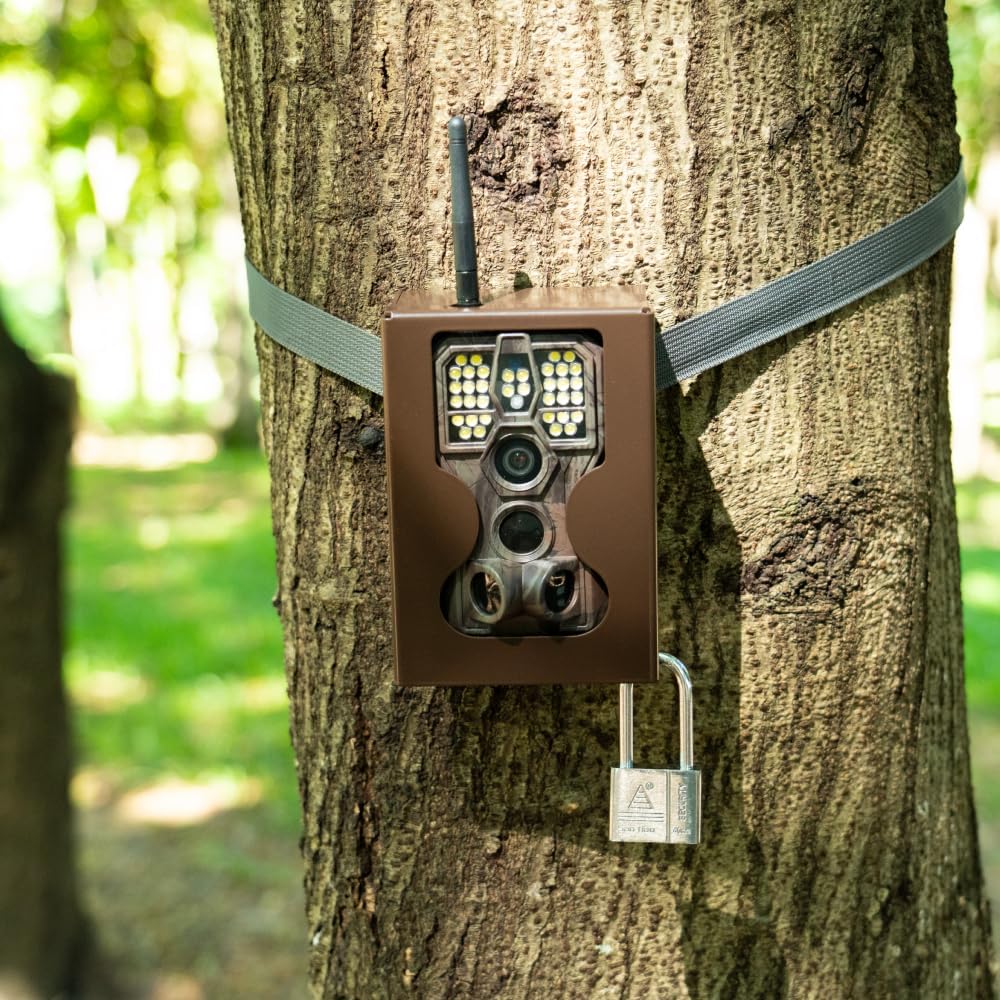
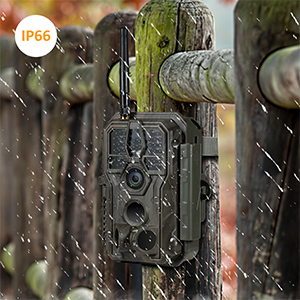
- Суу каршылык: The camera has an IP66 waterproof rating, protecting it from dust and strong jets of water. However, it is not designed for submersion.

9.1-сүрөт: The GardePro E8PWF camera enduring rainfall while mounted on a wooden fence, highlighting its IP66 waterproof design.
10. Кыйынчылыктарды
10.1 Камера күйбөй жатат
- Ensure the battery pack is fully charged and correctly inserted.
- Check if the power switch is firmly in the 'ON' position.
10.2 Сүрөттүн/видеонун сапатынын начардыгы
- Clean the camera lens and PIR sensors.
- Камеранын кыймылдабашы үчүн бекем орнотулганын текшериңиз.
- Adjust PIR sensitivity and trigger delay settings.
- For night captures, ensure no obstructions are blocking the white flash or IR LEDs.
10.3 Wi-Fi/Bluetooth байланыш көйгөйлөрү
- Ensure the camera is within the 33-foot (10-meter) effective range of your smartphone.
- Камераны да, смартфонуңузду да өчүрүп-күйгүзүңүз.
- Телефонуңузда Bluetooth жана Wi-Fi иштетилгенин текшериңиз.
- Update the GardePro app to the latest version.
10.4 SD Card Errors
- SD карта туура салынганын текшериңиз.
- Format the SD card using the camera's menu or a computer.
- Try a different SD card (Class 10 or higher, up to 512GB).
11. Техникалык шарттар
| Модел | E8PWF |
| Сүрөттүн чечилиши | 48MP |
| Video Resolution | 1296p (H.264) |
| Триггер ылдамдыгы | 0.1с |
| Байланыш | Wi-Fi, Bluetooth |
| Түнкү көрүнүш | Color Night Vision with White Flash, Adaptive IR |
| Батарея | 8000mAh Rechargeable Lithium Battery Pack (included) |
| Тышкы күч | Compatible with GardePro SP300 Solar Panel (sold separately) |
| Сактагыч | SDHC/SDXC card up to 512GB (not included) |
| Дисплей | 2.4" Color Screen |
| Суу өткөрбөйт рейтинги | IP66 |
| Элемент Салмагы | 1.52 фунт |
| Өлчөмдөр | 7.56 x 4.88 x 3.35 дюйм |
12. Кепилдик жана колдоо
GardePro products are designed for reliability and performance. For warranty information, technical support, or service inquiries, please refer to the official GardePro webсайтка же түздөн-түз кардарларды тейлөөгө кайрылыңыз. Сатып алуу квитанциясын кепилдик дооматтары үчүн сатып алуунун далили катары сактаңыз.
Кошумча жардам алуу үчүн, баш багыңыз GardePro Store on Amazon.


