Introduction
Thank you for choosing the MiBOXER 12W RGB+CCT Magnetic Floodlight. This high-performance smart lighting solution is designed for versatile applications, offering millions of colors and adjustable white temperatures. It features dual connectivity with Zigbee 3.0 and 2.4GHz RF for seamless integration into various smart lighting systems. This manual provides essential information for the safe and efficient use of your floodlight.
Коопсуздук маалыматы
- Орнотуудан же техникалык тейлөөдөн мурун электр кубаты өчүрүлгөнүн текшериңиз.
- This product is designed for indoor use unless otherwise specified.
- Аппаратты ашыкча нымдуулукка же экстремалдык температурага дуушар кылбаңыз.
- Белгиленген томду гана колдонуңузtage (12 Volts) for this floodlight.
- Балдар жетпеген жерде сактаңыз.
- Эгерде сиз орнотуунун кандайдыр бир кадамдары боюнча күмөн санасаңыз, квалификациялуу электрикке кайрылыңыз.
Пакеттин мазмуну
Пакетте бардык компоненттер бар экенин текшериңиз:
- 1x MiBOXER 12W RGB+CCT Magnetic Floodlight (Model: MF5-12A-24A-ZL)
Note: Magnetic track and control devices (Zigbee gateway, 2.4GHz remote) are sold separately.
Продукт өзгөчөлүктөрү
- Magnetic Track System: Effortless snap-in installation on compatible magnetic rails.
- Кош байланыш: Supports Zigbee 3.0 standard protocol for smart home integration and 2.4GHz RF for MiBOXER remote control.
- RGB+CCT Full-Color Customization: Access to 16 million colors and adjustable color temperature (2700K-6500K).
- Өнүгүү жарыктыгы: Smooth brightness control from 1% to 100%.
- High-Powered Illumination: Provides bright and uniform floodlighting at 12W.
- Multi-Zone Synchronization: Control multiple floodlights individually or in groups.
- Сигнал берүү: One lighting fixture can relay signals from the remote control to other fixtures within 30m, extending control range.
Жайгашуу
1. Magnetic Track Installation
The floodlight is designed for use with a compatible magnetic track system (sold separately).
- Ensure the magnetic track is properly installed and powered off.
- Align the magnetic contacts on the floodlight with the track.
- Gently snap the floodlight into place on the track. The strong magnets will secure it.
- The floodlight can be moved randomly along the rail to adjust its position.

Image: The MiBOXER magnetic floodlight securely attaches to a magnetic track and can be repositioned freely along its length.
2. Pairing with Zigbee 3.0 Gateway (e.g., Tuya, SmartThings)
To enable smart control features, pair your floodlight with a compatible Zigbee 3.0 gateway (purchased separately).
- Power on the floodlight.
- Open your Zigbee 3.0 compatible app (e.g., Tuya Smart, SmartThings).
- Initiate the device discovery or pairing mode within the app.
- The floodlight should appear in the app for pairing. Follow the on-screen instructions to complete the process.
- Once paired, you can control the floodlight via the app.
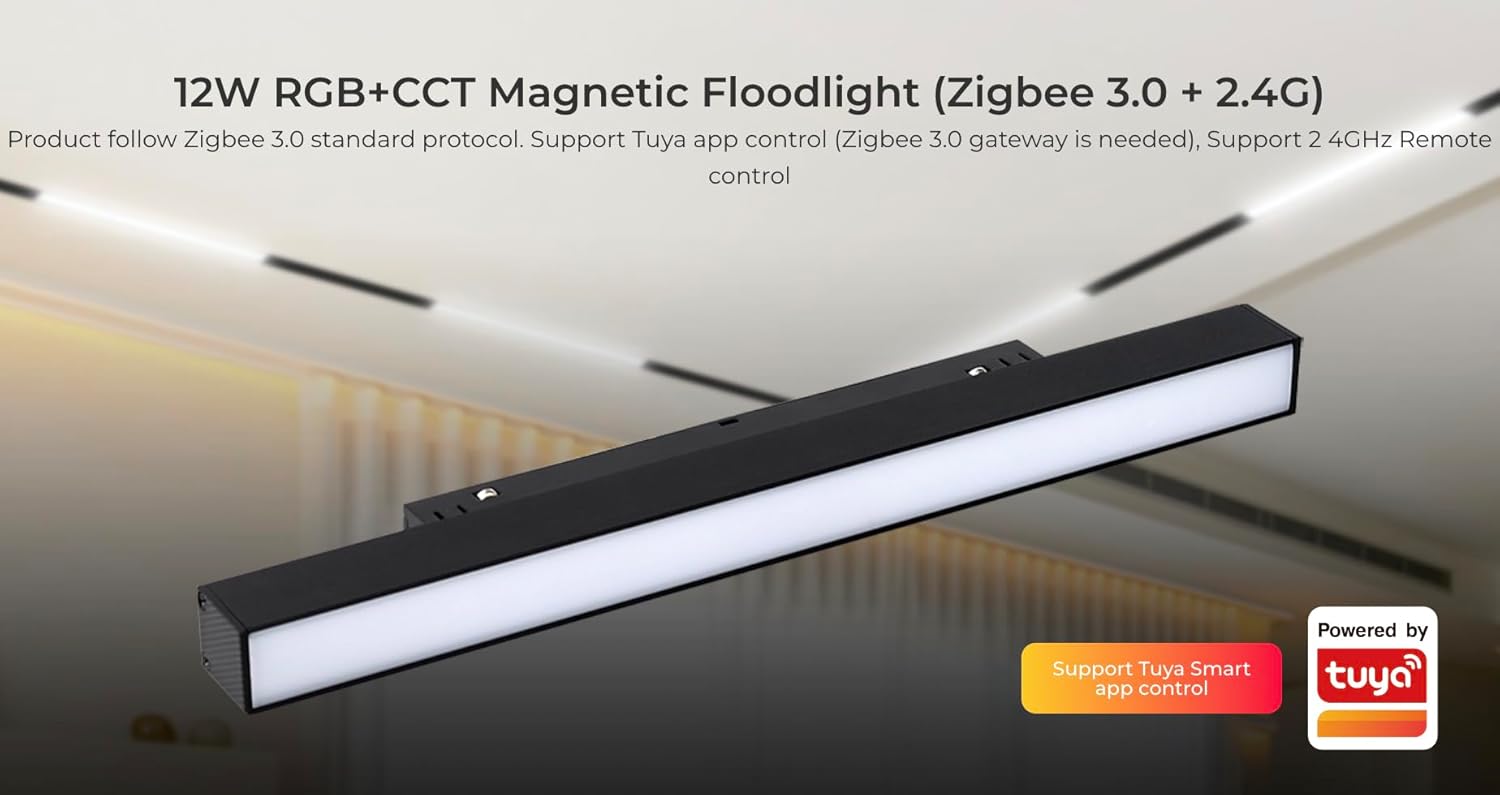
Image: The Tuya Smart app allows control of the floodlight when connected to a Zigbee 3.0 gateway.
3. Pairing with MiBOXER 2.4GHz Remote
The floodlight can also be controlled by a MiBOXER/MiLight 2.4GHz remote control (sold separately).
- Ensure the floodlight is powered on.
- Refer to your MiBOXER 2.4GHz remote control's manual for specific pairing instructions. Typically, this involves pressing a link button on the remote within a few seconds of powering on the light.
- Once paired, the remote can control the floodlight within a 25m range.
Иштөө нускамалары
1. Color and Brightness Adjustment
- RGB түс тандоо: Use the color wheel on your smart app or compatible remote to select from 16 million colors.
- Түс температурасын жөндөө: Adjust the white light from warm white (2700K) to cool white (6500K) via the app or remote.
- Жарыктыкты көзөмөлдөө: Smoothly dim or brighten the light from 1% to 100% using the app or remote.
- Saturation Adjustment: Fine-tune the intensity of colors to meet diverse lighting needs.

Image: The 2.4GHz RF remote control allows for comprehensive adjustment of color, saturation, color temperature, and brightness.
2. Smart App Control Features (via Zigbee 3.0 Gateway)
When connected to a Zigbee 3.0 gateway and controlled via a smart app (e.g., Tuya Smart), you can access advanced functions:
- Сахнаны ыңгайлаштыруу: Create and save personalized lighting scenes for different moods or activities (e.g., "Good night," "Reading," "Work").
- Музыка ритм: Synchronize lighting effects with music.
- "Тынчымды алба" режими: Жарыктын кубаттан кийин автоматтык түрдө күйүшүнө жол бербейтtage if it was off before. To activate, turn the light off and on twice quickly.
- Убакытты орнотуу: Schedule the light to turn on/off or change settings at specific times.
- Түзмөктү бөлүшүү: Share control of the floodlight with other family members.
- Таптоо үчүн иштетүү жана автоматташтыруу: Create automated routines based on conditions like time, weather, or other smart devices.
- Биоритм: Adjust lighting automatically according to the natural change of sunlight throughout the day.

Сүрөт: бүттүview of smart app control features available with a Zigbee 3.0 gateway, enhancing user experience with automation and customization.
3. Сигналдарды берүү жана режимдерди синхрондоштуруу
- Сигнал берүү: One lighting fixture can relay signals from the remote control to other lighting fixtures within 30 meters. This extends the effective control distance, making it potentially limitless if fixtures are placed within 30m of each other.
- Моддорду синхрондоштуруу: Multiple lighting fixtures can operate synchronously, even if started at different times, when controlled by the same remote and within a 30-meter distance under the same dynamic mode.
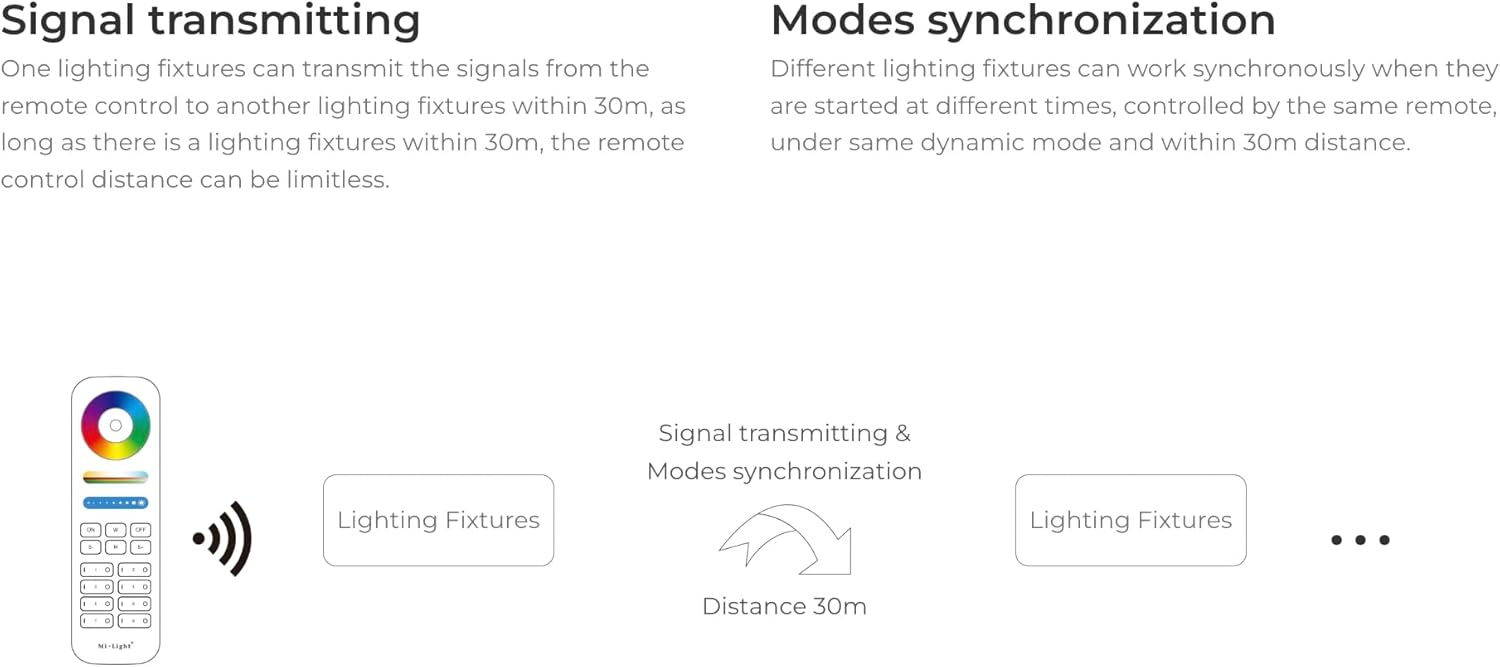
Image: Diagram explaining how the floodlights can transmit control signals to each other, extending the control range and enabling synchronized operation.
Техникалык тейлөө
- Тазалоо: Disconnect power before cleaning. Use a soft, dry cloth to wipe the surface of the floodlight. Do not use abrasive cleaners or solvents.
- Текшерүү: Periodically check the floodlight and its connection to the magnetic track for any signs of damage or loose connections.
- Сактагыч: If storing the floodlight for an extended period, keep it in a cool, dry place away from direct sunlight.
Проблемаларды чечүү
| Көйгөй | Мүмкүн себеп | Чечим |
|---|---|---|
| Жарык күйбөйт. | No power to the track; loose connection; faulty floodlight. | Check power supply to the track. Ensure the floodlight is securely seated on the magnetic track. Test with another floodlight if available. |
| Cannot control with Zigbee app. | Not paired with gateway; gateway offline; incorrect app settings. | Ensure the floodlight is paired with your Zigbee 3.0 gateway. Check if the gateway is online and functioning. Verify app settings. |
| Cannot control with 2.4GHz remote. | Not paired with remote; remote battery low; out of range. | Pair the floodlight with the remote as per instructions. Replace remote batteries. Ensure you are within the 25m control range. |
| Жарык бүлбүлдөп же өзүн туура эмес алып жүрөт. | Туруксуз электр менен камсыздоо; бош байланыш; тоскоолдук. | Check power connections. Ensure the floodlight is firmly attached to the track. Reduce potential wireless interference. |
Техникалык шарттар
| Бренд | MiBOXER |
| Модель аты | MF5-12A-24A-ZL |
| Күч | 12 Вт |
| Ачык түс | RGB+CCT (2700K-6500K) |
| Тtage | 12 вольт |
| Материал | Пластик |
| Продукциянын өлчөмдөрү | 11.9"L x 0.9"W x 1.7"H |
| Жарык булагы түрү | LED |
| Zigbee Control Distance | 50м (ачык аянт) |
| 2.4G RF Remote Control Distance | 25 м |
| Шайкештик | Zigbee 3.0 hubs (e.g., Tuya, SmartThings, Philips Hue - limited features), Mi-Light / MiBoxer 2.4GHz remotes |
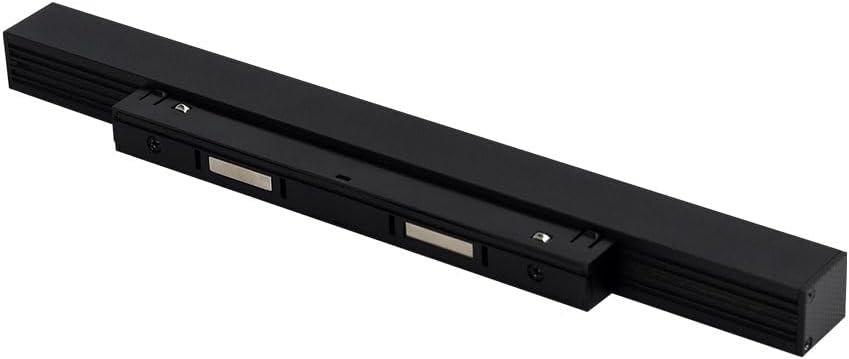
Image: Energy efficiency label for the MiBOXER MF5-12A-ZL floodlight. For more details, scan the QR code or visit eprel.ec.europa.eu/qr/1204456.
Кепилдик жана колдоо
For warranty information and technical support, please refer to the documentation provided with your purchase or contact MiBOXER customer service through their official webсайт же сатуучу.


