1. Киришүү
The Roborock Q7 M5+ is an advanced robotic vacuum and mop designed to provide efficient and hands-free cleaning for your home. Featuring powerful suction, intelligent navigation, and a self-emptying dock, it simplifies your cleaning routine. This manual provides essential information for setting up, operating, maintaining, and troubleshooting your device.

Figure 1: Roborock Q7 M5+ Robot Vacuum and Mop with Auto-Empty Dock and Smartphone App.
2. Кутуда эмне бар
- Robot (1)
- Автоматтык түрдө бошотуучу док (1)
- Электр шнуры (1)
- Швабра модулу (1)
- Моп (1)
- Moisture-Proof Mat (1)
- Ыкчам баштоо колдонмосу (1)
- Колдонуучунун колдонмосу (1)
3. Орнотуу
3.1 Пакеттен чыгаруу жана жайгаштыруу
Carefully remove all components from the packaging. Place the Auto-Empty Dock on a hard, flat surface against a wall, ensuring there is at least 0.5 meters (1.6 feet) of clear space on both sides and 1.5 meters (4.9 feet) in front. Connect the power cord to the dock and plug it into a power outlet.
3.2 Алгачкы заряддоо
Place the robot onto the charging dock. The robot will automatically power on and begin charging. Ensure the robot is fully charged before its first use for optimal performance.
3.3 Колдонмону орнотуу жана туташуу
- Download the Roborock App from your mobile device's app store (iOS or Android).
- Колдонмону ачып, каттоо эсебин түзүңүз же кириңиз.
- Follow the in-app instructions to add your Roborock Q7 M5+ device. Ensure your Wi-Fi network is 2.4GHz, as the app supports this frequency only.
- Колдонмо сизге роботту үйүңүздөгү Wi-Fi тармагына туташтыруу боюнча көрсөтмө берет.
3.4 Алгачкы картага түшүрүү
After connecting to the app, initiate a Quick Mapping run. The robot will use its PreciSense LiDAR Navigation System to scan your home and create a detailed map. This map is crucial for efficient cleaning paths and setting up features like no-go zones.

Figure 2: PreciSense LiDAR Navigation for precise mapping.
4. Operating Your Roborock Q7 M5+
4.1 Тазалоону баштоо жана токтотуу
- Колдонмо аркылуу: Open the Roborock App and tap 'Clean' to start a full cleaning cycle. You can also select specific rooms or zones to clean.
- Робот баскычтары аркылуу: Press the Power button on the robot to start or pause cleaning. Press the Home button to send the robot back to its dock.
4.2 Тазалоо режимдери жана жөндөөлөрү
The Roborock Q7 M5+ offers versatile cleaning options:
- Чаң соргуч: Utilizes 10000Pa HyperForce Suction Power for deep cleaning.
- сүртүү: Electronically controlled water flow with three adjustable levels for different floor types. Attach the mop module before mopping.
- Vacuum and Mop in One Go: Simultaneously vacuums and mops for comprehensive cleaning.

Figure 3: 10000Pa HyperForce Suction Power for thorough cleaning.

Figure 4: Vacuum and Mop in One Go capability.
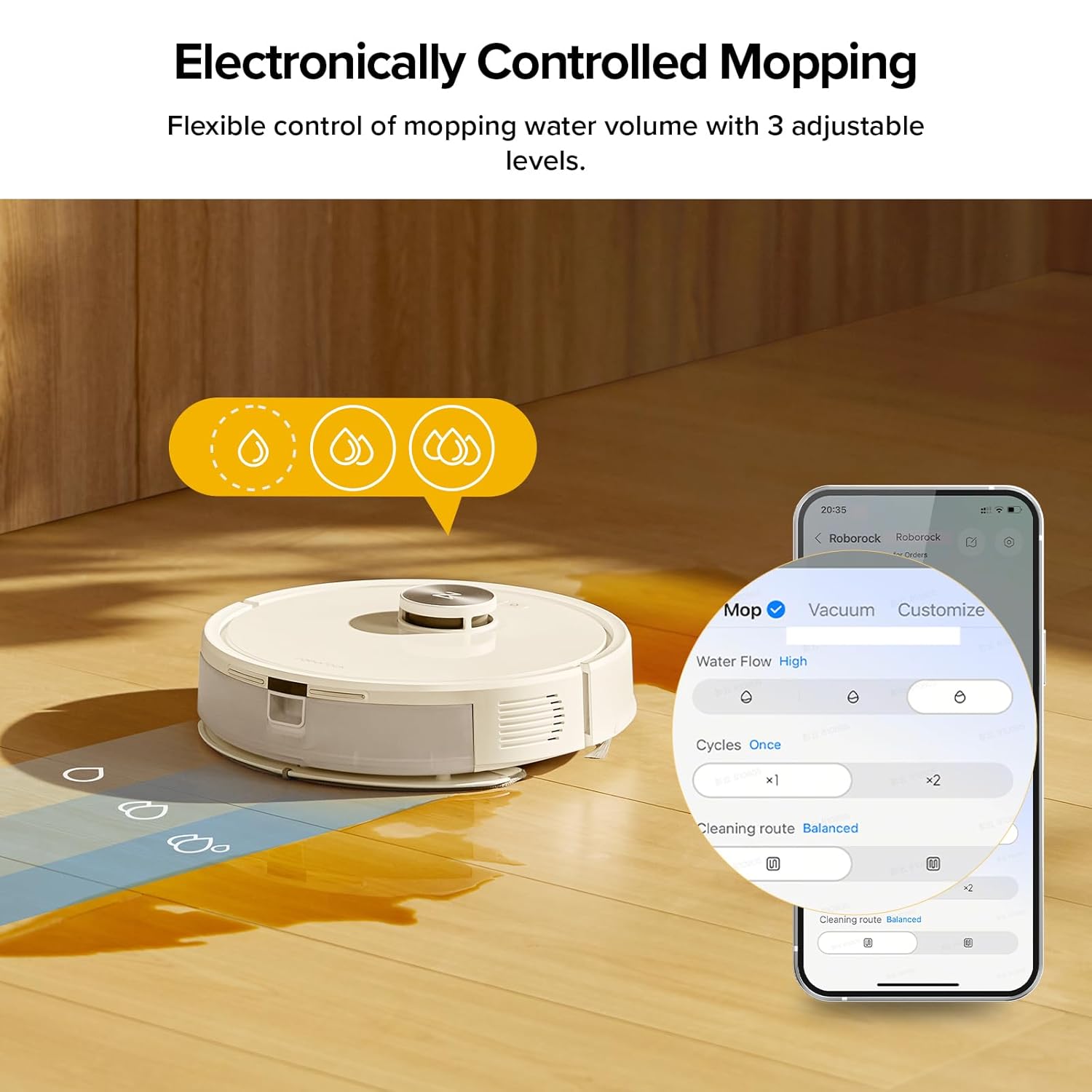
Figure 5: Electronically Controlled Mopping with adjustable water levels.
4.3 Колдонмону башкаруу аркылуу акылдуу функциялар
The Roborock App provides extensive control over your robot:
- Пландаштырылган тазалоо: Роботту автоматтык түрдө тазалоо үчүн атайын убакыттарды коюңуз.
- Кирүүгө тыюу салынган зоналар жана көрүнбөгөн дубалдар: Робот качышы керек жерлерди аныктаңыз.
- Көп деңгээлдүү карта түзүү: 3 башка кабат планына чейин карта түзүүгө колдоо көрсөтөт.
- Carpet Handling Options: Adjust behavior on carpets (e.g., Carpet Boost for increased suction).
- Балдар кулпусу: Prevents accidental operation by children or pets.
- Чокудан тышкары кубаттоо: Schedule charging during off-peak hours to save energy costs.
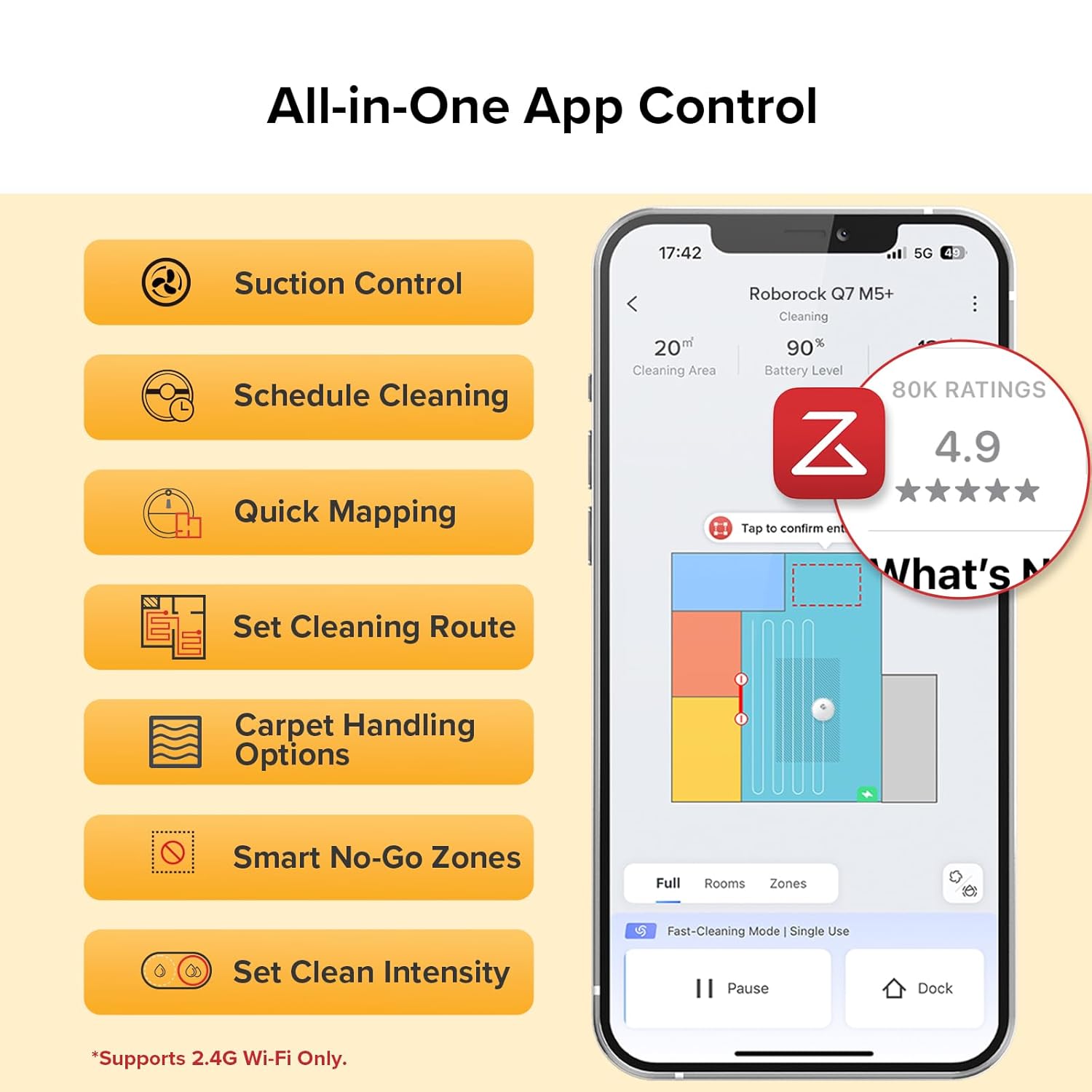
Figure 6: All-in-One App Control for comprehensive management.
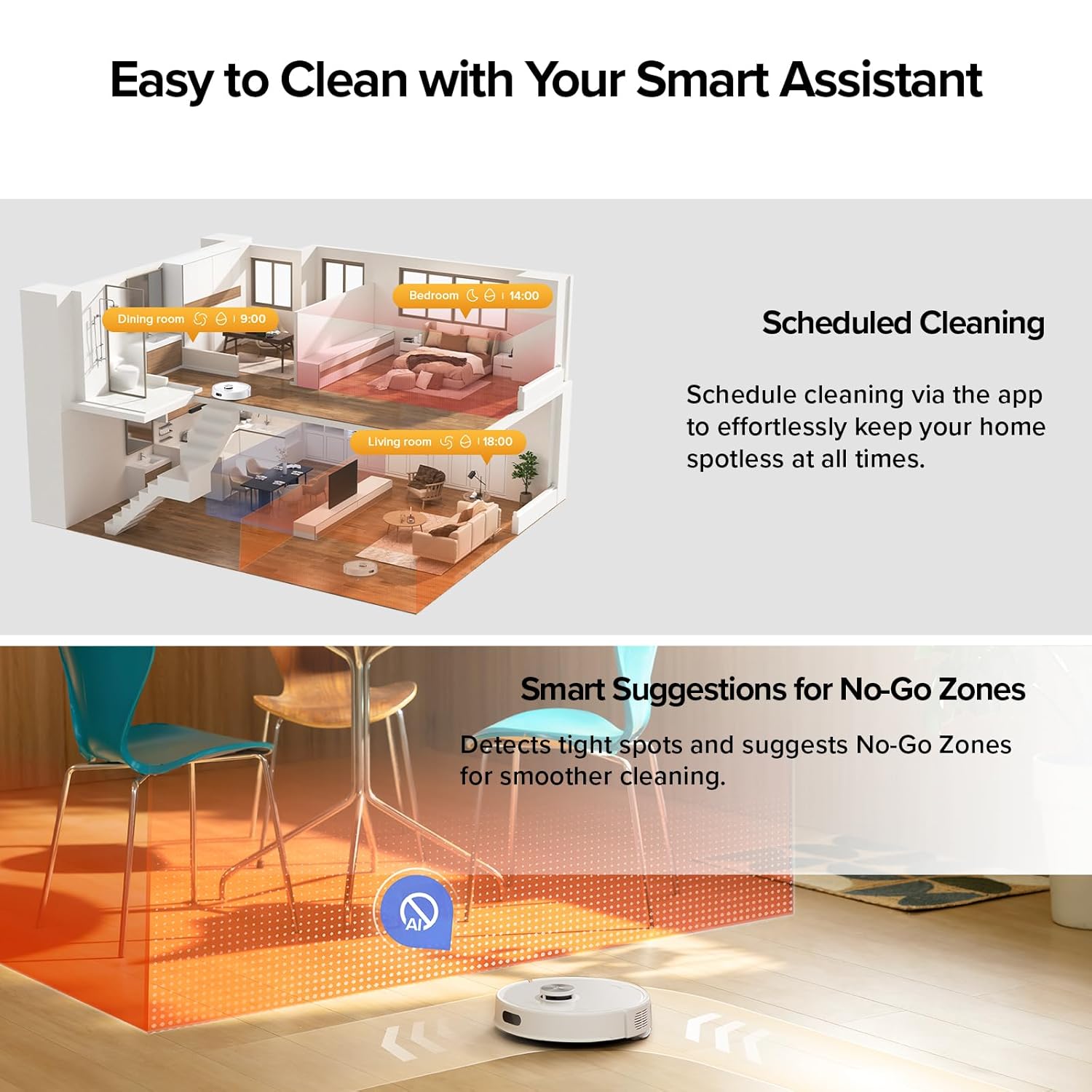
Figure 7: Scheduled Cleaning and Smart Suggestions for No-Go Zones.
5. Техникалык тейлөө
Regular maintenance ensures optimal performance and extends the lifespan of your Roborock Q7 M5+.
5.1 Автоматтык түрдө бошотуучу док жана чаң баштыгы
The RockDock Plus features a 2.7L sealed dust bag, allowing for up to 7 weeks of hands-free cleaning. Replace the dust bag when indicated by the app or when full.

Figure 8: The 2.7L dust bag in the Auto-Empty Dock provides 7 weeks of hands-free cleaning.
5.2 Щеткалар жана чыпкалар
- Негизги щетка: The Dual Anti-Tangle System with JawScrapers main brush reduces hair tangles. Regularly remove the main brush and clean any entangled hair or debris.
- Каптал щетка: The 0% hair-tangling side brush also requires occasional inspection and cleaning to remove any accumulated debris.
- Чыпкалар: Clean the air filter in the robot's dustbin regularly. Tap out dust or rinse with water if applicable (refer to specific filter instructions). Ensure it is completely dry before reinserting.

Figure 9: Dual Anti-Tangle Design for reduced hair wrap.
5.3 Mopping Pad
After each mopping session, remove the mopping pad from the mop module and clean it thoroughly. It can be hand-washed or machine-washed according to care instructions.
5.4 Сенсорлор жана заряддоо контакттары
Wipe the robot's sensors (cliff sensors, wall sensor, etc.) and the charging contacts on both the robot and the dock with a clean, dry cloth periodically to ensure proper function.
6. Кыйынчылыктарды
If you encounter issues with your Roborock Q7 M5+, refer to the following common problems and solutions:
| Көйгөй | Мүмкүн себеп | Чечим |
|---|---|---|
| Робот башталбайт же жооп бербейт. | Батарея аз; Кубат баскычы басылган жок; Робот тыгылып калды. | Charge the robot; Press and hold the Power button; Clear any obstructions. |
| Начар тазалоо көрсөткүчү. | Толук таштанды челек; Бүктелген чыпка; Эскирген щеткалар. | Empty dustbin/replace dust bag; Clean/replace filter; Clean/replace brushes. |
| Робот докко кайтып келе албайт. | Dock is obstructed; Robot is too far from dock; Dirty charging contacts. | Clear area around dock; Manually place robot near dock; Clean charging contacts. |
| Колдонмонун туташуу маселелери. | Incorrect Wi-Fi password; Router issues; 5GHz Wi-Fi network. | Verify password; Restart router; Ensure 2.4GHz Wi-Fi is used. |
| Робот бат-баттан тыгылып калат. | Obstacles; No-go zones not set; Robot attempting to climb obstacles. | Clear small obstacles; Set No-Go Zones in app; Relocate bouncers/items that cause it to get stuck. |
For more detailed troubleshooting, please refer to the official User Manual PDF available for download or contact Roborock customer support.
7. Техникалык шарттар
| Өзгөчөлүк | Спецификация |
|---|---|
| Модель аты | Roborock Q7 M5+ |
| Продукциянын өлчөмдөрү | 19.57"L x 12.8"W x 10.24"H |
| Элемент Салмагы | 10.58 фунт |
| Соруу күчү | 10000Pa HyperForce |
| Чаң баштык сыйымдуулугу | 2.7L (up to 7 weeks hands-free) |
| Навигация системасы | PreciSense LiDAR |
| Колдонмо башкаруу | Yes (2.4GHz Wi-Fi only) |
| Батарея түрү | 4 AA батарейка (кошулган) |
| Түс | Ак |
8. Кепилдик жана колдоо
Roborock products are designed for durability and performance. For specific warranty information, please refer to the warranty card included with your product or visit the official Roborock webсайт. Сиз сатып алууну да ойлонушуңуз мүмкүнasing кошумча камтуу үчүн кеңейтилген коргоо пландары.
For customer support, technical assistance, or to purchase accessories, please visit the Roborock Store on Amazon or consult the full User Manual PDF: Roborock Q7 M5+ User Manual PDF.


