Introduction
Thank you for choosing the hOmeLabs 25 Pint Wi-Fi Dehumidifier. This manual provides essential information for the safe operation, maintenance, and troubleshooting of your new appliance. Designed for efficient moisture removal in spaces up to 3,500 sq ft, this dehumidifier features Wi-Fi smart control, quiet operation, and flexible drainage options to enhance your indoor environment.
Маанилүү коопсуздук нускамалары
Please read all instructions carefully before using the dehumidifier. Failure to follow these instructions may result in electric shock, fire, or serious injury.
- Always plug the dehumidifier into a grounded electrical outlet.
- Электр шнур же сайгыч бузулуп калса, аппаратты иштетпеңиз.
- Түзмөктүн оодарылып кетпеши үчүн, аны тегиз, туруктуу бетке коюңуз.
- Аба кирүүчү же чыгуучу жерлерди жаап албаңыз. Агрегаттын айланасында кеминде 8 дюйм боштук сактаңыз.
- Тазалоодон, жылдыруудан же кандайдыр бир тейлөө иштерин жүргүзүүдөн мурун нымдандыргычты электр розеткасынан сууруп алыңыз.
- Бул аппаратты тез күйүүчү суюктуктар же газдар сакталган жерлерде колдонбоңуз.
- Бул шайман турак жайда гана колдонуу үчүн.
- Иштеп жаткан учурда балдарды жана үй жаныбарларын аппараттан алыс кармаңыз.
Продукт бүттүview
Familiarize yourself with the components of your hOmeLabs dehumidifier.

The hOmeLabs 25 Pint Wi-Fi Dehumidifier shown alongside its blue and white product packaging, highlighting its compact design and brand.

An illustration showing the dimensions of the dehumidifier: 19.6 inches high, 12.2 inches wide, and 8.2 inches deep, emphasizing its compact form factor.

A close-up of the dehumidifier's control panel, displaying buttons for Wi-Fi, fan speed, timer, comfort mode, and indicators for tank full and filter status.

The dehumidifier positioned in a gym setting next to a yoga mat, illustrating its compact design and emphasizing its ultra-quiet operation at 47 dB.
Негизги компоненттер:
- Башкаруу панели: Digital display and buttons for settings.
- Аба кириш/чыгаруу: Аба аппараттын ичине кирип жана чыгып турган жер.
- Суу багы: Removable bucket for collected moisture.
- Үзгүлтүксүз дренаждык розетка: Port for connecting a drain hose for continuous operation.
- Caster Wheels & Handle: Жөнөкөй көчүрүү үчүн.
- Кир жуугуч чыпка: Located at the back for air purification.
Орнотуу нускамалары
- Пакеттен чыгаруу: Кургаткычты анын таңгагынан кылдаттык менен алып салыңыз. Келечекте сактоо же ташуу үчүн таңгактоочу материалдарды сактаңыз.
- Жайгашкан жери: Place the unit upright on a firm, level surface in the area where dehumidification is desired. Ensure there is at least 8 inches (20 cm) of space around all sides of the unit for proper airflow. Avoid placing it near heat sources or in direct sunlight.
- Кубат туташуу: Plug the power cord into a grounded 110-120V/60Hz electrical outlet. The unit will beep once, and the display will light up.
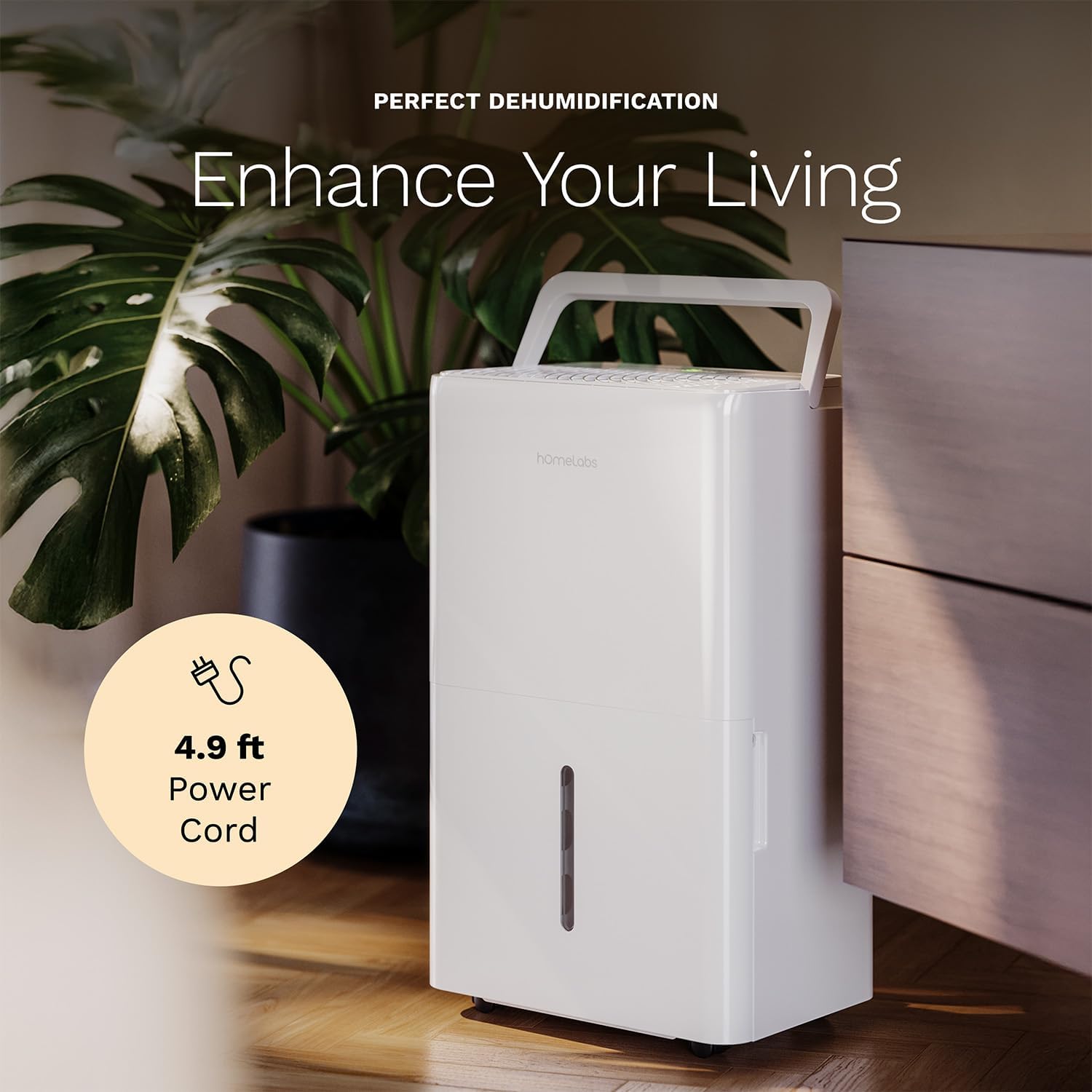
The dehumidifier positioned in a room, highlighting its 4.9 ft power cord for flexible placement.
- Drainage Option (Optional):

An image illustrating the two drainage options: using the built-in tank (manual emptying) or connecting a gravity drain hose for continuous drainage.
- Кол менен кургатуучу дренаж: The unit will collect water in the internal tank. When the tank is full, the unit will automatically shut off and indicate "Tank Full". Empty the tank as described in the Maintenance section.
- Үзгүлтүксүз дренаж: For continuous operation without emptying the tank, attach the included drain hose to the continuous drain outlet. Ensure the hose is sloped downwards to a suitable drain (e.g., floor drain, large bucket) to allow gravity drainage.
Иштөө нускамалары
Башкаруу панелинин функциялары:
- Кубат баскычы: Түзмөктү ON же ӨЧҮРҮҮ үчүн басыңыз.
- Нымдуулукту жөндөө баскычтары (+/-): Adjust the desired humidity level from 35% to 85% relative humidity (RH) in 5% increments.
- Желдетүүчү ылдамдык баскычы: Cycle through High, Medium, and Low fan speeds.
- Таймер баскычы: Set a timer for automatic ON/OFF operation (1-24 hours).
- Ыңгайлуулук режиминин баскычы: Activates a preset humidity level for optimal comfort.
- Wi-Fi баскычы: Activates Wi-Fi pairing mode.
Wi-Fi Smart Control:
Your dehumidifier can be controlled remotely via Wi-Fi using a smartphone app, Google Assistant, or Alexa.

The dehumidifier shown with icons indicating compatibility with Google Home and Alexa, along with a smartphone icon representing app control for remote operation.
- Колдонмону жүктөп алуу: Download the hOmeLabs app from your smartphone's app store (iOS or Android).
- Жупташтыруу: Follow the in-app instructions to pair your dehumidifier with your home Wi-Fi network. This typically involves pressing and holding the Wi-Fi button on the control panel until the indicator light flashes.
- Алыстан башкаруу: Once paired, you can adjust settings, monitor humidity levels, and set schedules from anywhere using your smartphone.
Техникалык тейлөө
Үзгүлтүксүз тейлөө оптималдуу иштешин камсыз кылат жана нымдандыргычыңыздын иштөө мөөнөтүн узартат.
Суу резервуарын бошотуу:
- When the water tank is full, the "Tank Full" indicator will illuminate, and the unit will stop operating.
- Агрегаттын алдынан суу сактагычты этияттык менен сууруп алыңыз.
- Чогулган сууну раковинага же дренажга төгүңүз.
- Бош резервуарды кайра бирдиктин ичине чыкылдатмайынча жылдырыңыз. Агрегат кайра иштей баштайт.
Аба чыпкасын тазалоо:
The "Filter" indicator light will illuminate after 250 hours of operation, reminding you to clean the filter. Clean the filter every two weeks or more frequently depending on usage and air quality.
- Ным кургаткычты өчүрүп, аны розеткадан сууруп алыңыз.
- Аба чыпкасын аппараттын артындагы алып салыңыз.
- Чыпканы жылуу, самындуу суу менен жууңуз. жакшылап чайкоо.
- Кайра орнотуудан мурун чыпканы толугу менен кургатуу керек. Кургаткычты же түз жылуулукту колдонбоңуз.
- Once the filter is reinstalled, press and hold the "Filter" button for 3 seconds to reset the filter timer.
Жалпы тазалоо:
- Агрегаттын сыртын жумшак менен сүртүңүз, гamp кездеме.
- Катуу химиялык заттарды, абразивдерди же эриткичтерди колдонбоңуз.
- Көктүн жана кычыткынын өсүшүнө жол бербөө үчүн суу сактагычты үзгүлтүксүз тазалап туруңуз.
Проблемаларды чечүү
Жалпы маселелер жана алардын чечимдери үчүн бул бөлүмдү караңыз.
| Көйгөй | Мүмкүн себеп | Чечим |
|---|---|---|
| Кургаткыч күйгүзбөйт. | No power; Power cord not plugged in; Tank full. | Check power supply; Plug in power cord securely; Empty water tank. |
| Агрегат иштеп жатат, бирок суу топтолбойт. | Абдан жогорку нымдуулук; бөлмө температурасы өтө төмөн; Аба чыпкасы бүтүп калган. | Төмөн каалаган нымдуулук орнотуу; Бөлмөнүн температурасы 41°F (5°C) жогору болушун камсыз кылуу; Таза аба чыпкасы. |
| Агрегат ызы-чуу. | Түзмөк тегиз эмес; Аба чыпкасы бүтөлүп калган; Вентилятор тыгылып калган. | Тегиз жерге коюңуз; Аба чыпкасын тазалаңыз; Вентилятор аймагында тоскоолдуктар бар-жогун текшериңиз. |
| Wi-Fi туташуу маселелери. | Туура эмес Wi-Fi сырсөзү; Роутер өтө алыс жайгашкан; Колдонмодогу көйгөйлөр. | Verify Wi-Fi password; Move unit closer to router; Restart app/unit. |
Техникалык шарттар
| Өзгөчөлүк | Деталь |
|---|---|
| Бренд | homeLabs |
| Модель аты | hOmelabs - Dehumidifier - 25 Pint - WIFI (HME0088) |
| нымдуулуктун күч жөндөмдүүлүгү | 25 Pints per Day (at 80°F, 60%RH) / MAX 64 Pints (at 95°F, 90%RH) |
| Камтуу аймагы | 3,500 чарчы фут чейин |
| Танк көлөмү | 1 галлон |
| Продукциянын өлчөмдөрү (D x W x Y) | 8.2"D x 12.2"W x 19.6"H |
| Элемент Салмагы | 27.1 фунт |
| Иштөө режими | Автоматтык |
| Өзгөчөлүктөр | Adjustable Humidity Control, Automatic Defrost, Automatic Moisture Removal, Automatic Shutoff, Bucket Storage, Digital Display, Portable, Quiet Operation, Removable Tank, Timer, Washable Filter, Wi-Fi Enabled |
| Энергия натыйжалуулугу | Energy Star Most Efficient 2024 Certified |
Кепилдик жана колдоо
Your hOmeLabs 25 Pint Wi-Fi Dehumidifier comes with a standard manufacturer's warranty. For detailed warranty information, please refer to the official warranty document provided with your purchase or visit the hOmeLabs webсайт.
Кепилдик документи: Кепилдик жүктөө (PDF)
For technical support, troubleshooting assistance, or to inquire about replacement parts, please contact hOmeLabs customer service. Contact information can typically be found on the hOmeLabs webсайтында же продуктунун таңгагында.


