Introduction
This manual provides comprehensive instructions for the setup, operation, and maintenance of your HONOR Choice Watch 2i smartwatch. Please read this manual thoroughly to ensure proper use and to maximize the device's features.
Пакеттин мазмуну
- HONOR Choice Watch 2i Smartwatch
- Заряддоо кабели
- Колдонуучунун Колдонмосу (бул документ)
Жайгашуу
1. Аппаратты заряддоо
Before initial use, fully charge your HONOR Choice Watch 2i. Connect the charging cable to the watch's charging port and a compatible USB power adapter. The watch will display a charging indicator. A full charge typically takes approximately 2 hours.
2. Күйгүзүү/өчүрүү
- Күйгүзүү: Press and hold the side button until the HONOR logo appears.
- Өчүрүү: From the watch face, swipe down to access quick settings, then tap the power icon, or go to Settings > System > Power Off.
3. Смартфонуңуз менен жупташуу
- жүктөп алып, орнотуңуз HONOR Health App смартфонуңуздун колдонмолор дүкөнүнөн (Android үчүн Google Play Store, iOS үчүн Apple App Store).
- Open the HONOR Health App and follow the on-screen instructions to create an account or log in.
- Смартфонуңузда Bluetooth иштетилгенин текшериңиз.
- In the HONOR Health App, navigate to "Devices" and tap "Add Device" or the "+" icon.
- Select "HONOR Choice Watch 2i" from the list of available devices.
- Жупташуу өтүнүчүн саатыңызда жана смартфонуңузда ырастаңыз.
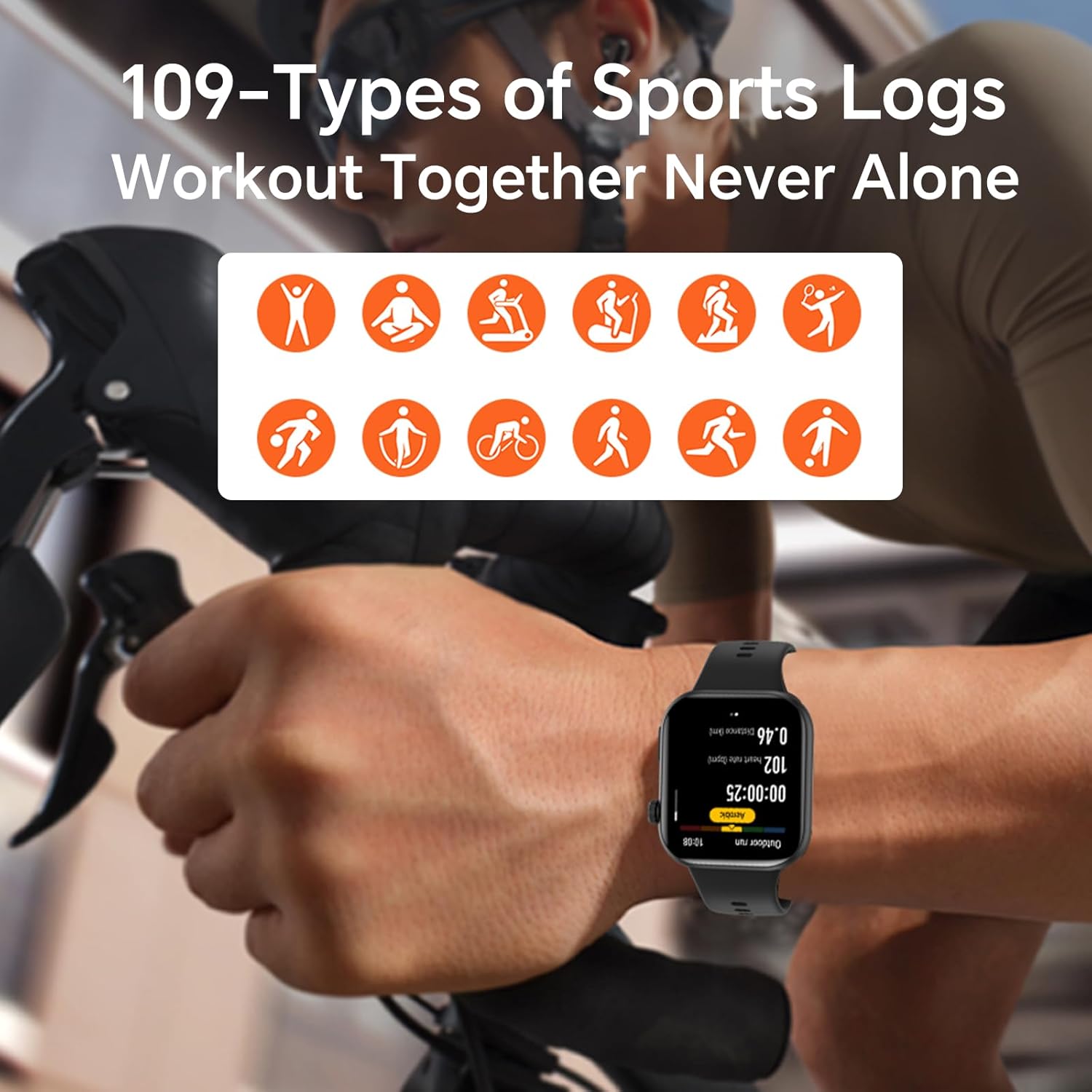
Image: The HONOR Health App interface displaying health data and device management options, essential for pairing and data synchronization.
4. Adjusting the Watch Strap
The HONOR Choice Watch 2i features a quick-release strap mechanism for easy replacement. To remove, slide the spring bar lever inwards and gently pull the strap away from the watch body. To attach, align the spring bar with the lug holes and release the lever.
Сүрөт: деталдуу view of the watch's quick-release strap, illustrating how to detach and attach the band.
Саатты иштетүү
1. Watch Navigation
- Сенсордук экран: Менюларда, эскертмелерде жана виджеттерде чабыттоо үчүн өйдө, ылдый, солго же оңго сүрүңүз. Нерселерди тандоо үчүн таптаңыз.
- Каптал баскычы: Press to return to the watch face or access the app list. Press and hold for power options or to activate voice assistant (if configured).

Image: The main watch face of the HONOR Choice Watch 2i, showing typical information displayed during daily use.
2. Bluetooth чалуулары жана эскертмелери
Once paired with your smartphone, the HONOR Choice Watch 2i allows you to make and receive calls directly from your wrist. You can also receive notifications for SMS, emails, and other applications.
- Чалууларга жооп берүү: Tap the green phone icon on the watch screen when an incoming call is displayed.
- Чалууларды жасоо: Access the dialer from the app list on your watch to initiate calls.
- Тез жооп: For incoming messages, use the quick reply feature to send predefined responses.
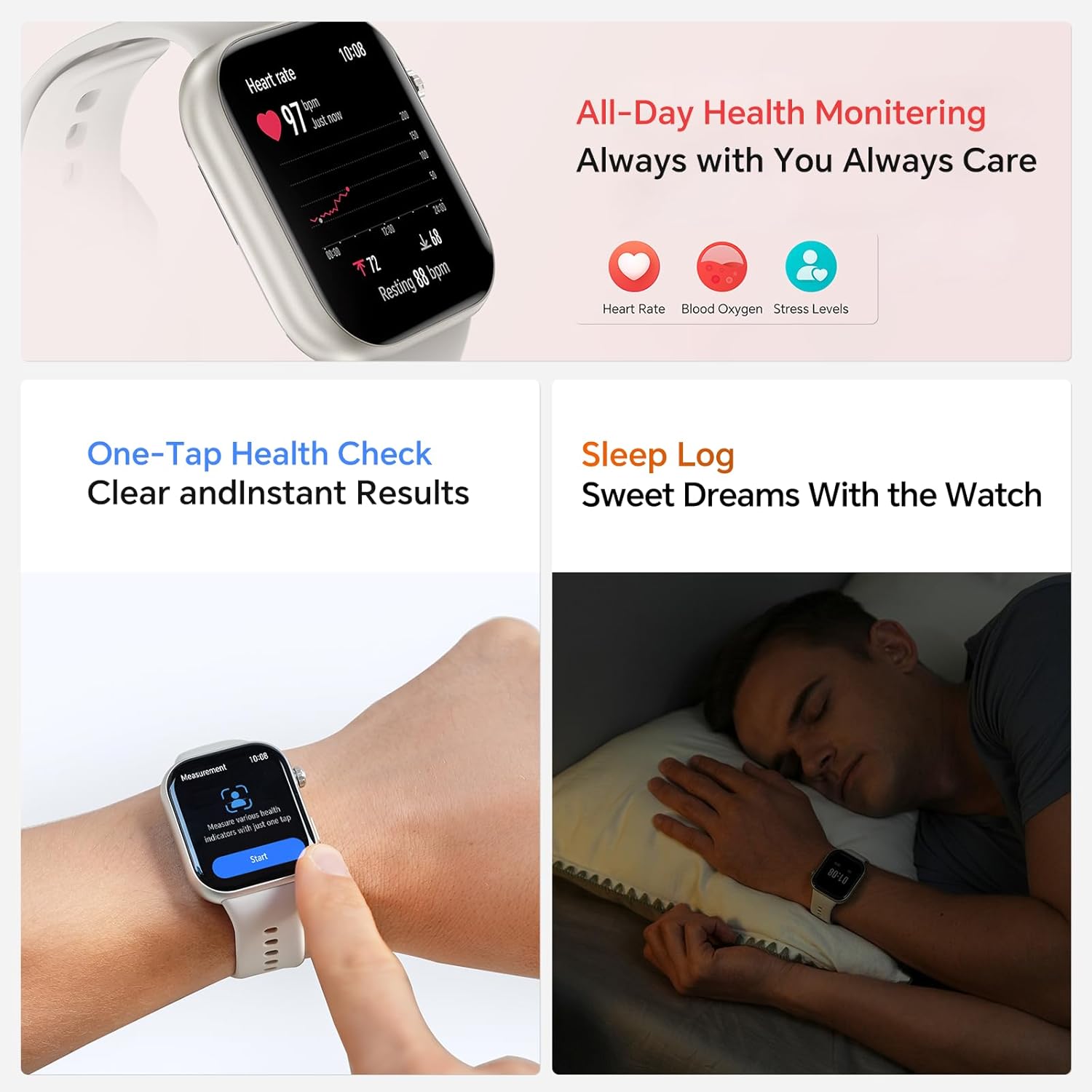
Image: The smartwatch showing both an incoming call interface and options for quick message replies, demonstrating its communication features.
3. Ыңгайлаштырылган саат жүздөрү
Personalize your watch by changing the watch face. You can select from various pre-installed faces or download more through the HONOR Health App. To change directly on the watch, press and hold the watch face, then swipe left or right to browse and tap to select.

Image: A collection of HONOR Choice Watch 2i units showcasing various customizable watch faces, highlighting personalization options.
Ден соолукту көзөмөлдөө өзгөчөлүктөрү
The HONOR Choice Watch 2i is equipped with advanced sensors to track various health metrics continuously.
- Жүрөктүн кагышын көзөмөлдөө: Provides 24/7 continuous heart rate tracking and alerts for abnormal readings.
- Кандагы кычкылтектин (SpO2) мониторинги: Кандагы кычкылтектин деңгээлин өлчөйт.
- Стресс деңгээлин көзөмөлдөө: Күн бою стресс деңгээлин көзөмөлдөйт.
- Уйкуга көз салуу: Analyzes sleep quality by detecting light, deep, and REM sleep stages.
- Менструалдык циклге көз салуу: Helps women monitor and manage their menstrual cycles.
- One-Tap Health Check: Quickly measure multiple health metrics simultaneously.
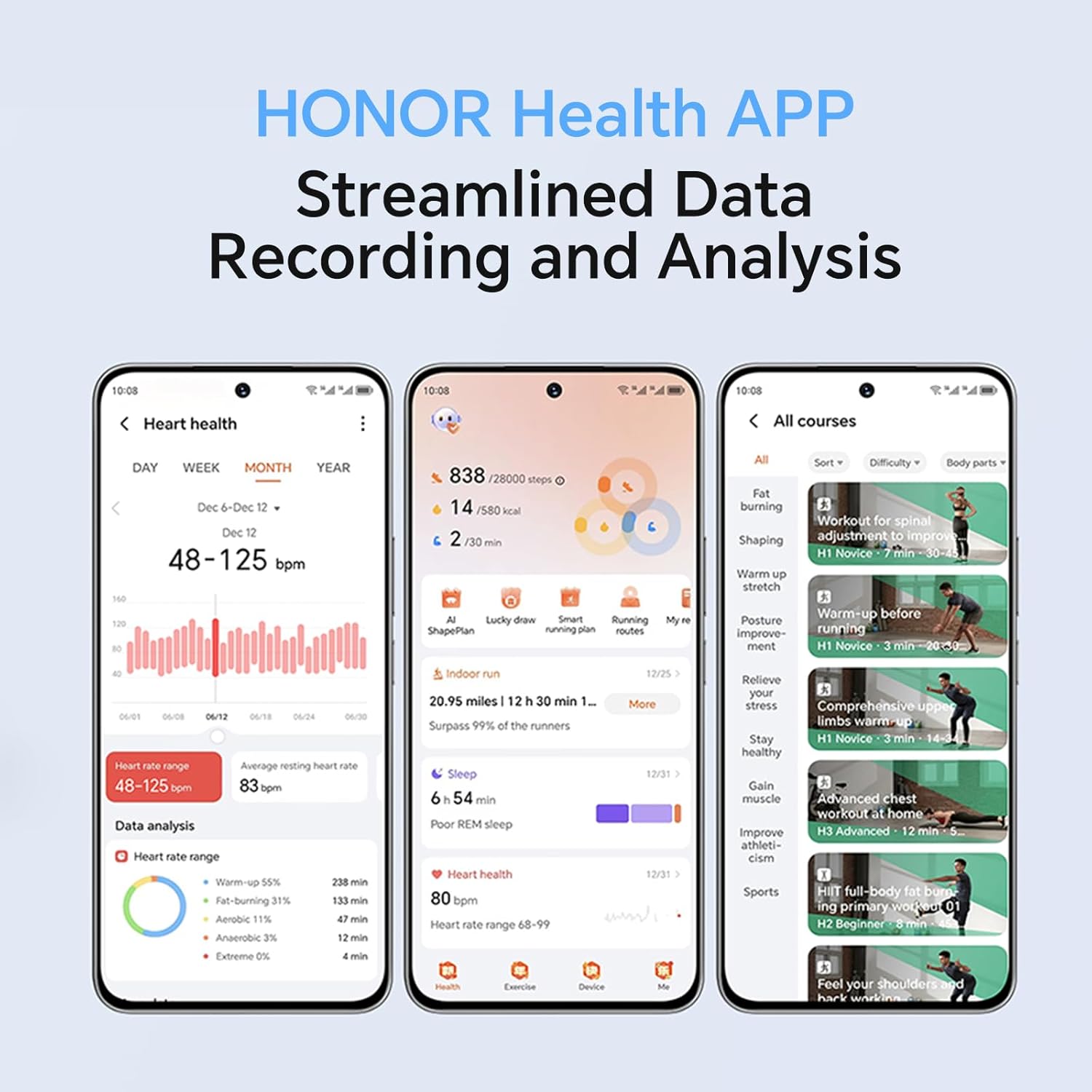
Image: The smartwatch screen showing real-time heart rate data and a user interacting with the "Start" button for a health measurement.
Fitness Tracking and Exercise Modes
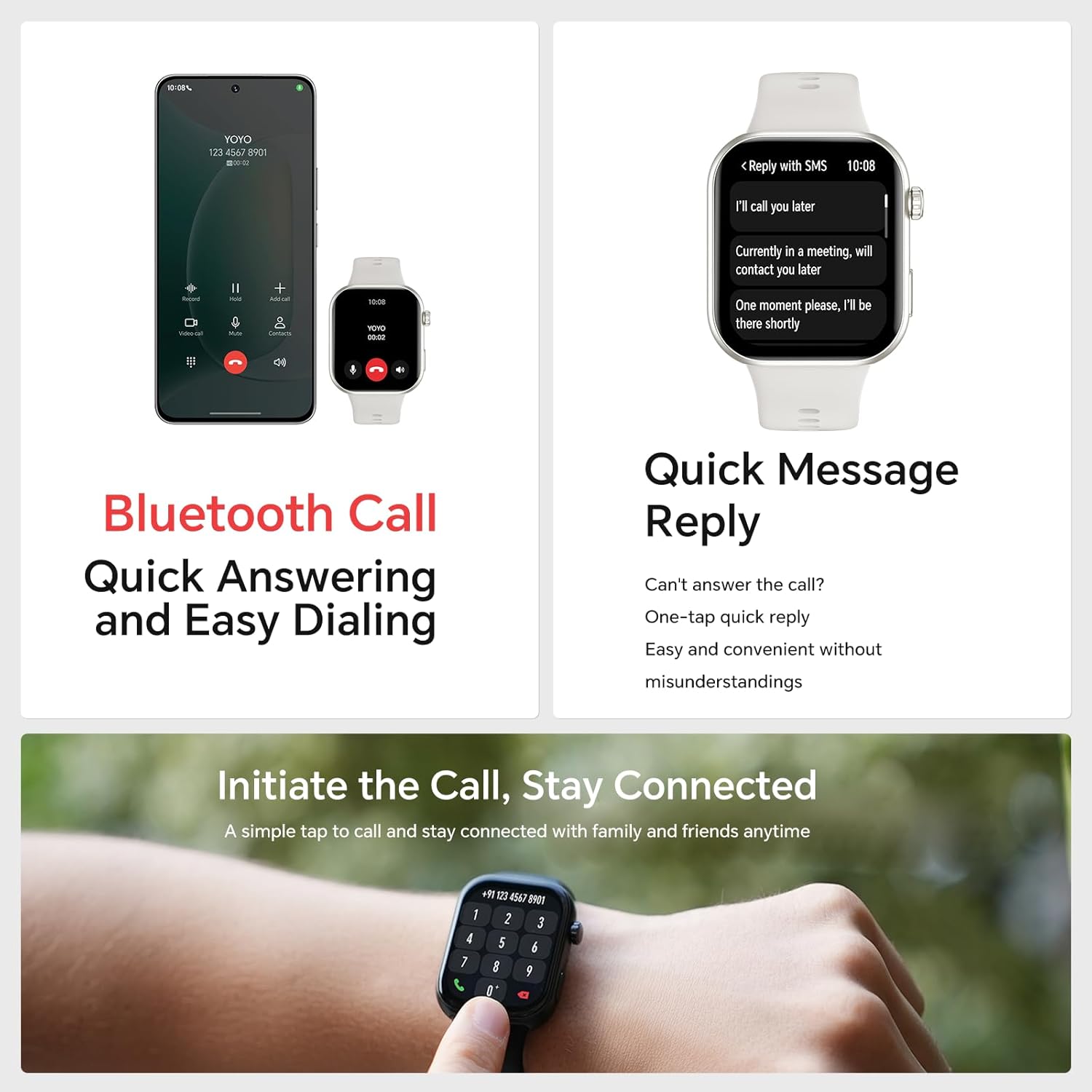
The watch supports 109 exercise modes, automatically detecting common activities and providing detailed performance metrics. All data is synchronized with the HONOR Health App for comprehensive analysis.
Image: A user wearing the HONOR Choice Watch 2i while cycling, with the watch screen showing active workout data like duration and distance.
Батарея маалыматы
The HONOR Choice Watch 2i is equipped with a 330mAh battery. Under normal usage conditions, it provides up to 14 days of battery life. With heavy use, the battery can last up to 10 days.
Суу каршылык
The watch has a 10-meter water resistance rating (IP68), making it suitable for everyday use, including splashes, rain, and sweat during exercise. It is not recommended for diving or high-pressure water activities.
Техникалык тейлөө жана кам көрүү
- Тазалоо: Саатты жана боону жумшак менен дайыма тазалап, гamp кездеме. Катуу химиялык заттарды же абразивдүү материалдарды колдонуудан алыс болуңуз.
- Кургатуу: Ensure the watch is dry before charging to prevent damage.
- Сактагыч: Колдонулбаган убакта саатты салкын, кургак жерде сактаңыз.
- Ашыкча температурадан сактаныңыз: Do not expose the watch to extreme heat or cold.
Проблемаларды чечүү
- Күйгүзүлбөй турган саат: Саат толук заряддалганын текшериңиз. Аны заряддагычка кеминде 10 мүнөт туташтырыңыз.
- Телефон менен жупташтыруу мүмкүн эмес:
- Телефонуңузда жана саатыңызда Bluetooth иштетилгенин текшериңиз.
- Make sure the HONOR Health App is updated to the latest version.
- Телефонуңузду да, саатыңызды да өчүрүп күйгүзүңүз.
- Түзмөктү колдонмо аркылуу жупташып, кайра жупташып көрүңүз.
- Туура эмес ден соолук маалыматтары:
- Саат билегиңизге бекем тагылганын, туурасы билек сөөгүнөн бир манжага жакын экенин текшериңиз.
- Сенсор аймагын таза жана тоскоолдуктардан алыс кармаңыз.
- Батарейканын кыска мөөнөтү:
- Экран жарыктыгын азайтыңыз.
- Disable continuous heart rate monitoring or set it to a lower frequency if not needed 24/7.
- Саатка эскертмелерди жөнөтүүчү колдонмолордун санын чектөө.
- Close unused background applications on the watch.
Продукт спецификациялары
| Бренд | УРМАТ |
| Модель номери | 1f15f2d1-dda6-4d72-84f6-3dcbc74fa2bb |
| Screen Size | 1.85 дюйм |
| Операция системасы | Wear OS |
| Байланыш технологиясы | Bluetooth |
| Батарея сыйымдуулугу | 330 миллионamp Саат |
| Суу каршылык | 10 meters (IP68 rating) |
| Өзгөчөлүктөр | Fitness Modes, Battery Life, Oximeter (SpO2), Heart Rate Monitor, Stress Monitor, Sleep Tracking, Menstrual Cycle Tracking, Bluetooth Call |
| Элементтин формасы | Төрт бурчтуу |
| Пакеттин өлчөмдөрү | 17.7 x 11.9 x 5.2 см |
| Элемент Салмагы | 110 г |
Кепилдик жана колдоо
For warranty information and technical support, please refer to the official HONOR webсайтка же кардарларды тейлөөгө кайрылыңыз. Сатып алганыңыздын далили катары сатып алуу дүмүрчөгүңүздү сактаңыз.


