Introduction
Thank you for choosing the diymore USB Rechargeable Cordless Soldering Iron Kit. This portable and versatile soldering iron is designed for various electronic repair and DIY projects, offering convenience with its cordless operation and precise temperature control. This manual provides essential information for the safe and effective use of your new soldering iron.

Figure 1: Complete diymore Soldering Iron Kit including the iron, multiple tips, charging cable, soldering wire, rosin, and stand.
Продукт өзгөчөлүктөрү
- Intelligent Five-Speed Temperature Adjustment: Features an LED display for precise temperature control, adjustable from 260°C to 420°C. Supports switching between Celsius and Fahrenheit.
- Integrated Plug-and-Play Soldering Tips: Easy to replace by unscrewing, ensuring simple and convenient operation.
- Worry-Free Type-C Charging: Equipped with a Type-C charging port, allowing connection to computers, USB ports, or mobile power sources for convenient charging.
- Жогорку кубаттуулуктагы литий батареясы: Built-in 1000mAh lithium battery provides approximately 20 minutes of high-energy endurance on a full charge.
- Тез жылытуу: 8W power with an integrated heating core allows for tinning in just 6 seconds due to rapid heat conduction.
Пакеттин мазмуну
Пакетиңизде бардык буюмдар бар экенин текшериңиз:
- 1 x diymore USB Rechargeable Cordless Soldering Iron
- 3 x Replaceable Soldering Iron Tips (Round, Horseshoe, Knife Head)
- 1 x USB Type-C заряддоо кабели
- 1 x Soldering Wire
- 1 x Rosin (Solid Rosin Welding Flux)
- 1 x Soldering Iron Stand with Cleaning Sponge
- 1 х Сактоочу Кап
Жайгашуу
1. Charging the Soldering Iron
Before first use, fully charge the soldering iron. Connect the provided USB Type-C cable to the charging port on the soldering iron and a compatible USB power source (e.g., computer, USB adapter, power bank). The charging time is approximately 90 minutes.

Figure 2: Charging the soldering iron via its Type-C port. A red light indicates charging, and a green light indicates charging is complete.
The LED indicator light will be red during charging and turn green when charging is complete.
2. Installing Soldering Tips
Ensure the soldering iron is off and cool before installing or replacing tips. To install a tip, gently push it into the heating element opening until it is securely seated. To remove, pull the tip straight out. The kit includes three types of tips: Round, Horseshoe, and Knife Head, for various soldering tasks.

Figure 3: Illustration of how to insert and remove the replaceable soldering iron tips. The kit includes Round, Horseshoe, and Knife Head tips.
Иштөө нускамалары
1. Күйгүзүү/өчүрүү
Press and hold the power button (usually marked with a circle and a line) for a few seconds to turn the soldering iron ON or OFF. The LCD screen will illuminate upon power-on.
2. Температураны жөндөө
Once powered on, the LCD will display the current temperature. Use the '+' and '-' buttons to adjust the temperature. The soldering iron offers five preset temperature levels:
- 260°C (500°F)
- 300°C (572°F)
- 340°C (644°F)
- 380°C (716°F)
- 420°C (788°F)

Figure 4: The five adjustable temperature levels displayed on the LCD screen.

Figure 5: ашыкview of the soldering iron's controls, including the ON/OFF button, heating key (+), and desuperheating key (-), along with the LCD digital display.
3. Температураны өлчөө бирдиктерин которуу (°C/°F)
To switch between Celsius (°C) and Fahrenheit (°F), double-click the power button (or the main adjustment button, depending on the model variant). The display will change accordingly.
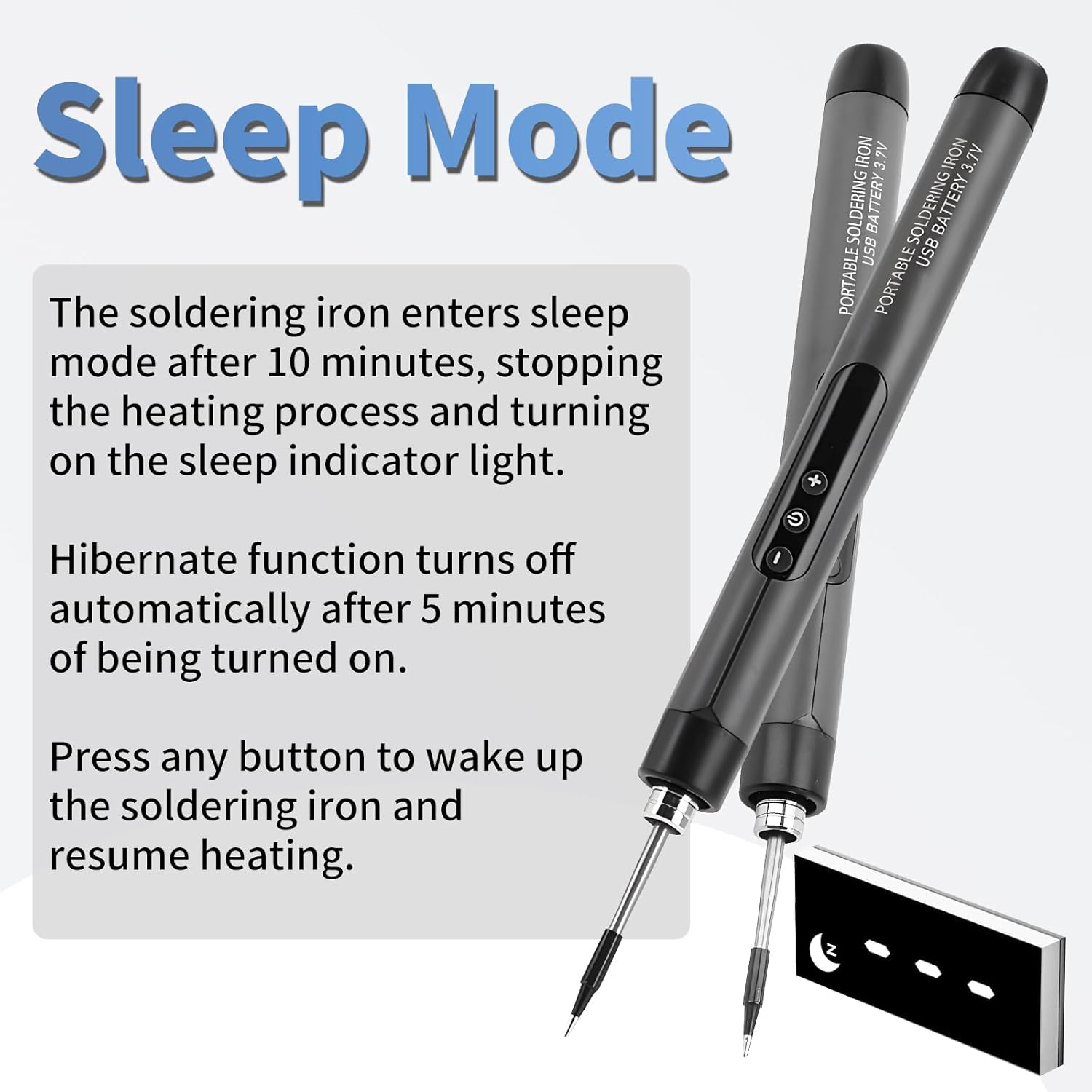
Figure 6: Double-clicking the button allows toggling the temperature display between Celsius and Fahrenheit.
4. Уйку режими
The soldering iron is equipped with an automatic sleep mode to conserve battery and enhance safety. If left idle for 10 minutes, the soldering iron will enter sleep mode, stopping the heating process. The sleep indicator light will turn on.
The hibernate function automatically turns off after 5 minutes of being turned on if no activity is detected.
To wake up the soldering iron and resume heating, press any button.

Figure 7: Explanation of the automatic sleep mode, which activates after 10 minutes of inactivity, and how to reactivate the iron.
5. Basic Soldering Use
- Select the appropriate soldering tip for your task and ensure it is securely installed.
- Turn on the soldering iron and set your desired temperature. Wait for the iron to reach the set temperature (approximately 6 seconds for tinning).
- Clean the tip using the damp sponge on the soldering stand.
- Apply a small amount of solder to the tip to tin it, ensuring good heat transfer.
- Place the hot tip against the components to be soldered, heating both simultaneously.
- Apply solder to the heated joint, not directly to the iron tip. Allow the solder to flow and create a strong connection.
- Remove the solder and then the iron. Allow the joint to cool naturally.
- Пайдаланылбай турганда ар дайым паяны үтүктү ордуна кайтарыңыз.

Figure 8: The diymore cordless soldering iron in use for detailed electronic work.
Техникалык тейлөө
- Кеңеш тазалоо: Regularly clean the soldering tip using the damp sponge provided in the stand. This helps remove oxidation and ensures efficient heat transfer. Never file or sand the tip.
- Калайлоо үчүн кеңеш: After each use, or if the tip becomes discolored, apply a small amount of fresh solder to the tip to keep it tinned. This prevents oxidation and prolongs tip life.
- Сактагыч: Store the soldering iron in its protective case when not in use. Ensure the iron is completely cool before storing. Keep it in a dry place away from direct sunlight and moisture.
- Батареяга кам көрүү: For optimal battery life, avoid fully discharging the battery frequently. Charge the iron when the low battery alarm (L-0) appears. If storing for extended periods, charge the battery to about 50% every few months.
Проблемаларды чечүү
This section addresses common issues you might encounter with your soldering iron.
| Көйгөй/Ката коду | Мүмкүн себеп | Чечим |
|---|---|---|
| HE (Heater Core Failure) | The heating core or soldering tip is not properly inserted or is faulty. | Ensure the soldering tip is fully and correctly inserted. If the problem persists, the heating core or tip may need replacement. |
| L-0 (Low Battery Alarm) | The battery charge is critically low. | Recharge the soldering iron using the provided Type-C cable. |
| Үтүк ысыбайт | Not powered on, low battery, or tip not properly installed. | Ensure the iron is powered on. Check battery level and charge if necessary. Verify the soldering tip is securely installed. |
| Температура туруктуу эмес | Tip is dirty or oxidized, or not properly tinned. | Clean and re-tin the soldering tip. Ensure the tip is fully inserted. |
9-сүрөт: Мисamples of error codes displayed on the LCD screen: H-E for heater core failure and L-0 for low battery.
Техникалык шарттар
Detailed technical specifications for the diymore USB Rechargeable Cordless Soldering Iron Kit:
| Параметр | Нарк |
|---|---|
| Модель номери | IDCE0070-AAA |
| Soldering Tip Type | C200S (Integrated Heating Core) |
| Тtage | 5 V |
| Күч | 8 Вт |
| Батарея сыйымдуулугу | 1000 мАч литий-полимер |
| Температураны көзөмөлдөө | Five-speed adjustment |
| Жөнгө салынуучу температура диапазону | 260°C - 420°C (500°F - 788°F) |
| Заряддоо убактысы | Болжол менен 90 мүнөт |
| Батареянын туруктуулугу | Approx. 20 minutes (high energy) |
| Уйку режими | Automatic after 10 minutes of inactivity |
| Заряддоо порту | Type-C |
| Продукциянын өлчөмдөрү (L x W x Y) | 190 x 16.5 mm (after tip installation) / 23 x 9 x 4 cm (packaged) |
| Продукт Салмагы | 30 грамм |
| Heating Time (Tinning) | 6 секунд |
| Дисплей | LCD Digital Display |
| Жарык | Ооба |

Figure 10: Visual representation of the soldering iron's dimensions and a summary of its key specifications.
Кепилдик жана колдоо
For information regarding warranty coverage, technical support, or spare parts availability, please refer to the product packaging or contact diymore customer service directly. Specific warranty terms may vary by region and retailer.


