1. Киришүү
Welcome to the COCOCAM 2K Indoor Pan/Tilt WiFi Camera user manual. This guide provides detailed instructions on how to set up, operate, and maintain your new security camera. Please read this manual thoroughly before using the product to ensure proper functionality and safety.

Figure 1.1: COCOCAM 2K Indoor Pan/Tilt WiFi Camera
The COCOCAM 2K Indoor Pan/Tilt WiFi Camera is designed to provide comprehensive surveillance for your home, baby, or pets. With its advanced features like 2K resolution, two-way audio, AI human detection, and long-lasting battery, you can monitor your indoor spaces with ease and peace of mind.
2. Продукт бүтүп калдыview
2.1 Пакеттин мазмуну
Пакетиңизде бардык буюмдар бар экенин текшериңиз:
- 1x COCOCAM 2K Indoor Pan/Tilt WiFi Camera
- 1x USB кубаттоо кабели
- 1x Колдонуучунун колдонмосу
2.2 Негизги өзгөчөлүктөрү
- Узак мөөнөттүү батарея: Equipped with a 5200mAh rechargeable battery for extended operation. Once fully charged, it can detect motion up to 5,000 times, ensuring continuous monitoring.
- Pan & Tilt функциясы: Offers a 355° horizontal rotation and 90° vertical tilt range for comprehensive room coverage.
- 2K Crystal Clear Resolution: Captures every detail with 3MP (2304*1296) resolution, ensuring high-quality video footage.
- Эки тараптуу аудио: Built-in microphone and speaker allow for seamless communication with family members or visitors from anywhere.
- AI Intelligent Recognition & PIR Human Detection: Advanced AI analysis and PIR human detection minimize false alerts and focus on specific areas of interest. Optional paid features include detection of vehicles, animals, and packages.
- Жакшыртылган түнкү көрүнүш: Infrared night vision range of 20 meters ensures clear surveillance even in low-light conditions.
- Ийкемдүү сактоо параметрлери: Supports up to 128GB TF card (not included) and offers cloud storage (6-second recording and 7-day loop coverage).
- Mobile Compatibility & Voice Control: Connect effortlessly using your Android or iOS smartphone/tablet. Compatible with Amazon Alexa and Google Assistant for convenient hands-free control.

2.1-сүрөт: Орнотулган 5200 мАч кайра заряддалуучу батарея

Figure 2.2: 355° Pan & 90° Tilt Coverage

Figure 2.3: See Clearly in 2K Resolution

2.4-сүрөт: Эки тараптуу аудио байланыш

Figure 2.5: AI Intelligent Recognition & PIR Human Detection

Figure 2.6: Clear Night Vision in the Dark
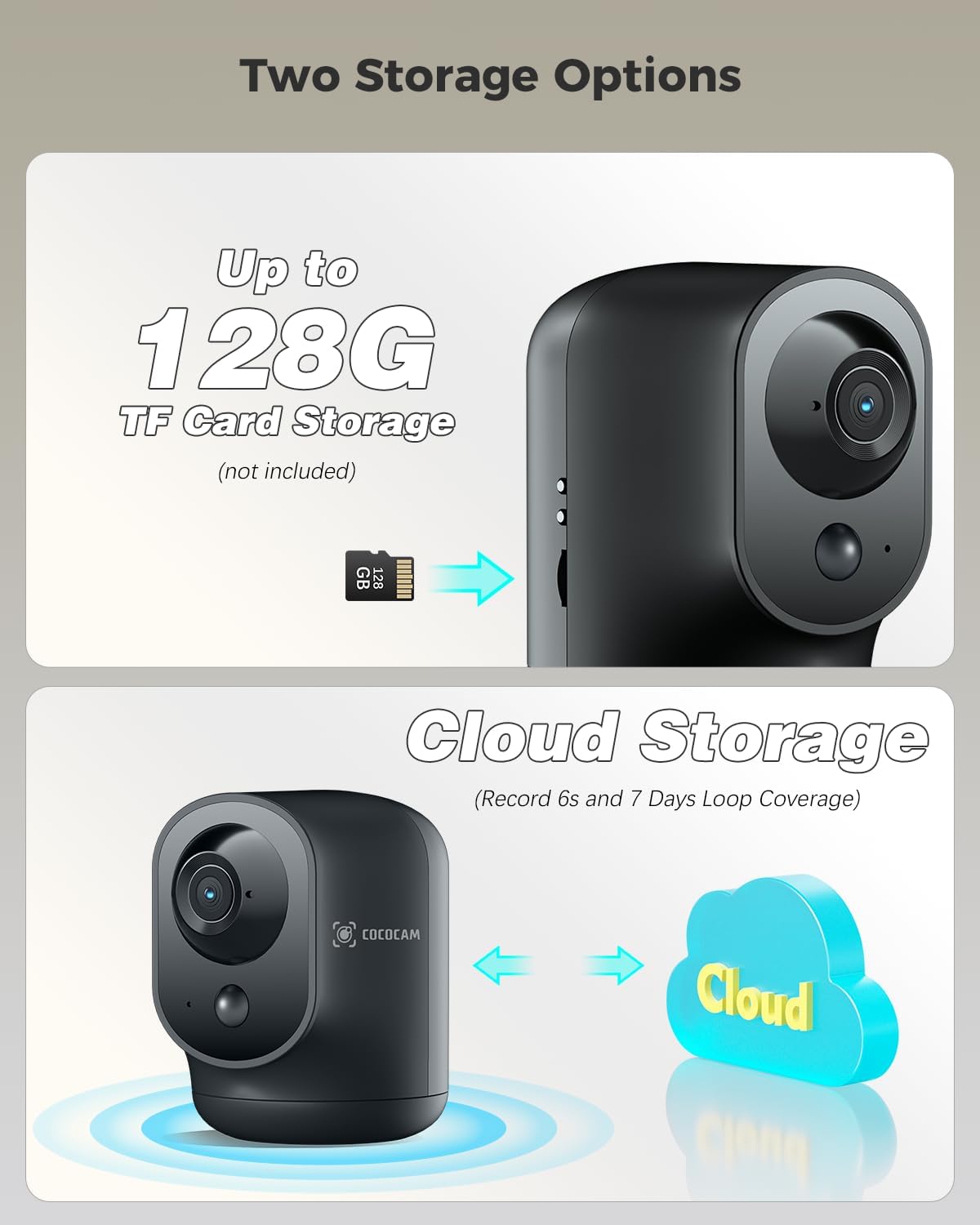
Figure 2.7: Two Storage Options
3. Орнотуу колдонмосу
3.1 Алгачкы заряддоо
Before first use, fully charge the camera using the provided USB charging cable. The charging indicator light will change once charging is complete.
3.2 Колдонмону жүктөп алуу жана орнотуу
Download the "CloudEdge" app from your smartphone's app store (Google Play Store for Android or Apple App Store for iOS). Follow the on-screen instructions to install the app.
3.3 Түзмөктү жупташтыруу
- CloudEdge колдонмосун ачып, аккаунт түзүңүз же кириңиз.
- Жаңы түзмөк кошуу үчүн "+" сөлөкөтүн таптаңыз.
- Тизмеден камераңыздын моделин тандаңыз.
- Follow the in-app instructions to connect the camera to your Wi-Fi network. This typically involves scanning a QR code displayed on your phone with the camera lens.
- Туташкандан кийин, камераңызга ат коюп, түз эфирди баштасаңыз болот viewing.
3.4 Камераны жайгаштыруу
The camera is designed for indoor use and can be placed on any flat surface, such as a table or shelf. Ensure it is within range of your Wi-Fi network for optimal performance.
4. Иштөө нускамалары
4.1 Live View
Open the CloudEdge app and select your camera from the device list to access the live video feed. You can view реалдуу убакыт footagИнтернет байланышы бар каалаган жерден.
4.2 Панорама жана жантайтууну башкаруу
Түз эфирде view, use the directional controls within the app to remotely pan (rotate horizontally) and tilt (rotate vertically) the camera lens to adjust its viewбурч.
4.3 Эки тараптуу аудио
Түз эфирде микрофон сүрөтчөсүн басыңыз view interface to speak through the camera's speaker. Tap the speaker icon to listen to audio from the camera's surroundings.
4.4 Кыймылды аныктоо жана эскертүүлөр
The camera features PIR human detection. You can customize alarm settings and define specific alarm zones within the app to focus on critical areas. When motion is detected, you will receive instant notifications on your smartphone.
4.5 Жазуу жана ойнотуу
Recordings are triggered by motion detection. You can store footage on a local TF card (up to 128GB, not included) or subscribe to the cloud storage service for 6-second event recordings and 7-day loop coverage. Access recorded videos through the playback feature in the app.
4.6 Түнкү көрүнүш
The camera automatically switches to infrared night vision mode in low-light conditions, providing clear black and white footage up to 20 meters.
5. Техникалык тейлөө
- Тазалоо: Камера линзасын жана корпусун тазалоо үчүн жумшак, кургак чүпүрөктү колдонуңуз. Катуу химиялык заттарды же абразивдүү материалдарды колдонуудан алыс болуңуз.
- Батареяга кам көрүү: To prolong battery life, avoid exposing the camera to extreme temperatures. Recharge the battery when the app indicates a low battery level.
- Программалык камсыздоонун жаңыртуулары: Regularly check the CloudEdge app for available firmware updates. Keeping your camera's firmware updated ensures optimal performance and security.
6. Кыйынчылыктарды
| Көйгөй | Мүмкүн болгон себеп / Чечим |
|---|---|
| Камера Wi-Fi'га туташпай жатат | Ensure your Wi-Fi network is 2.4GHz (5GHz is not supported). Check Wi-Fi password. Move camera closer to router. Reset camera and try pairing again. |
| Кыймылды аныктоо эскертүүлөрү жок | Check motion detection settings in the app. Ensure PIR detection is enabled and sensitivity is adjusted correctly. Verify alarm zones are set up. |
| Видеонун сапаты начар | Check your internet connection speed. Ensure the camera lens is clean. Adjust camera placement for better lighting. |
| Эки тараптуу аудио иштебейт | Ensure microphone and speaker permissions are granted to the app on your phone. Check volume settings on both the app and your phone. |
| Батарея бат эле түгөнөт | Көп түз эфирде viewing, excessive motion events, or weak Wi-Fi signal can increase battery consumption. Reduce sensitivity or live view time if possible. |
For more detailed troubleshooting or persistent issues, please refer to the help section within the CloudEdge app or contact COCOCAM customer support.
7. Техникалык шарттар
| Өзгөчөлүк | Деталь |
|---|---|
| Модель номери | CC-C7 |
| Video Resolution | 2K (3MP, 2304x1296p) |
| Pan/Tilt диапазону | 355° Горизонталдык, 90° Вертикалдуу |
| Батарея сыйымдуулугу | 5200 мАч (литий-иондук) |
| Түнкү көрүү диапазону | 20 метр |
| Байланыш | Wi-Fi (2.4 ГГц) |
| Сактагыч параметрлери | TF картасы (128 ГБ чейин, кошулган эмес), булут сактагычы |
| Өзгөчөлүктөр | Two-way audio, HD Resolution, PTZ Technology, Night Vision, PIR Human Detection, AI Recognition |
| Өлчөмдөрү (L x W x Y) | 7 x 8.5 x 10 см |
| Салмагы | 420 грамм |
| Материал | Акрилонитрил бутадиен стирол (ABS) |
| Шайкеш түзмөктөр | Смартфон (Android, iOS) |
| Controller Type | Amazon Alexa, Android, Google Assistant, CloudEdge |
8. Кепилдик жана колдоо
COCOCAM products come with a standard warranty. Please refer to the product packaging or the official COCOCAM webатайын кепилдик шарттары жана шарттары үчүн сайт.
For technical support, troubleshooting assistance, or any inquiries regarding your COCOCAM 2K Indoor Pan/Tilt WiFi Camera, please contact COCOCAM customer support. Their responsive team is available to assist you with setup and any operational questions.
You can often find contact information or support resources via the CloudEdge app or by visiting the COCOCAM brand store on Amazon or their official webсайт.


