1. Продукт бүтүп калдыview
The UNIWA F41 is a rugged 4G Android mobile phone designed with walkie-talkie capabilities, featuring a durable build, long-lasting battery, and support for various communication applications like Zello. It combines smartphone functionality with push-to-talk (PTT) features, making it suitable for professional and outdoor use.

1-сүрөт: Алдыңкы жана арткы view of the UNIWA F41 device, showing the display, keypad, PTT button, and rear clip.
Негизги өзгөчөлүктөрү:
- Операция системасы: Android 8.1
- Процессор: MT6739 Quad Core
- Эстутум: 1GB RAM + 8GB ROM (expandable up to 64GB with Micro SD)
- Дисплей: 2.4-inch IPS capacitive touch screen (320x240 resolution)
- Батарея: Removable 4600mAh Li-Polymer battery with 10W fast charging
- Узактыгы: IP54 waterproof, drop, and shockproof
- Байланыш: 2G/3G/4G global network bands, Wi-Fi (2.4GHz/5GHz), Bluetooth 4.2, GPS/BeiDou/GLONASS
- Камералар: 5 МП алдыңкы, 8 МП арткы
- Аудио: Front Φ36/3 Watt BOX Speaker
- Өзгөчөлүктөр: Zello intercom, Smart PTT, Posctar support, NFC for patrolling, SOS button, Dual SIM
2. Пакеттин мазмуну
Пакетте бардык буюмдар бар экенин текшериңиз:
- UNIWA F41 Talkie Walkie Smartphone (x1)
- Power Adapter (5V/2A) (x1)
- USB кабели (x1)
- Клип (x1)
- Антенна (x1)
- Колдонуучунун колдонмосу (x1)

2-сүрөт: Contents of the UNIWA F41 retail package.
3. Орнотуу
3.1. Батареяны орнотуу жана баштапкы заряддоо
- Аппараттын арткы капкагын алып салыңыз.
- Insert the 4600mAh Li-Polymer battery into the battery compartment, ensuring the contacts align.
- Арткы капкакты коопсуз ордуна коюңуз.
- Connect the provided USB cable to the device's USB Type-C port and the power adapter.
- Кубат адаптерин розеткага сайыңыз.
- Charge the device for at least 1 hour before initial use. The charging indicator will show progress.

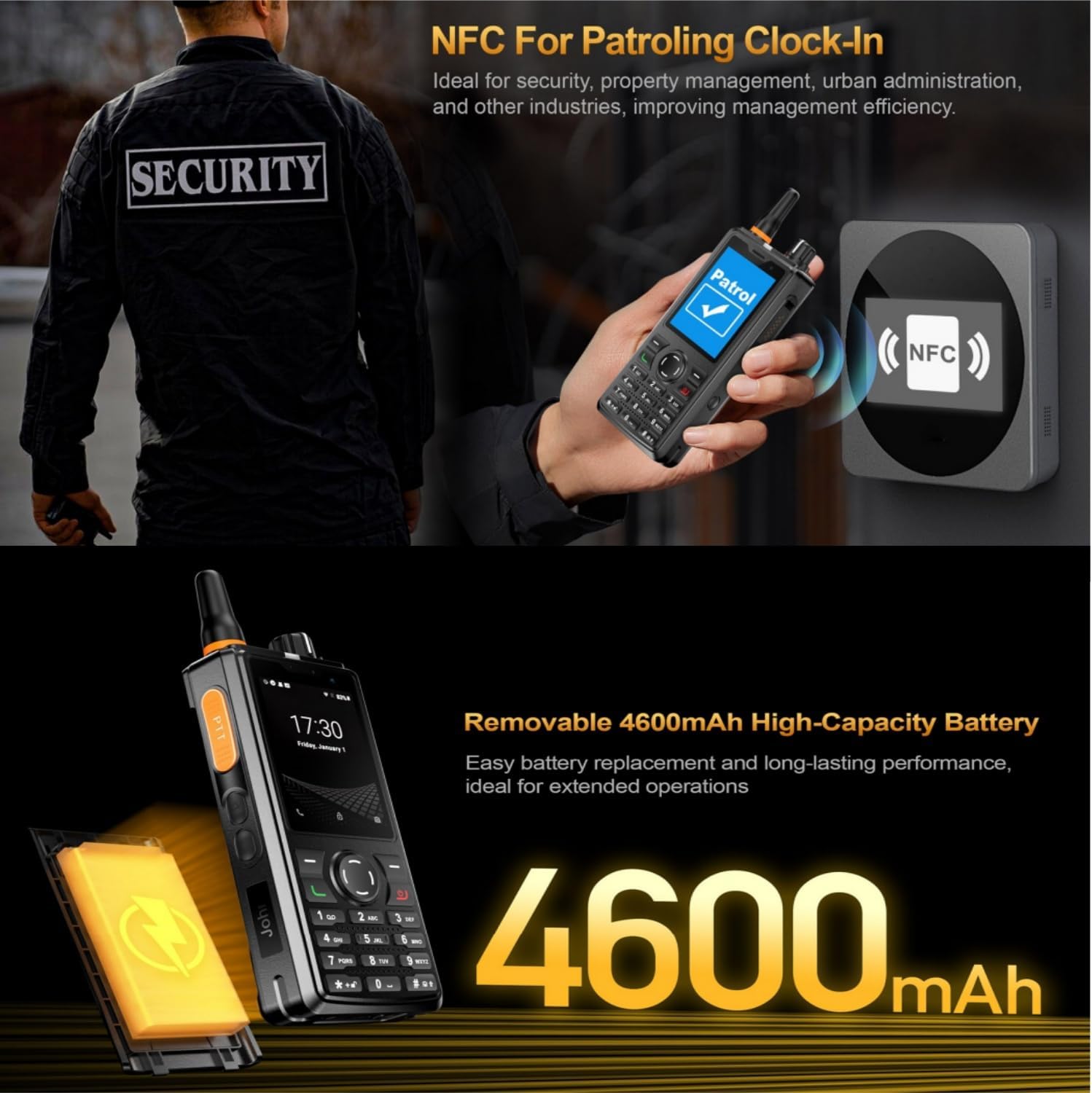
3-сүрөт: The UNIWA F41 device with its high-capacity 4600mAh removable battery.
3.2. SIM картаны жана Micro SD картаны орнотуу
The device supports dual SIM cards and one TF (Micro SD) card.
- With the device powered off, remove the back cover and battery.
- Locate the SIM card slots (SIM Card Slot *2) and TF Card Slot *1.
- Carefully insert your SIM card(s) into the designated slots with the gold contacts facing down.
- Insert your Micro SD card (up to 64GB) into the TF card slot.
- Батареяны жана арткы капкакты кайра орнотуңуз.
3.3. Антенна тиркемеси
Screw the provided antenna onto the top of the device until it is finger-tight. Ensure it is securely attached for optimal signal reception.
4. Иштөө нускамалары
4.1. Күйгүзүү/өчүрүү
- Күйгүзүү: Экран күйгөнгө чейин Кубат баскычын (адатта капталда) басып туруңуз.
- Өчүрүү: Кубат баскычын басып, кармап туруңуз, андан кийин экрандагы параметрлерден "Өчүрүү" дегенди тандаңыз.
4.2. Негизги навигация
The UNIWA F41 features a 2.4-inch IPS capacitive touch screen and a T9 keypad for navigation.
- Сенсордук экран: Тандоо үчүн таптаңыз, сыдыруу үчүн серпиңиз.
- Баскычтоп: Use the directional keys for menu navigation and the central button to confirm selections.
- Артка баскычы: Мурунку экранга кайтат.
- Үй баскычы: Башкы экранга кайтып келет.

4-сүрөт: The 2.4-inch IPS capacitive touch screen of the UNIWA F41, displaying various application icons.
4.3. Using Walkie-Talkie (Zello/PTT) Functionality
The UNIWA F41 is pre-adapted for popular PTT applications like Zello, Real PTT, and Pocstar.
- Ensure you have an active internet connection (Wi-Fi or 4G).
- Open your preferred PTT application (e.g., Zello).
- Кириңиз же аккаунт түзүңүз.
- Join a channel or contact.
- Press and hold the dedicated PTT Intercom Button (located on the side) to transmit your voice. Release to listen.
- Use the Group Switching Knob (if available on your model) to quickly switch between talk groups.

5-сүрөт: The UNIWA F41 showcasing its integration with Zello and other PTT applications, highlighting the ergonomic PTT button.
4.4. Network Connectivity (4G, Wi-Fi, Bluetooth)
- 4G тармагы: Ensure your SIM card supports the device's network bands (2G: GSM850/900/1800/1900MHz; 3G: WCDMA B1/B2/B5/B8, TD-SCDMA B34/B39; 4G: FDD-LTE:B1/B3/B7/B8/B20; TDD-LTE:B38/B39/B40/B41). The device will automatically connect to available cellular networks.
- Wi-Fi: Жеткиликтүү Wi-Fi тармактарына туташуу үчүн Орнотуулар > Тармак жана Интернет > Wi-Fi бөлүмүнө өтүңүз.
- Bluetooth: Bluetooth аксессуарлары менен жупташтыруу үчүн Орнотуулар > Туташкан түзмөктөр > Bluetooth дегенге өтүңүз.

6-сүрөт: The UNIWA F41's capability to support global 2G/3G/4G network bands for seamless communication.
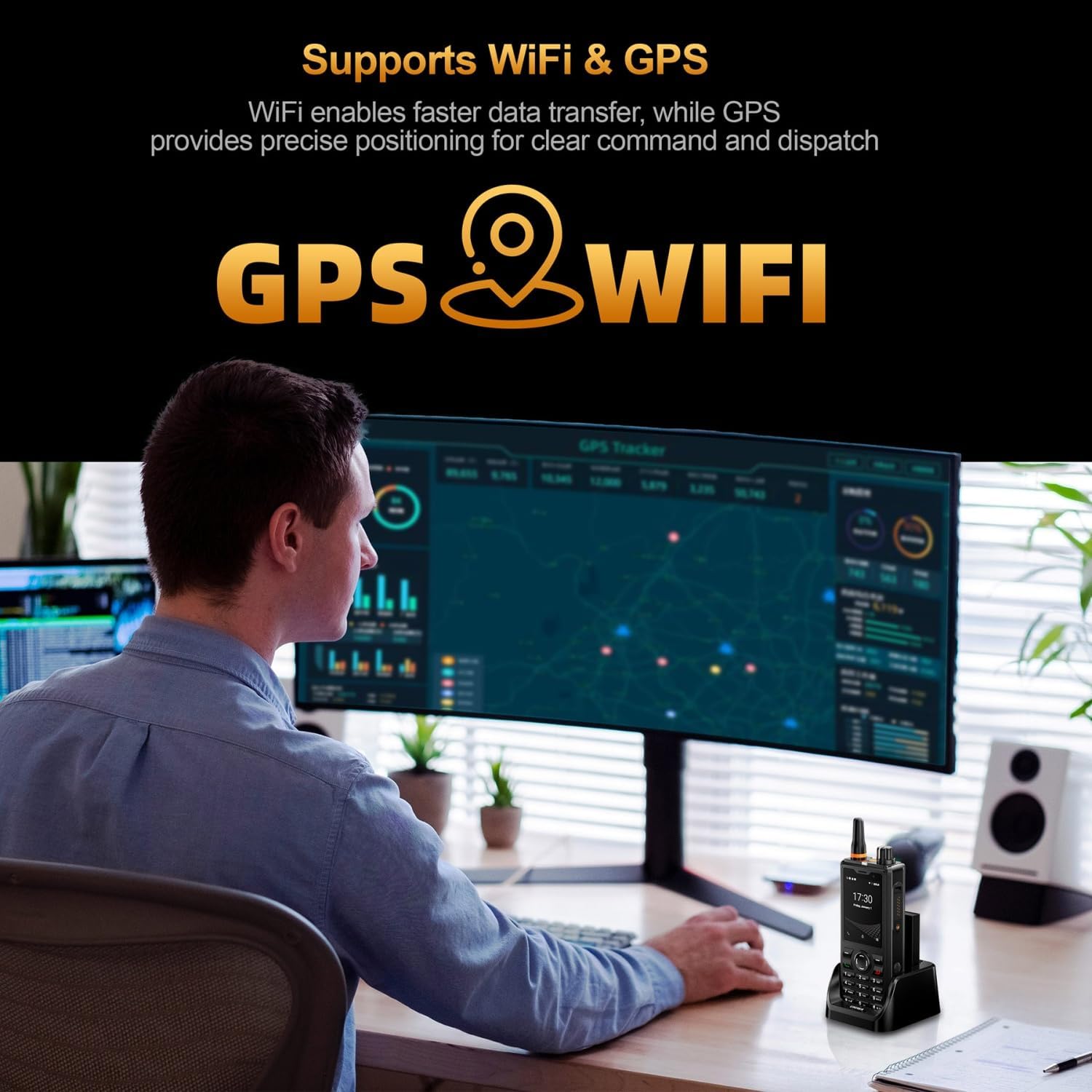
7-сүрөт: Illustration of the UNIWA F41's integrated WiFi for faster data and GPS for precise positioning.
4.5. Камераны колдонуу
The device features a 5MP front camera and an 8MP rear camera.
- Үй экранынан же колдонмо суурмасынан Камера тиркемесин ачыңыз.
- Сүрөткө тартуу үчүн жапкычты басыңыз.
- Камераны которуштуруу сүрөтчөсүн колдонуп, алдыңкы жана арткы камералардын ортосунда которуштуруу.
- Видеолорду жаздыруу үчүн видео режимин тандаңыз.
8-сүрөт: The UNIWA F41's dual camera system, featuring a 5MP front camera and an 8MP rear camera for high-definition capture.
4.6. NFC функциясы
The built-in NFC can be used for applications such as patrolling clock-in.
- Ensure NFC is enabled in Settings.
- Open the relevant NFC-enabled application.
- Tap the device near an NFC tag or reader to perform the desired action (e.g., clock-in).

9-сүрөт: The UNIWA F41 utilizing its NFC feature for applications like patrolling clock-in, ideal for various industries.
4.7. SOS Emergency Call
The device includes a dedicated SOS button for emergency situations.
- Configure emergency contacts in the device settings.
- In an emergency, press the SOS Button (usually on the side) to initiate an emergency call or send an SOS message to pre-set contacts.
5. Техникалык тейлөө
5.1. Аспапты тазалоо
- Use a soft, lint-free cloth to wipe the screen and body of the device.
- өжөр кир үчүн, бир аз гampen the cloth with water or a mild screen cleaner.
- Avoid using harsh chemicals, abrasive cleaners, or aerosols.
- Аксессуарларды заряддоо же туташтыруудан мурун бардык порттор кургак экенин текшериңиз.
5.2. Батареяга кам көрүү
- Биринчи жолу колдонуудан мурун батарейканы толук кубаттаңыз.
- Ашыкча температурадан качыңыз, алар батареянын иштешин начарлатышы мүмкүн.
- Батареяны тешип, ажыратпаңыз же кыска туташууларга жол бербеңиз.
- Эгерде аппарат узак убакыт бою колдонулбаса, аны 50%га чейин кубаттап, салкын, кургак жерде сактаңыз.
5.3. Программалык камсыздоону жаңыртуу
Important Note: Currently, the F41 only supports Android 8.1. Do not upgrade the Android version, otherwise the phone will not work.
Regularly check for official software updates from UNIWA to ensure optimal performance and security. Follow the instructions provided by the update notification or check in Settings > System > System update.
6. Кыйынчылыктарды
| Көйгөй | Мүмкүн себеп | Чечим |
|---|---|---|
| Түзмөк күйбөйт. | Low battery; Battery not installed correctly; Software issue. | Charge the device for at least 1 hour. Reinstall the battery. Perform a force restart (refer to device specific instructions if available). |
| Тармак сигналы жок. | SIM card not inserted correctly; Out of network coverage; Incorrect network settings. | Reinsert SIM card. Move to an area with better coverage. Check APN settings in Network & Internet settings. Ensure antenna is securely attached. |
| PTT function not working. | No internet connection; PTT app not configured; App permissions. | Verify Wi-Fi or 4G connection. Ensure PTT app is logged in and configured correctly. Check app permissions for microphone and network access. |
| Батарея бат эле түгөнөт. | High screen brightness; Many apps running in background; Poor network signal. | Reduce screen brightness. Close unused apps. Disable Wi-Fi/Bluetooth when not in use. Use power-saving mode. |
| Түзмөк жай же жооп бербей жатат. | Too many apps open; Low storage; Software glitch. | Close background apps. Clear cache. Free up storage space. Restart the device. |
| Cannot upgrade Android version. | Device limitation. | The UNIWA F41 is designed to operate on Android 8.1. Attempting to upgrade may cause the device to malfunction. Do not upgrade the Android version. |
| Speaker volume is low or distorted. | Volume settings; Speaker obstruction; Software issue. | Increase volume using the volume buttons. Ensure speaker is not blocked. Restart the device. |
| GPS not accurate. | Poor satellite signal; GPS settings. | Асман ачык, ачык жерде экениңизди текшериңиз view. Check location settings and ensure GPS is enabled. |
| NFC not working. | NFC disabled; Incorrect positioning. | Enable NFC in settings. Ensure the device's NFC area is close to the tag/reader. |
7. Техникалык шарттар
| Өзгөчөлүк | Деталь |
|---|---|
| Бренд | UNIWA |
| Модел | F41 |
| Операция системасы | Android 8.1 |
| CPU | MT6739 Quad Core |
| Эстутум (RAM) | 1 ГБ |
| Сактагыч (ROM) | 8 ГБ |
| Кеңейтүүчү сактагыч | Up to 64GB (Micro SD) |
| SIM картаны колдоо | Кош SIM |
| Дисплей өлчөмү | 2.4 дюйм |
| Дисплей түрү | IPS сыйымдуу сенсордук экран |
| Display Resolution | 320x240 |
| Арткы камера | 8MP |
| Алдыңкы камера | 5MP |
| Батарея сыйымдуулугу | 4600mAh Li-Polymer (Removable) |
| Заряддоо | 10W Fast Charging, USB Type-C, Dock charging connectors |
| Өлчөмдөр | 135.6 x 60.5 x 26.0 мм |
| Салмагы | 265g (including battery and clip) |
| Суу/чаңга туруктуулук | IP54 Waterproof, Drop and Shockproof |
| Network Bands | 2G: GSM850/900/1800/1900MHz; 3G: WCDMA B1/B2/B5/B8, TD-SCDMA B34/B39; 4G: FDD-LTE:B1/B3/B7/B8/B20; TDD-LTE:B38/B39/B40/B41 |
| Wi-Fi | 2.4 ГГц / 5 ГГц |
| Bluetooth | BT4.2 |
| GNSS | GPS/BeiDou/ГЛОНАСС |
| NFC | Ооба |
| Баяндамачы | Front Φ36/3 Watt BOX Speaker |
| Buttons | PTT Intercom Button, Volume +/-, SOS Button, Customize Button, T9 Keypad |
| Наушник уясы | M6 Headphone Jack |
| Иштөө температурасы | -20 градустан +60 градуска чейин |
8. Коопсуздук маалыматы
- Аппаратты колдонуудан мурун бардык нускамаларды кылдат окуп чыгыңыз.
- Аппаратты экстремалдык температурага, тике күн нуруна же ашыкча нымдуулукка дуушар кылбаңыз.
- Use only manufacturer-approved accessories (battery, charger, antenna).
- Түзмөктү өз алдынча бөлүктөргө бөлүүгө, оңдоого же өзгөртүүгө аракет кылбаңыз. Квалификациялуу тейлөө кызматкерлерине кайрылыңыз.
- Түзмөктү жана батарейканы жергиликтүү эрежелерге ылайык жоопкерчилик менен жок кылыңыз.
- Унааны айдоо же оор техниканы башкаруу учурунда аппаратты колдонуудан алыс болуңуз.
- Maintain a safe distance from medical implants (e.g., pacemakers) when using the device.
- The device is IP54 rated for water and dust resistance, but it is not fully submersible. Avoid prolonged exposure to water.
9. Кепилдик жана колдоо
For warranty information, please refer to the warranty card included with your product or contact UNIWA customer support. Keep your purchase receipt as proof of purchase.
For technical support or service inquiries, please contact your retailer or visit the official UNIWA webбайланыш маалыматы үчүн сайт.


