1. Киришүү
Thank you for choosing the DOGNESS 9L Automatic Pet Feeder. This device is designed to provide your pet with scheduled and portion-controlled meals, ensuring a consistent feeding routine even when you are away. Please read this manual thoroughly before operating the feeder to ensure proper use and maintenance.
2. Коопсуздук боюнча маанилүү маалымат
- Бул шайман үй ичинде гана колдонуу үчүн.
- Use only dry pet food with kibble sizes between 0.2 and 0.6 inches (0.5 to 1.5 cm) to prevent clogging.
- Негизги блокту сууга же башка суюктукка салбаңыз.
- Тамак бергичти колдонбогон учурда же тазалоо учурунда балдар жана үй жаныбарлары жетпеген жерде сактаңыз.
- Тазалоодон же техникалык тейлөөдөн мурун, ар дайым азыктандыргычты розеткадан сууруп алыңыз.
- Ensure the power adapter cable is not damaged or chewed by pets.
- Фидерди өзүңүз оңдоого же өзгөртүүгө аракет кылбаңыз. Жардам алуу үчүн кардарларды колдоо бөлүмүнө кайрылыңыз.
3. Пакеттин мазмуну
Сураныч, пакеттин мазмунун текшерип, бардык буюмдар бар экенин текшериңиз:
- DOGNESS 9L Automatic Pet Feeder Main Unit
- Food Hopper Lid
- Food Bowl (Base)
- Кубаттуу адаптер
- Колдонуучунун Колдонмосу (бул документ)
4. Продукт бүтүп калдыview
DOGNESS автоматтык үй жаныбарларын азыктандыруучу жабдуусунун компоненттери менен таанышып алыңыз.

4.1-сүрөт: Фронт view of the DOGNESS 9L Automatic Pet Feeder.
- Тамак-аш бункер: Үй жаныбарларынын кургак тоюттары үчүн чоң сыйымдуулуктагы контейнер.
- Капкак: Тамак-аш идиштерин бекитет.
- Control Panel & LCD Display: For programming and operating the feeder.
- Азык-түлүк дүкөнү: Тамак-аш кайда берилет.
- Тамак-аш идиш: Үй жаныбарынын жегенге ылайыктуу алынуучу табак.
- Электр порту: AC адаптерин туташтыруу үчүн.
- Батарея бөлүмү: For backup batteries (located at the bottom).
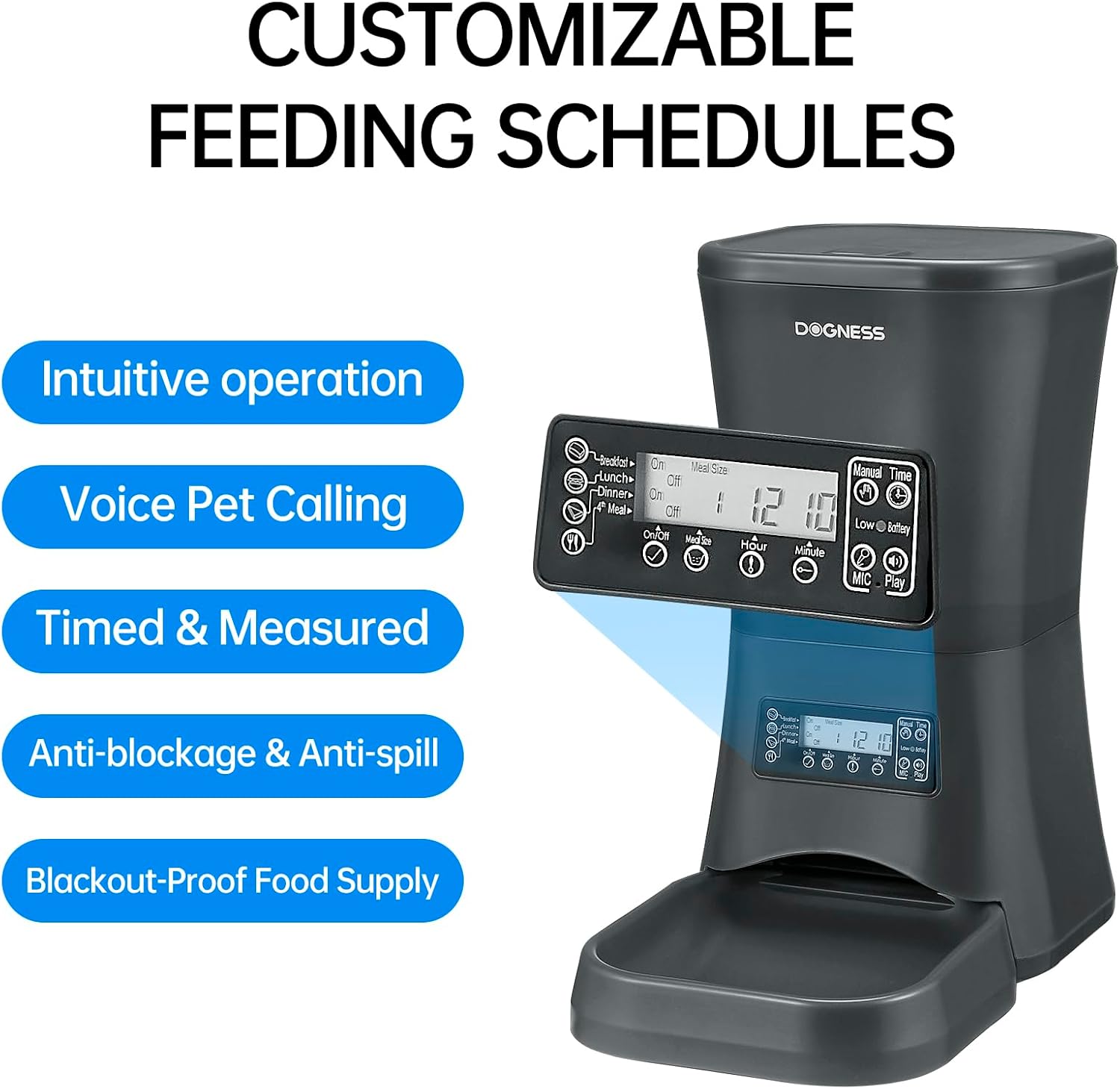
4.2-сүрөт: Деталдаштырылган view of the control panel and LCD display.
5. Орнотуу колдонмосу
5.1 Таңгактан чыгаруу жана чогултуу
- Бардык компоненттерди таңгактан кылдаттык менен алып салыңыз.
- Негизги блокту тегиз, туруктуу бетке коюңуз.
- Attach the food bowl to the main unit by sliding it into place until it clicks securely.
5.2 Powering the Feeder
The feeder can be powered by an AC adapter or backup batteries.
- AC кубаттуулугу: Connect the power adapter to the feeder's power port and then plug it into a standard wall outlet.
- Батареянын камдык көчүрмөсү: Бийлик үчүнtages, the feeder supports D-cell batteries (not included). Open the battery compartment at the bottom of the unit and insert the required number of D-cell batteries, ensuring correct polarity. The internal Lithium-ion battery included is for maintaining settings.
5.3 Тамак-аш бункерин толтуруу
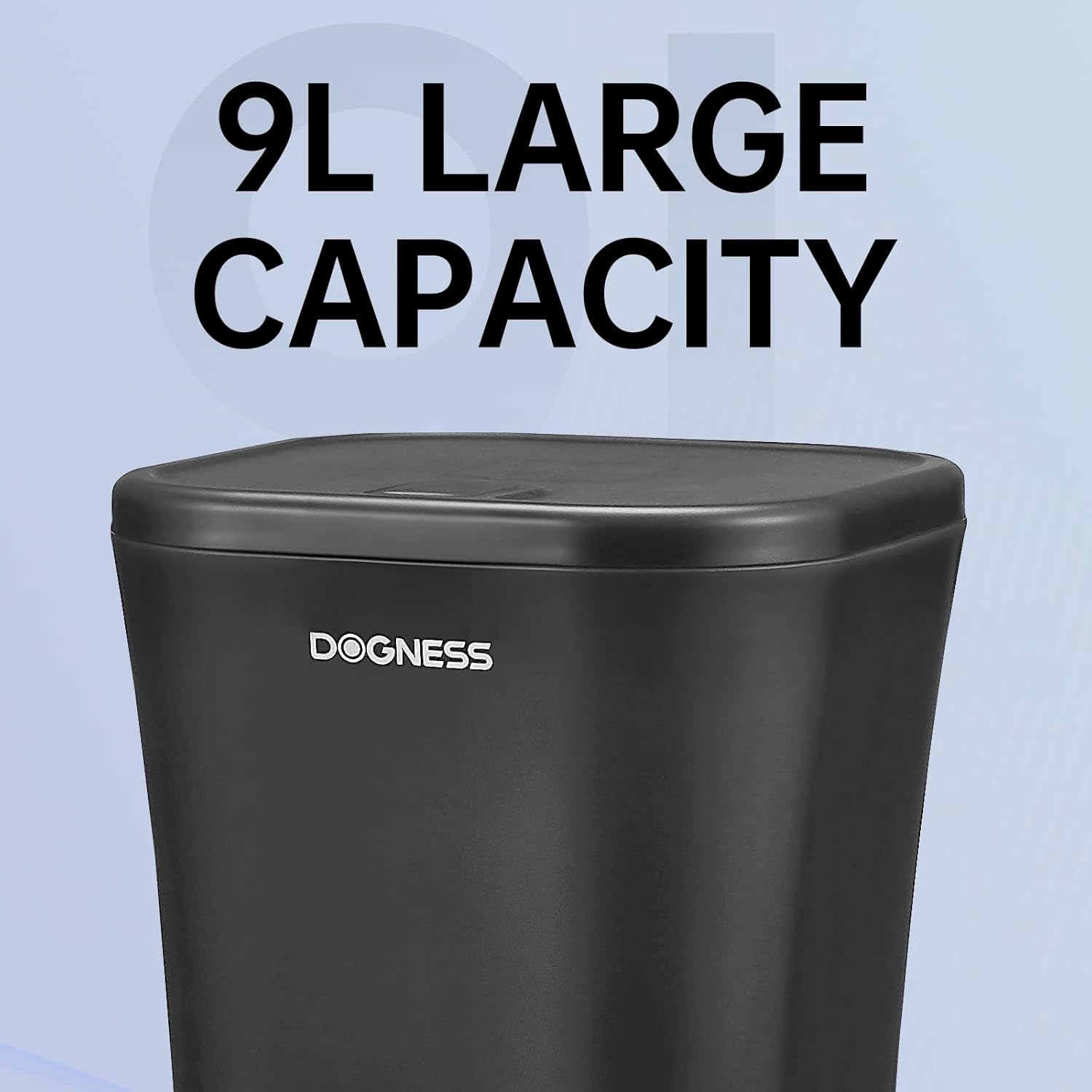
5.1-сүрөт: The large 9-liter capacity food hopper.
- Азык-түлүк салынган идиштин капкагын ачыңыз.
- Pour dry pet food into the hopper. Ensure the kibble size is appropriate (0.2 to 0.6 inches).
- Close the lid securely to maintain food freshness and prevent spills.
6. Иштөө нускамалары
6.1 Учурдагы убакытты орнотуу
Before programming meal times, set the current time on the feeder's LCD display.
- басыңыз "SET" убакыт орнотуу режимине өтүү үчүн баскыч.
- колдонуу "СААТ" жана "Мүнөт" buttons to adjust the current hour and minute.
- Басыңыз "SET" ырастоо жана чыгуу үчүн кайра.
6.2 Тамактануу убактысын жана порцияларын программалоо
The feeder allows you to schedule up to 4 meals per day with customizable portion sizes.
- басыңыз "MEAL" button to cycle through Meal 1, Meal 2, Meal 3, and Meal 4 settings.
- For each meal, use the "СААТ" жана "Мүнөт" buttons to set the desired feeding time.
- колдонуу "PORTION" button to adjust the number of servings for that meal. Each serving dispenses a specific amount of kibble. Refer to the specifications for approximate serving size.
- After setting each meal, press "SET" to save the settings and move to the next meal or exit programming mode.
- Ensure the meal schedule is activated (usually indicated by an "ON" or active icon on the display for each meal).

6.1-сүрөт: The feeder providing automatic, scheduled meals.
6.3 Үн жаздыруу
You can record a personalized voice message (up to 10 seconds) that will play before each meal to call your pet.
- басып, кармап туруңуз "REC" button until the display indicates recording mode.
- Speak clearly into the microphone (usually located near the control panel).
- бошотуңуз "REC" жаздырууну сактоо үчүн баскычты басыңыз.
- басыңыз "PLAY" жаздырылган билдирүүңүздү угуу үчүн баскычты басыңыз.
6.4 Кол менен тамактандыруу
Белгиленген тамактануу убактысынан тышкары тамакты заматта берүү үчүн:
- басыңыз "КОЛ МЕНЕН" button once to dispense one serving.
- Press multiple times for additional servings.

6.2-сүрөт: Food being dispensed, demonstrating the anti-clogging design.
7. Техникалык тейлөө жана тазалоо
7.1 Бергичти тазалоо
- Бергичти розеткадан сууруп, бардык камдык батареяларды алып салыңыз.
- Remove any remaining food from the hopper and food bowl.
- The food bowl is detachable and can be washed with mild soap and water. Rinse thoroughly and dry completely before reattaching.
- Wipe the interior of the food hopper and the exterior of the main unit with a damp кездеме. Абразивдүү тазалагычтарды колдонбоңуз.
- Кайра чогултуудан жана тамак-аш менен толтуруудан мурун бардык бөлүктөрү толугу менен кургатылганын текшериңиз.
7.2 Refilling Food
Regularly check the food level in the hopper. Refill as needed to ensure continuous feeding for your pet.
7.3 Батареяны алмаштыруу
If using D-cell batteries for backup, replace them when the low battery indicator appears on the LCD display or approximately every 6-12 months, depending on usage.
8. Кыйынчылыктарды
| Көйгөй | Мүмкүн себеп | Чечим |
|---|---|---|
| Азыктандыруучу тамак бербейт. |
|
|
| Туура эмес порциянын өлчөмү берилген. |
|
|
| LCD display is blank or not responding. |
|
|
9. Техникалык шарттар

9.1-сүрөт: Dimensions of the DOGNESS 9L Automatic Pet Feeder.
| Модель номери | F09 |
| Кубаттуулугу | 9 литр |
| Өлчөмдөрү (L x W x Y) | 23.6 см х 40.6 см х 38.2 см |
| Салмагы | 2.52 килограмм |
| Материал | Пластик |
| Электр камсыздоо | AC Adapter (included), D-cell Batteries (not included) for backup |
| Сунушталган Kibble өлчөмү | 0.2 - 0.6 дюйм (0.5 - 1.5 см) |
| Түс | Black-9L |
| Колдонуу чөйрөсү | Үй ичинде гана колдонуу |
10. Кепилдик жана колдоо
DOGNESS products are manufactured to high-quality standards. For warranty information, please refer to the warranty card included with your purchase or visit the official DOGNESS website. If you encounter any issues or have questions regarding your pet feeder, please contact DOGNESS customer support for assistance.
Кардарларды колдоо: Сураныч, сатып алуу документтерин же өндүрүүчүнүн webбайланыш маалыматы үчүн сайт.


