1. Киришүү
This manual provides detailed instructions for the operation and maintenance of your Monster Open Touch Pro 100 Wireless Earbuds. Please read this manual thoroughly before use to ensure proper functionality and to maximize your listening experience.
2. Пакеттин мазмуну
Пакетиңизде бардык буюмдар бар экенин текшериңиз:
- Monster Open Touch Pro 100 Wireless Earbuds (Left and Right)
- Сенсордук экран менен кубаттоочу куту
- USB заряддоо кабели (Type-C)
- Колдонуучунун Колдонмосу (бул документ)
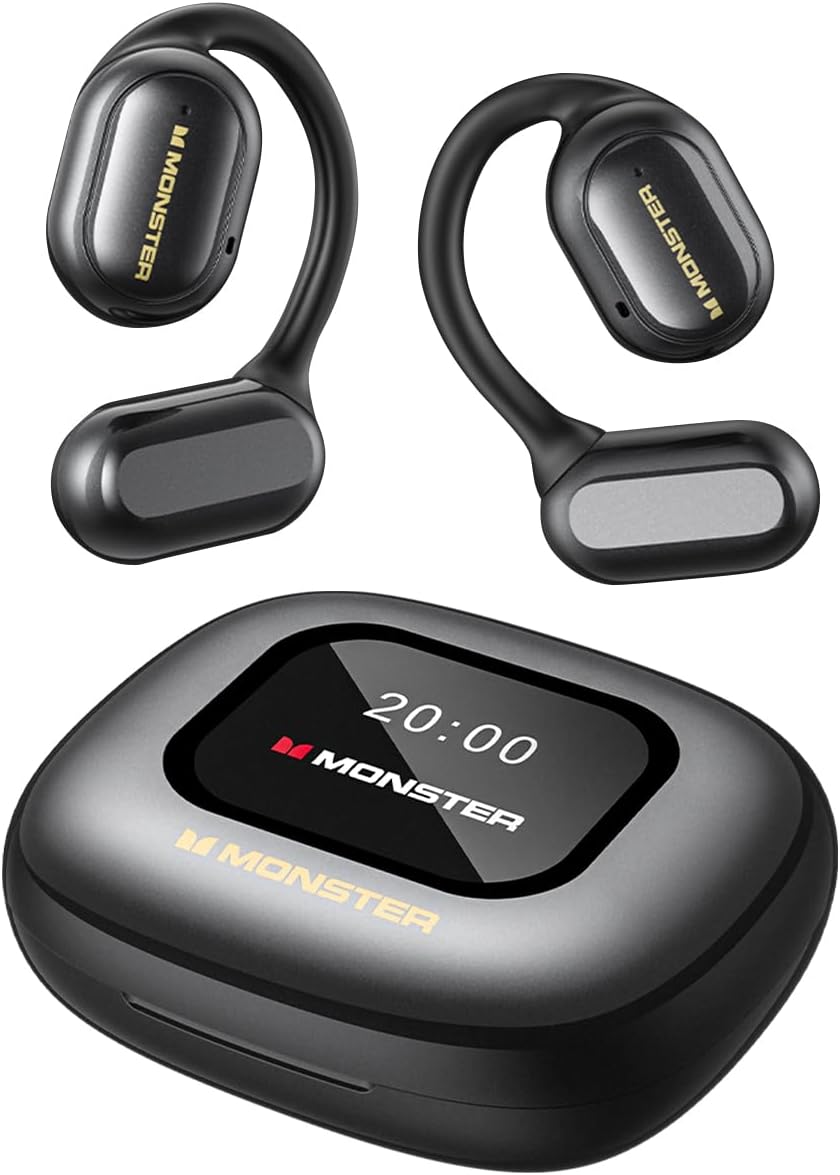
Image: The Monster Open Touch Pro 100 wireless earbuds and their charging case, illustrating the complete product package.
3. Продукт бүтүп калдыview
3.1 Кулакчындын компоненттери
- Ачык кулак дизайны: Айлана-чөйрөнү аңдап билүүгө мүмкүндүк берет.
- Кулак илгичтери: Ergonomic curved design for secure and comfortable wear.
- 16.2 мм динамикалык драйверлер: For clear sound quality.
- Микрофондор: For Environmental Noise Cancellation (ENC) during calls.
- Заряддоо байланыштары: Корпустун ичинде заряддоо үчүн.
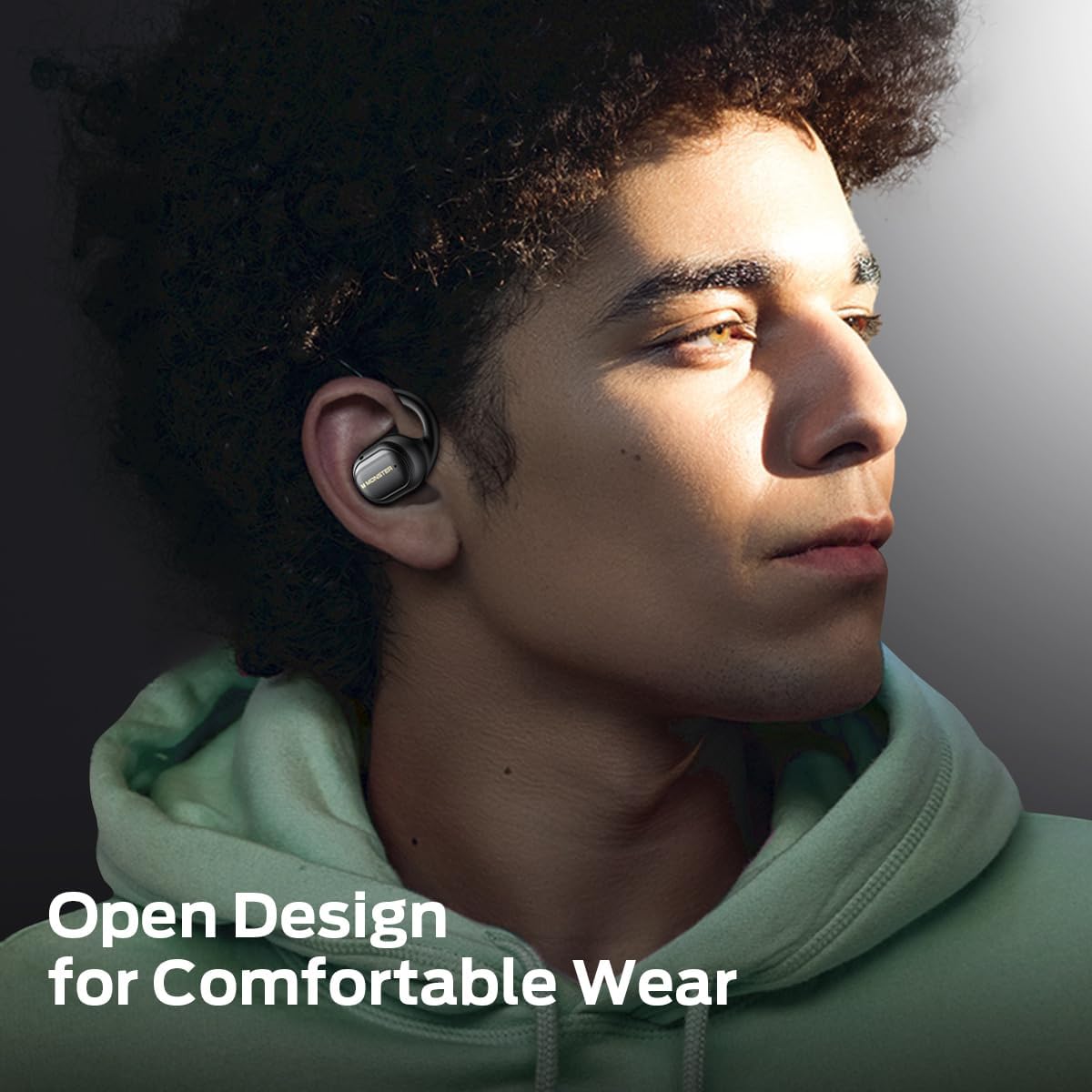
Image: A man wearing the Monster Open Touch Pro 100 earbud, demonstrating its open-ear design and comfortable fit.
3.2 Кубаттоочу кутучанын өзгөчөлүктөрү
- LED Full-Color Smart Touch Screen: For control over music, settings, and more.
- TF карта уячасы: Supports independent MP3 playback (TF card not included).
- USB-C заряддоо порту: Ишти кайра заряддоо үчүн.

Image: The Monster Open Touch Pro 100 charging case displaying its LED full-color smart touch screen, showing various control options.
4. Орнотуу
4.1 Алгачкы заряддоо
Before first use, fully charge the earbuds and the charging case. Place the earbuds into the charging case and connect the USB-C cable to the charging port on the case, then connect the other end to a USB power source (e.g., computer, wall adapter).
The LED screen on the charging case will indicate the charging status. A full charge typically takes approximately 1.5-2 hours for the case and earbuds.
4.2 Күйгүзүү/өчүрүү
- Күйгүзүү: Заряддоо кутучасын ачыңыз. Кулакчындар автоматтык түрдө күйүп, жупташтыруу режимине өтөт.
- Өчүрүү: Кулакчындарды кайра заряддоо кутусуна салып, капкагын жабыңыз. Алар автоматтык түрдө ажыратылып, өчүрүлөт.
4.3 Bluetooth жупташтыруу
- Кулакчындар кубатталганын жана күйүп турганын текшериңиз (кубаттоочу кутучаны ачыңыз).
- Түзмөгүңүздө (смартфон, планшет, ноутбук) Bluetooth иштетиңиз.
- Издөө available Bluetooth devices and select "Monster Open Touch Pro 100".
- Туташкандан кийин кулакчындар ийгиликтүү жупташтырылганын көрсөтүп, түзмөк аларды туташкан катары көрсөтөт.
Кулакчындар кутудан чыгарылганда, алар акыркы жупташтырылган түзмөккө автоматтык түрдө кайра туташууга аракет кылышат.
5. Иштөө нускамалары
5.1 Earbud Touch Controls
The earbuds feature touch-sensitive areas for controlling playback and calls:
- Ойнотуу/тындыруу: Single click on either L/R earbud.
- Кийинки ыр: Double click on the Right earbud.
- Мурунку ыр: Triple click on the Left earbud.
- Чакырууга жооп берүү: Double click on either L/R earbud.
- Чакырууну токтотуу: Hold for 3 seconds on either L/R earbud.
- Үн Жардамчысын жандыруу: Hold for 2 seconds on either L/R earbud.

Image: A visual guide to the touch controls on the Monster Open Touch Pro 100 earbuds, detailing actions for play/pause, track skipping, call management, and voice assistant activation.
5.2 Кубаттоочу кутучанын сенсордук экран функциялары
The full-color touch screen on the charging case provides advanced controls:
- Музыка ойнотууну көзөмөлдөө: Play, pause, skip tracks, adjust volume directly from the screen.
- EQ режимдери: Select from multiple equalizer presets (e.g., Rock and Roll, Pop, Normal, Jazz, Classic) to customize your audio experience.
- Тил которуштуруу: Change the system language of the case interface.
- Камера жапкыч: Use the case as a remote shutter button for your smartphone camera.
- Кулакчынымды тап: Locate misplaced earbuds by activating an audible signal.
- Орнотуулар: Access additional device settings.

Image: The Monster Open Touch Pro 100 charging case screen displaying the language selection interface, allowing users to switch between languages.

Image: The Monster Open Touch Pro 100 charging case screen displaying various equalizer modes such as Rock and Roll, Pop, Normal, Jazz, and Classic.
5.3 Independent MP3 Mode (TF Card)
The charging case features a TF card slot, allowing the earbuds to function as an independent MP3 player without requiring a connected phone or network.
- Insert a TF card (not included) with your music files into the designated slot on the charging case.
- On the touch screen, navigate to the "SD Music" option.
- Select and play your desired music directly from the TF card.
Note: Hot-swapping of the TF card is not supported. Ensure the device is powered off or in a safe state before inserting or removing the TF card.

Image: The Monster Open Touch Pro 100 charging case with a TF card being inserted, highlighting its independent MP3 playback capability.
6. Техникалык тейлөө
6.1 Тазалоо
- Кулакчындарды жана кубаттоочу кутуну жумшак, кургак, түксүз чүпүрөк менен сүртүңүз.
- Абразивдүү тазалагычтарды, спиртти же химиялык эриткичтерди колдонбоңуз.
- Keep charging contacts clean and dry to ensure proper charging.
6.2 Сууга туруктуулук
Кулакчындар IPX5 суу өткөрбөйт, башкача айтканда, алар каалаган тараптан төмөн басымдагы суу агымдарынан корголгон. Бул аларды машыгууга жана жеңил жамгырга ылайыктуу кылат.
Important: The charging case is NOT waterproof. Avoid exposing the charging case to water or moisture.

Image: A woman exercising while wearing the Monster Open Touch Pro 100 earbuds, illustrating their IPX5 waterproof performance against sweat and light moisture.
6.3 Сактоо
Колдонулбаганда, кулакчындарды коргоо жана кубатталган бойдон калуу үчүн аларды кубаттоо кутучасына сактап коюңуз. Салкын, кургак жерде, экстремалдык температурадан алыс сактаңыз.
7. Кыйынчылыктарды
| Көйгөй | Мүмкүн себеп | Чечим |
|---|---|---|
| Кулакчындар жупташкан жок | Earbuds not in pairing mode; Bluetooth off on device; out of range. | Ensure case is open and earbuds are powered on. Turn Bluetooth off and on on your device. Move closer to your device. |
| Кулакчындардан үн чыкпайт | Volume too low; earbuds not connected; media paused. | Increase volume on device and earbuds. Reconnect earbuds. Check media playback status. |
| Заряддоо куту заряддалбай жатат | Cable not connected properly; faulty cable/adapter; dirty charging port. | Ensure USB-C cable is securely connected. Try a different cable or power adapter. Clean the charging port gently. |
| Кулакчындар заряддалбай жатат | Earbuds not seated correctly; dirty charging contacts. | Adjust earbuds in case to ensure proper contact. Clean earbud and case charging contacts. |
| Сенсордук экран жооп бербейт | Убактылуу программалык камсыздоодогу мүчүлүштүк; батареянын заряды аз. | Restart the charging case (if possible, by closing and reopening). Ensure the case is sufficiently charged. |
8. Техникалык шарттар
| Өзгөчөлүк | Деталь |
|---|---|
| Модель аты | Monster Open Touch Pro 100 |
| Байланыш технологиясы | Зымсыз (Bluetooth) |
| Bluetooth версиясы | 5.4 |
| Кулак жайгаштыруу | Ачык кулак |
| Аудио драйвер түрү | Динамикалык драйвер (16.2 мм) |
| Ызы-чууну башкаруу функциялары | Экологиялык ызы -чууну жокко чыгаруу (ENC) |
| Башкаруу ыкмасы | тийүү |
| Өзгөчөлүктөр | LED Full-Color Smart Screen, TF Card Support, IPX5 Waterproof (earbuds only) |
| Батареянын иштөө мөөнөтү (наушник) | 8 саатка чейин (бир кубаттоо) |
| Жалпы ойнотуу убактысы | 30 саатка чейин (кубаттоочу корпусу менен) |
| Материал | Силикон (кулак илгичтери) |
| Элемент Салмагы | 7.4 унция |
| Шайкеш түзмөктөр | Смартфондор, ноутбуктар, планшеттер, акылдуу динамиктер |
9. Кепилдик жана колдоо
Кепилдик маалыматы жана кардарларды колдоо үчүн, сатып алууда камтылган документтерди караңыз же расмий Monsterге баш багыңыз webсайт. Кепилдик дооматтар үчүн сатып алганыңыздын далилин сактаңыз.
Өндүрүүчү: Monster


