1. Introduction and Overview
The CorelDRAW Graphics Suite 2025 Education Edition is a comprehensive graphic design software solution tailored for professionals and academic users. This suite provides a versatile set of tools for vector illustration, page layout, image editing, and font management, designed to meet diverse creative needs across various industries.
This manual provides essential information for setting up, operating, and maintaining your CorelDRAW Graphics Suite 2025 software.

Image: CorelDRAW Graphics Suite 2025 Education Edition, highlighting compatibility with Windows and Mac operating systems.
2. Core Applications Included
The CorelDRAW Graphics Suite 2025 includes the following main applications:
- CorelDRAW: Your primary tool for vector illustration and page layout.
- Corel PHOTO-PAINT: A powerful program for image editing and pixel-based design.
- Corel Font Manager: An essential tool for exploring and managing your fonts.
- ТАРТУУ: A screen capture tool (available for Windows only).

Сүрөт: бүттүview of the core applications included in the CorelDRAW Graphics Suite, featuring their respective icons.
3. Орнотуу жана орнотуу
To install CorelDRAW Graphics Suite 2025, an active internet connection is required for installation, authentication, and access to online features and content. Ensure your system meets the minimum requirements before proceeding with the installation.
Academic Eligibility
This Education Edition requires academic eligibility. Eligible entities include accredited schools, faculties, full/part-time students, academic organizations, hospitals, libraries, museums, or non-profit/religious organizations. This edition is not intended for commercial use.
4. Operating and Key Features
CorelDRAW Graphics Suite 2025 offers a wide array of features to facilitate professional graphic design tasks. Below are some of the key functionalities and content included:
Design Capabilities
- Vector Illustration and Layout: Create complex works of art, add creative effects, and lay out brochures and multi-page documents.
- Сүрөттү түзөтүү: Utilize powerful layer-based tools to adjust color, fix imperfections, improve image quality with AI, create complex compositions, and add special effects.
- Басып чыгаруу жана Web Дизайн: Achieve flawless publishing and output with accurate color consistency, integrated Pantone Color Palettes, advanced printing options, and web graphics tools.

Image: Illustrates the suite's focus on combining creativity with productivity for professional graphic applications.
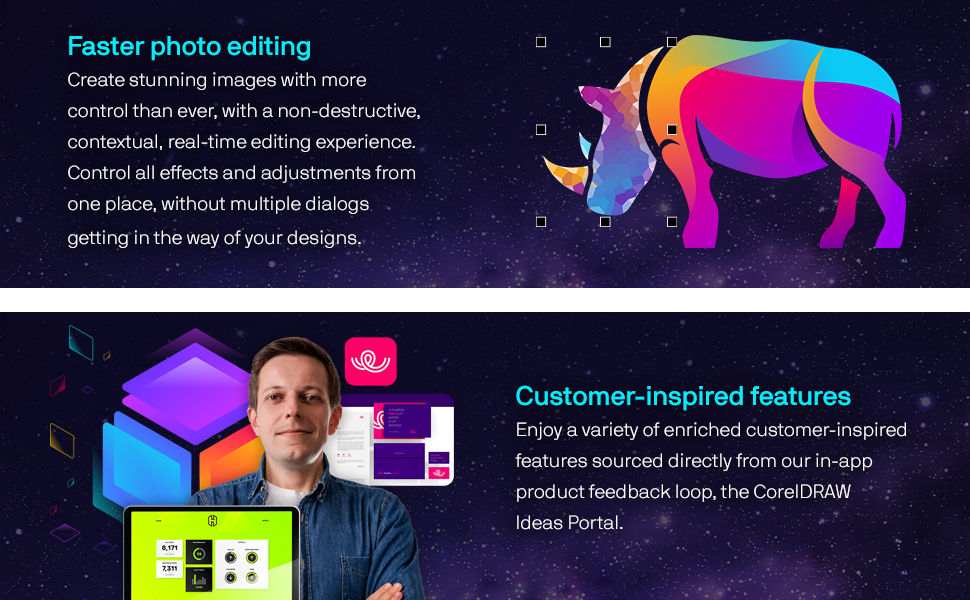
Image: Depicts simplified vector illustration and layout capabilities, allowing for creative expression with realistic brushes and efficient design editing.

Image: Highlights the faster photo editing features, enabling users to create stunning images with non-destructive, real-time editing.
Камтылган мазмун
- 7000 clipart, digital images, and vehicle wrap templates.
- 1000 high-resolution digital photos.
- 1000+ TrueType and OpenType fonts.
- 200+ professionally designed templates.
- 600+ fountain, vector, and bitmap fills.
- 100+ Painterly brushes.
New Features in 2025
- Advanced Print to PDF capabilities.
- Enhanced Painterly brush tool.
- General quality and security improvements.
- Additional Google Fonts integration.
Колдонмо Examples

Image: Demonstrates the creation of branding and marketing assets, such as product packaging and tags.

Image: Illustrates design features for print output, including large format printing, screen printing, embroidery, and direct-to-garment printing for signage and apparel.

Image: Shows dedicated tools for web and print, useful for point-of-sale promotions or enhancing online store assets for retail and e-commerce.

Image: Represents the ability to create beautiful, sophisticated works of art using state-of-the-art vector illustration technology for illustration and fine art.
5. Техникалык тейлөө жана жаңыртуулар
To ensure optimal performance and access to the latest features and security enhancements, it is recommended to keep your CorelDRAW Graphics Suite 2025 updated. An internet connection is required to download and install updates.
Subscribers are required to be online at least once every 30 days to re-authenticate their subscription.
6. Кыйынчылыктарды
If you encounter issues with CorelDRAW Graphics Suite 2025, consider the following general troubleshooting steps:
- Verify that your system meets the minimum technical specifications.
- Ensure you have a stable internet connection for online features and authentication.
- Check for available software updates and install them.
- Consult the official Corel support resources or community forums for specific error messages or issues.
7. Техникалык шарттар
Ensure your system meets these minimum requirements for CorelDRAW Graphics Suite 2025:

Image: Detailed table outlining the minimum system requirements for both Windows and Mac operating systems.
| Категория | Windows | Mac |
|---|---|---|
| Операция системасы | Windows 11 (Version 22H2 or later) or Windows 10 (Version 22H2), 64-bit, latest updates | macOS Sequoia (15), Sonoma (14), or Ventura (13), latest revision |
| Процессор | Intel Core i3, i5, i7, i9 (7th gen+) or AMD Ryzen 3, 5, 7, 9, Threadripper, EPYC | Apple Silicon or Multicore Intel processor with AVX2 instruction set support (or Apple Silicon*) |
| RAM | 8GB RAM (16GB+ recommended) | 8GB RAM (16GB+ recommended) |
| Катуу диск мейкиндиги | 5.5 GB HDD for apps & installation files | 3GB HDD for app files (SSD recommended) |
| Video Card | OpenCL 1.2-compatible video card, 3GB+ VRAM | OpenCL 1.2-compatible video card, 3GB+ VRAM |
| Screen Resolution | 1280 x 720 @ 100% scaling (1920 x 1080 @ 150% scaling recommended) | 1920 x 1200 экран токтому |
| Аппараттык | Чычкан, планшет же көп сенсордук экран | Чычкан же планшет |
| *The Painterly Brush tool requires AVX2 support, available in Intel Macs from 2014 onward. Internet connection is required to install, authenticate, and access online features and content for CorelDRAW Graphics Suite (Windows/Mac). Case-sensitive file systems are not supported on Mac. | ||
8. Колдоо жана ресурстар
Corel provides various resources to help you maximize your experience with CorelDRAW Graphics Suite 2025:
- Окуу ресурстары: Explore helpful discovery files, guides, video tutorials, the knowledge base, and community forums.
- Онлайн функциялары: An internet connection is required to access some included software components, online features, and content.
- Кардар пикири: Corel actively incorporates customer-inspired features sourced from the in-app product feedback loop and the CorelDRAW Ideas Portal.
Кошумча жардам алуу үчүн расмий иш сапары менен Amazon'догу Corel дүкөнү же алардын расмий колдоо каналдары.

Image: Displays various user review badges and ratings, indicating positive reception and trust from millions of users.


