1. Киришүү
The Dynasty ProAudio PX2 is a high-definition multi-source home audio preamplifier designed to provide exceptional audio clarity and extensive connectivity. Featuring optimized low-noise circuitry, a 3-band EQ, and a low-cut crossover, the PX2 ensures a superior listening experience with wide frequency response and minimal distortion. Its versatile design includes Bluetooth 5.3 with Qualcomm® aptX™ Lossless technology for wireless streaming, a USB DAC interface for digital audio, and multiple analog and digital inputs to accommodate various audio sources.
2. Коопсуздук маалыматы
- Аппаратты иштетүүдөн мурун бардык нускамаларды кылдат окуп чыгыңыз.
- Келечекте маалымат алуу үчүн колдонмону сактаңыз.
- Түзмөктү нымдуулукка, жамгырга же өтө жогорку температурага дуушар кылбаңыз.
- Ашыкча ысып кетүүнүн алдын алуу үчүн туура желдетүүнү камсыз кылыңыз.
- Чагылган бороондордо же көпкө колдонулбаганда электр энергиясын өчүрүңүз.
- Бардык тейлөөлөрдү квалификациялуу тейлөө кызматкерлерине тапшырыңыз.
3. Пакеттин мазмуну
- Dynasty ProAudio PX2 Preampөмүрлүү
4. Продукт бүтүп калдыview
4.1 алдыңкы панели
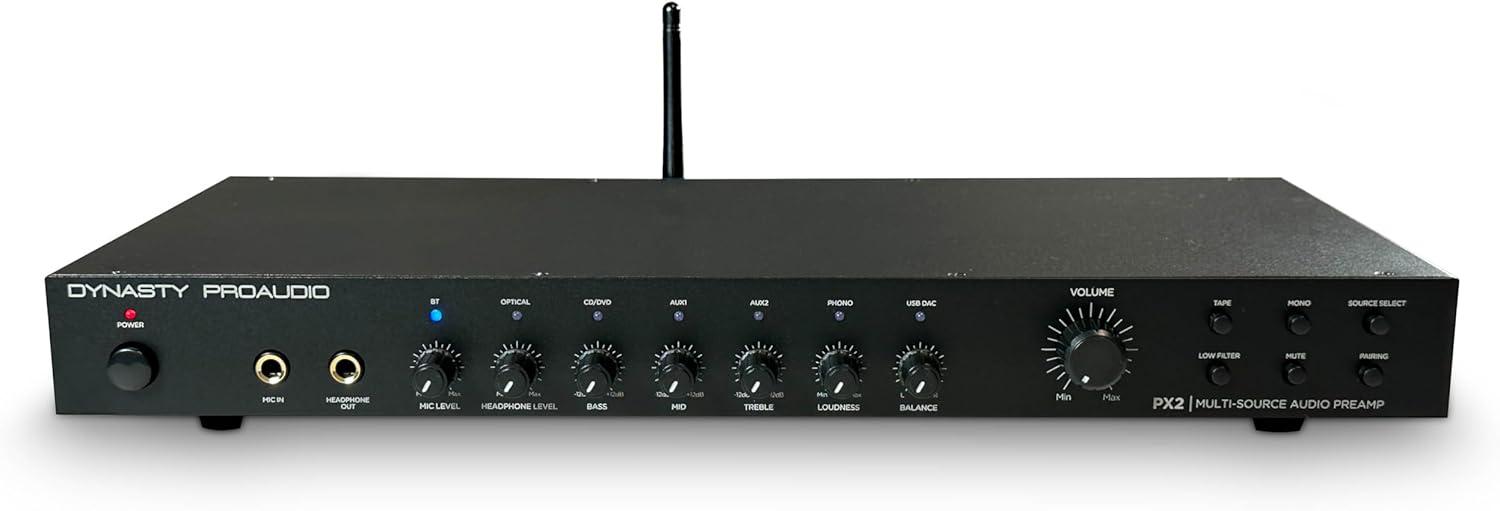
Сүрөт: алдыңкы view of the Dynasty ProAudio PX2 Preamplifier, showing various controls and inputs.
The front panel provides access to power, microphone input, headphone output, various input selectors, tone controls (Bass, Mid, Treble), Loudness, Balance, and Master Volume. Dedicated buttons for Tape, Phono, Mono, Mute, and Pairing are also present.
4.2 Арткы панель
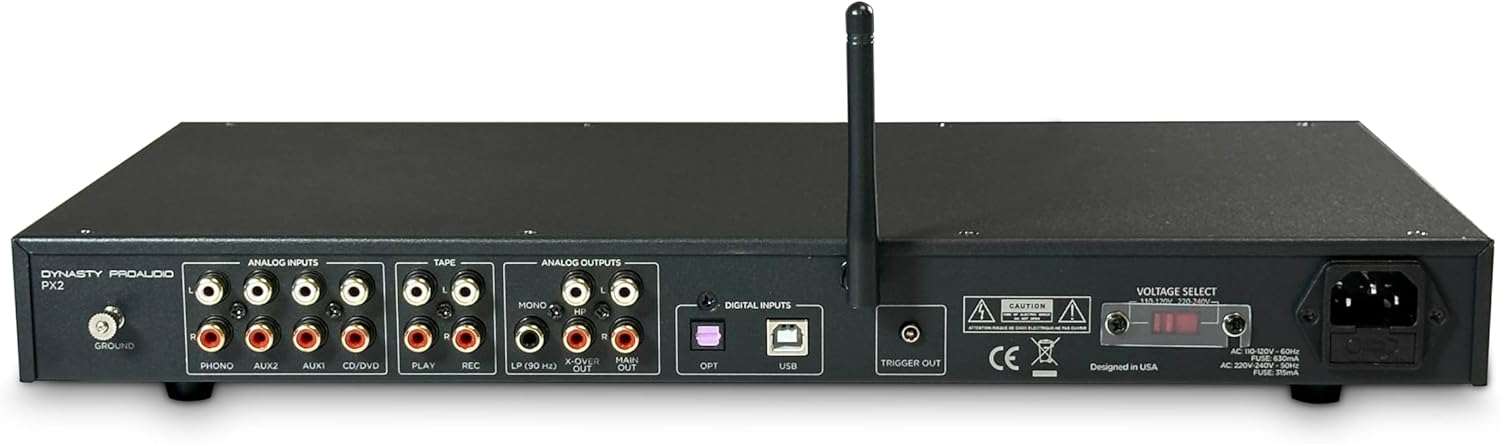
Сүрөт: Арткы view of the Dynasty ProAudio PX2 Preamplifier, displaying analog and digital input/output ports.
The rear panel features a comprehensive array of analog inputs (Phono, Aux1, Aux2, CD/DVD, Tape Play), analog outputs (Tape Rec, Main Out, X-Over, Sub Mono), digital inputs (Optical, USB), a ground terminal, and a trigger output. The power input with voltage selector is also located here.
5. Орнотуу
5.1 Байланыштар
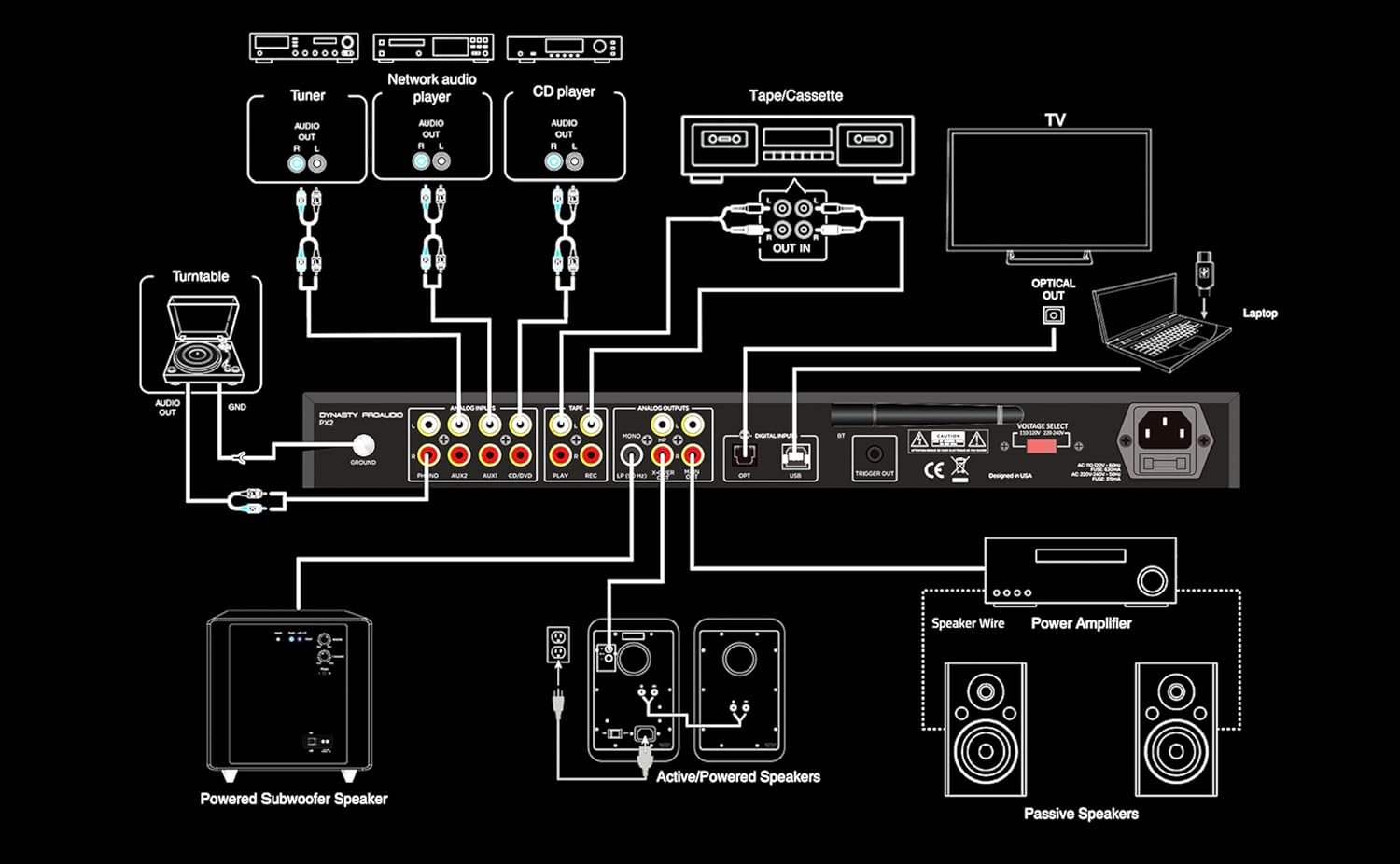
Image: A detailed connection diagram illustrating how to connect various audio sources and outputs to the PX2 preampөмүрлүү.
The PX2 offers extensive connectivity options:
- Аналогдук киргизүү: Connect up to 4 RCA line inputs for devices like CD players, tuners, or network audio players. A dedicated RCA Phono input with RIAA preamp and ground terminal is available for turntables.
- Санарип киргизүү: Use the S/PDIF (Optical) input for connecting TVs or other digital audio devices. The USB DAC accepts digital audio from a computer or other USB-supported digital audio source, supporting standard stereo PCM digital audio.
- Микрофон киргизүү: A front-panel 1/4” phone jack supports microphone input with a low-noise mic preamp.
- Гарнитуранын чыгышы: A front-panel 1/4” phone jack provides a stereo headphone output.
- Чыгуулары: The PX2 provides Full Range Stereo, X-Over, Sub Mono, and Stereo Headphone outputs for flexible system integration.
5.2 Стойкага орнотуу
The PX2 features a 1U rack-mountable design with removable feet. It can be used in a standard audio rack, on a table, or on a shelf, providing flexible placement options for any audio system.
6. Иштөө нускамалары
6.1 Күйгүзүү/өчүрүү
Press the Power button on the front panel to turn the unit on or off.
6.2 Булакты тандоо
Use the Source Select buttons on the front panel to choose between connected inputs (Bluetooth, Optical, USB DAC, Aux1, Aux2, CD/DVD, Phono, Tape).
6.3 Үндү башкаруу
Adjust the Master Volume knob to control the overall output level. Individual input levels can be fine-tuned using the respective level controls.
6.4 Үндү башкаруу элементтери
Utilize the Bass, Mid, and Treble knobs to adjust the frequency response to your preference. The Loudness control can be engaged for enhanced low-frequency response at lower volumes. The Low Filter button activates a low-cut crossover to optimize sound when using a subwoofer.
6.5 Bluetooth операциясы
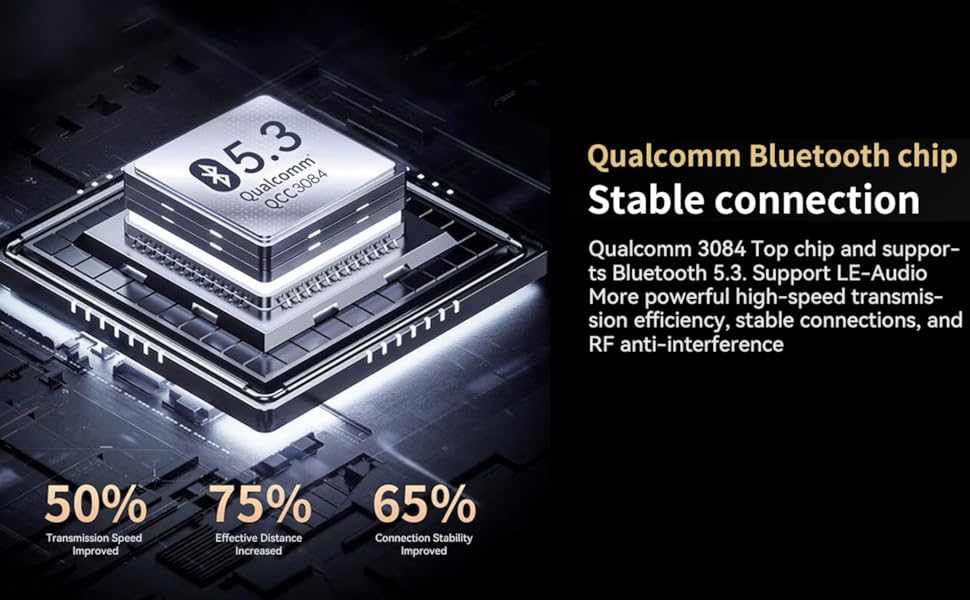
Image: A diagram highlighting the features of the Qualcomm Bluetooth 5.3 chip, including improved transmission speed, effective distance, and connection stability.
To pair a Bluetooth device, select the Bluetooth input and press the Pairing button. Издөө 'Dynasty ProAudio PX2' on your device and connect. The PX2 features a Qualcomm® aptX™ Lossless Bluetooth 5.3 chipset for high-speed transmission, stable connections, and RF anti-interference.
6.6 USB DAC Operation
Connect your computer or other digital audio source to the USB DAC input. The PX2 supports standard stereo PCM digital audio, allowing you to access audio stored on a thumb drive or stream from your computer.
6.7 Микрофонду колдонуу
Plug a 1/4” microphone into the front panel Mic In jack. Adjust the Mic Level knob to control the microphone's volume. The low-noise microphone preamp ensures clear sound.
7. Техникалык тейлөө
- Түзмөктү жумшак, кургак чүпүрөк менен тазалаңыз. Суюк тазалоочу каражаттарды колдонбоңуз.
- Агрегатты чаңдан жана таштандыдан алыс кармаңыз.
- Бардык туташуулардын коопсуз жана коррозия жок экендигин текшериңиз.
8. Кыйынчылыктарды
- Үн жок: Check all cable connections, ensure the correct input source is selected, and verify that the volume is not muted or set too low.
- Бурмаланган үн: Check input levels for clipping, ensure cables are securely connected, and try adjusting tone controls.
- Bluetooth туташуу маселелери: Ensure the PX2 is in pairing mode, your device's Bluetooth is on, and there are no obstructions between the devices. Try unpairing and re-pairing.
- Humming/Noise: Ensure proper grounding for turntables. Check for loose connections or interference from other electronic devices.
9. Техникалык шарттар
| Өзгөчөлүк | Нарк |
|---|---|
| Продукциянын өлчөмдөрү | 17 x 8.8 x 1.12 дюйм |
| Элемент Салмагы | 6.4 фунт |
| Элемент моделинин номери | PX2 |
| Bluetooth версиясы | 5.3 with Qualcomm® aptX™ Lossless |
| Киргизүүлөр | 4 RCA Line, 1 RCA Phono, 1 S/PDIF (Optical), 1 USB DAC, 1/4” Mic In |
| Чыгуулар | Full Range Stereo, X-Over, Sub Mono, 1/4” Stereo Headphone |
| Теңдөө | 3-band EQ (Bass, Mid, Treble), Loudness, Low-cut Crossover |
| Дизайн | 1U Rack-mountable with removable feet |
10. Кепилдик жана колдоо
For warranty information and technical support, please refer to the documentation included with your product or visit the official DYNASTY PROAUDIO webсайт. Сатып алуу квитанциясын кепилдик дооматтары үчүн сатып алуунун далили катары сактаңыз.
11. Related Product Videos (Seller Content)
AIYIMA T1 PRO Tube Preampкөтөргүч Overview
Бул видеодо толук маалымат берилетview of the AIYIMA T1 PRO Tube Preampкөтөргүч, көрсөтүүчүasing its features and design. While not the exact PX2 model, it demonstrates a similar product type from a seller, offering insights into preamp функциялары.
Fosi Audio P4 Mini Preamp Бүттүview
An overview of the Fosi Audio P4 Mini Preamp, highlighting its features and connectivity. This video from a seller offers a look at a comparable preampкөтөрүүчү продукт.
Balanced Preamp for Home Audio Setup
This video demonstrates a balanced preamp for home audio, suitable for 2-channel stereo and 2.1 setups. It provides context on how preamps integrate into a home audio system.
Douk Audio T8 Multi-Band EQ Tube Preamp
A brief look at the Douk Audio T8 Multi-Band EQ Tube Preamp, an XLR equalizer. This video showcases a preamp with equalization features, relevant to the PX2's capabilities.
Fosi Audio LC30 VU Meter Amplifier Introduction
This video introduces the Fosi Audio LC30 VU Meter Amplifier, providing a detailed look at its design and functionality. It offers a comprehensive view of a related audio component.
Nobsound EQ9 HiFi 9-Band Stereo EQ Preamp
An overview of the Nobsound EQ9 HiFi 9-Band Stereo EQ Preamp, an analog equalizer. This video highlights equalization capabilities found in preampаман калгандар.


