1. Киришүү
This manual provides essential information for the safe and effective operation, maintenance, and troubleshooting of your TOPUTURE Walking Pad with Incline. Designed for home and office use, this compact treadmill offers a versatile fitness solution with adjustable incline and smart app integration.
2. Коопсуздук маалыматы
Please read all instructions carefully before using the walking pad. Keep this manual for future reference.
- Басуучу аянтчанын тегиз, туруктуу бетке коюлганын текшериңиз.
- Иш учурунда балдарды жана үй жаныбарларын жабдуулардан алыс кармаңыз.
- Эгерде басуу аянтчасы бузулуп же иштебей калса, аны колдонбоңуз.
- Колдонуу учурунда ылайыктуу спорттук бут кийим кийиңиз.
- Do not exceed the maximum weight capacity of 130KG (300LBS).
- Always unplug the walking pad when not in use or before cleaning/maintenance.
- Кандайдыр бир жаңы көнүгүү программасын баштоодон мурун дарыгер менен кеңешиңиз.
3. Компоненттердин тизмеси
The following components are included with your TOPUTURE Walking Pad:
- TOPUTURE Walking Pad with Incline
- Алыстан башкаруу
- Электр кабели
- User Manual
- Tool Kit
4. Орнотуу
Your TOPUTURE Walking Pad features an installation-free design, allowing for immediate use upon unboxing.
4.1 Эңкейүүнү тууралоо
The walking pad offers a 9% incline to enhance your workout. This is a manual adjustment:
- Carefully lift the front side of the walking pad.
- Pull out the bolt and turn the slope block to the desired position (either flat or 9% incline).
- Insert the bolt into the upper hole to secure the incline.


4.2 Initial Power On and Remote Control
Connect the power cord to the walking pad and a suitable power outlet. Use the included remote control to power on the device and begin operation. The remote control features a magnetic back for convenient storage on the treadmill itself.

5. Иштөө нускамалары
5.1 LED Display and Data Tracking
The integrated LED display provides real-time tracking of your exercise data, including Distance, Speed, Time, and Calories burned.
5.2 Speed and Modes
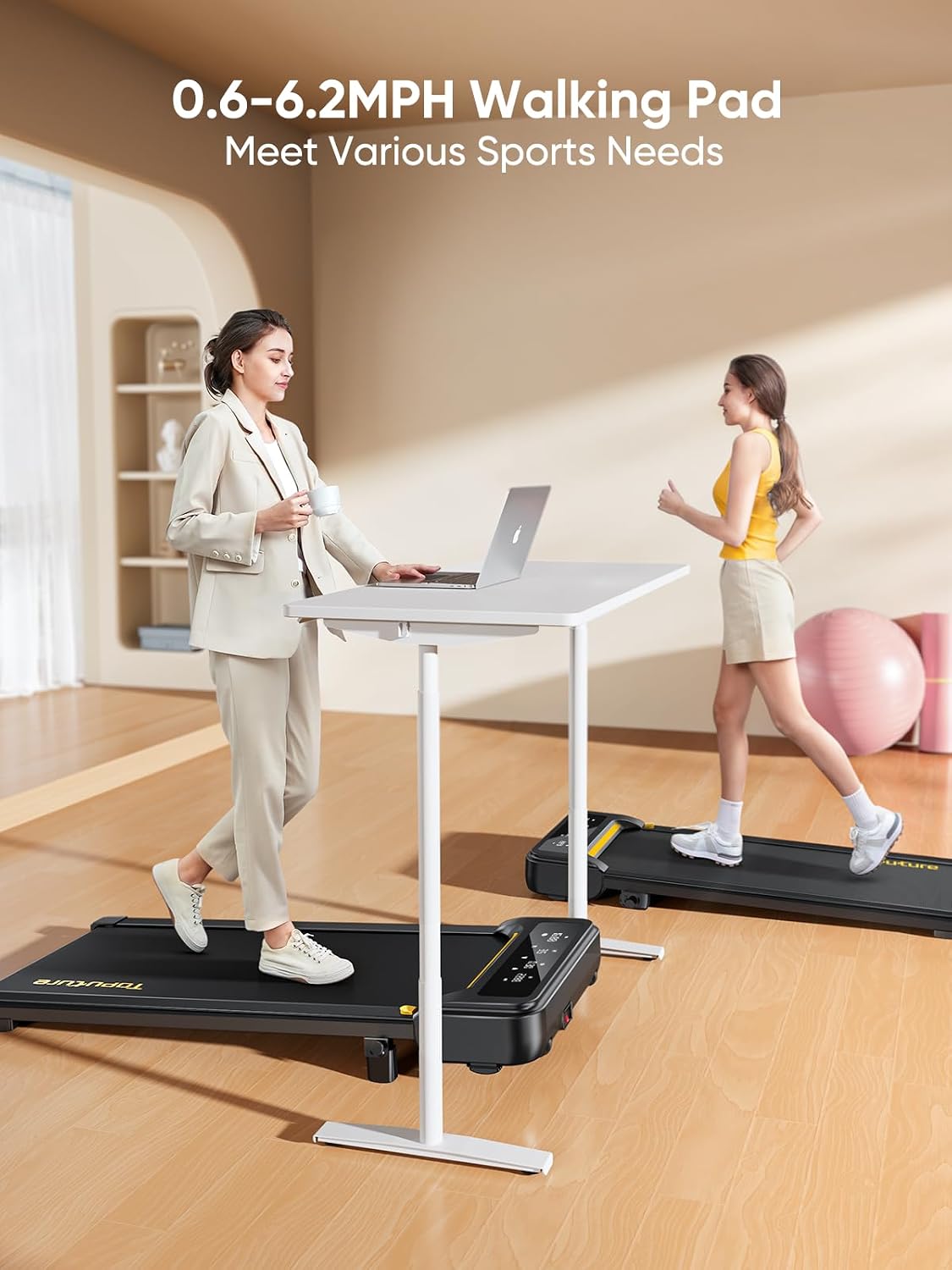
The walking pad offers a speed range of 0.6 to 6.2 MPH (1-10 km/h) and includes 12 preset sports modes. Adjust the speed using the remote control to suit your walking, jogging, or running needs.
5.3 Smart App Integration
Connect your walking pad to the Sport APP via Bluetooth for enhanced control and data tracking. The app allows you to record exercise data, access professional training programs, and share your progress.

5.4 Колдонуу сценарийлери
The compact design allows for versatile use, including under a desk for active working or as a standalone unit for walking and jogging.

6. Техникалык тейлөө
6.1 Майлоо
The walking pad features unique lubrication holes for easy maintenance. Regular lubrication of the running belt is recommended to ensure smooth operation and prolong the lifespan of the equipment. Refer to the specific instructions in the included tool kit for lubrication frequency and procedure.
6.2 Тазалоо жана сактоо
Жарнама менен басуу аянтчасын сүртүңүзamp cloth after each use. Store the compact and portable walking pad under a bed, sofa, or upright against a wall to save space.


6.3 Running Belt and Shock Absorption
The walking pad features a 5-layer anti-slip belt and a double shock absorption system with 8 silicone shock absorbers and 2 soft rubber pads. This design reduces joint stress and protects your knees during use.

7. Кыйынчылыктарды
If you encounter any issues with your TOPUTURE Walking Pad, please refer to the following common troubleshooting tips:
- **No Power:** Ensure the power cord is securely plugged into both the walking pad and a working electrical outlet. Check the power switch on the unit.
- **Belt Slipping/Sticking:** The running belt may require lubrication or adjustment. Refer to the maintenance section for lubrication instructions.
- **Unusual Noise:** Check for any loose parts or foreign objects under the belt. If the noise persists, discontinue use and contact customer support.
- **Remote Control Not Responding:** Ensure the remote control batteries are not depleted. Re-pair the remote control with the walking pad if necessary (refer to the quick start guide for pairing instructions).
- **App Connectivity Issues:** Ensure Bluetooth is enabled on your device and the walking pad is powered on. Try restarting both the app and the walking pad.
For issues not covered here, please contact TOPUTURE customer support.
8. Техникалык шарттар
| Өзгөчөлүк | Спецификация |
|---|---|
| Бренд | TOPUTURE |
| Модел | TOPUTURE Walking Pad with Incline |
| Продукциянын өлчөмдөрү | 103 x 15 x 59 см (40.5 x 5.9 x 23.2 дюйм) |
| Packed Size | 120 x 52 x 12.8 см (47.2 x 20.5 x 5.0 дюйм) |
| Элемент Салмагы | 21 кг (46.3 фунт) |
| Frame Material | Эритме болот |
| Ат күчү | 2.5 HP |
| Максималдуу ылдамдык | 6.2 миль/саат (10 км/саат) |
| Максималдуу эңкейиш пайызыtage | 9% (Кол менен тууралоо) |
| Running Surface | 100 x 40 см (40 x 16 дюйм) |
| Салмак сыйымдуулугу | 130 кг (300 LBS) |
| Программалардын саны | 12 |
| Метр дисплейи | Ылдамдык, күйгөн калориялар, убакыт, аралык |
| Ассамблея талап кылынат | No (Installation-Free) |
9. Кепилдик жана колдоо
TOPUTURE offers a standard warranty for this product. Additionally, you may be eligible for an extended warranty by registering your product. Please refer to the warranty card included in your package or visit the official TOPUTURE website for detailed warranty terms and conditions, and for customer support contact information.
For any inquiries or assistance, please contact TOPUTURE customer service through their official channels.


