1. Киришүү
The ZGCINE PS-W126 Dual USB-C Charger Case Box is designed for efficient and safe charging of NP-W126 and NP-W126S camera batteries. This compact device also provides convenient storage for batteries and memory cards, making it an ideal accessory for photographers and videographers.
This manual provides detailed instructions on how to set up, operate, and maintain your charger, along with important safety information and troubleshooting tips.
2. Продукциянын өзгөчөлүктөрү
- Dual-Port PD Fast Charging: Equipped with two USB-C ports, each supporting up to 18W Power Delivery (PD) fast charging. This allows for a full charge of two NP-W126/NP-W126S batteries in approximately 2 hours, which is 50% faster than traditional chargers.
- Кеңири шайкештик: Compatible with Fuji NP-W126/NP-W126S batteries used in various camera models including Fuji XT30II, X100VI, X-M5, XS10, XT3, XT2, XT1, XT30, XT20, XT10, X100V, XT200, XT100, X100F, XA7, XE3, XPro3, XPro2, XPro1, XE1, XE2, XE2S.
- Compact Design with Smart Protection: The charger features a compact and lightweight design, easily fitting into a camera bag. It includes built-in overcharge protection, temperature control, short-circuit prevention, overvoltage protection, overpower protection, overdischarge protection, overcurrent protection, and recovery protection. It is FCC/CE certified for safety.
- Ар тараптуу заряддоо параметрлери: Charge directly via USB-C using a power bank, laptop, or car charger, eliminating the need for an original charging dock.
- Интегралдык сактагыч: Features dedicated slots for two SD cards, two TF cards, and one CFexpress Type-A card, providing convenient and secure storage alongside battery charging.
- Реалдуу убакыт режиминде көрсөтүү: An OLED screen provides real-time monitoring of battery voltage жана заряддоо абалы.
3. Пакеттин мазмуну
Пакетиңизде бардык буюмдар бар экенин текшериңиз:
- ZGCINE PS-W126 Charging Case x 1
- USB-C заряддоо кабели x 1
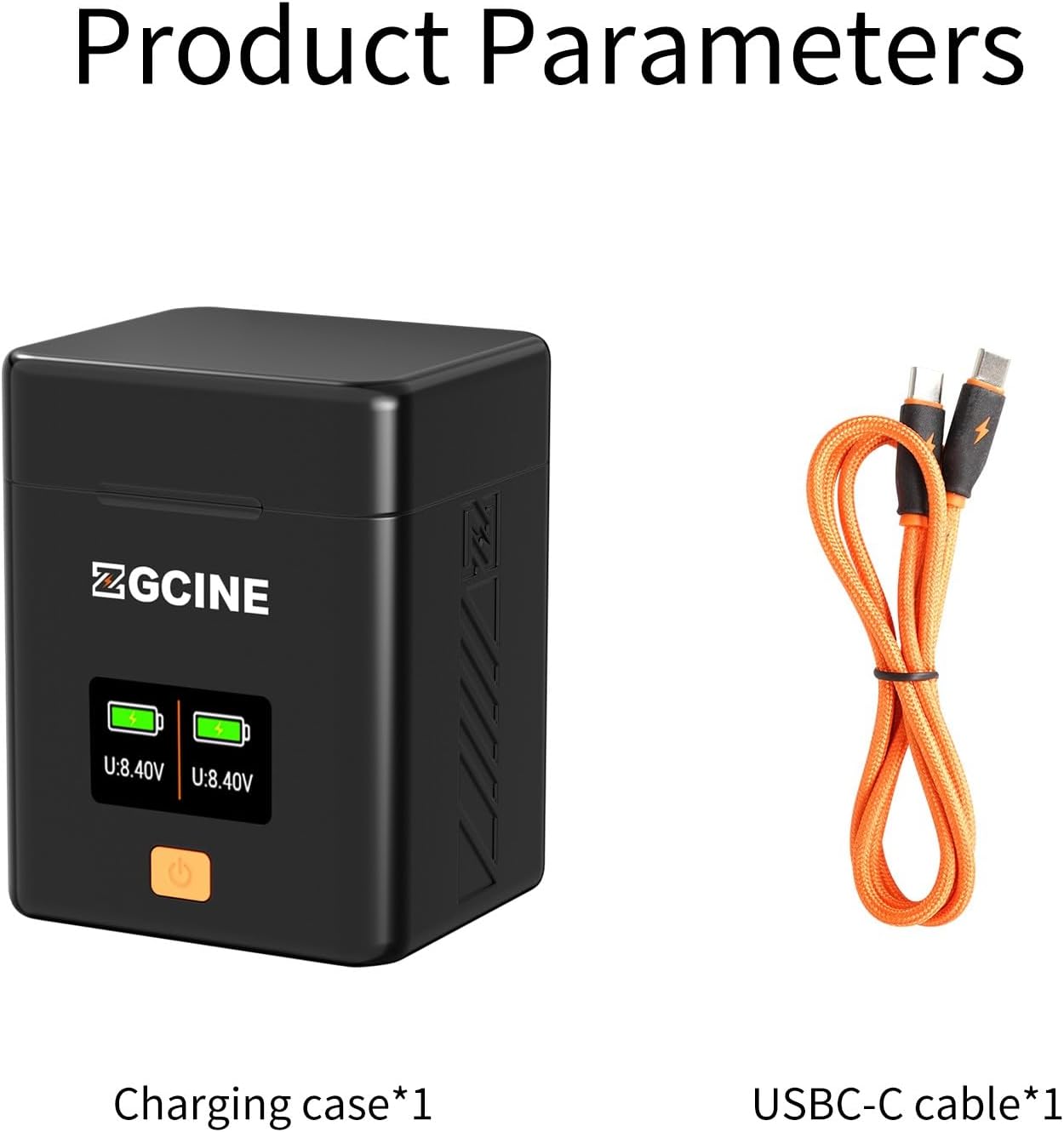
Image: The ZGCINE PS-W126 charging case shown alongside its included USB-C charging cable.
4. Продукт бүтүп калдыview

Image: An annotated diagram highlighting the key components of the ZGCINE PS-W126 charger, including its various card slots, battery compartments, display, and power button.
- USB-C PD киргизүү: For connecting the charging cable and power source.
- Battery Slots (x2): For inserting NP-W126/NP-W126S batteries.
- SD Card Slots (x2): For storing SD memory cards.
- TF Card Slots (x2): For storing TF (MicroSD) memory cards.
- CFexpress Type-A Card Slot (x1): For storing a CFexpress Type-A memory card.
- Дисплей экраны: Батареянын көлөмүн көрсөтөтtage жана заряддоо абалы.
- Кубат баскычы: To activate the display or check battery status.
5. Орнотуу нускамалары
5.1 Кубатка туташуу
- Locate the USB-C PD input port on the side of the ZGCINE PS-W126 charger.
- Connect one end of the provided USB-C charging cable to the charger's input port.
- Connect the other end of the USB-C cable to a compatible power source, such as a PD fast charger (5V/2A or 9V/2A), a power bank, a laptop, or a car charger.

Image: The charger's USB-C input port, supporting Power Delivery (PD) fast charging at 5V/2A or 9V/2A.
5.2 Батареяларды салуу
- Open the magnetic lid of the charger case.
- Carefully insert your NP-W126 or NP-W126S batteries into the designated battery slots. Ensure the battery is oriented correctly to make proper contact with the charger pins.
- The OLED display will activate, showing the current voltage and charging status of the inserted batteries.

Image: The ZGCINE PS-W126 charger with a Fuji NP-W126 battery correctly inserted into a slot.
5.3 Storing Memory Cards
The charger case includes dedicated slots for memory card storage:
- Two slots for SD cards.
- Two slots for TF (MicroSD) cards.
- One slot for a CFexpress Type-A card.
Insert your memory cards into the appropriate slots for secure transport and organization.
6. Иштөө нускамалары
6.1 Заряддоо процесси
- Once batteries are correctly inserted and the charger is connected to a power source, charging will begin automatically.
- The OLED display will show the real-time voltage and a visual bar graph indicating the charge level for each battery.
- A full charge for two NP-W126/NP-W126S batteries typically takes approximately 2 hours with a compatible PD fast charger.
- The display will indicate when charging is complete.

Image: The OLED display screen providing real-time monitoring of battery voltage and charging status for each battery slot.
6.2 Батареянын абалын текшерүү
Even when not connected to a power source, you can check the charge status of inserted batteries by pressing the power button on the front of the charger. The display will briefly illuminate to show the current voltage жана заряд деңгээли.
7. Шайкештик
The ZGCINE PS-W126 charger is compatible with Fuji NP-W126 and NP-W126S batteries. This includes batteries used in the following Fujifilm camera models:
- Fujifilm X-A7
- Fujifilm X-E1, X-E2, X-E2S, X-E3
- Fujifilm X-Pro1, X-Pro2, X-Pro3
- Fujifilm X-S10
- Fujifilm X-T1, X-T10, X-T100, X-T2, X-T20, X-T200, X-T3, X-T30, X-T30 II
- Fujifilm X100F, X100V, X100VI
8. Коопсуздук маалыматы жана коргоо
The ZGCINE PS-W126 charger is designed with multiple safety features to protect your batteries and the device itself:
- Ашыкча кубаттан коргоо: Prevents batteries from being overcharged, extending their lifespan.
- Температураны коргоо: Monitors and regulates the charging temperature to prevent overheating.
- Кыска туташуунун алдын алуу: Protects against damage from short circuits.
- Overvoltage Коргоо: Ашыкча томдон коргойтtage киргизүү.
- Ашыкча күчтөн коргоо: Prevents the charger from drawing too much power.
- Ашыкча разряддан коргоо: Helps prevent batteries from being discharged too deeply.
- Ашыкча ток коргоо: Ашыкча ток агымынан коргойт.
- Калыбына келтирүүдөн коргоо: Ensures safe recovery from abnormal conditions.

Сүрөт: An overview of the comprehensive safety features, including overvoltage, short circuit, overpower, overdischarge, overcurrent, overcharge, temperature, and recovery protection.
9. Техникалык тейлөө
- Заряддоочу түзүлүштү чаңдан жана калдыктардан таза жана таза кармаңыз. Тазалоо үчүн жумшак, кургак чүпүрөктү колдонуңуз.
- Заряддоочу түзүлүштү өтө жогорку температурага, нымдуулукка же түз күн нуруна дуушар кылбаңыз.
- Кубаттоочу түзүлүштү өз алдынча бөлүктөргө бөлүүгө же оңдоого аракет кылбаңыз. Квалификациялуу тейлөө кызматкерлерине кайрылыңыз.
- Ensure the contact pins are clean and free from corrosion for optimal charging performance.
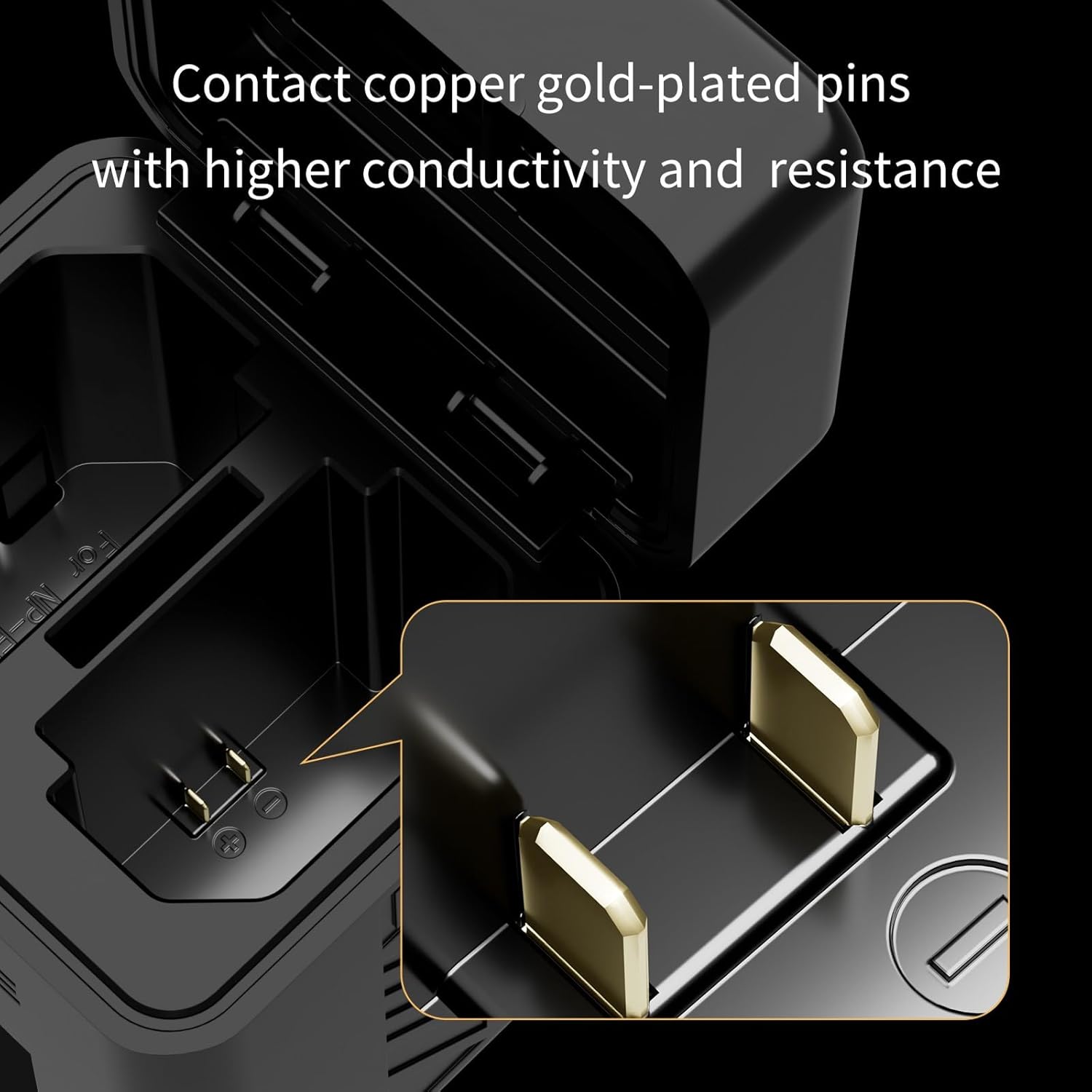
Сүрөт: жакын план view of the charger's gold-plated contact pins, designed for high conductivity.
10. Кыйынчылыктарды
- Issue: Charger indicates charging when no battery is present or charges the wrong slot.
Чечим: Ensure batteries are inserted correctly. NP-W126/NP-W126S batteries have a specific orientation. If issues persist, discontinue use and contact customer support. - Issue: High-pitched whining sound from the charger.
Чечим: This may indicate a fault. Discontinue use immediately and contact customer support. - Issue: Display shows voltage (V) instead of percentage (%).
Эскертүү: The ZGCINE PS-W126 charger's display is designed to show real-time battery voltage and a bar graph for charge status, not a numerical percentage. This is normal operation. - Issue: Batteries are not charging.
Чечим: Verify that the USB-C cable is securely connected to both the charger and a functional power source. Ensure the power source provides sufficient output (5V/2A or 9V/2A). Check that batteries are inserted correctly and making proper contact.
11. Техникалык шарттар
| Продукциянын өлчөмдөрү | 3.54 x 2.76 x 2.76 дюйм |
| Элемент Салмагы | 6.3 унция (0.18 килограмм) |
| Output Voltage | 7.2 вольт (ток) |
| Заряддоо убактысы | Approximately 2 Hours (for two NP-W126/NP-W126S batteries) |
| Киргизүү | USB-C PD 5V/2A, 9V/2A |
| Өндүрүүчү | ZGCINE |
12. Расмий продукт Video
Video: This official product video provides a visual overview of the ZGCINE PS-W126 Charger Case Box, showcasing its design and features for NP-W126 and NP-W126S batteries.
13. Кепилдик жана колдоо
For any questions, concerns, or support regarding your ZGCINE PS-W126 charger, please refer to the following:
- Before Purchase: Click on the seller's profile and look for the "Have a question for HolaFoto?" section.
- After Purchase: Check your Amazon Order Page and click "problem with this order." The seller aims to reply within 24 hours during working days.
Кепилдик дооматтары үчүн сатып алганыңыздын далилин сактап коюңуз.


