Introduction
This manual provides detailed instructions for the setup, operation, and maintenance of your WOSPORTS H41 Trail Camera. Please read this manual thoroughly before using the camera to ensure optimal performance and longevity. This camera is designed for wildlife monitoring, hunting, and security applications, offering high-resolution imaging and reliable performance in various outdoor conditions.
Продукт бүттүview
Негизги өзгөчөлүктөрү
- IP66 суу жана чаң өткөрбөйт: Designed to withstand harsh outdoor environments, including heavy rain.
- 32MP Photos & 1080P HD Video: Captures high-resolution images and clear video footage.
- Төмөн энергия керектөө: Operates efficiently with 4 AA batteries, extending field time.
- Easy to Install and Operate: User-friendly interface and discreet design for simple deployment.
- Кыймыл жандырылды: Records only when movement is detected, conserving power and storage.
- Өркүндөтүлгөн түнкү көрүнүш: Infrared technology for clear images and videos in low-light conditions.
- Тез триггер ылдамдыгы: Captures events quickly with a 0.2-second trigger speed.
- Extended Trigger Distance: Detects motion up to 65 feet away.
- Микро SD картаны колдоо: Compatible with Micro SD cards up to 32GB.
- Бир нече жаздыруу режимдери: Supports photo, video, and photo + video capture.
Пакеттин мазмуну
- 6x WOSPORTS H41 Trail Camera (2.67 x 2.33 x 5.57 inches each)
- 6x 32GB Micro SD Memory Card
- 24х AA Батареялар
- 6x Nylon Strap with Buckle
- 1x USB Card Reader
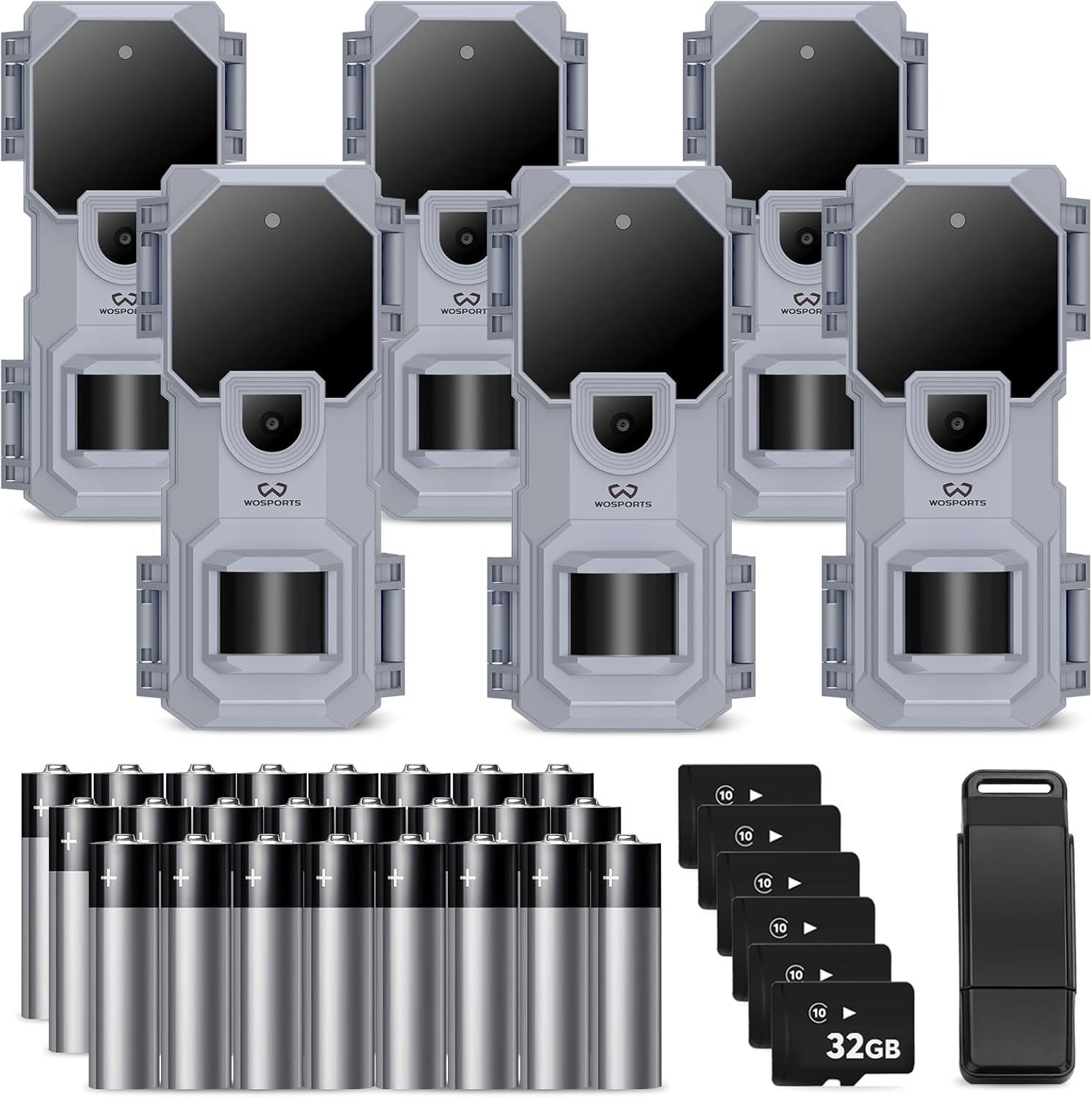
Image: The WOSPORTS H41 Trail Camera 6-pack, including six cameras, 32GB SD cards, AA batteries, and a card reader.
Орнотуу нускамалары
Follow these steps to prepare your WOSPORTS H41 Trail Camera for use:
- Батареяны орнотуу: Open the camera's battery compartment. Insert 4 AA alkaline batteries, ensuring correct polarity.
- Микро SD картаны салыңыз: Insert the provided 32GB Micro SD card into the designated slot. Ensure it clicks into place.
- Күйгүзүү: Switch the camera to the 'SETUP' mode. The internal screen will activate.
- Дата менен убакытты коюу: Navigate through the menu using the UP/DOWN buttons to set the current year, month, and minute (Fig 1, Fig 2).
- SD картасын форматтоо: It is recommended to format the SD card before first use and periodically thereafter. In the setup menu, find the 'Format' option (often displayed as 'For_N' or 'For_y'). Select 'For_y' and confirm to format the card (Fig 7).
- Тартуу режимин тандоо: Choose your preferred image capture mode: Photo, Video, or Photo + Video (Fig 8, Fig 9).
- Set Camera ID (Optional): If using multiple cameras, you can set a unique Camera ID from '01' to '99' for easier identification of footage (6-сүрөт).
- Камераны орнотуу: Use the included nylon strap to securely mount the camera to a tree or other stable surface. Position it to cover the desired monitoring area.

Image: The WOSPORTS H41 Trail Camera with its battery compartment open, showing the slots for 4 AA batteries.

Image: Visual guide for setting up the camera, including time, date, camera ID, SD card formatting, and capture mode selection.
Иштөө нускамалары
Once setup is complete, switch the camera from 'SETUP' to 'ON' mode. The camera will then enter monitoring mode. The indicator light will flash a few times and then turn off, indicating the camera is actively monitoring.
Мониторинг режимдери
- Сүрөт режими: The camera will capture still images when motion is detected.
- Видео режими: The camera will record video clips when motion is detected.
- Сүрөт + видео режими: The camera will capture a still image followed by a video clip when motion is detected.
ViewТартылган медианы көрүү
үчүн view photos and videos, switch the camera to 'SETUP' mode. You can review media directly on the camera's internal screen or remove the Micro SD card and insert it into the provided USB card reader to view on a computer or compatible device.

Image: A collage of sample photos and videos captured by the WOSPORTS H41 Trail Camera, showcasing its ability to record wildlife during day and night.

Image: A clear night vision photograph of a fox, demonstrating the camera's infrared capabilities.
Техникалык тейлөө
- Тазалоо: Use a soft, dry cloth to clean the camera lens and housing. Avoid abrasive cleaners or solvents.
- Батареяны алмаштыруу: Replace all 4 AA batteries when the low battery indicator appears or when performance degrades. Always use fresh alkaline batteries.
- SD Card башкаруу: Regularly offload and format the Micro SD card to ensure optimal recording performance and prevent data corruption.
- Сактагыч: Камераны көпкө чейин колдонбогондо, батареяларды алып чыгып, салкын, кургак жерде сактаңыз.

Image: The WOSPORTS H41 Trail Camera partially submerged in water, illustrating its IP66 waterproof design.
Проблемаларды чечүү
Refer to the following common questions and answers for assistance:
- Q: What size SD card is compatible?
- A: The camera accepts Class 6 or higher Micro SD cards, up to a maximum capacity of 32GB. Always format the SD card before initial use.
- С: SD картаны кантип форматтасам болот?
- A: In the camera's setup menu, locate the format option. If it displays "For_N" (No Format), toggle it to "For_y" to initiate the format process.
- Q: How do I transfer pictures and videos to a computer?
- A: Use the included card reader to connect the Micro SD card to your PC or laptop. Alternatively, if your computer has a Micro SD card slot, you can insert the card directly.
- С: Мен кайра заряддалуучу батареяларды колдоно аламбы?
- A: It is not recommended to use rechargeable batteries due to potential voltage instability, which may affect camera operation. Alkaline batteries are preferred.
- Q: How can I ensure video recording at night?
- A: For optimal night video performance, ensure the battery voltage is above 5.3V. Always use fresh batteries or replace them when they show signs of depletion to support night vision functions.

Image: A visual representation of common questions and answers regarding the WOSPORTS H41 Trail Camera's functionality.
Техникалык шарттар
| Өзгөчөлүк | Спецификация |
|---|---|
| Модель номери | H41 |
| Сүрөттүн резолюциясы | 32MP |
| Video Resolution | 1080P HD (AVI format) |
| Триггер ылдамдыгы | 0.2 секунд |
| Trigger Distance | 65 метрге чейин |
| Түнкү көрүнүш | Инфракызыл светодиоддор |
| Суу өткөрбөйт рейтинги | IP66 |
| Power Source | 4x AA Alkaline Batteries (per camera) |
| Memory Type | Микро SD карта |
| Колдоого алынган максималдуу эс тутум | 32 ГБ |
| Өлчөмдөрү (L x W x Y) | 2.67 x 2.33 x 5.57 дюйм |
| Монтаж түрү | Tree Mount |
| Колдонуу чөйрөсү | Ички, сырткы |
Кепилдик жана колдоо
Кардарларды колдоо
WOSPORTS is committed to providing excellent customer support. If you have any questions or require assistance with your H41 Trail Camera, please do not hesitate to contact us. Our after-sales service experts are available to respond to inquiries within 24 hours.
Кепилдик маалымат
Specific warranty details may vary. Please refer to the product packaging or contact WOSPORTS customer support for comprehensive warranty information.


