1. Киришүү
Thank you for choosing the CZEview 2K Solar Outdoor Surveillance Camera. This manual provides essential information for setting up, operating, and maintaining your camera. Please read it carefully before use to ensure optimal performance and safety.
Пакеттин мазмуну:
- CZEview Solar Outdoor Camera
- Монтаждык база
- Бурамалар жана дубал сайгычтары
- Mounting Straps (for pole or tree mounting)
- USB-C кубат кабели
- User Manual

Image: Contents of the CZEview Solar Outdoor Camera package.
2. Коопсуздук маалыматы
Продукциянын бузулушуна же өзүңүзгө жана башкаларга жаракат келтирбөө үчүн төмөнкү коопсуздук чараларын сактаңыз:
- Камераны ажыратпаңыз же өзгөртпөңүз.
- Заряддоо үчүн берилген электр кабелин гана колдонуңуз.
- Ensure the camera is securely mounted to prevent falling.
- Камераны өтө ысык булактардан же ачык оттон алыс кармаңыз.
- Avoid direct exposure of the lens to strong light sources for extended periods.
- Продукцияны жана анын батарейкасын жергиликтүү эрежелерге ылайык таштаңыз.
3. Продукт бүтүп калдыview
Чехияview ZY-C6 is a 2K HD wireless outdoor surveillance camera powered by an integrated solar panel and a high-capacity lithium-ion battery. It features advanced motion detection, two-way audio, and 360° pan/tilt capabilities for comprehensive monitoring.

Image: CZEview 2K Solar Outdoor Surveillance Camera.
Негизги өзгөчөлүктөрү:
- 100% зымсыз жана күн энергиясы: Eliminates the need for complex wiring, powered by an efficient solar panel and built-in rechargeable battery.
- Узартылган батареянын иштөө мөөнөтү: Can last up to 30 days on a single full charge, requiring only two days of sunlight for a full recharge.
- 2K HD & 360° View: Features a 2K HD lens with 5x magnification and a 130° wide-angle view. The lens can pan 360° horizontally and tilt 120° vertically.
- AI Human Detection & Real-time Alerts: Accurately identifies human figures, reducing false alarms from pets or leaves. Sends instant notifications to your smartphone via the app.
- Two-Way Audio & Alarm Siren: Built-in microphone and speaker allow for two-way communication. An alarm siren can be triggered remotely to deter intruders.
- Түнкү көрүнүш: Provides clear night vision up to 15 meters, with options for color or monochrome viewing, supported by 150 lumens projectors.
- Аба ырайына чыдамдуу дизайн: IP65 rated, suitable for outdoor use in temperatures from -20℃ to 50℃.
- Жергиликтүү сактагыч: Supports local video storage on a microSD card up to 256GB (card not included).

Image: Wireless and Solar Power features with 5200mAh battery.

Image: 360° Pan and 120° Tilt View.

Image: Color Night Vision capability.

Image: Durable and Stable performance in various weather conditions.
4. Орнотуу
4.1 Алгачкы заряддоо
Before first use, fully charge the camera using the provided USB-C power cable. This ensures the battery is conditioned for optimal performance and longevity.
4.2 Колдонмону жүктөп алуу жана каттоо эсебин түзүү
Download the official CZEview app (or CloudEdge app, as mentioned in reviews) from your smartphone's app store (iOS App Store or Google Play Store). Follow the in-app instructions to create an account and log in.
4.3 Wi-Fi туташуусу
The camera supports 2.4GHz Wi-Fi networks only. Ensure your smartphone is connected to a 2.4GHz Wi-Fi network during the setup process. Follow the app's instructions to add your camera and connect it to your home Wi-Fi network.
4.4 Камераны орнотуу
Choose a mounting location where the solar panel can receive direct sunlight for most of the day to ensure continuous charging. The camera can be mounted on a wall or a tree/pole using the included accessories.
- Дубалга орнотуу:
- Mark the drilling points using the mounting base as a template.
- Тешиктерди бургула жана дубал тыгындарын салгыла.
- Secure the mounting base to the wall with the provided screws.
- Attach the camera to the mounting base.
- Tree/Pole Mounting:
- Thread the mounting straps through the designated slots on the mounting base.
- Wrap the straps around the tree or pole and secure them tightly.
- Attach the camera to the mounting base.
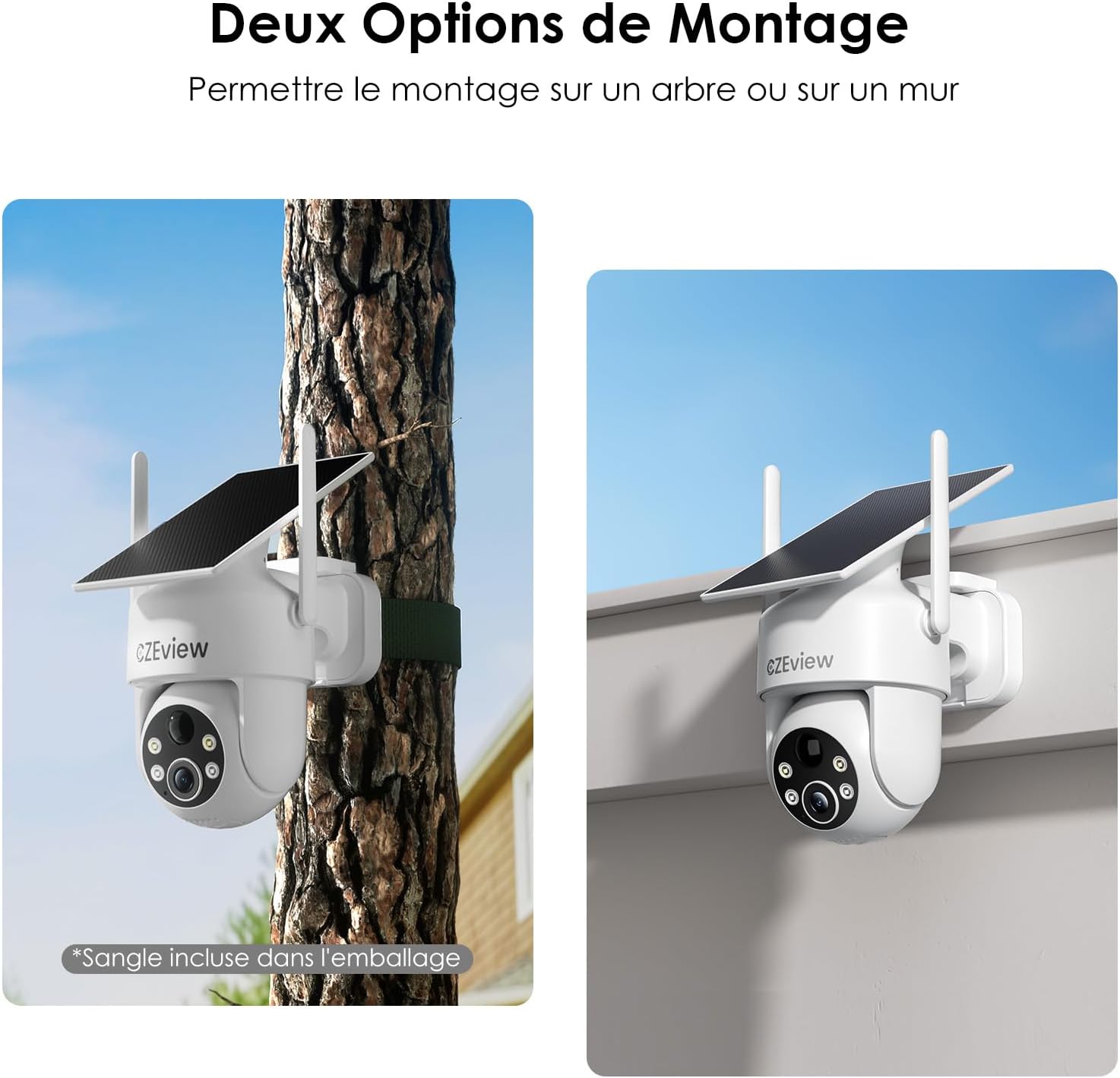
Image: Two mounting options for the camera: wall and tree/pole.

Image: Solar panel placement for optimal charging.
5. Операция
5.1 Live View жана PTZ Control
CZE ачыңызview app to access the live feed from your camera. Use the on-screen controls to pan (360° horizontal) and tilt (120° vertical) the camera lens to adjust your viewing angle. You can also use the 5x digital zoom feature for closer inspection.

Image: 360° Surveillance Coverage.
5.2 Кыймылды аныктоо жана эскертүүлөр
The camera is equipped with AI human detection to minimize false alarms. When motion is detected, the camera will automatically record video and send real-time alerts to your smartphone. You can customize detection sensitivity and set specific monitoring zones within the app.
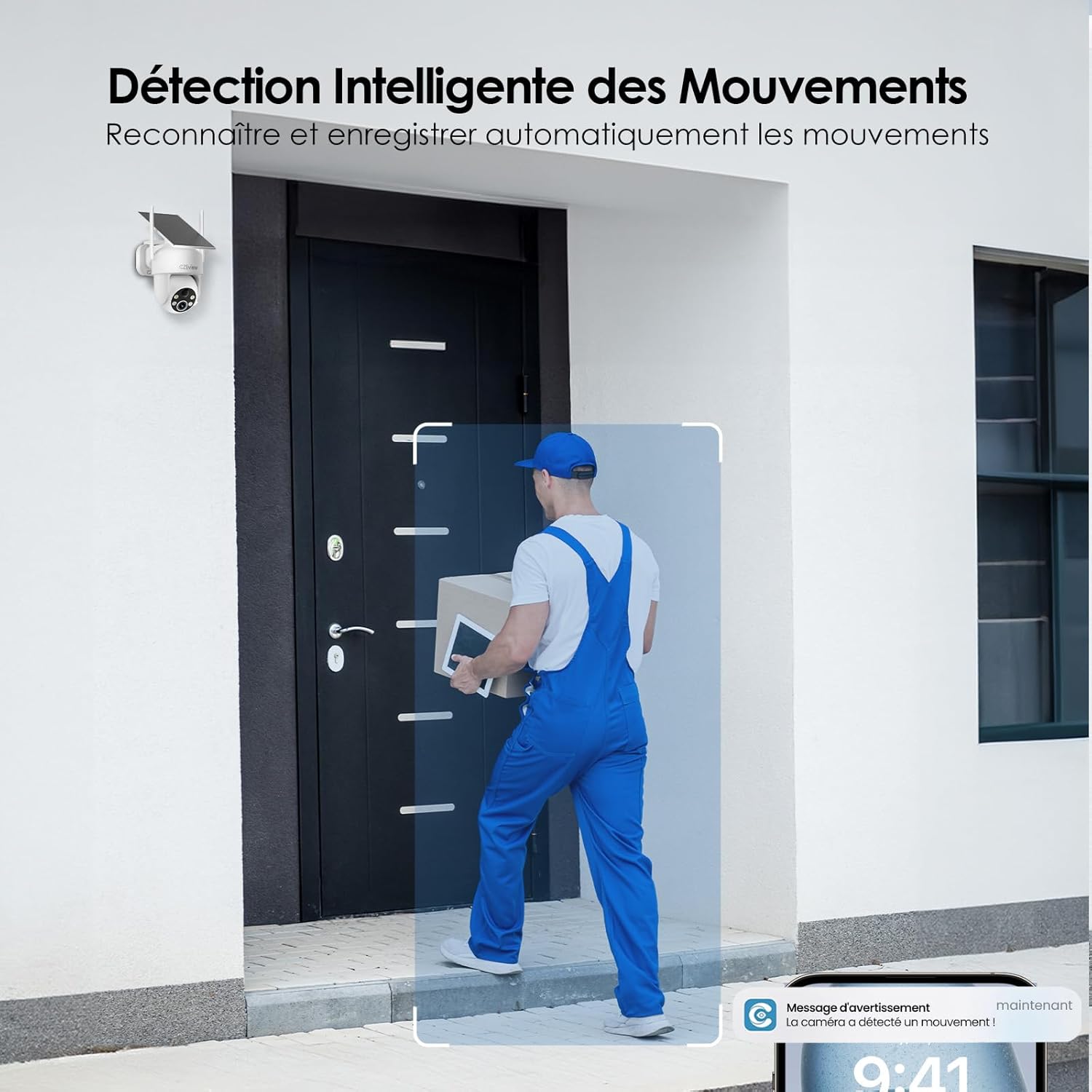
Image: Intelligent Motion Detection in action.
5.3 Эки тараптуу аудио
Utilize the built-in microphone and speaker for two-way communication. This allows you to speak to visitors or deter unwanted individuals directly through the camera from your smartphone.

Image: Two-Way Audio and Alarm System features.
5.4 Түнкү көрүнүш
The camera automatically switches to night vision mode in low-light conditions. It supports both color and monochrome night vision, providing clear images up to 15 meters. The integrated 150 lumens projectors enhance visibility in color night vision mode.

Image: Color Night Vision in operation.
5.5 Local Storage (MicroSD Card)
Insert a microSD card (up to 256GB, not included) into the camera's designated slot for local video storage. The camera will automatically record detected events to the card. Ensure the card is formatted correctly via the app if needed.

Image: Local Storage on MicroSD Card.
6. Техникалык тейлөө
6.1 Батареяны заряддоо
The integrated solar panel continuously charges the camera's battery. For optimal performance, ensure the solar panel is clean and receives direct sunlight. If the camera is installed in a shaded area or during prolonged periods of low sunlight, you may need to manually charge the camera using the USB-C power cable.
6.2 Тазалоо
Камера линзасын жана күн батареясын жумшак, d менен үзгүлтүксүз тазалап туруңузamp cloth to remove dust, dirt, or debris. Do not use harsh chemicals or abrasive materials, as they may damage the surfaces.
6.3 Айлана-чөйрөнү коргоо
The camera is designed for outdoor use and is IP65 weatherproof. It can operate reliably in temperatures ranging from -20℃ to 50℃. Ensure the camera is not exposed to temperatures outside this range for extended periods.
7. Кыйынчылыктарды
| Көйгөй | Мүмкүн себеп | Чечим |
|---|---|---|
| Камера Wi-Fi'га туташпай жатат. | Incorrect Wi-Fi band (5GHz not supported). Weak Wi-Fi signal. Incorrect password. | Ensure you are connecting to a 2.4GHz Wi-Fi network. Move the camera closer to the router or use a Wi-Fi extender. Double-check your Wi-Fi password. |
| Battery not charging or draining quickly. | Insufficient sunlight on the solar panel. Excessive motion detection events. Low ambient temperature. | Relocate the camera to an area with more direct sunlight. Reduce motion detection sensitivity or frequency of recordings. Manually charge the camera if necessary. |
| Кыймылды аныктоодон жалган сигналдар. | Pets, swaying branches, or passing vehicles triggering detection. | Enable AI human detection in the app. Adjust detection sensitivity. Set up targeted detection zones to exclude irrelevant areas. |
| Сүрөттүн сапаты начар. | Dirty lens. Low light conditions. | Clean the camera lens. Ensure adequate lighting for optimal image quality, especially at night. |
8. Техникалык шарттар
| Өзгөчөлүк | Деталь |
|---|---|
| Модель номери | ZY-C6 |
| Бренд | CZEview |
| Video Resolution | 2K (1440p) |
| Lens Angle | 130° кең бурч |
| Pan/Tilt диапазону | 360° Горизонталдык, 120° Вертикалдуу |
| Digital Zoom | 5x |
| Түнкү көрүү диапазону | 15 метрге чейин |
| Түнкү көрүнүш түрү | Color / Monochrome with 150 lumens projectors |
| Байланыш | Wi-Fi (2.4 ГГц гана) |
| Power Source | Integrated Solar Panel, Lithium-ion Battery (5200mAh) |
| Батареянын иштөө мөөнөтү (толук кубаттоо) | Up to 30 days (without sun) |
| Аба ырайына каршылык | IP65 |
| Иштөө температурасы | -20℃ден 50℃ге чейин (-4°F менен 122°F) |
| Сактагыч | MicroSD Card (up to 256GB, not included) |
| Өлчөмдөрү (L x W x Y) | 18 x 8 x 14 см (7.1 x 3.1 x 5.5 дюйм) |
| Салмагы | 530 грамм (1.17 фунт) |
9. Кепилдик жана колдоо
CZEview products come with a standard manufacturer's warranty. For detailed warranty information, technical support, or service inquiries, please refer to the contact information provided on the product packaging or visit the official CZEview webсайт. Кепилдик дооматтары үчүн сатып алганыңыздын далилин сактап коюңуз.


