1. Киришүү
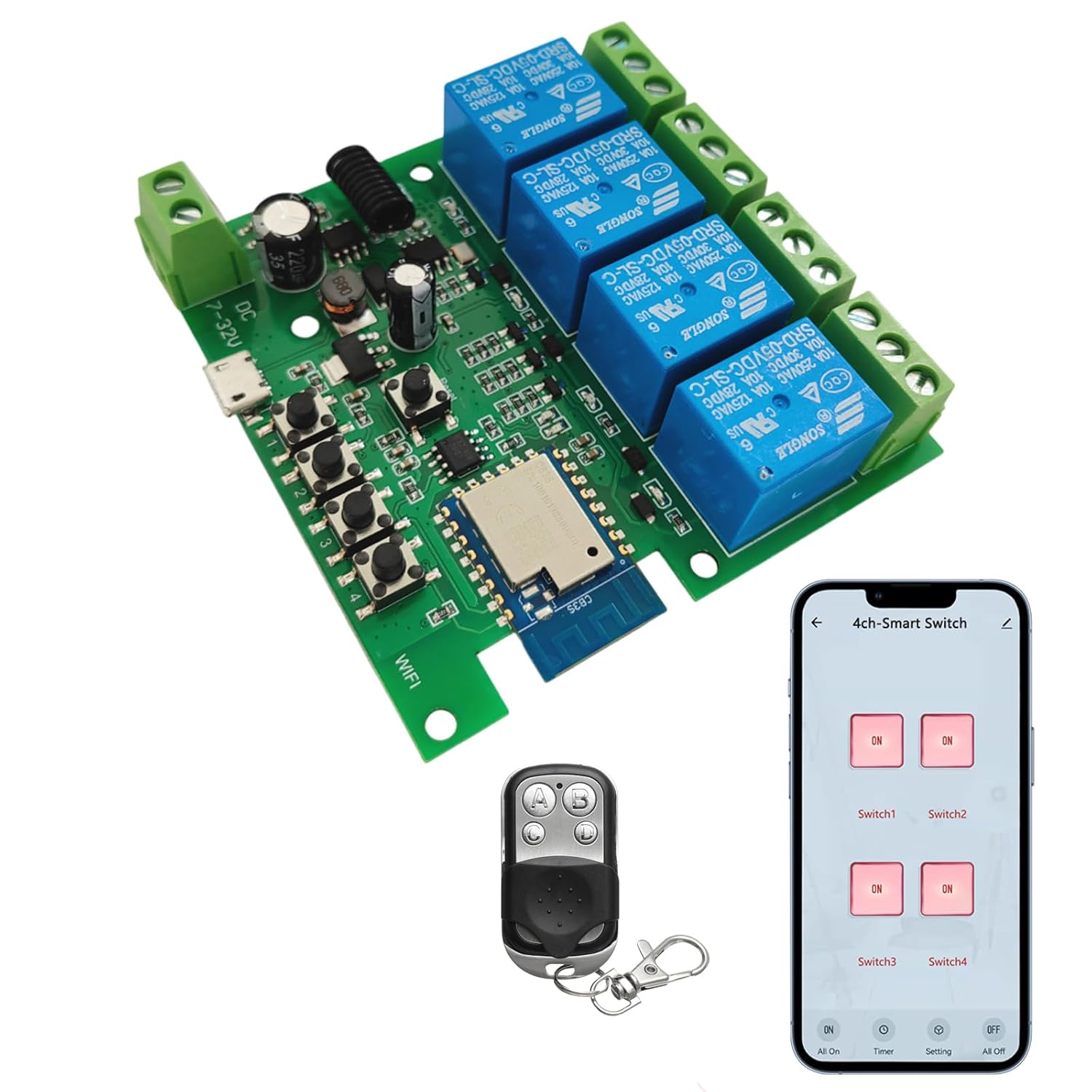
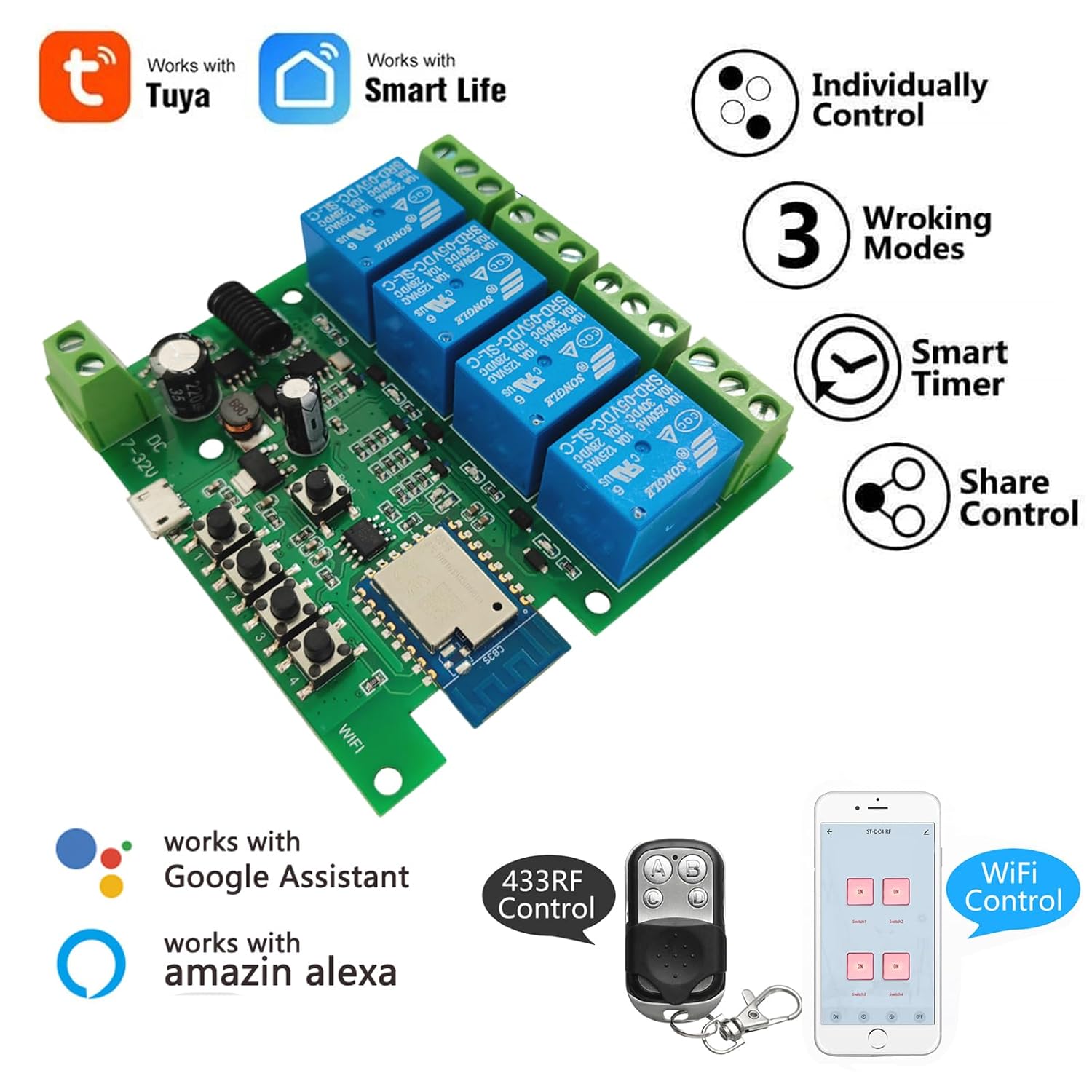
The Newgoal 4-Channel Smart Wireless Relay Switch is a versatile device designed for home automation, allowing remote control of connected appliances or power circuits. It supports multiple operating modes, including momentary (inching), self-locking, and interlock, and can be controlled via the Tuya Smart Life mobile application, a 433MHz RF remote control, or voice commands through Amazon Alexa and Google Home.
2. Коопсуздук маалыматы
- Ensure all power is disconnected before installation or wiring to prevent electric shock.
- This device operates with electrical currents. If you are unsure about electrical wiring, consult a qualified electrician.
- Do not exceed the maximum rated current of 10 Ampэрес же тtag250V AC/DC.
- The device supports 2.4GHz Wi-Fi networks only. It is not compatible with 5GHz Wi-Fi or Mesh Wi-Fi systems.
- Аппаратты суудан жана экстремалдык температурадан алыс кармаңыз.
3. Пакеттин мазмуну
- 1 x Newgoal 4-Channel WiFi Relay Module
- 1 x 433 МГц RF алыстан башкаруу пульту
- 1 x Колдонуучунун колдонмосу (англис жана кытай)
4. Техникалык шарттар
| Өзгөчөлүк | Спецификация |
|---|---|
| Модел | 4CH Tuya App/Smart Life |
| Өлчөмдөр | 7.4 x 7.4 x 1.9 см |
| Салмагы | 98 г |
| Электр камсыздоо | USB 5V же AC/DC 7-32V |
| Номиналдуу ток | 10 Amperes (per channel) |
| Operating Voltage (Relay Output) | AC 0-250V / DC 0-30V |
| Байланыш түрү | Normally Open (NO), Common (COM), Normally Closed (NC) |
| Circuit Type | 4-жол |
| Зымсыз байланыш | Wi-Fi 2.4 ГГц (IEEE 802.11 b/g/n) |
| RF башкаруу | 433MHz (Fixed code / Learning code, up to 14 codes per gang) |
| Колдонмо колдоо | Tuya Smart Life (Android/iOS) |
| Үн менен башкаруу | Amazon Alexa, Google Home |
| Иштөө режимдери | Убакыттын өтүшү менен (дюймдук), өзүн-өзү бекитүү, өз ара кулпулоо |
5. Продукт бүтүп калдыview

6. Орнотуу
6.1 Аппаратты кубаттоо
The relay module can be powered in two ways:
- USB 5V: Connect a standard Micro USB cable to the 'Power Input 1' port.
- AC/DC 7-32V: Connect a power source within this voltage range to the 'Power Input 2' screw terminals.
Note: The power supply input is for the PCBA (circuit board) only. The relays themselves are switches without output; they control the power to your connected devices.
6.2 Wiring Connected Devices
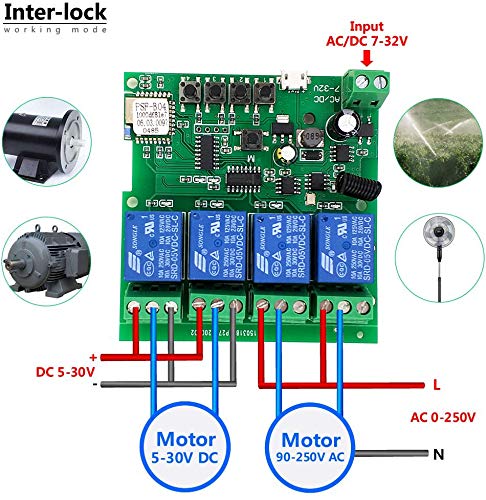
Refer to the wiring diagrams in Section 9 for specific connection instructions based on your desired operating mode and device type. Each relay has Normally Open (NO), Common (COM), and Normally Closed (NC) terminals. Connect your appliance's power line through the appropriate relay terminals.
6.3 App Installation and Device Pairing (Tuya Smart Life)
- жүктөп алыңыз Туя Смарт or Smart Life App Store (iOS) же Google Play Дүкөнүнөн (Android) колдонмо.
- Каттоо же өз эсебиңизге кирүү.
- Ensure your smartphone is connected to a 2.4GHz Wi-Fi network. The device does not support 5GHz Wi-Fi.
- Power on the Newgoal relay module. The WiFi LED should blink, indicating it's in pairing mode. If not, press and hold the central button on the module for 5 seconds until the LED blinks rapidly.
- In the app, tap '+' to add a device. The app should automatically discover the device nearby. Follow the on-screen instructions to connect the device to your Wi-Fi network.
- Once connected, you can rename the device and individual channels within the app.
6.4 RF алыстан башкаруу пультун жупташтыруу
To pair the 433MHz RF remote control with the relay module:
- Press and hold one of the manual switch buttons (RF Pairing Button) on the relay module for 3 seconds. The corresponding LED will illuminate.
- While the LED is lit, press the desired button on your 433MHz remote control. The LED on the module will flash to confirm successful pairing.
- Repeat this process for each channel you wish to control with the remote. The module can learn up to 14 different 433MHz codes per channel.
To clear all paired RF codes for a specific channel, press and hold the corresponding manual switch button for 15 seconds until the LED flashes rapidly and then turns off.
7. Иштөө режимдери
The Newgoal 4-Channel Smart Wireless Relay Switch supports three operating modes, which can be configured via the Tuya Smart Life app:
- Momentary (Inching) Mode: In this mode, the relay turns on for a set duration (e.g., 1 second) and then automatically turns off. This is ideal for applications like garage door openers or momentary button presses. You can configure two wiring ways: turn on for 1s then auto-off, or turn off for 1s then auto-on.
- Өзүн-өзү кулпулоо режими: The relay acts like a standard toggle switch. Pressing the button (in app or on remote) turns the relay ON, and pressing it again turns it OFF. This is suitable for controlling lights or other devices that need to stay on or off until manually changed.
- бөгөттөө режими: (Supported on 2-gang and 4-gang versions) In this mode, only one relay can be ON at a time. If one relay is activated, any other active relay in the group will automatically turn OFF. This is useful for controlling motors with forward/reverse functions or ensuring only one device operates at a time.
8. App Control (Tuya Smart Life)
Once paired, the Tuya Smart Life app provides comprehensive control and automation features:
- Алыстан күйгүзүү/өчүрүү: Control connected devices from anywhere with an internet connection.
- Убакыт графиктери: Set schedules for devices to turn on or off automatically at specific times.
- Артка саноо функциясы: Set a timer for a device to automatically turn off after a specified duration.
- Түзмөктү бөлүшүү: Түзмөктү башкарууну үй-бүлө мүчөлөрү менен бөлүшүңүз.
- Топту башкаруу: Бир убакта башкаруу үчүн бир нече түзмөктөрдү топтоштуруңуз.
- Сахнаны автоматташтыруу: Create custom scenes and automations based on conditions like time, weather, or other smart devices.


8.1 Үн менен башкаруунун интеграциясы
The device is compatible with Amazon Alexa and Google Home. After linking your Tuya Smart Life account in the Alexa or Google Home app, you can use voice commands to control your connected devices. For exampле:
- "Alexa, turn on Switch 1."
- "Hey Google, turn off the living room light."
Note: Currently, US/UK English and German voice commands are supported.

9. Электр схемасы
Proper wiring is crucial for safe and correct operation. Always ensure power is off before making any connections.


10. Техникалык тейлөө
- Аппаратты таза жана чаңдан алыс кармаңыз.
- Avoid exposing the device to moisture or direct sunlight.
- Зымдардын туташууларынын бекемдигин текшерүү үчүн аларды үзгүлтүксүз текшерип туруңуз.
- Periodically update the Tuya Smart Life app to ensure optimal performance and access to new features.
11. Кыйынчылыктарды
- Түзмөк Wi-Fi'га туташпай жатат:
- Ensure your Wi-Fi network is 2.4GHz. 5GHz networks are not supported.
- Make sure the device is within range of your Wi-Fi router during pairing.
- Check if the Wi-Fi password entered in the app is correct.
- Try resetting the device by holding the central button for 5 seconds until the WiFi LED blinks rapidly, then attempt pairing again. - RF пульту иштебейт:
- Ensure the remote control has a working battery (27A 12V).
- Re-pair the remote control with the specific channel on the module (refer to Section 6.4).
- Ensure the remote is within the maximum range of 30 meters (98 feet). - Туташкан шайман жооп бербей жатат:
- Verify that the relay module is powered on and the WiFi LED is solid (indicating a stable connection).
- Check the wiring connections to the appliance (refer to Section 9). Ensure they are secure and correct for the chosen operating mode.
- Confirm the appliance itself is functional. - Үн менен башкаруу иштебей жатат:
- Ensure your Tuya Smart Life account is correctly linked to your Amazon Alexa or Google Home app.
- Check that the device names in the smart assistant app match those in Tuya Smart Life.
- Verify your voice commands are in a supported language (US/UK English, German).
12. Кепилдик жана колдоо
For warranty information and technical support, please refer to the documentation provided with your purchase or contact Newgoal customer service through their official channels. Keep your purchase receipt for warranty claims.


