1. Киришүү
This manual provides detailed instructions for the operation and maintenance of your BOBLOV A23Pro Body Camera. Please read this manual thoroughly before using the device to ensure proper function and to maximize its capabilities. The A23Pro is designed for reliable video and photo capture in various environments, featuring a 180° rotatable lens, 4K video recording, and night vision capabilities.
2. Пакеттин мазмуну
Төмөндө тизмеленген нерселердин баары пакетиңизге камтылганын текшериңиз:
- BOBLOV A23Pro Body Camera
- Bike Mount
- USB кабели (Type-C)
- User Manual

3. Продукт бүтүп калдыview
Камеранын компоненттери жана башкаруу элементтери менен таанышып алыңыз:
- 180° Rotatable Lens: Allows flexible recording angles.
- Дисплей экраны: үчүн viewing live footage, recorded files, and menu options.
- Башкаруу баскычтары: Power, Menu, OK/Record, Navigation (Up/Down).
- USB-C порту: Заряддоо жана маалыматтарды өткөрүү үчүн.
- Микро SD карта слоту: Supports external memory up to 256GB.
- Инфракызыл (ИК) чырактар: Four IR lights for night vision functionality.
4. Орнотуу
4.1 Батареяны заряддоо
Before first use, fully charge the camera. Connect the supplied USB-C cable to the camera's USB-C port and the other end to a USB power adapter (not included) or a computer. The charging indicator will show the charging status and turn off when fully charged.
4.2 Микро SD картаны салуу
The camera supports Micro SD cards up to 256GB (Class 10 or higher recommended). Locate the Micro SD card slot on the side of the camera. Gently insert the card with the gold contacts facing the front of the camera until it clicks into place. To remove, push the card in again until it springs out.

5. Иштөө нускамалары
5.1 Күйгүзүү/өчүрүү
Press and hold the Power button for a few seconds to turn the camera on or off.
5.2 Видео жаздыруу
From the main screen, press the OK/Record button to start video recording. Press it again to stop. The camera supports 4K resolution for clear and detailed footage.
5.3 Сүрөт тартуу
Switch to photo mode using the Mode button (if available, or navigate through the menu). Press the OK/Record button to capture a still image. The camera captures photos at 48MP resolution.
5.4 180° Rotatable Lens
The camera features a manually rotatable lens that can be adjusted 180 degrees. This allows for versatile recording angles, whether mounted or handheld, ensuring optimal capture for various perspectives.

5.5 Түнкү көрүү функциясы
The A23Pro is equipped with four powerful IR lights for enhanced visibility in low-light conditions. This feature ensures clear recordings during night patrols, outdoor activities after sunset, or in dimly lit environments. Activate night vision through the camera's menu settings.

5.6 Цикл жаздыруу
The camera supports loop recording, which automatically overwrites the oldest files when the memory card is full. This ensures continuous recording without manual intervention. You can set the duration of video segments (e.g., 5, 10, 15, or 20 minutes) in the camera's settings.

6. Заряддоо жана батареянын иштөө мөөнөтү
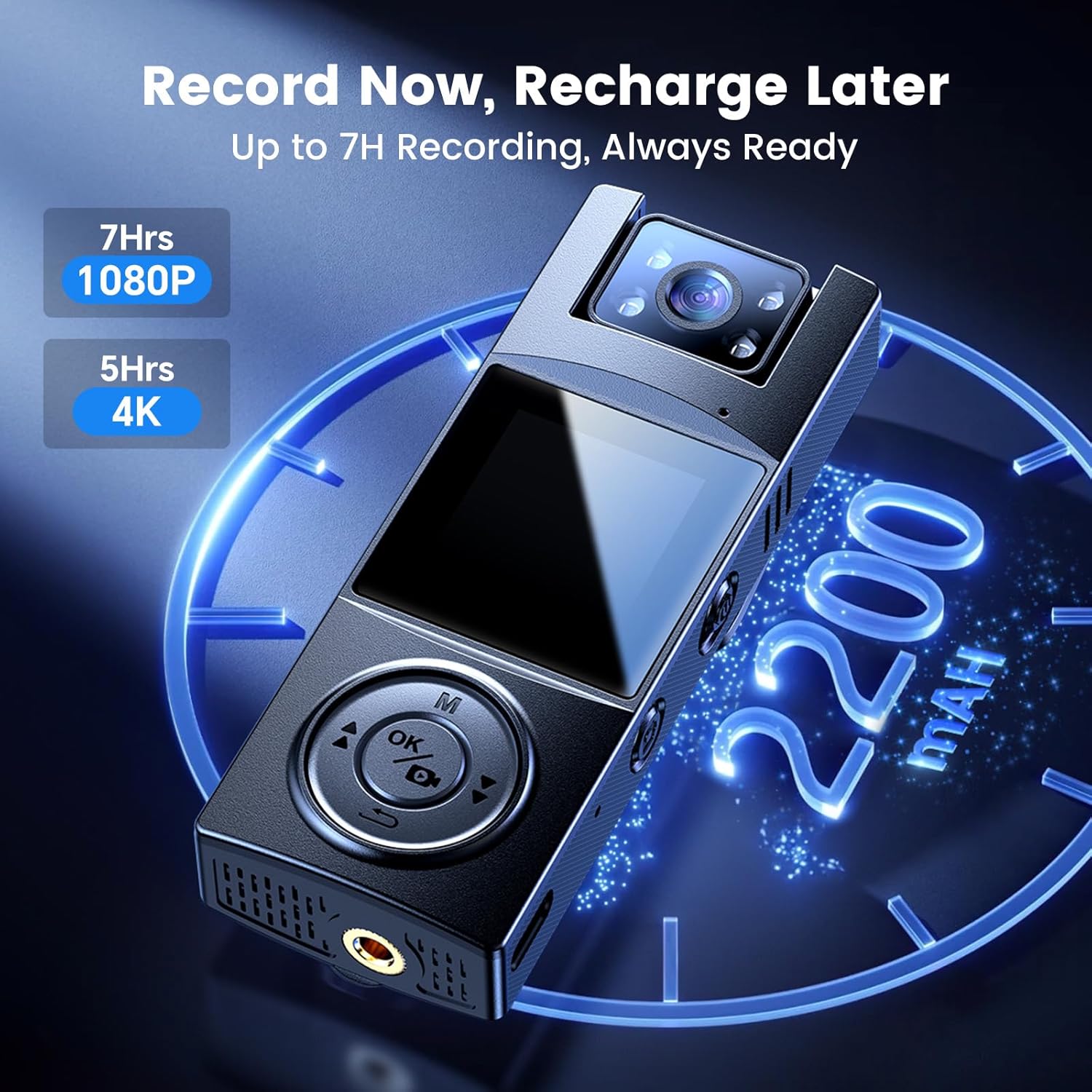
The A23Pro body camera is equipped with a 2200mAh battery, providing up to 7 hours of continuous recording time. Charging is facilitated via the USB-C port, offering fast and reliable power replenishment. A full charge typically takes approximately 4 hours.
7. Маалыматтарды өткөрүү
Жазылган өткөрүп берүү files to a computer, connect the camera using the supplied USB-C cable. The camera will appear as a removable disk drive. You can then access and copy your video and photo files. Alternatively, remove the Micro SD card and use a card reader to transfer data.
8. Монтаждоо параметрлери
The BOBLOV A23Pro offers versatile mounting options to suit various activities:
- Артка клип: Attach the camera securely to clothing, backpack straps, or other suitable surfaces for hands-free recording.
- Велосипедге орнотуу: Use the included bike mount to attach the camera to bicycle handlebars, capturing your rides from a stable perspective.

9. Техникалык тейлөө
- Линзаны жумшак, түксүз чүпүрөк менен таза кармаңыз.
- Камераны экстремалдык температурага же түз күн нуруна узак убакытка калтыруудан сактаңыз.
- Store the camera in a dry, cool place when not in use.
- Regularly back up your recorded fileмаалыматтарды жоготууга жол бербөө үчүн.
10. Кыйынчылыктарды
- Камера күйбөй жатат: Батарея заряддалганын текшериңиз. Кубат булагына туташып, кайра аракет кылыңыз.
- Жаздырууга мүмкүн эмес: Check if a Micro SD card is inserted and has sufficient free space. Format the card if necessary (this will erase all data).
- Видеонун сапаты начар: Ensure the lens is clean. Check the resolution settings in the camera menu.
- Камера тоңуп калат: Кайра иштетүү үчүн кубат баскычын 10-15 секунд басып туруңуз.
11. Техникалык шарттар
| Өзгөчөлүк | Спецификация |
|---|---|
| Бренд | БОБЛОВ |
| Модель номери | PRO |
| Видео тартуунун резолюциясы | 4K |
| Фото сенсор технологиясы | CMOS |
| Өзгөчө өзгөчөлүк | Night Vision, 180° Rotatable Lens |
| Батарея сыйымдуулугу | 2200mAh (1 A battery included) |
| Жазуу убактысы | Up to 7 hours (1080P) |
| Flash эс тутум түрү | Микро SD (макс. 256 ГБ) |
| Байланыш технологиясы | Зымдуу (USB-C) |
| Screen Size | 1.3 дюйм |
| Элемент Салмагы | 7.4 унция |
| Пакеттин өлчөмдөрү | 4.96 x 2.99 x 2.24 дюйм |
12. Кепилдик жана колдоо
BOBLOV provides product coverage for 24 months. For technical support or warranty claims, please contact BOBLOV customer service. We aim for a quick response within 24 hours and offer lifetime technical support.
Көбүрөөк маалымат алуу үчүн расмий иш сапары менен БОБЛОВ дүкөнү.


