Introduction
This manual provides essential information for the proper setup, operation, and maintenance of your RAPIQUE R306C USB C Wireless Mouse. Please read these instructions carefully before using the product to ensure optimal performance and longevity.
Пакеттин мазмуну
- RAPIQUE R306C Wireless Mouse x 1
- USB-C кабылдагыч x 1
- Колдонуучунун колдонмосу x 1
Продукт бүттүview
The RAPIQUE R306C is an ultra-slim, portable 2.4GHz wireless mouse designed for modern USB-C devices. It features silent clicks, a smooth scroll wheel, and adjustable DPI settings for precise control.

Image: The RAPIQUE R306C USB C Wireless Mouse, showcasing its sleek, minimalist design in white, alongside its compact USB-C receiver.
Негизги өзгөчөлүктөрү:
- Саркеч жана минималисттик дизайн: Streamlined shape with a premium finish, high-gloss top buttons, and a matte metallic base.
- Silent Click & Smooth Scroll: Enjoy low-noise clicks and a soft, silent scroll wheel for focused work environments. Note: The mouse wheel scrolls vertically only.
- Өтө ичке жана көчмө: Compact and lightweight, ideal for travel and mobile use.
- Жөнгө салынуучу DPI: Easily switch between 800 / 1200 / 1600 DPI for precise tracking.
- Батареянын узак иштөө мөөнөтү: Powered by one AA battery (not included), offering up to 480 hours of use with smart auto-sleep mode.
- Жалпы шайкештик: Works seamlessly with USB-C devices including MacBook Air/Pro, Mac, iPad Pro/Air, Android tablets, and other modern computers.
Орнотуу колдонмосу
1. Батареяны орнотуңуз
- Gently slide off the top cover of the mouse to reveal the battery compartment.
- Бөлүмгө бир AA батарейкасын (кошулмага кирбейт) салып, туура полярдуулукту (+/-) камсыз кылыңыз.
- Үстүнкү капкакты ордуна коюңуз, анын ордуна бекем чыкылдатыңыз.
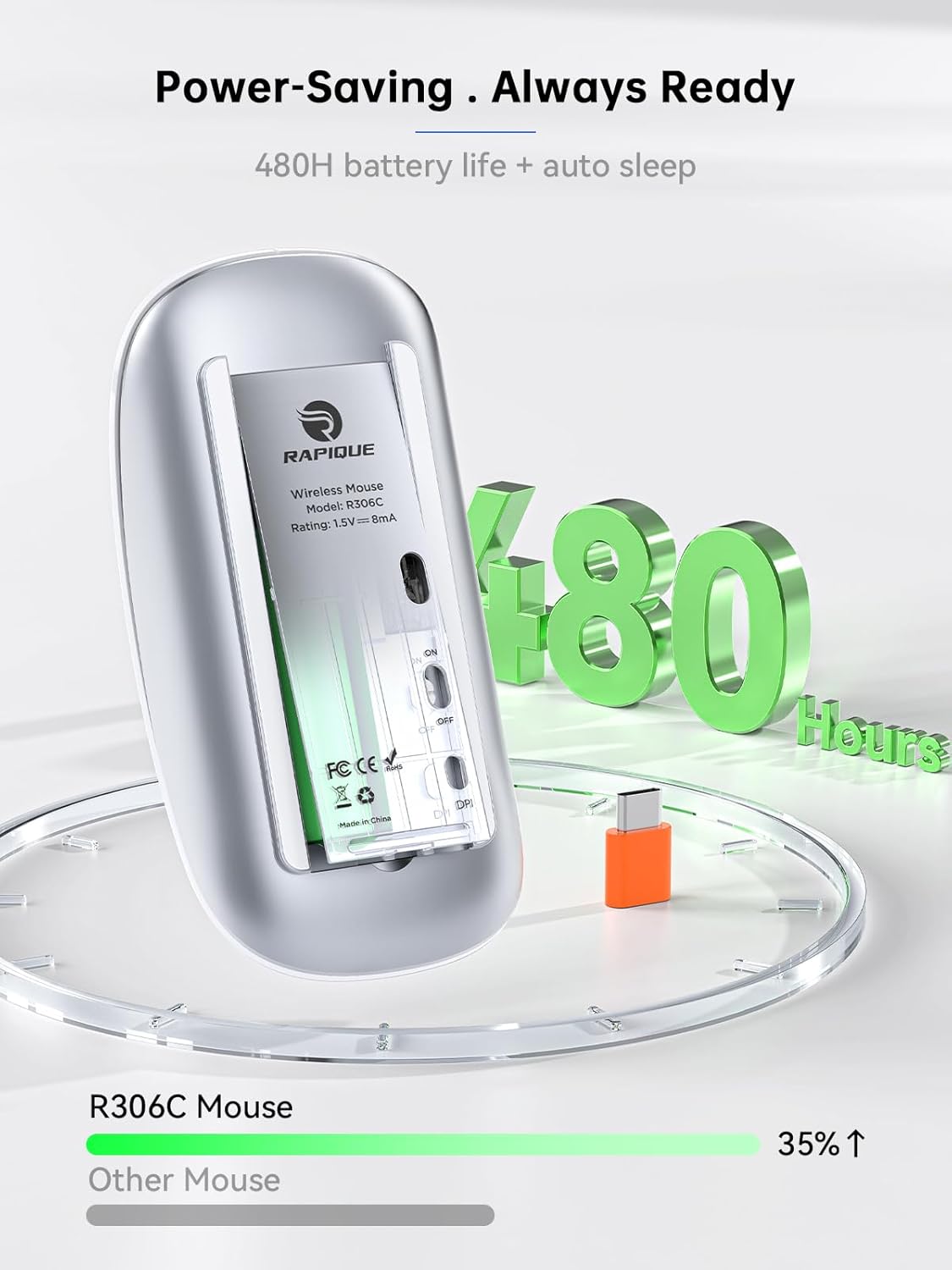
Image: The underside of the RAPIQUE R306C mouse with the battery cover removed, showing the AA battery slot and the USB-C receiver storage.
2. Connect USB-C Receiver
- Locate the USB-C receiver, typically stored within the mouse's battery compartment or packaged separately.
- Plug the USB-C receiver directly into an available USB-C port on your laptop, MacBook, iPad, or other compatible device.

Image: The RAPIQUE R306C mouse positioned next to a laptop, with its orange USB-C receiver visibly plugged into the laptop's USB-C port, illustrating a plug-and-play connection.
3. Күйгүзүү
- Flip the ON/OFF switch located on the underside of the mouse to the "ON" position.
- The mouse should automatically connect to your device. No additional drivers are typically required for most operating systems.
Иштөө нускамалары
Негизги функциялар
- Сол чыкылдатуу: Сол баскычты басыңыз.
- Оң чыкылдатуу: Оң баскычты басыңыз.
- Жылдыруу: Roll the scroll wheel up or down to navigate vertically.
DPI тууралоо
The mouse features a DPI button on its underside, allowing you to adjust tracking sensitivity.
- басыңыз DPI баскычы once to cycle through the available DPI settings (800 / 1200 / 1600 DPI).
- Select the DPI setting that best suits your task for optimal cursor speed and precision.
Авто-Уйку режими
To conserve battery life, the mouse will automatically enter a sleep mode after a period of inactivity. To wake the mouse, simply move it or click any button.
Техникалык тейлөө
Батареяны алмаштыруу
When the mouse performance degrades or stops responding, it may be time to replace the AA battery. Follow the battery installation steps in the Setup Guide.
Тазалоо
To clean your mouse, use a soft, dry cloth. Avoid using harsh chemicals or abrasive materials, as these may damage the surface.
Проблемаларды чечүү
- Чычкан жооп бербей жатат:
- Чычкандын күйүп турганын текшериңиз.
- Check if the USB-C receiver is securely plugged into your device.
- Replace the AA battery if it is low or depleted.
- Try plugging the USB-C receiver into a different port on your device.
- Үзгүлтүксүз туташуу:
- Ensure the mouse is within the 10-meter operating range of the receiver.
- Avoid obstructions between the mouse and the receiver.
- Башка 2.4 ГГц зымсыз түзмөктөрдүн кийлигишүүсүн азайтыңыз.
- Курсордун кыймылы туруксуз же жай:
- Adjust the DPI setting using the DPI button on the underside of the mouse.
- Чычкан таза, чагылдырылбаган жерде колдонулушун камсыз кылыңыз.
Техникалык шарттар
| Өзгөчөлүк | Деталь |
|---|---|
| Модель номери | R306C |
| Байланыш технологиясы | 2.4GHz Wireless (USB-C Receiver) |
| Кыймылды аныктоо | Оптикалык |
| DPI орнотуулары | 800 / 1200 / 1600 |
| Батарея түрү | 1 x AA Батарея (киргизилген эмес) |
| Батареянын иштөө мөөнөтү | Up to 480 hours (may vary with usage) |
| Иштөө диапазону | 10 метрге чейин |
| Өлчөмдөр | 4.5 x 2.3 x 0.98 дюйм (болжол менен) |
| Салмагы | 2.29 унция |
Кепилдик жана колдоо
For warranty information and customer support, please refer to the documentation included with your purchase or visit the official RAPIQUE webсайт. Ар кандай кепилдик дооматтары үчүн сатып алганыңыздын далилин сактаңыз.


