Introduction
The OLIGHT Sphere C is a versatile and portable smart night light designed to enhance your living spaces with customizable ambient lighting. Featuring USB-C recharging, stepless dimming, and smart app control, it's suitable for various uses including night light, bedside lamp, nursery light, and table lamp. Its magnetic base allows for convenient placement on metal surfaces.

Image: Two OLIGHT Sphere C smart night lights, demonstrating their compact size and the accompanying smartphone app for control.
Кутуда эмне бар
Upon unboxing your OLIGHT Sphere C, please ensure all the following components are present:
- Sphere C x 2
- User Manual
Note: A USB-C charging cable is not included in the package.
Жайгашуу
Charging the Sphere C
The Sphere C is equipped with a USB-C charging port for universal compatibility. To charge, simply connect a standard USB-C cable (not included) to the port on the device and a power source. The light will indicate its charging status.

Image: A user connecting a USB-C charging cable to the OLIGHT Sphere C.
Initial App Pairing (Optional)
For full control and customization features, download the official OLIGHT app from your device's app store. Follow the in-app instructions to pair your Sphere C lights. Ensure your device's Bluetooth is enabled.
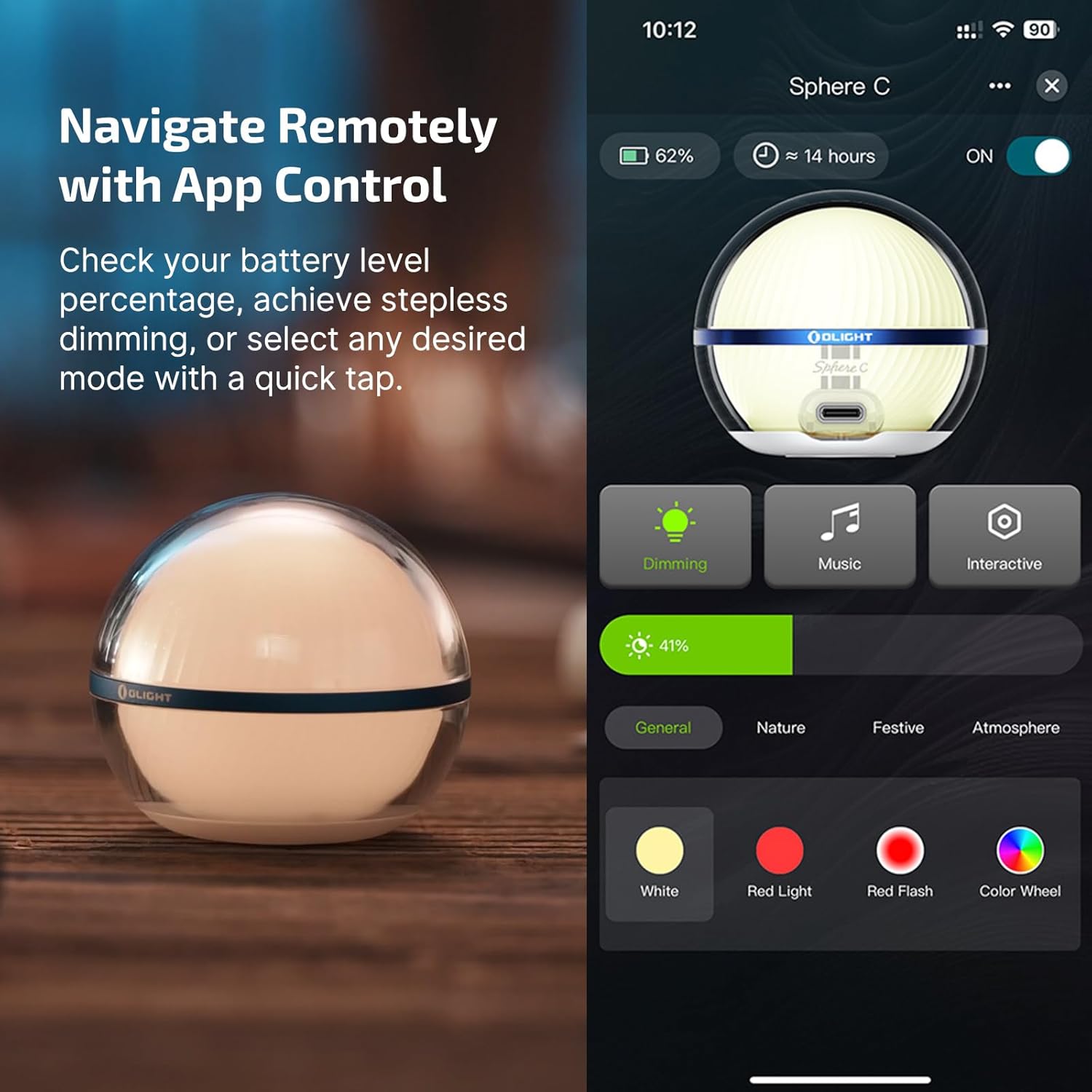
Image: The OLIGHT app interface on a smartphone, demonstrating remote control capabilities for the Sphere C.
Иштөө нускамалары
Кол менен башкаруу
The Sphere C can be operated directly using the button located on its base:
- Жалгыз басуу: Turns the light ON.
- Кош басуу: Жарыкты өчүрөт.
- Басып кармап туруңуз: Activates stepless dimming to adjust brightness.
- Press to Cycle: Cycles through 7 lighting modes, including white light, red light, red flash, and four customizable colorful modes.

Image: The OLIGHT Sphere C in hand, highlighting the button for manual operation.
Колдонмонун башкаруу өзгөчөлүктөрү
The OLIGHT app provides extensive control over your Sphere C lights:
- Жарыктыкты жөндөө: Fine-tune the light intensity.
- Бир нече жарык режимдери: Access over 20 distinct lighting effects across various categories (General, Nature, Festive, Atmosphere).
- Кубаттын мониторинги: Батареянын деңгээлин текшериңиз.
- Интерактивдүү өзгөчөлүктөрү: Utilize group control for multiple lights, music rhythm synchronization, and countdown timers.
- Автоматтык түрдө өчүрүү таймерлери: Set timers for the light to automatically turn off.
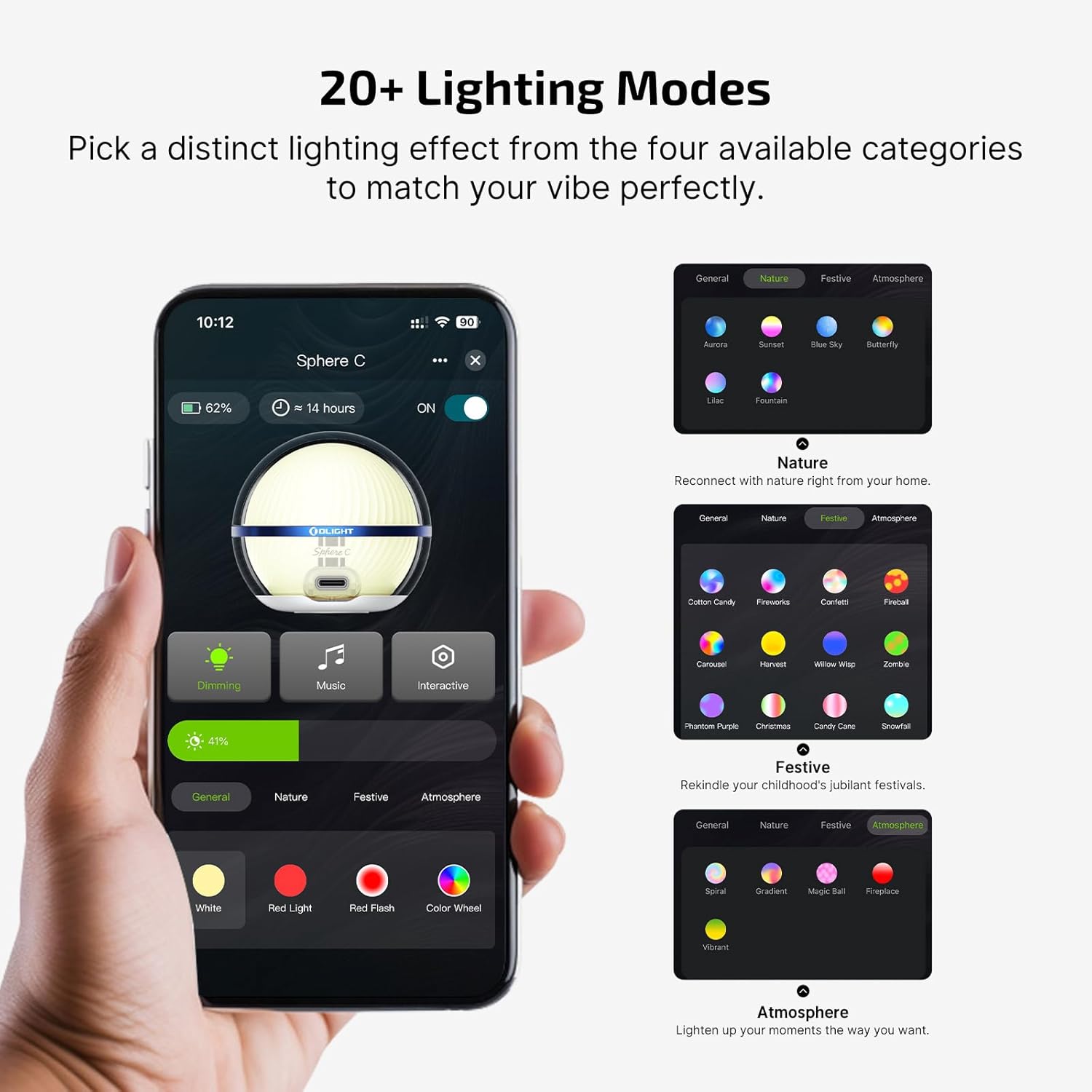
Image: The OLIGHT app showcasing a wide array of lighting modes and customization options.
Магниттик жайгаштыруу
The Sphere C features a strong magnetic base, allowing it to be securely attached to various metal surfaces for hands-free illumination. This magnetic adhesion also ensures stable charging when placed on compatible magnetic charging pads (if applicable, though USB-C is primary).
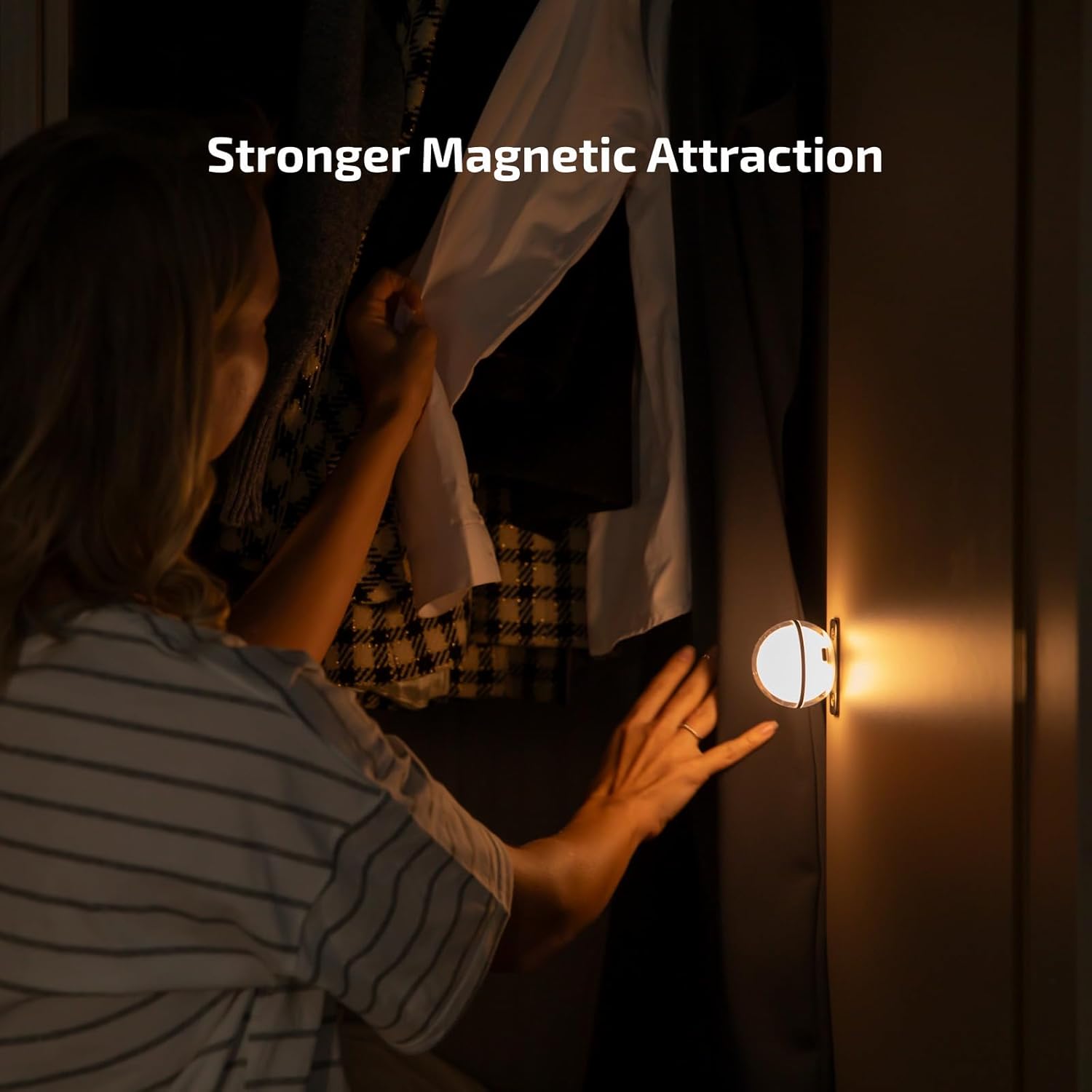
Image: The OLIGHT Sphere C being magnetically attached to a metal surface, demonstrating its versatile placement.
Техникалык тейлөө
To ensure the longevity and optimal performance of your OLIGHT Sphere C, follow these maintenance guidelines:
- Тазалоо: жарыктын бетин жумшак менен сүртүп, гamp кездеме. Абразивдүү тазалагычтарды же эриткичтерди колдонуудан алыс болуңуз.
- Суу жана чаңга туруктуулугу: The Sphere C is rated IP56, meaning it is protected against dust ingress and high-pressure water jets from any direction. While resistant, avoid prolonged submersion.
- Таасирге каршылык: The device is designed to be impact-resistant up to 1.5 meters. However, avoid dropping it from significant heights to prevent damage.
- Сактагыч: Store the light in a cool, dry place when not in use for extended periods.

Image: Visual representation of the Sphere C's IP56 dust and water resistance, and its durability against impacts.
Проблемаларды чечүү
If you encounter issues with your OLIGHT Sphere C, please refer to the following common solutions:
| Көйгөй | Мүмкүн болгон себеп / Чечим |
|---|---|
| Жарык күйбөйт. | Battery may be depleted. Charge the device using a USB-C cable. Ensure the button is pressed correctly. |
| Колдонмону башкаруу иштебей жатат. | Ensure Bluetooth is enabled on your device. The Sphere C is not compatible with Olink. For multiple Spheres, keep them within 5 inches of each other for optimal app control. Try re-pairing the device in the app. |
| Жарык заряддалбай жатат. | Check the USB-C cable and power adapter. Ensure the cable is fully inserted into the port. Try a different cable or power source. |
| Inconsistent lighting modes. | Ensure the device is fully charged. If using app control, check for app updates. |
Техникалык шарттар
| Өзгөчөлүк | Деталь |
|---|---|
| Продукциянын өлчөмдөрү | 2.26"D x 2.26"W x 2.64"H |
| Элемент Салмагы | 0.2 фунт (3.2 унция) |
| Lamp Type | Night Light |
| Көлөкө материалы | Поликарбонат |
| Жарыктык | 75 люмен (макс.) |
| Power Source | Батарея менен иштейт (1 литий полимердик батарейка камтылган) |
| Башкаруу ыкмасы | Колдонмо, тийүү |
| Сууга туруктуулук деңгээли | IP56 (Суу өткөрбөйт) |
| Өзгөчөлүктөр | Color Changing, Dust Resistant, Lightweight, Rechargeable |
| Батареянын иштөө мөөнөтү | Up to 3 hours (bright mode), 40 hours (soft white light mode) |
Кепилдик жана колдоо
OLIGHT stands behind the quality of its products. The Sphere C Smart Night Light comes with a Өмүр бою кепилдик, сиздин сатып алуу үчүн тынчтыкты камсыз кылуу.

Image: OLIGHT's commitment to quality, highlighting the Lifetime Warranty.
For any technical assistance, warranty claims, or product inquiries, please contact OLIGHT customer support through their official webсайт же продукт таңгагында көрсөтүлгөн байланыш маалыматы.


