1. Киришүү
This manual provides essential instructions for the proper setup, operation, and maintenance of your Onvian 1337286378 Lightweight 4-Digit Combination Disc Brake Lock. Please read this manual thoroughly before using the product to ensure optimal performance and security.
2. Продукт бүтүп калдыview
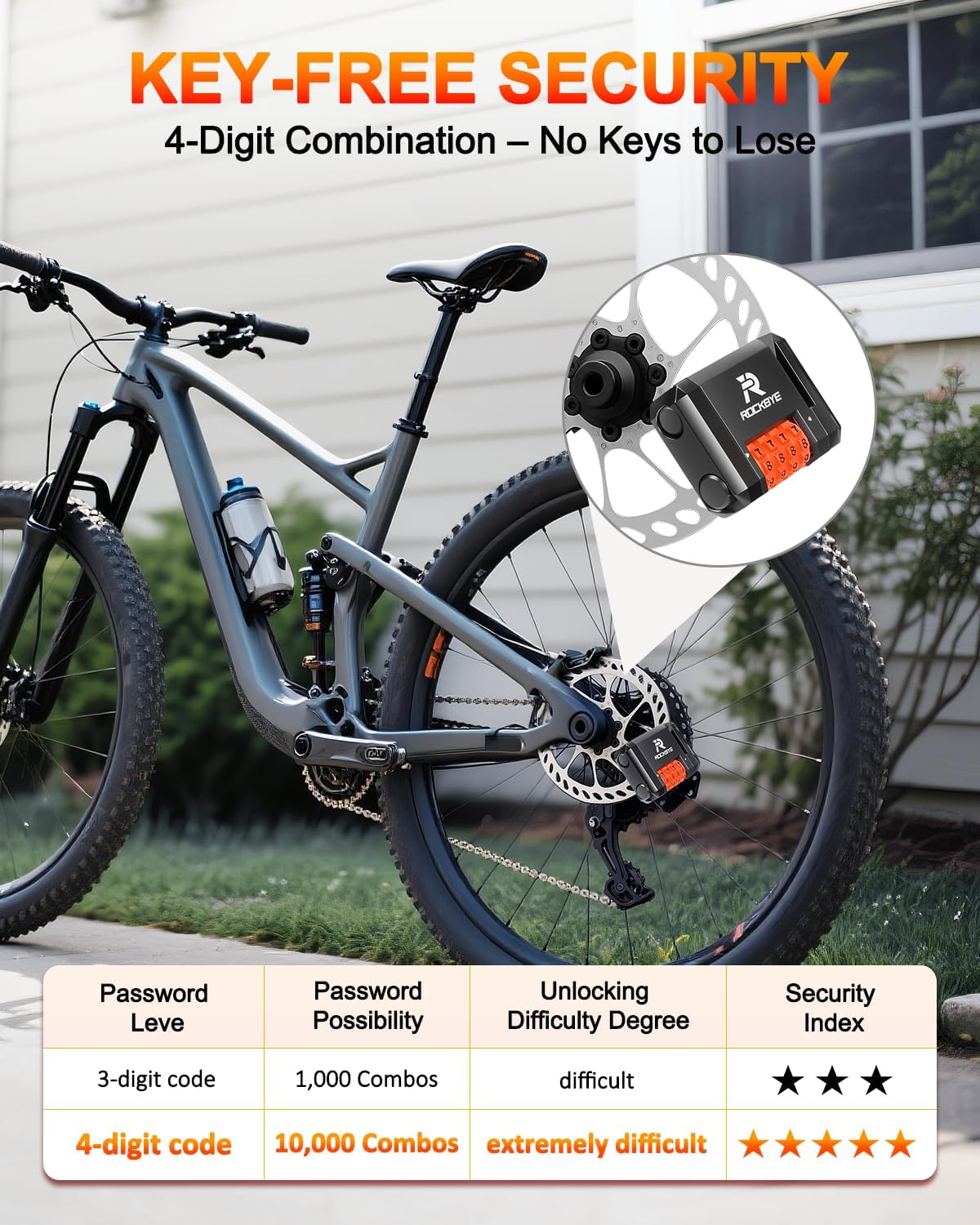
The Onvian 1337286378 is a compact and lightweight disc brake lock designed to provide security for bicycles, e-bikes, mountain bikes, and road bikes. It features a 4-digit resettable combination mechanism, eliminating the need for keys. Constructed from durable aluminum alloy and zinc, it is built to withstand various weather conditions, offering waterproof and rustproof protection.
Негизги өзгөчөлүктөрү:
- 4-Digit Combination: Offers 10,000 possible combinations for enhanced security.
- Ачкычсыз иштөө: No keys to carry or lose.
- Тынч дизайн: Operates without an alarm for discreet use.
- Туруктуу курулуш: Made from high-quality aluminum alloy and zinc for strength and longevity.
- Waterproof & Rustproof: Designed to resist water and rust, suitable for various weather conditions.
- Портативдик: Lightweight (175g) and compact design for easy transport.

3. Орнотуу: Айкалышыңызды орнотуу
Your Onvian Disc Brake Lock comes with a factory default combination, typically 0000. It is highly recommended to change this to a personal, memorable 4-digit code immediately after purchase.
Steps to Change the Combination:
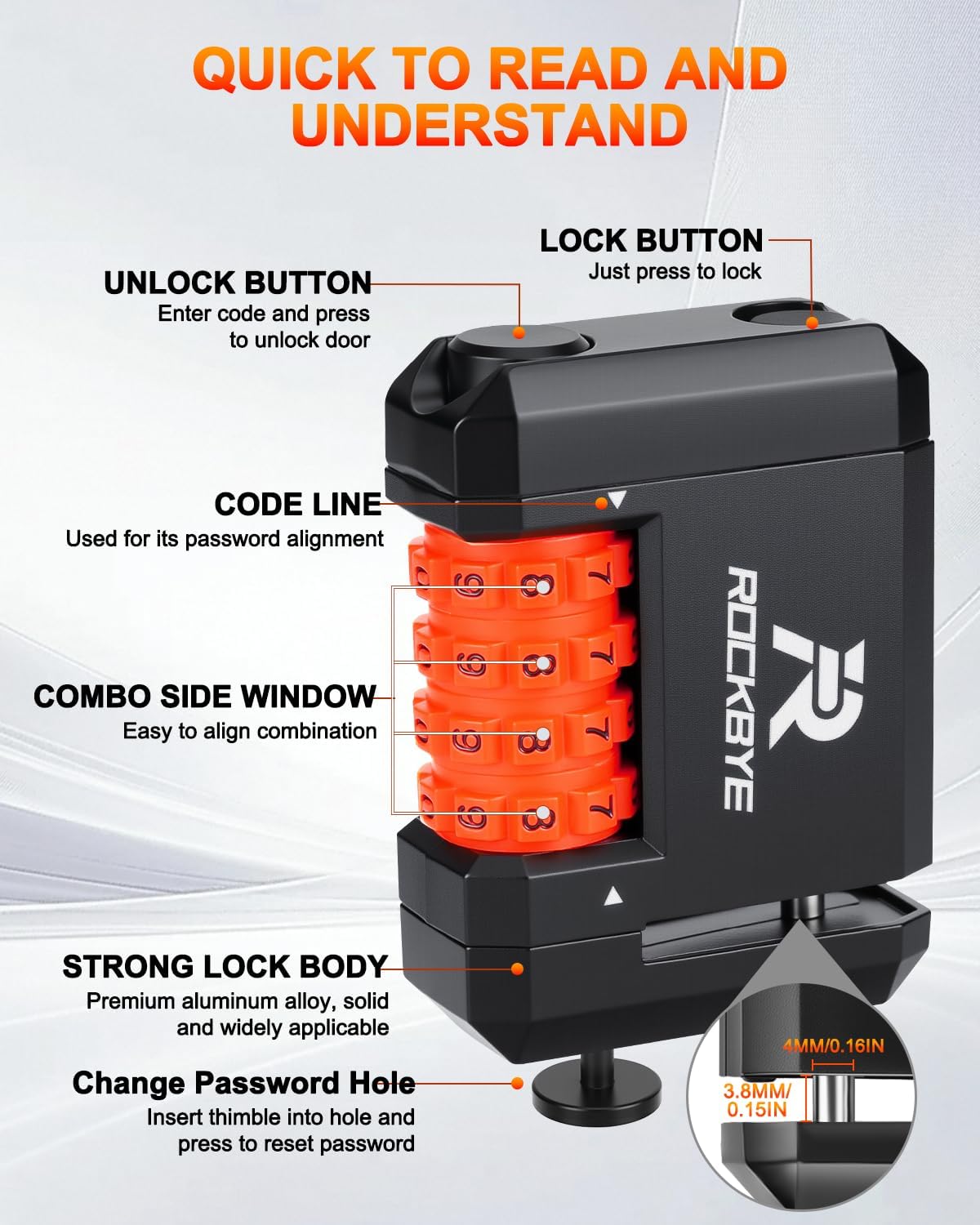
- Set to Current Code: Rotate the number dials to the current combination (factory default is 0000).
- Кулпуну жабыңыз: Press the lock button to ensure the lock is in the closed position.
- Access Reset Pin: Locate the small pinhole on the side of the lock. Insert a thin, pointed object (like a thimble or paperclip) into the pinhole and press firmly, holding it down.
- Set New Code: While holding the pin down, rotate the number dials to your desired new 4-digit combination. Ensure the numbers align perfectly with the code line.
- Release Pin: Release the pointed object from the pinhole. Your new combination is now set.
- Test New Code: Scramble the dials, then enter your new code and press the unlock button to verify it opens correctly.
Important: If you forget your combination, there is no master key or override function to reset it. Please store your combination in a secure, memorable location.

4. Иштөө нускамалары
Locking the Device:
- Ensure the lock is in the unlocked position (shackle retracted).
- Align the lock's pin with a suitable hole in your bicycle's disc brake rotor.
- Press the lock button firmly until the pin extends through the rotor hole and secures the lock. You will hear a click.
- Scramble the number dials to secure the combination.
Аппараттын кулпусун ачуу:
- Rotate the number dials to your set 4-digit combination, ensuring each number aligns with the code line.
- Press the unlock button. The lock pin will retract, allowing you to remove the lock from the disc brake.
Шайкештикти текшерүү:
This lock is suitable for disc brakes with a rotor thickness within 0.15 дюйм (3.8 мм) and a hole diameter greater than 0.16 дюйм (4 мм). Please verify your bike's disc brake specifications before use.

5. Техникалык тейлөө
The Onvian Disc Brake Lock is designed for durability and minimal maintenance. Follow these guidelines to ensure its longevity:
- Тазалоо: Wipe the lock with a soft, damp cloth to remove dirt and grime. Avoid abrasive cleaners or solvents that could damage the finish or internal mechanisms.
- Майлоо: Periodically, a small amount of silicone-based lubricant can be applied to the moving parts (lock pin, buttons, and dials) to ensure smooth operation. Avoid oil-based lubricants as they can attract dirt.
- Сактагыч: When not in use, store the lock in a dry place. Although waterproof, prolonged exposure to extreme moisture or corrosive environments should be avoided.
- Текшерүү: Regularly inspect the lock for any signs of wear, damage, or corrosion. If any issues are found, discontinue use and contact support.

6. Кыйынчылыктарды
- Кулпу ачылбайт:
- Ensure the correct 4-digit combination is entered and aligned precisely with the code line.
- Press the unlock button firmly.
- If the dials are stiff, try applying a small amount of silicone lubricant.
- If the combination is forgotten, the lock cannot be opened without the correct code.
- Lock will not close/pin will not extend:
- Check for any obstructions in the pin mechanism or the disc brake hole.
- Ensure the lock is in the unlocked position before attempting to close.
- Verify that the disc brake rotor thickness and hole diameter are compatible with the lock (refer to Section 4).
- Dials are stiff or difficult to turn:
- Clean the dials and surrounding areas to remove any accumulated dirt or debris.
- Apply a small amount of silicone lubricant to the dials.
7. Техникалык шарттар
| Өзгөчөлүк | Деталь |
|---|---|
| Бренд | Онвиан |
| Модель аты | 1337286378 |
| Кулпу түрү | 4 орундуу айкалышкан кулпу |
| Өзгөчө өзгөчөлүк | Кайрадан баштапкы абалга келтирилүүчү айкалыш |
| Материал | Acrylonitrile Butadiene Styrene, Zinc |
| Элементтин өлчөмдөрү (L x W x Y) | 2.5 x 0.86 x 1.88 дюйм (6.35 x 2.18 x 4.78 см) |
| Элемент Салмагы | 0.39 фунт (175г) |
| Түс | Кара |
| Сунушталган Колдонуулар | Securing bicycles, e-bikes, mountain bikes, and road bikes during short stops or commuting |
| Brake Rotor Thickness Compatibility | Within 0.15 inches (3.8 mm) |
| Brake Rotor Hole Diameter Compatibility | Greater than 0.16 inches (4 mm) |
8. Кепилдик жана колдоо
For warranty information or technical support, please refer to the product packaging or contact Onvian customer service directly through their official channels. Keep your purchase receipt as proof of purchase.


