1. Киришүү
Thank you for choosing the Inwa MZ-320 Outdoor Bluetooth Speakers. This manual provides essential information for the safe and efficient use of your speakers. Please read it thoroughly before operation and retain it for future reference.
The Inwa MZ-320 speakers are designed for outdoor use, featuring IPX5 waterproofing, beat-driven light shows, and the ability to link up to 100 speakers wirelessly for an immersive audio experience.

Image 1.1: Two Inwa MZ-320 Outdoor Bluetooth Speakers.
2. Пакеттин мазмуну
Сураныч, пакетте төмөнкү нерселерди текшериңиз:
- Inwa MZ-320 Outdoor Bluetooth Speaker (2 units)
- Power Cable (2 units)
- Колдонуучунун Колдонмосу (бул документ)
3. Продукт бүтүп калдыview
The Inwa MZ-320 features a robust design suitable for various environments. Key components include:
- Full-range Drivers: Two 3-inch drivers for clear audio output.
- Bass Radiators: Two passive bass radiators for enhanced low-frequency sound.
- Башкаруу панели: Located at the base for power, Bluetooth, light, and volume adjustments.
- AUX кирүү порту: Зымдуу аудио туташуулар үчүн.
- Интегралдык тутка: Көчүрүү үчүн.

Image 3.1: Internal speaker components, including drivers and bass radiators.

Image 3.2: Sound output and bass radiation plate design.
Башкаруу панелинин функциялары

Сүрөт 3.3: Детальдуу view of the control panel with button descriptions.
- Кубат баскычы: Динамикти күйгүзүү же өчүрүү үчүн басып туруңуз.
- Bluetooth/Connect Button: Press to enter Bluetooth pairing mode. Press and hold to disconnect current Bluetooth device.
- Жарык баскычы: Жарык режимдерин алмаштыруу үчүн басыңыз.
- Color Timer Button: Press to set light duration (2H, 4H, 6H, 8H).
- Set Up the Host (TWS Pairing) Button: Used for linking multiple speakers.
- Үн баскычтары (+/-): Үндү тууралоо үчүн басыңыз.
4. Орнотуу
4.1 Динамикти заряддоо
Before first use, fully charge the speaker. Connect the provided power cable to the speaker's charging port and a suitable power source. The charging indicator will show the charging status.
4.2 Күйгүзүү/өчүрүү
- Күйгүзүү үчүн: Күч баскычын индикатор жарыгы күйгүчө басып туруңуз.
- Өчүрүү үчүн: Индикатор жарыгы өчкөнчө Кубат баскычын басып, кармап туруңуз.
4.3 Bluetooth жупташтыруу
- Динамик күйгүзүлгөнүн текшериңиз.
- Press the Bluetooth/Connect button to enter pairing mode. The Bluetooth indicator will flash.
- Түзмөгүңүздө (смартфон, планшет ж.б.) Bluetooth иштетиңиз жана жеткиликтүү түзмөктөрдү издеңиз.
- Select "Inwa MZ-320" from the list.
- Туташтырылгандан кийин, Bluetooth индикатору өчүп-өчүп токтоп, туруктуу бойдон калат.
4.4 Linking Multiple Speakers (TWS Function)
The Inwa MZ-320 speakers support wireless linking for a stereo or multi-speaker setup.

Image 4.1: Multiple speakers linked for an outdoor audio system.
- Power on all speakers you wish to link.
- Pair one speaker to your Bluetooth device as described in section 4.3. This will be the primary speaker.
- On the primary speaker, press the "Set Up the Host" button.
- On the secondary speakers, press the "Set Up the Host" button. They will automatically search for and connect to the primary speaker.
- Once connected, all linked speakers will play audio from your device.
5. Операция
5.1 Аудио ойнотуу
After successful Bluetooth pairing, play audio from your connected device. Use the volume buttons on the speaker or your device to adjust the sound level.
5.2 Light Show Functions
The speakers feature a beat-driven light show.
- басыңыз Жарык күйгүзүү button to cycle through various light modes and colors.
- басыңыз Color Timer button to set a timer for the lights (e.g., 2 hours, 4 hours).

Image 5.1: Speaker displaying dynamic light effects during use.
5.3 AUX киргизүү
For devices without Bluetooth, use the AUX IN port.

Image 5.2: Connecting an audio device via AUX IN port.
- Connect one end of a 3.5mm audio cable (not included) to the speaker's AUX IN port.
- Экинчи учун түзмөгүңүздүн аудио чыгышына туташтырыңыз.
- Динамик автоматтык түрдө AUX киргизүү режимине өтөт.
6. Техникалык тейлөө
6.1 Гидроизоляция
The Inwa MZ-320 speakers are IPX5 waterproof, meaning they are protected against low-pressure water jets from any direction. They are suitable for outdoor use in light rain or splash environments.
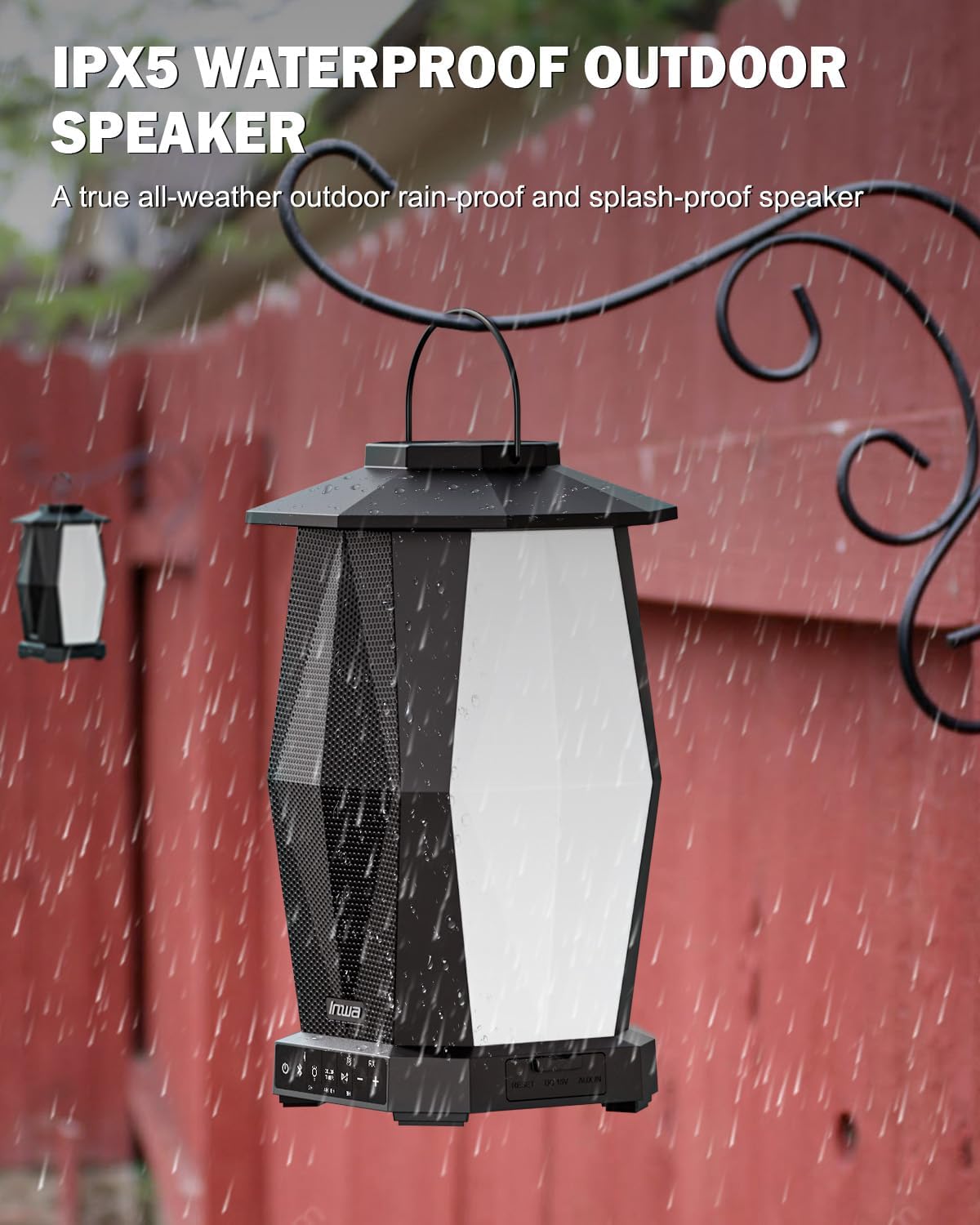
Image 6.1: Speaker in a rain environment, highlighting its waterproof feature.
Маанилүү:
- Динамикти сууга батырбаңыз.
- Ensure the charging port and AUX IN port covers are securely closed when exposed to water.
6.2 Тазалоо
Динамикти жумшак менен сүртүңүз, гamp кездеме. Абразивдүү тазалагычтарды же эриткичтерди колдонбоңуз.
6.3 Сактоо
Динамикти узак убакыт бою колдонбогондо, түз күн тийбеген, кургак, салкын жерде сактаңыз.
7. Кыйынчылыктарды
| Көйгөй | Мүмкүн себеп | Чечим |
|---|---|---|
| Динамик күйбөйт. | Батарея аз. | Берилген кубат кабелин колдонуп, динамикти кубаттаңыз. |
| Bluetooth аркылуу жупташтыруу мүмкүн эмес. | Динамик жупташтыруу режиминде эмес; түзмөк Bluetooth өчүк; спикерден өтө алыс. | Ensure speaker is in pairing mode (flashing indicator). Turn on device Bluetooth. Move device closer to speaker (within 33 feet/10 meters). |
| Үн жок. | Үн өтө төмөн; киргизүү режими туура эмес; түзмөк аудиону ойнотпой жатат. | Increase speaker and device volume. Ensure correct input (Bluetooth or AUX). Verify audio is playing on the connected device. |
| Multiple speakers not linking. | Туура эмес TWS жупташтыруу процедурасы. | Follow the TWS linking steps in section 4.4 carefully. Ensure only one speaker is paired to your device initially. |
8. Техникалык шарттар
| Өзгөчөлүк | Спецификация |
|---|---|
| Модель аты | MZ320 |
| Динамик түрү | Тышкы Bluetooth динамиги |
| Байланыш технологиясы | Bluetooth |
| Зымсыз байланыш технологиясы | Зымсыз Bluetooth |
| Сууга туруктуулук деңгээли | IPX5 (Суу өткөрбөйт) |
| Power Source | Батарея менен иштейт |
| Батарея түрү | 1 литий-иондук батарейка (кошулган) |
| Батарея сыйымдуулугу | 6600 миллионamp Саат |
| Динамиктин максималдуу чыгаруу күчү | 25 Ватт |
| Аудио драйвер түрү | Динамикалык драйвер |
| Продукциянын өлчөмдөрү | 7.1"D x 7.1"W x 11.4"H |
| Элемент Салмагы | 12 фунт (ар бир жуп үчүн) |
| Башкаруу ыкмасы | Push Button |
| Камтылган компоненттер | Manual, Power Cable |
9. Кепилдик жана колдоо
9.1 Кепилдик маалыматы
The Inwa MZ-320 speakers come with a 1 жылдык кепилдик сатып алынган күндөн тартып. Бул кепилдик кадимки колдонуудагы өндүрүштүк кемчиликтерди камтыйт. Ал туура эмес колдонуудан, кырсыктардан, уруксатсыз өзгөртүүлөрдөн же кадимки эскирүүдөн келип чыккан зыянды камтыбайт.
9.2 Кардарларды колдоо
For technical assistance, warranty claims, or any questions regarding your Inwa MZ-320 speakers, please contact Inwa customer support through the retailer's platform or the official Inwa webсайт.


