1. Киришүү
This manual provides essential information for the safe and efficient use of your JVC VIDAA LT-43VDF5455 43-inch Full HD Smart TV. Please read these instructions thoroughly before operating the device and retain them for future reference.
The JVC LT-43VDF5455 is a 43-inch Full HD Smart TV featuring HDR10 support for enhanced contrast and natural colors. It includes an integrated triple tuner (DVB-C/T2/S2) for versatile program reception and runs on the VIDAA operating system, offering access to various streaming applications.
2. Коопсуздук боюнча маанилүү маалымат
- Электр камсыздоо: Сыналгы туура чоңдуктагы розеткага туташтырылганын текшериңизtagд. Электр розеткаларын ашыкча жүктөөгө болбойт.
- Вентиляция: Вентиляция тешиктерин жаап албаңыз. Ашыкча ысып кетүүнүн алдын алуу үчүн телевизордун айланасында туура аба агымы үчүн жетиштүү орун калтырыңыз.
- Суу жана ным: Do not expose the TV to rain, moisture, or place objects filled with liquids on or near the TV.
- Тазалоо: Тазалоодон мурун сыналгыдан ажыратыңыз. Жумшак, кургак чүпүрөктү колдонуңуз. Суюктук же аэрозолдук тазалоочу каражаттарды колдонбоңуз.
- Жайгашкан жери: Телевизорду туруктуу, түз жерге коюңуз. Аны күн тийген жерге же жылуулук булактарынын жанына коюудан алыс болуңуз.
- Тейлөө: Телевизорду өзүңүз тейлөөгө аракет кылбаңыз. Бардык тейлөөлөрдү квалификациялуу тейлөө кызматкерлерине тапшырыңыз.
3. Пакеттин мазмуну
Сураныч, бардык буюмдар бар экенин жана жакшы абалда экендигин текшериңиз:
- JVC VIDAA LT-43VDF5455 43-inch Full HD Smart TV
- Алыстан башкаруу (2 AAA батарейкасы менен)
- TV Feet (Stand)
- Колдонуучунун Колдонмосу (бул документ)
4. Орнотуу
4.1 Телевизордун отургучун бекитүү
Carefully place the TV screen-down on a soft, flat surface to prevent damage. Attach the provided feet to the designated slots on the bottom of the TV using the screws supplied. Ensure the stand is securely fastened before placing the TV upright.

Сүрөт: алдыңкы view of the JVC LT-43VDF5455 Smart TV with its stand attached.
4.2 Physical Dimensions and Placement
The TV has a width of 96.5 cm, a height of 60 cm (with stand), and a depth of 26.1 cm (with stand). The screen diagonal is 43 inches (108 cm). For wall mounting, the VESA standard is M4 100x100. Ensure adequate space for ventilation.

Image: Diagram illustrating the physical dimensions of the JVC LT-43VDF5455 television, including width, height with stand, depth with stand, and screen diagonal.
4.3 Кубат туташтыруу
Кубат шнурун телевизордун кубат киргизүү булагына, андан кийин ылайыктуу дубал розеткасына туташтырыңыз.
4.4 Баштапкы орнотуу устасы
Upon first power-on, the TV will guide you through an initial setup wizard. This includes language selection, country, network connection (Wi-Fi), and channel scanning for the integrated triple tuner (DVB-C/T2/S2).
5. Сыналгыңызды иштетүү
5.1 Алыстан башкаруу функциялары
The provided remote control allows you to navigate the TV's features. Key functions include:
- Кубат баскычы: Телевизорду күйгүзөт/өчүрөт же күтүү режимине коёт.
- Киргизүү баскычы: Selects input sources (HDMI, USB, Tuner).
- Сан баскычтары: Түздөн-түз канал тандоо.
- Көлөм +/-: Үн көлөмүн тууралайт.
- Канал +/-: Каналдарды өзгөртөт.
- Чабыттоо баскычтары (өйдө/төмөн/сол/оң) & OK: Менюда навигация жана тандоо үчүн.
- Колдонмонун кыска баскычтары: Direct access to popular streaming services like Netflix, YouTube, Prime Video, Disney+.

Image: The remote control for the JVC Smart TV, highlighting dedicated buttons for popular streaming applications such as YouTube, Netflix, Prime Video, and Disney+.
5.2 Smart TV өзгөчөлүктөрү (VIDAA OS)
Your JVC TV runs on the VIDAA operating system, providing a user-friendly interface for accessing a wide range of applications and services.
- App Store: Browse and download additional applications.
- Агым кызматтары: Enjoy pre-installed apps like Netflix, Prime Video, Disney+, YouTube, and DAZN.
- Web Браузер: Интернетке түз телевизоруңуздан туташыңыз.
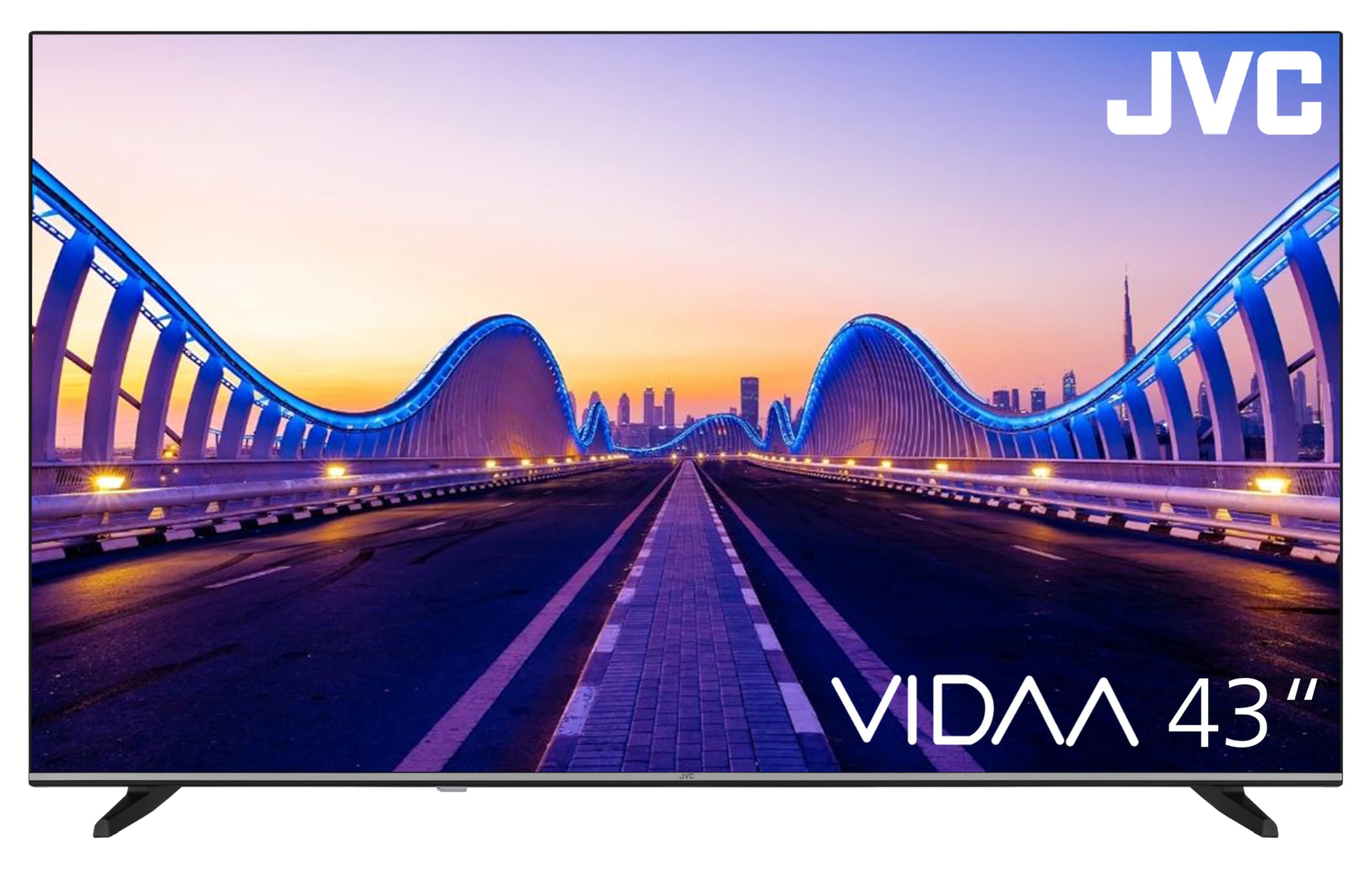
Image: The JVC Smart TV displaying the VIDAA operating system home screen, featuring a selection of popular streaming applications and content recommendations.
5.3 Сүрөт жана үн орнотуулары
Access the TV's menu to adjust picture settings (brightness, contrast, color, sharpness, HDR mode) and sound settings (equalizer, sound mode). The TV supports HDR10 for enhanced dynamic range.

Image: A JVC Smart TV screen showcasing content with high dynamic range (HDR), demonstrating improved detail and contrast.
6. Байланыштар
Your JVC TV offers various connection options for external devices:
- HDMI порттору (x2): Connect devices such as Blu-ray players, game consoles, or set-top boxes. One port supports ARC (Audio Return Channel) for simplified audio connections to soundbars or AV receivers, and both support CEC (Consumer Electronics Control).
- USB порт (x1): Медиа ойнотуу үчүн USB сактагыч түзмөктөрдү туташтырыңыз files (photos, music, videos) using the integrated media player.
- Антенна киргизүү: Connect an antenna for DVB-T2 (terrestrial) reception or a cable for DVB-C (cable) reception.
- Спутник киргизүү: Connect a satellite dish for DVB-S2 (satellite) reception.
- LAN порту: Зымдуу интернет байланышы үчүн.
- Санарип аудио чыгышы: Connect to an external audio system for high-quality digital sound.
- Гарнитура уячасы: Жеке угуу үчүн гарнитураны туташтырыңыз.
- CI Slot: For Common Interface modules, typically used with pay-TV services.
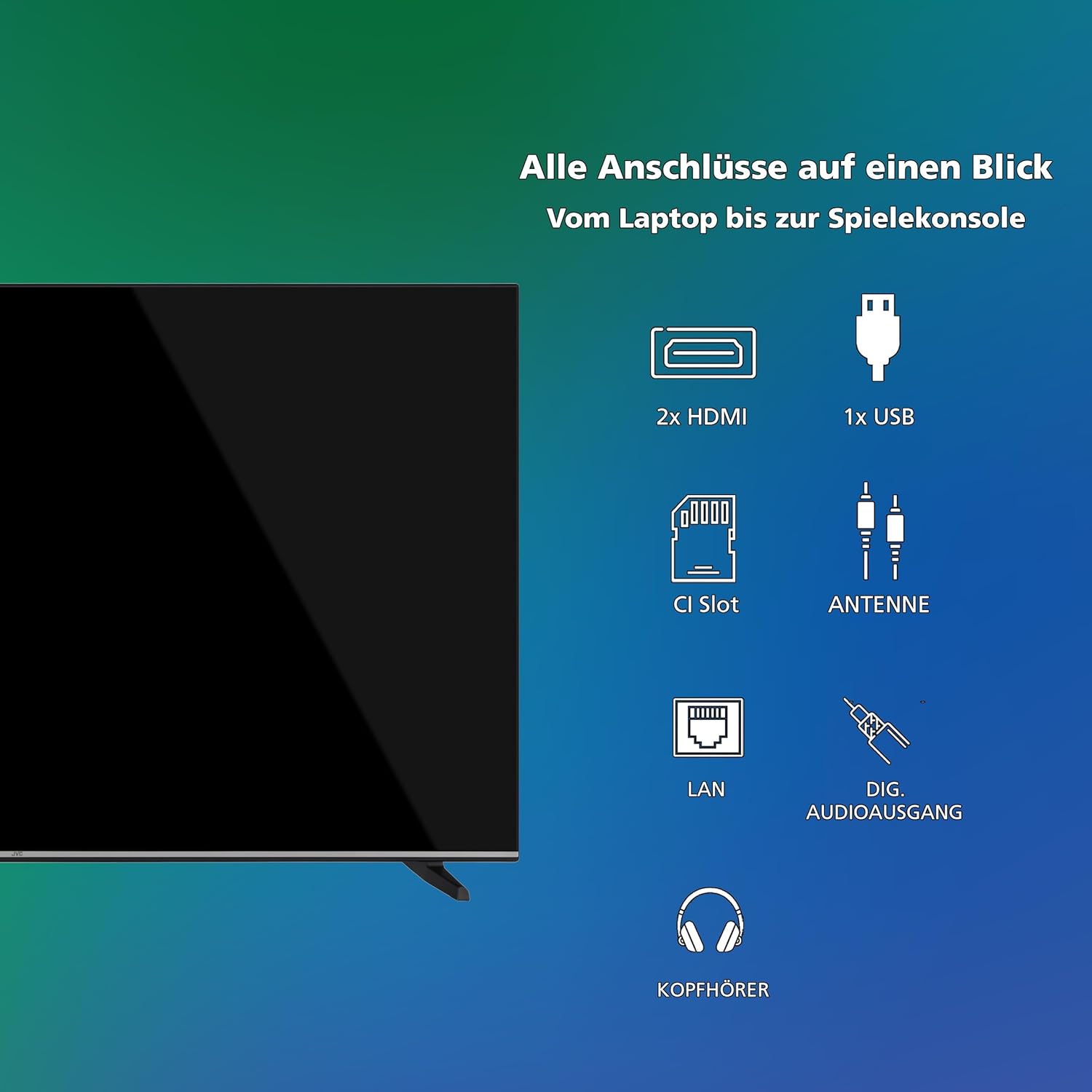
Сүрөт: Визуалдык көрүнүшview of all available connection ports on the JVC Smart TV, including HDMI, USB, CI Slot, Antenna, LAN, Digital Audio Output, and Headphone jack.
7. Техникалык тейлөө
- Экранды тазалоо: Экранды жумшак, түксүз чүпүрөк менен акырын сүртүңүз. өжөр белгилери үчүн, бир аз гampчүпүрөккө суу же атайын экран тазалагыч (түз эле экранга эмес, кездемеге сүйкөңүз).
- Кабинетти тазалоо: Телевизордун шкафын тазалоо үчүн жумшак, кургак чүпүрөктү колдонуңуз.
- Чаңды тазалоо: Regularly dust the ventilation openings to prevent dust buildup, which can affect performance and lifespan.
- Электр кабели: Электр шнурунун кандайдыр бир бузулууларын мезгил-мезгили менен текшерип туруңуз.
8. Кыйынчылыктарды
Телевизоруңузда көйгөйлөргө туш болсоңуз, төмөнкү жалпы чечимдерди караңыз:
- Кубат жок:
- Электр шнурунун сыналгыга да, розеткага да бекем сайылганын текшериңиз.
- Ensure the wall outlet is functioning by testing it with another device.
- Пульттагы же сыналгынын өзүндөгү кубат баскычын басыңыз.
- Сүрөт/үн жок:
- Verify that the correct input source is selected (e.g., HDMI 1, DTV).
- Бардык кабелдик туташуулар (HDMI, антенна ж.б.) коопсуз экендигин текшериңиз.
- Үндүн үнү өчүп же минималдуу деп коюлбагандыгын текшериңиз.
- Сүрөттүн сапаты начар:
- Антеннаны же кабелдик туташууларды текшериңиз.
- Сыналгы менюсунда сүрөт жөндөөлөрүн (жарыктык, контраст, тактык) тууралаңыз.
- Эгерде тышкы түзмөк колдонулса, анын чыгаруу чечилишин текшериңиз.
- Алыстан башкаруу иштебейт:
- Replace the batteries (2 AAA).
- Пульт менен сыналгынын IR сенсорунун ортосунда эч кандай тоскоолдуктар жок экенин текшериңиз.
- Smart TV Apps Not Loading/Working:
- Check your internet connection (Wi-Fi or LAN).
- Restart the TV by unplugging it for a few minutes and plugging it back in.
- Телевизордун программалык камсыздоосу жаңыртылганын текшериңиз.
9. Техникалык шарттар
| Модель номери | LT-43VDF5455 |
| Бренд | JVC |
| Screen Size | 43 дюйм (108 см) |
| Резолюция | 1080p (Full HD) |
| Дисплей технологиясы | ЖК, LED |
| Жаңыртуу ылдамдыгы | 120 Гц |
| Операция системасы | VIDAA |
| Өзгөчөлүктөр | VIDAA Smart TV, HDR10 |
| Байланыш | 2x HDMI (CEC, ARC), 1x USB, Wi-Fi, LAN, Digital Audio Out, Headphone, CI Slot |
| Тюнер түрү | Integrated DVB-C/T2/S2 Triple Tuner |
| Өлчөмдөрү (стенд менен) | 96.5 см (W) x 60 см (H) x 26.1 см (D) |
| SDR энергия керектөөсү | 42 кВт/саат/1000 саат |
| HDR энергия керектөө | 62 кВт/саат/1000 саат |
| Запастык бөлүктөрдүн болушу | 7 жыл |
9.1 Энергетикалык маалымат
Detailed energy consumption data and product information can be found on the EU EPREL database.

Image: The EU Energy Label for the JVC LT-43VDF5455 television, showing energy efficiency class E and consumption values.
Көбүрөөк маалымат алуу үчүн, баш багыңыз EPREL маалымат базасы (QR коду 2198541).

Image: The official product data sheet for the JVC LT-43VDF5455 television, detailing technical parameters and compliance information.
Кошумча маалымат боюнча жеткиликтүү EPREL маалымат базасы (QR коду 2198541).
9.2 Оптималдуу Viewаралык
For the JVC LT-43VDF5455 (43-inch Full HD), the recommended optimal viewаралык болжол менен 216 см.

Image: A table providing recommended optimal viewing distances based on TV screen size and resolution (4K, Full HD, HD).
10. Кепилдик жана колдоо
JVC products are manufactured to high standards and are designed for reliable performance.
- Запастык бөлүктөр: Spare parts for this model are guaranteed to be available for up to 7 years from the date of market placement.
- Программалык камсыздоо жаңыртуулары: Кепилденген программалык камсыздоонун жаңыртуулары жөнүндө маалымат жок.
- Кардарларды колдоо: For technical assistance, warranty claims, or further inquiries, please contact JVC customer support. Refer to the official JVC webБайланыш маалыматы үчүн сайтка же сатып алуу документтериңизге кайрылыңыз.


