1. Продукт бүтүп калдыview
The ShanWan Q38 is a versatile wireless Bluetooth controller designed for a wide range of gaming platforms. It features advanced controls such as Hall Effect joysticks and micro-switch buttons for enhanced precision and responsiveness.

Сүрөт 1.1: жогорудан ылдыйга view of the ShanWan Q38 Wireless Bluetooth Controller, showcasing анын компакттуу дизайны жана баскычтардын жайгашуусу.
2. Пакеттин мазмуну
Пакетте бардык буюмдар бар экенин текшериңиз:
- ShanWan Q38 Wireless Bluetooth Controller
- USB заряддоо кабели
- Колдонуучунун Колдонмосу (бул документ)
- 1 AAA батарейка (алдын ала орнотулган же өзүнчө камтылган)
3. Орнотуу жана туташуу
3.1 Контроллерди заряддоо
Before initial use, ensure the controller is sufficiently charged. Connect the provided USB charging cable to the controller's charging port and to a USB power source (e.g., computer, USB wall adapter). The LED indicator will show charging status.
3.2 Шайкештик
The ShanWan Q38 controller is compatible with the following platforms:
- Nintendo Switch / Switch 2 (firmware upgrade may be required for Switch 2)
- Steam Deck
- PC (Windows)
- Android devices (phones, tablets)
- iPhone
- iPad
- macOS devices
- PS4 (as indicated by mode switch, specific compatibility may vary)

Image 3.1: The ShanWan Q38 controller demonstrating compatibility with multiple gaming platforms.
3.3 Bluetooth аркылуу туташуу
Контроллерди түзмөгүңүзгө туташтыруу үчүн:
- Күйгүзүү: Press and hold the Home button on the controller until the indicator lights begin to flash.
- Режимди тандоо: Use the mode switch located on the top edge of the controller to select the appropriate mode for your device:
- X режими: For Mobile & Computer (Android, PC, macOS, iOS).
- S Mode: Nintendo Switch үчүн.
- P режими: For PS4 (if compatible).
- Жупташтыруу: On your device, navigate to the Bluetooth settings and search for available devices. Select "ShanWan Q38" (or similar) from the list to pair.
- Ырастоо: Once successfully paired, the indicator light on the controller will become solid.
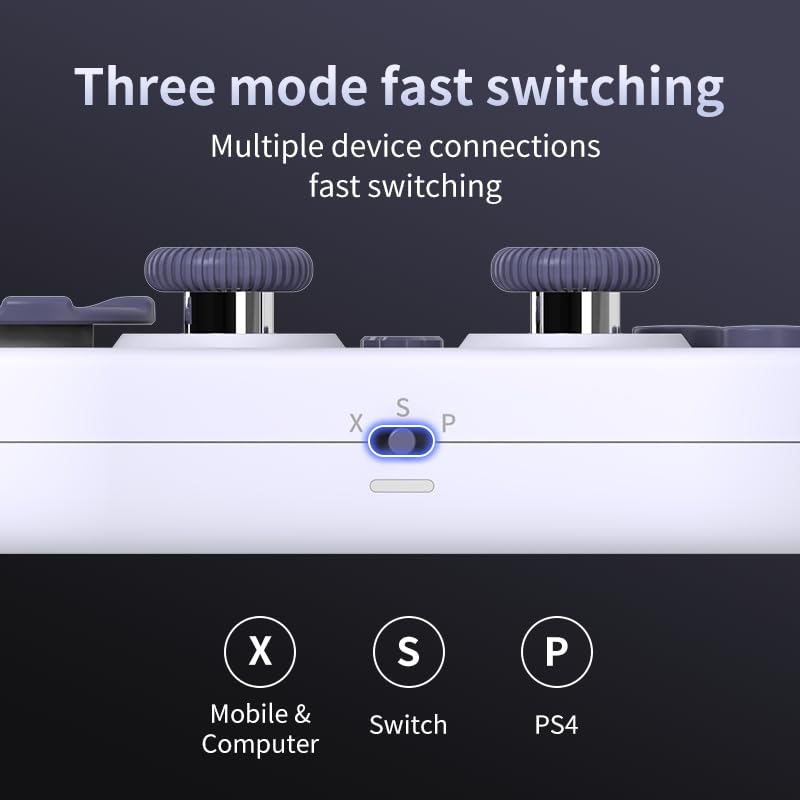
Image 3.2: Detail of the three-mode fast switching selector on the controller.
3.4 Customization and Calibration
For advanced customization, including button remapping and macro functions, download the official "gamepad space" application. This application also allows for controller calibration to ensure optimal performance.
4. Контроллерди иштетүү
4.1 Негизги өзгөчөлүктөрү
- Холл эффектисинин джойстиктери: Provides high precision and sensitivity. The joystick height is adjustable between 5mm and 8mm for personalized comfort.
- Composite Micro-Switch Buttons: These buttons offer a tactile response similar to mechanical keyboards, providing quick and precise input.
- Mechanical Triggers: Designed for fast response times.
- Dual Micro Motors: Provides dual vibration feedback for an immersive gaming experience.
- Somatosensory Gyroscope: Equipped with a 6-axis gyroscope for motion control in supported games.

Image 4.1: Detail of the adjustable Hall Effect joysticks.

Image 4.2: Close-up of the composite micro-switch action buttons.

Image 4.3: Diagram illustrating the internal components of the composite micro-keypad.
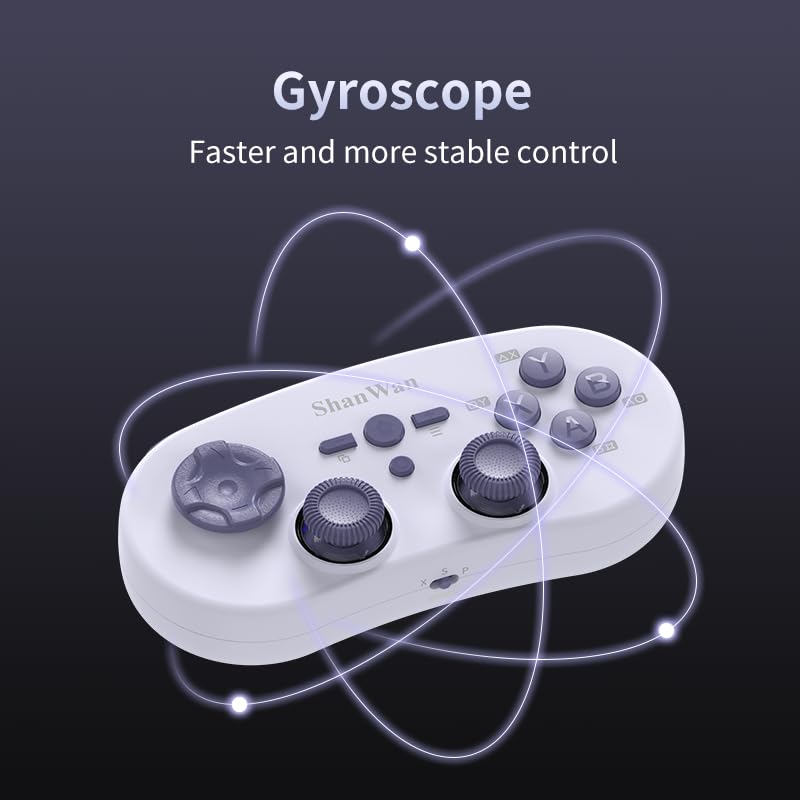
Image 4.4: Visual representation of the controller's gyroscope functionality.
4.2 Оюн тажрыйбасы
The compact design allows for portability, making it suitable for gaming on the go with devices like the Nintendo Switch or smartphones.

Image 4.5: Controller in use with a Nintendo Switch.

Image 4.6: Controller paired with a smartphone for mobile gaming.
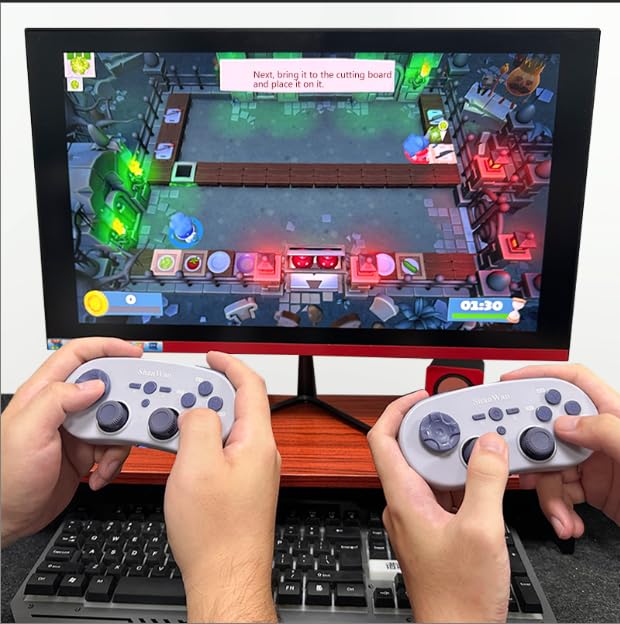
Image 4.7: Two controllers in use for multiplayer gaming on a PC.
5. Техникалык тейлөө
To ensure the longevity and optimal performance of your ShanWan Q38 controller, follow these maintenance guidelines:
- Тазалоо: Use a soft, dry cloth to wipe the controller. For stubborn dirt, a slightly damp кездемени колдонсо болот, бирок түзмөккө ным кирбешин текшериңиз. Катуу химиялык заттарды же абразивдүү тазалоочу каражаттарды колдонбоңуз.
- Сактагыч: Контроллерди түз күн нурунан жана экстремалдык температурадан алыс салкын, кургак жерде сактаңыз.
- Батареяга кам көрүү: If using replaceable AAA batteries, remove them if the controller will not be used for an extended period to prevent leakage.
- Тамчылардан качуу: Башкаргычты ички компоненттерге зыян келтириши мүмкүн болгон физикалык соккулардан жана кулап түшүүлөрдөн коргоңуз.
6. Кыйынчылыктарды
If you encounter issues with your ShanWan Q38 controller, refer to the following common problems and solutions:
- Контроллер күйбөй жатат:
- Ensure the battery is correctly inserted and has sufficient charge. Replace AAA batteries if necessary.
- Connect the controller to a power source using the USB cable to confirm if it charges.
- Difficulty Connecting via Bluetooth:
- Ensure the controller is in the correct mode (X, S, or P) for your device.
- Түзмөгүңүздүн Bluetooth'ун өчүрүп, күйгүзүңүз.
- Bluetooth жөндөөлөрүндө түзмөктү унутуп, кайра жупташтырып көрүңүз.
- Ensure the controller is within the effective range of your device.
- Buttons or Joysticks Not Responding Correctly:
- Calibrate the controller using the "gamepad space" application.
- Баскычтардын же джойстиктердин айланасында кандайдыр бир физикалык тоскоолдуктар же таштандылар бар-жогун текшериңиз.
- Ensure the controller's firmware is up to date, especially for Switch 2 compatibility.
- Random Disconnections:
- Жакын жерде күчтүү зымсыз тоскоолдуктар жок экенин текшериңиз.
- Keep the controller close to the connected device.
- Re-pair the controller if disconnections are frequent.
7. Техникалык шарттар
| Өзгөчөлүк | Деталь |
|---|---|
| Модель номери | Q38 |
| Өндүрүүчү | ШанВан |
| Байланыш | Bluetooth зымсыз |
| Шайкештик | Switch/Switch 2, Steam Deck, PC, Android, iPhone, iPad, macOS, PS4 |
| Джойстик түрү | Hall Effect, Adjustable Height (5mm-8mm) |
| Баскыч түрү | Composite Micro-Switch |
| Вибрация | Dual Micro Motors |
| Motion Control | 6 огу гироскоп |
| Пакеттин өлчөмдөрү | 5.63 x 4.53 x 1.54 дюйм |
| Элемент Салмагы | 4.6 унция |
| Батареялар | 1 AAA батарейкасы талап кылынат (кошулган) |

Image 7.1: Physical dimensions of the ShanWan Q38 controller.
8. Кепилдик жана колдоо
For warranty information and customer support, please refer to the official ShanWan webсайтына же товарды сатып алган сатуучуга кайрылыңыз. Кепилдик дооматтар үчүн сатып алганыңыздын далилин сактаңыз.


